April
CRM Features and Updates
Staking Improvements
What was added:
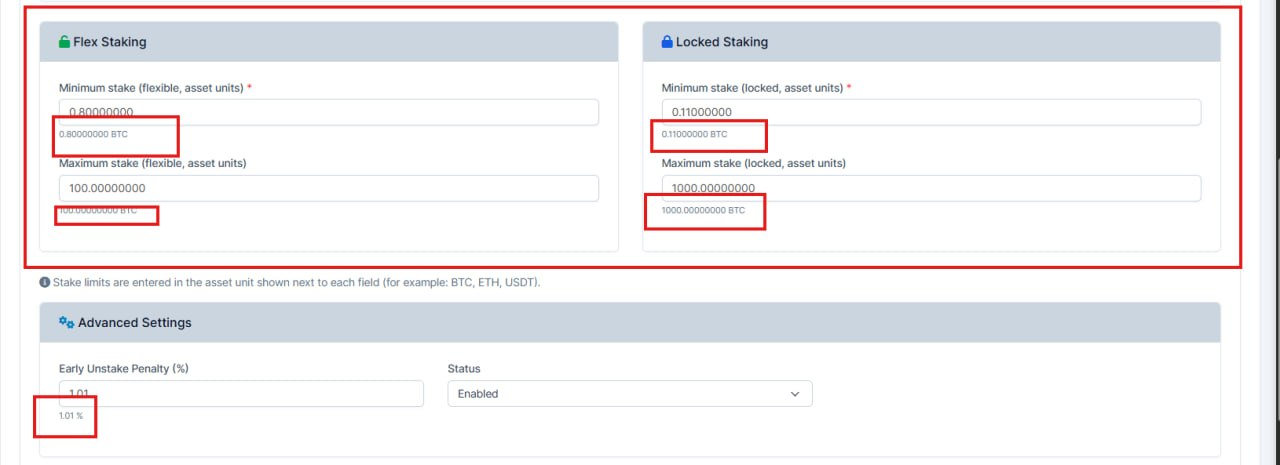
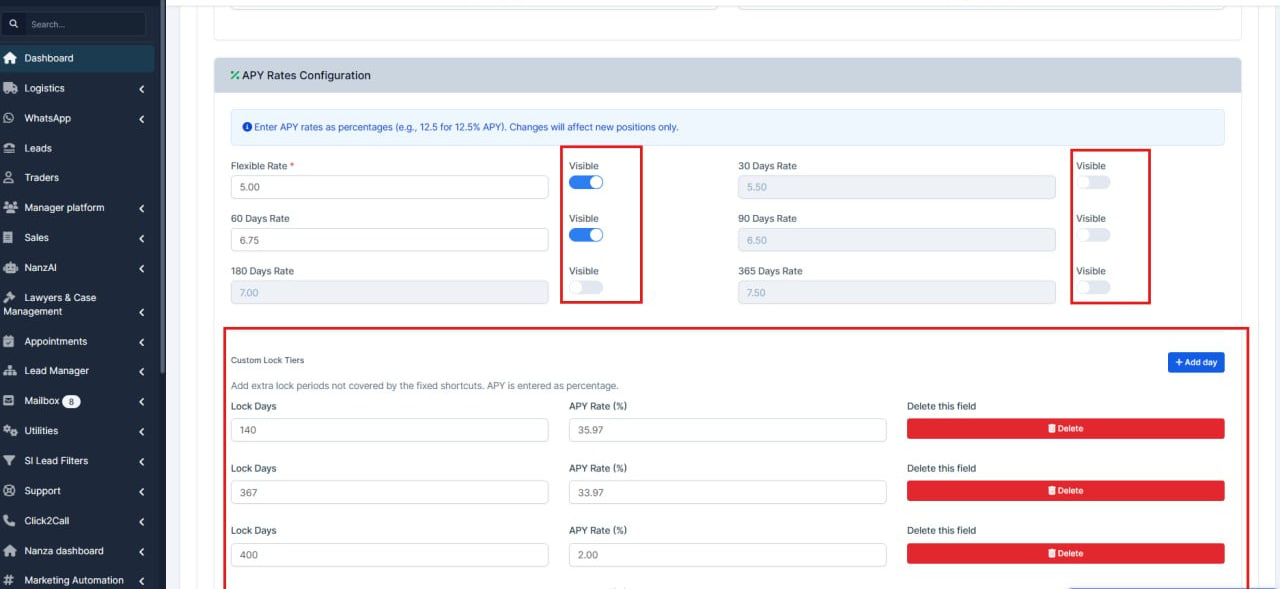
Improved how staking products (staking assets) are set up and managed in the admin area:
- Clearer screens – fields are laid out more logically so it’s easier to see what to fill in and avoid mistakes.
- Safer inputs – validation and handling of values are tightened so bad or inconsistent data is caught earlier.
- Flexible lock periods – you can define custom lock tiers (not only fixed options), so staking rules can match real products better.
Intro Tour Management from the CRM
What was added:
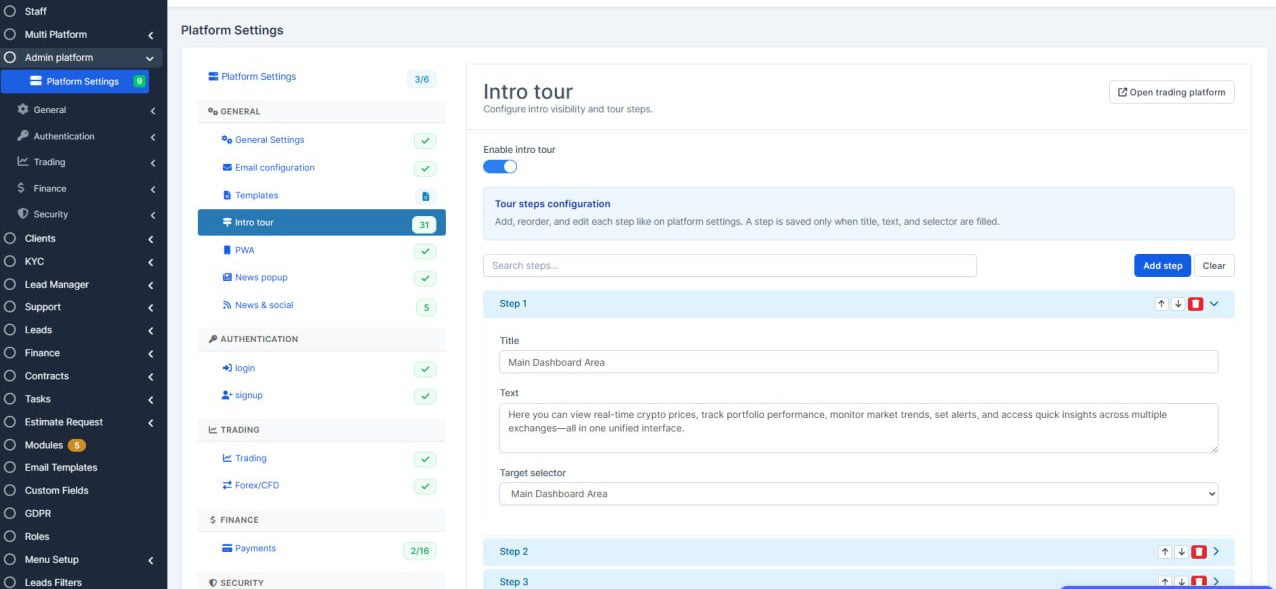
- Replaced raw JSON editing with a visual step builder (add, reorder, remove, search steps).
- Added a selector dropdown sourced from the platform, so admins can pick UI elements instead of typing selectors manually.
- Introduced accordion-style step cards for cleaner navigation when many steps exist.
- Made sure step data is generated automatically and saved consistently from the builder.
- Fixed tab reload behavior so the Intro settings continue working correctly after switching between tabs.
- Updated multilingual labels/help texts for the new Intro settings UX.
Better Search
What was added:
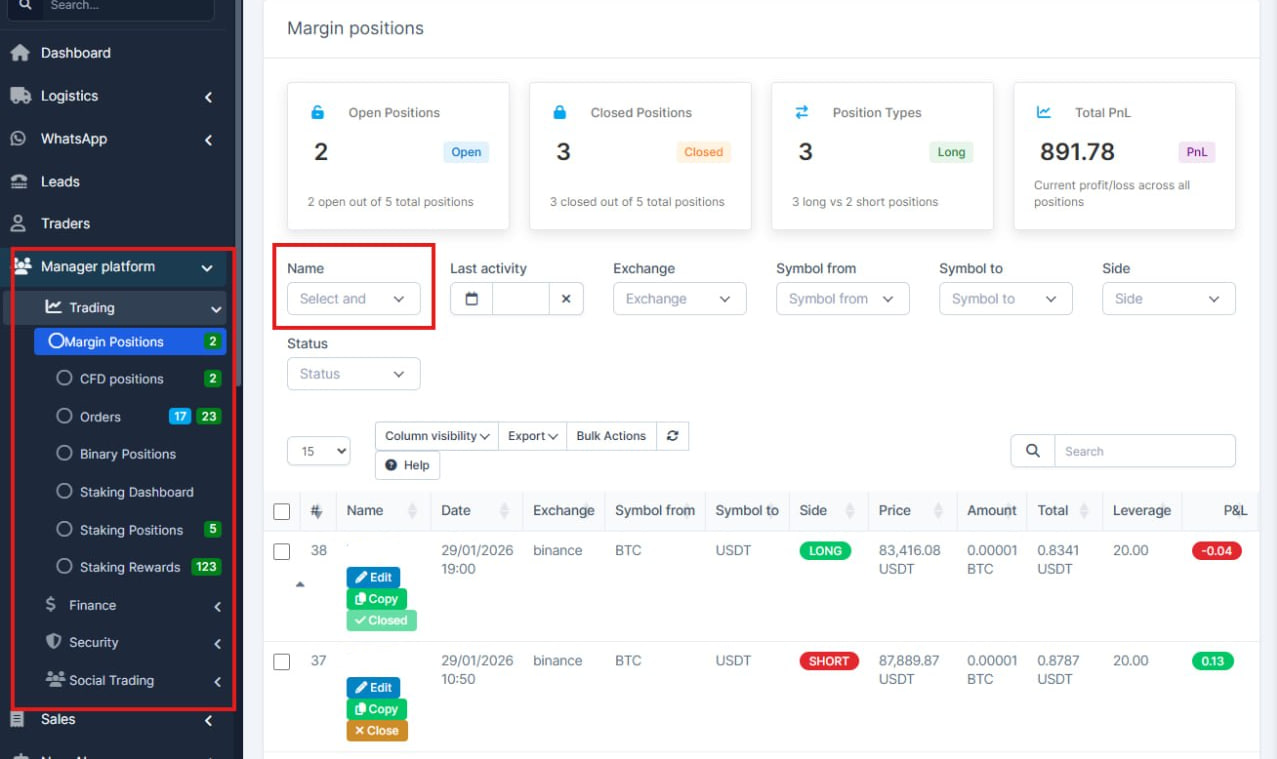
- Updated the Name filter search in the Platform Manager menu - it now works as a typing-based search (triggered while entering text).
- Also fixed spacing issues and broken HTML across pages (for the technical team).
Theme Change
What was added:
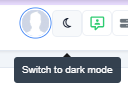
- Added a possibility to effortlessly change the theme on the crm to the dark/light mode.
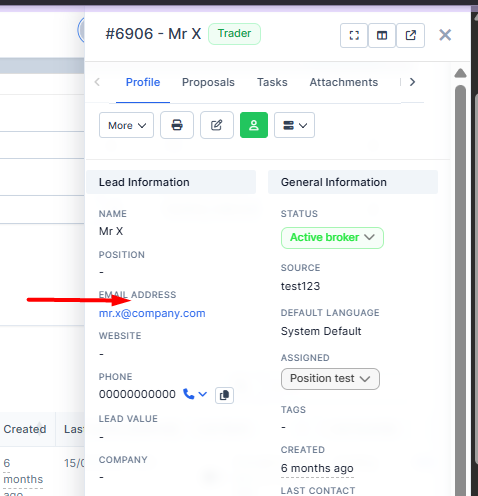
Drawer options
What was added:
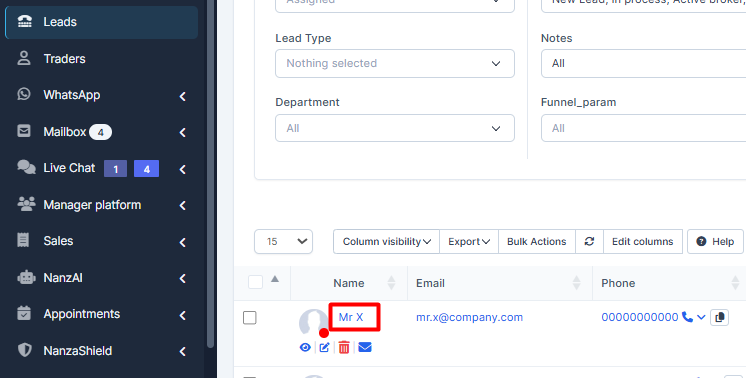
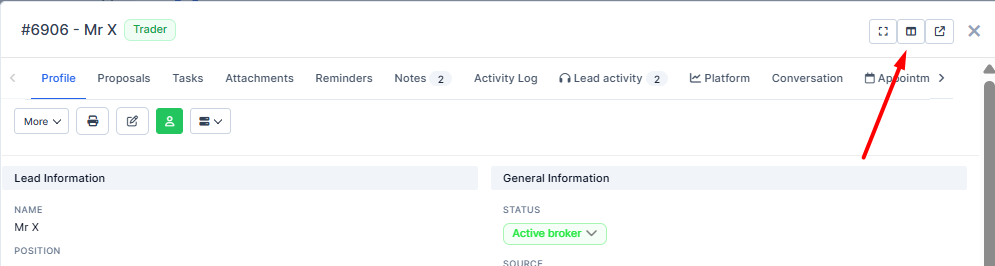
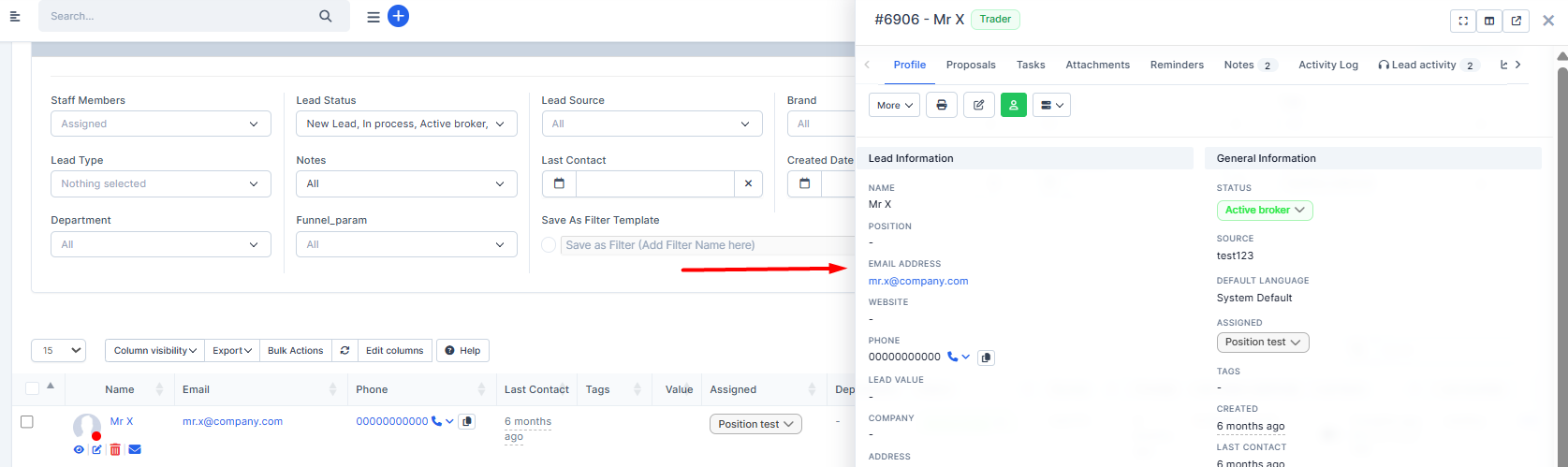
- Added dynamic drawer options: ability to change the sides, drag the drawer to resize
Convert To Trader options
What was added:
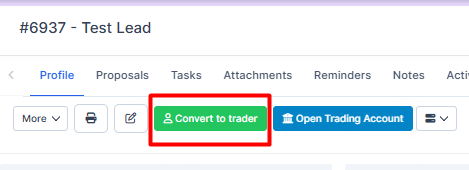
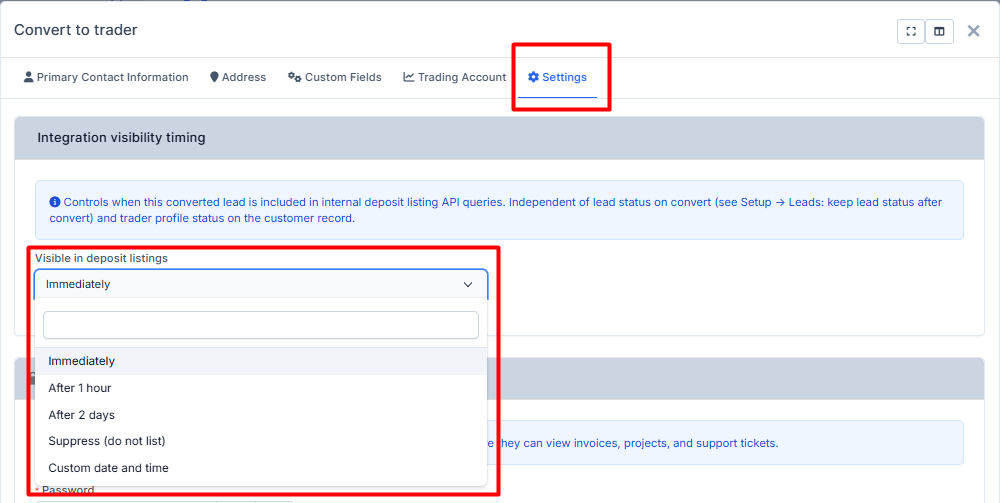
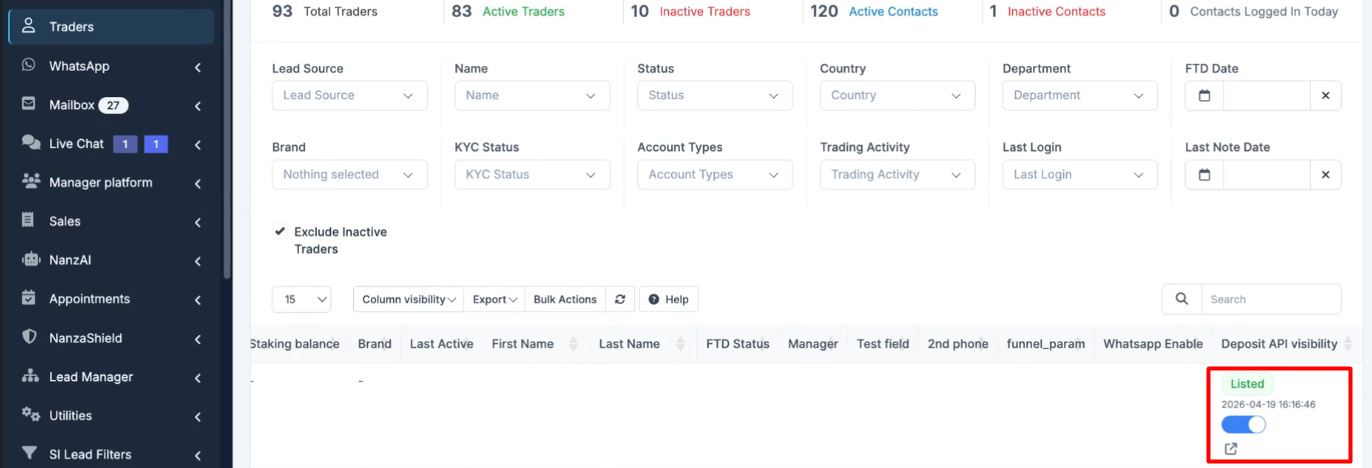
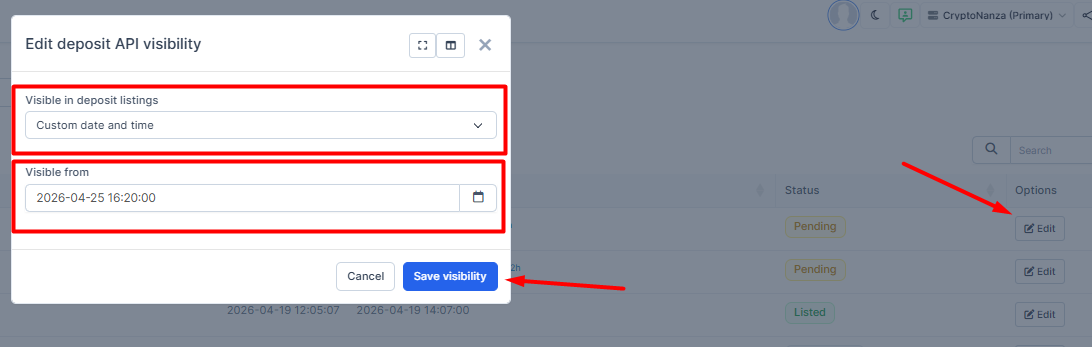
- Added possibility to convert with the date delayed.
Controls when this converted lead is included in internal deposit listing API queries. Independent of lead status on convert (see Setup → Leads: keep lead status after convert) and trader profile status on the customer record.
On the Lead
On Traders
On API
Statuses

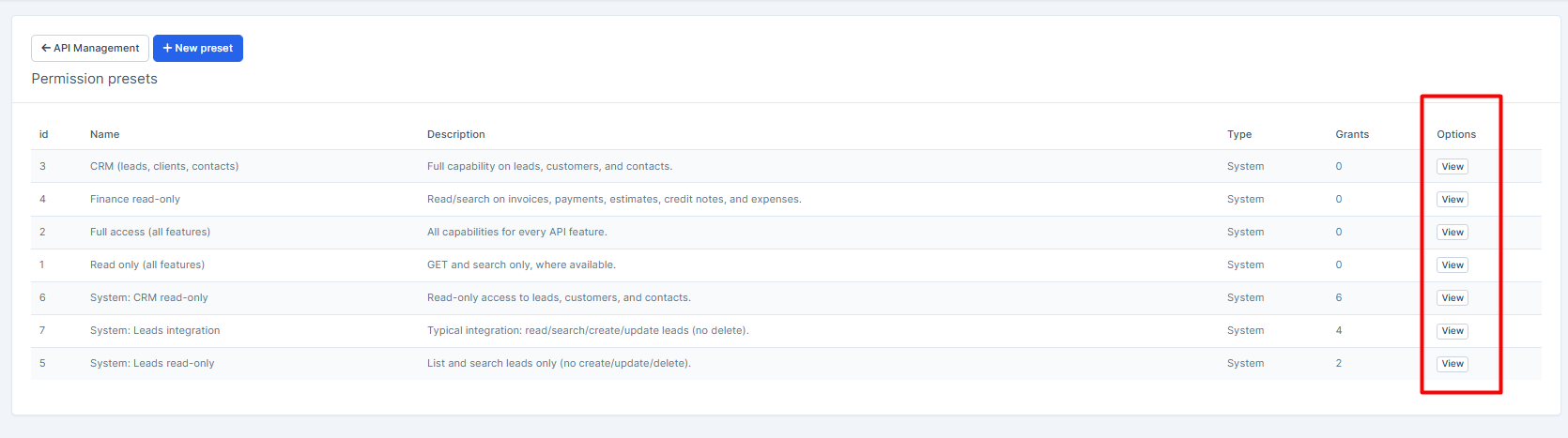
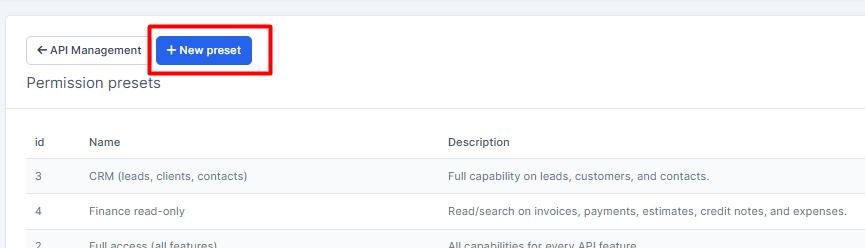
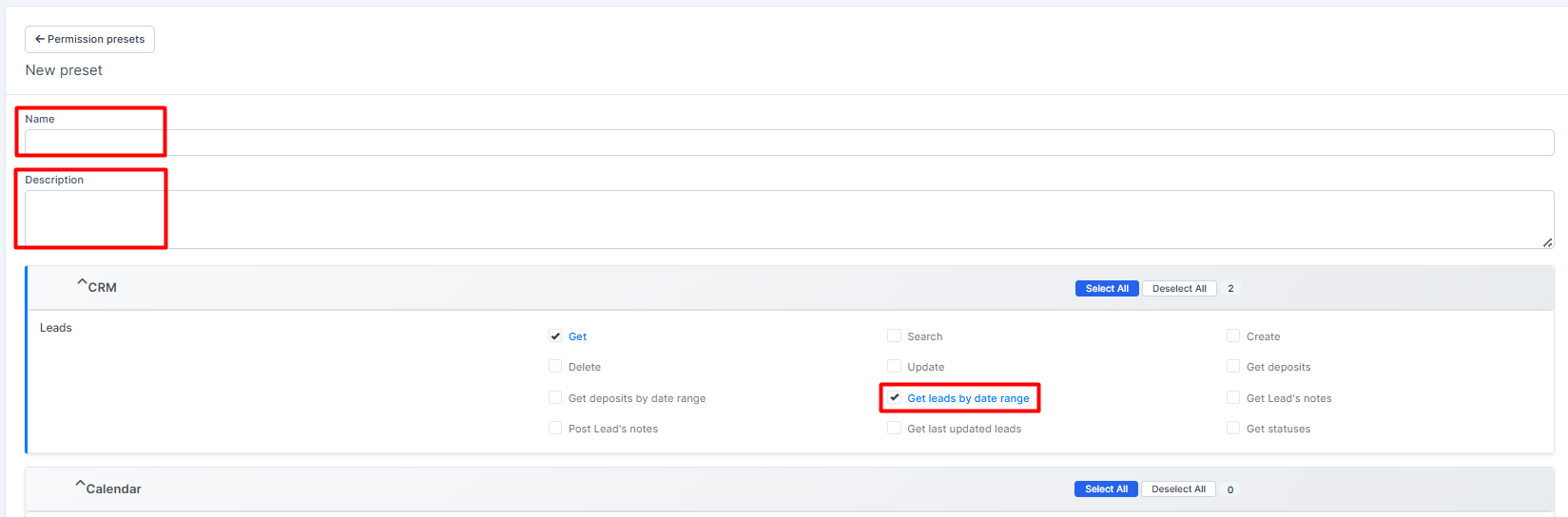
Permissions Presets
Default Viewing

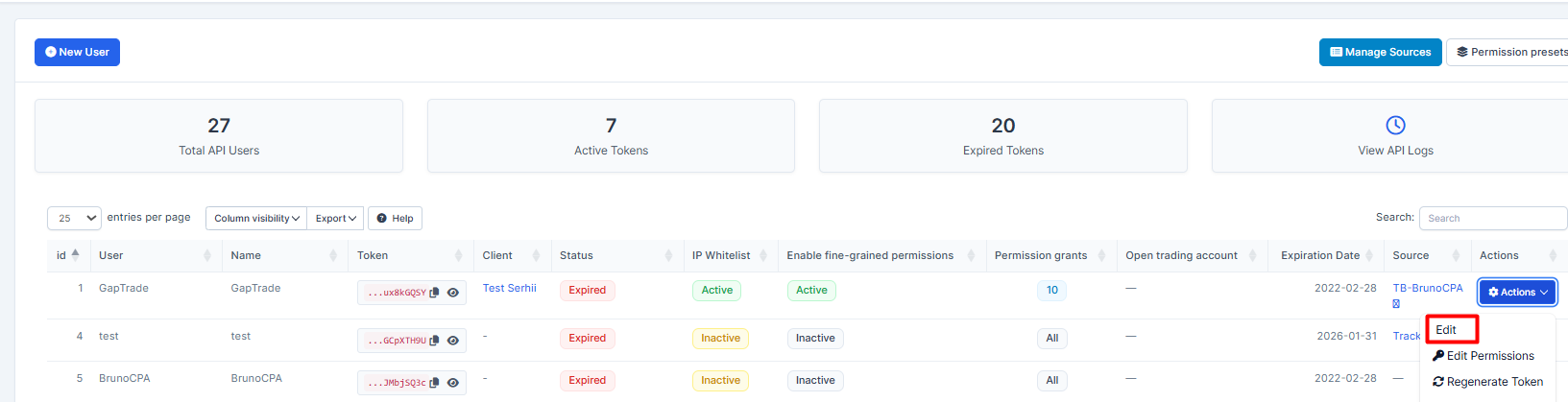
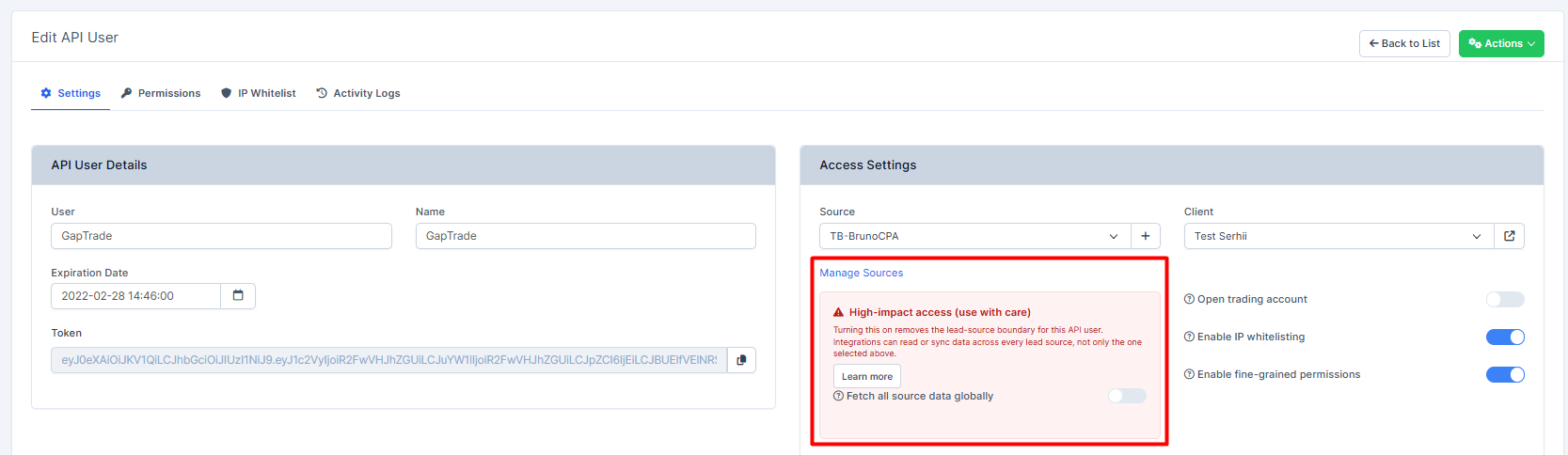
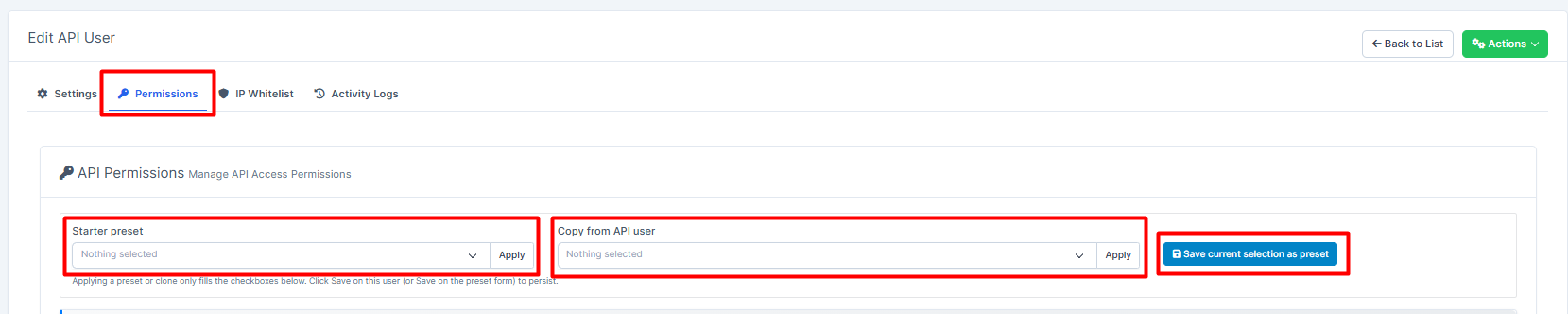
Creating
С2C Provider
What was added:
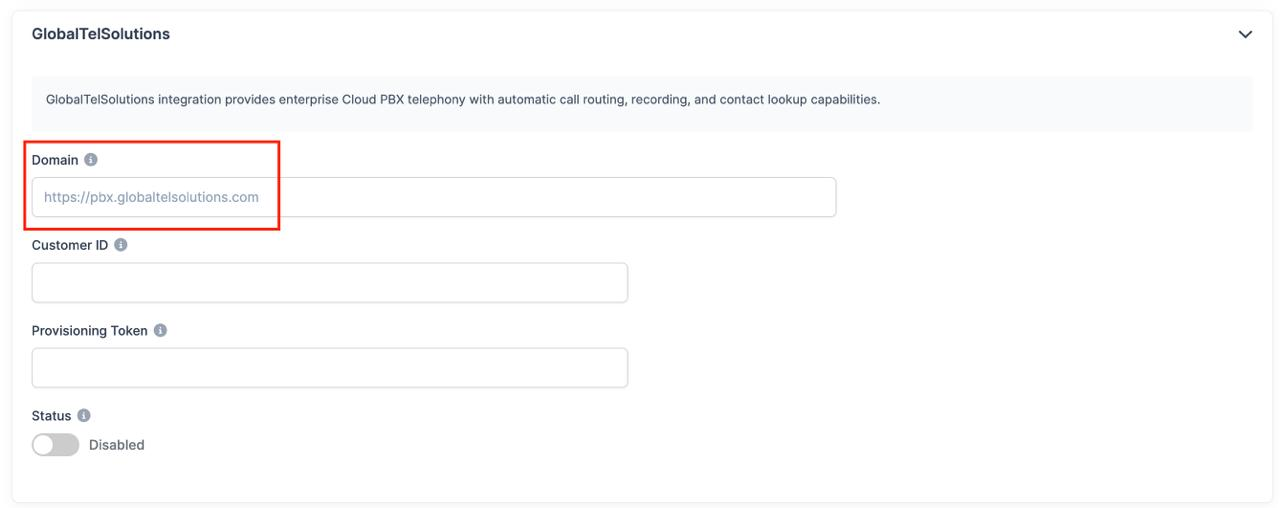
- Added dynamic domain for GlobalTellSolutions c2c provider.
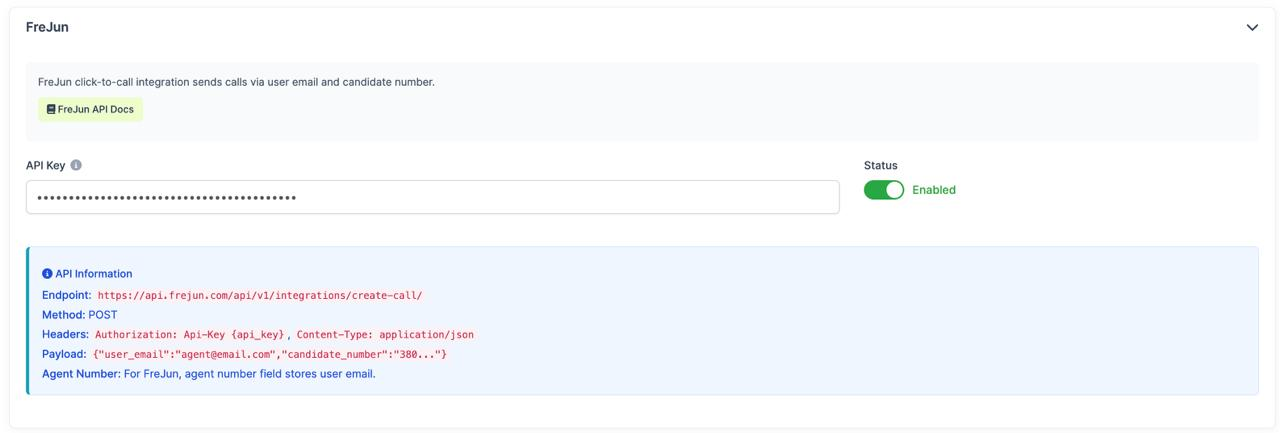
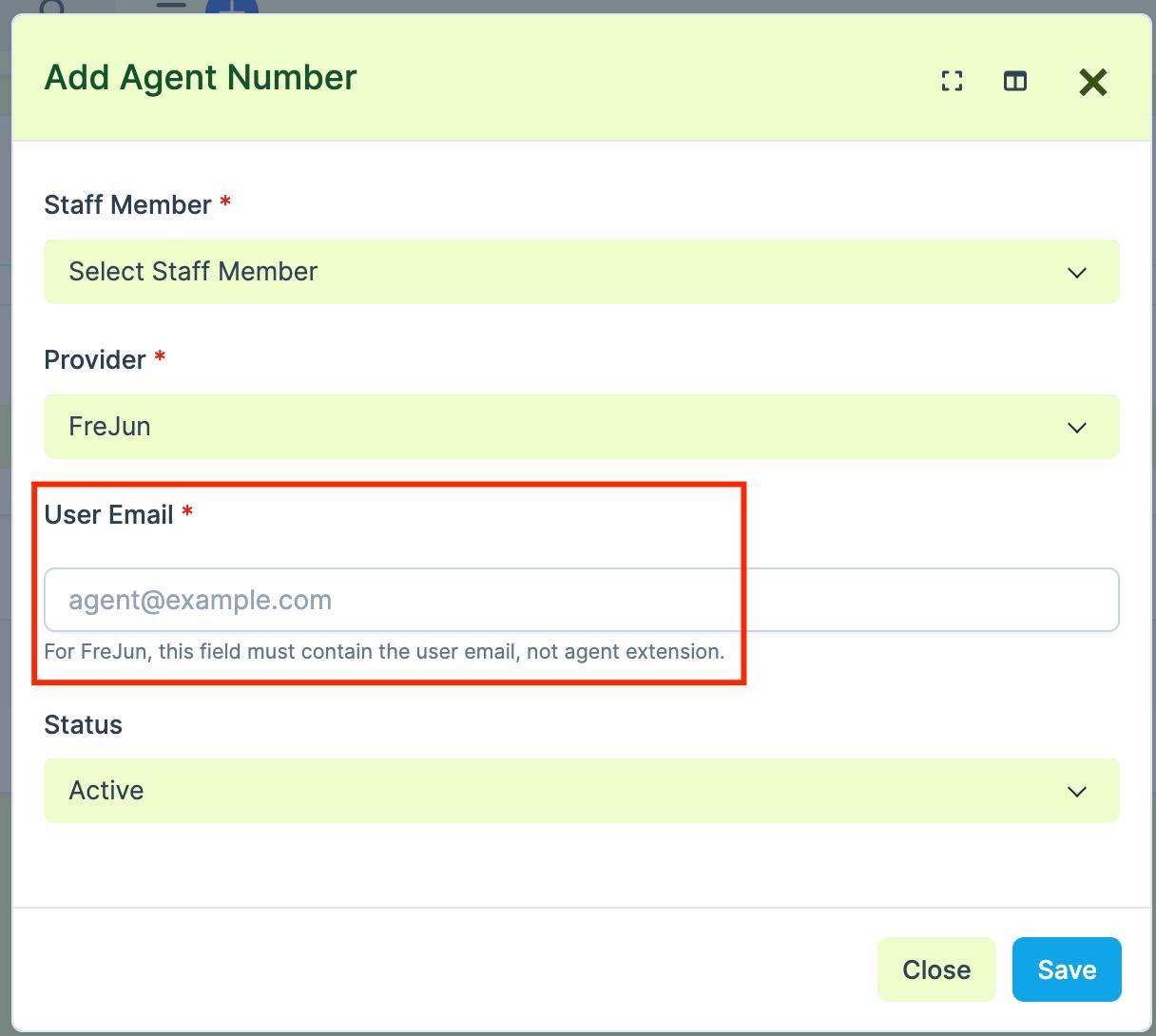
-Added new c2c provider "FreJun"
It works like the other providers, with two differences:
1. The agent number field stores an email address instead of an agent extension.
2. This integration does not require a softphone (MicroSIP or Zoiper).
Social Trading Dashboard
What was added:
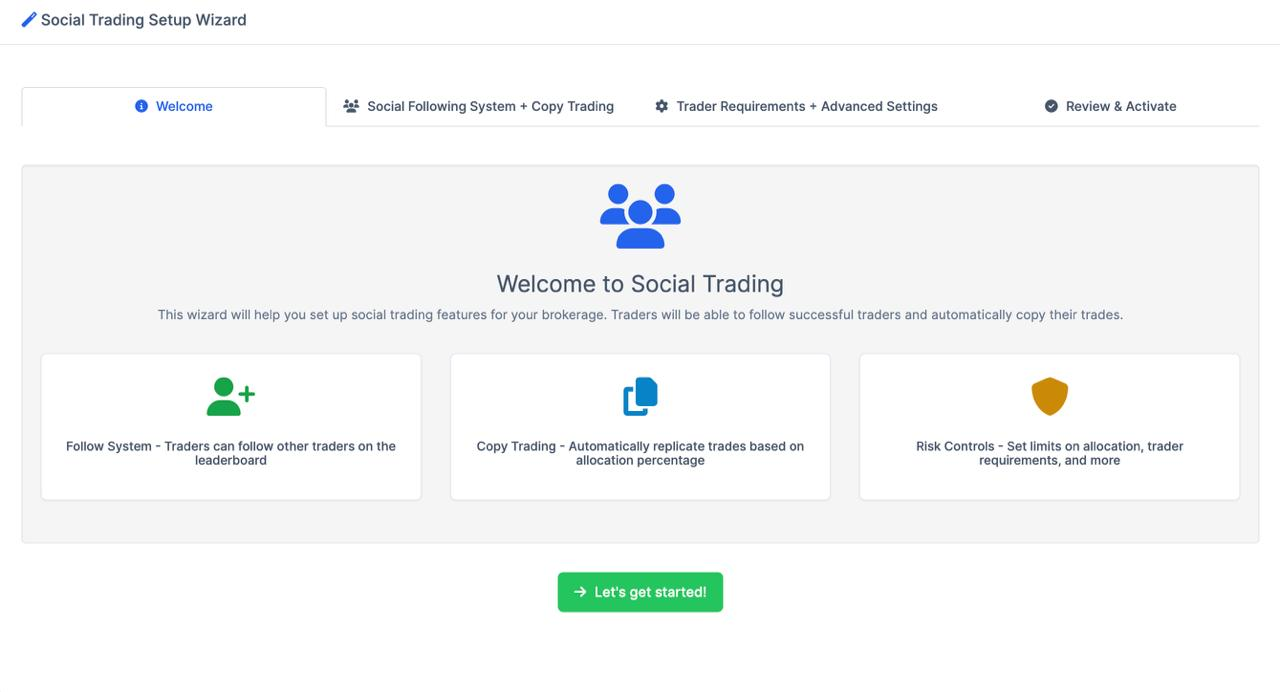
Added Social Trading Setup Wizard and small onboarding flow.
What was added:
New wizard page for quick setup of social + copy trading settings.
Widget check on dashboard for users where this module is not configured yet.
If settings are not set, widget now shows short explanation and big button to open Setup Wizard.
If at least one required option exists (social_trading_enabled or copy_trading_enabled), widget shows normal stats content like before.
Why this was needed:
Some users open dashboard but social trading still not enabled/configured.
Before it was confusing (empty or not clear state).
Now they can understand what is missing and start setup in 1 click.
Result:
Better first-time experience for not configured accounts.
Less confusion for admins.
Faster activation flow from dashboard directly.
Last Note Filter
What was added:
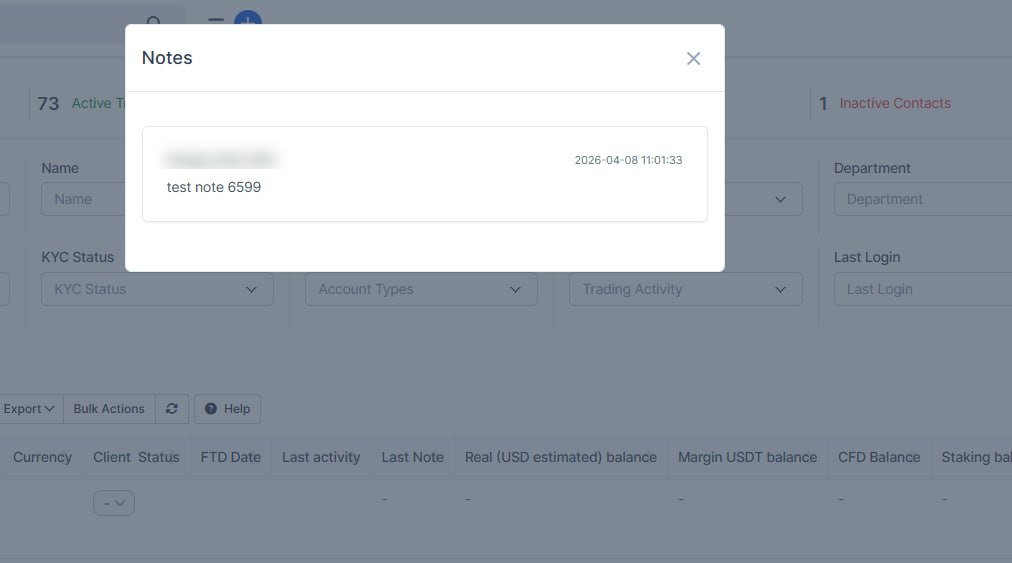
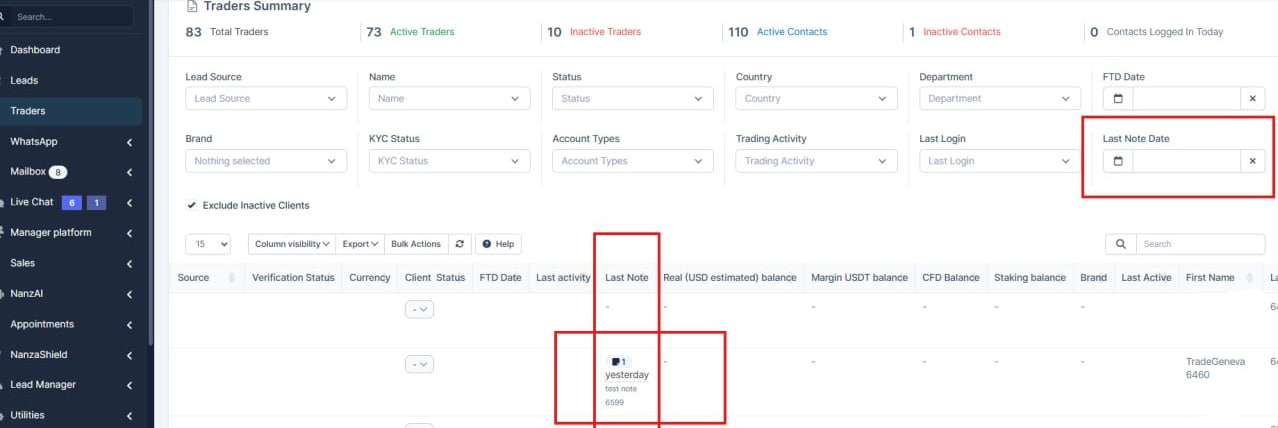
- Added a new Last Note field on the trader page.
- Clicking this field opens a list of all notes for the selected trader.
- Added a filter by the latest note in the table.
Lead Filter
What was added:
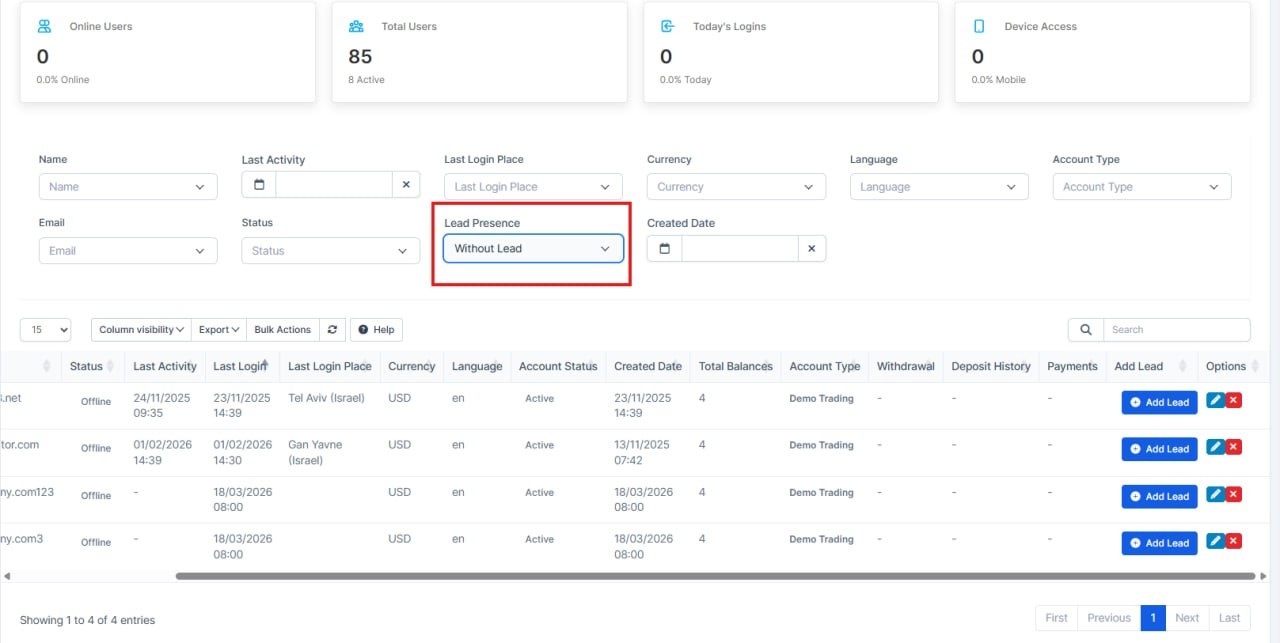
-Added a filter to determine whether a user has a lead or not
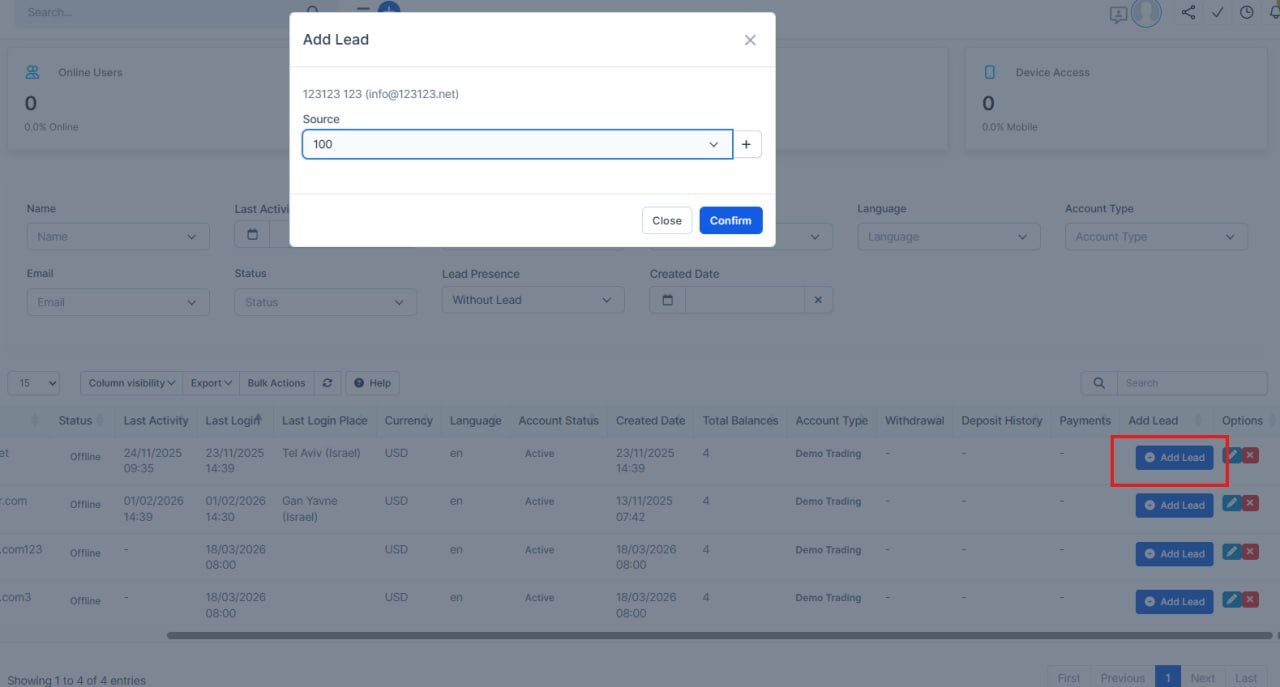
-Fixed the Add Lead button UI — now it always displays correctly
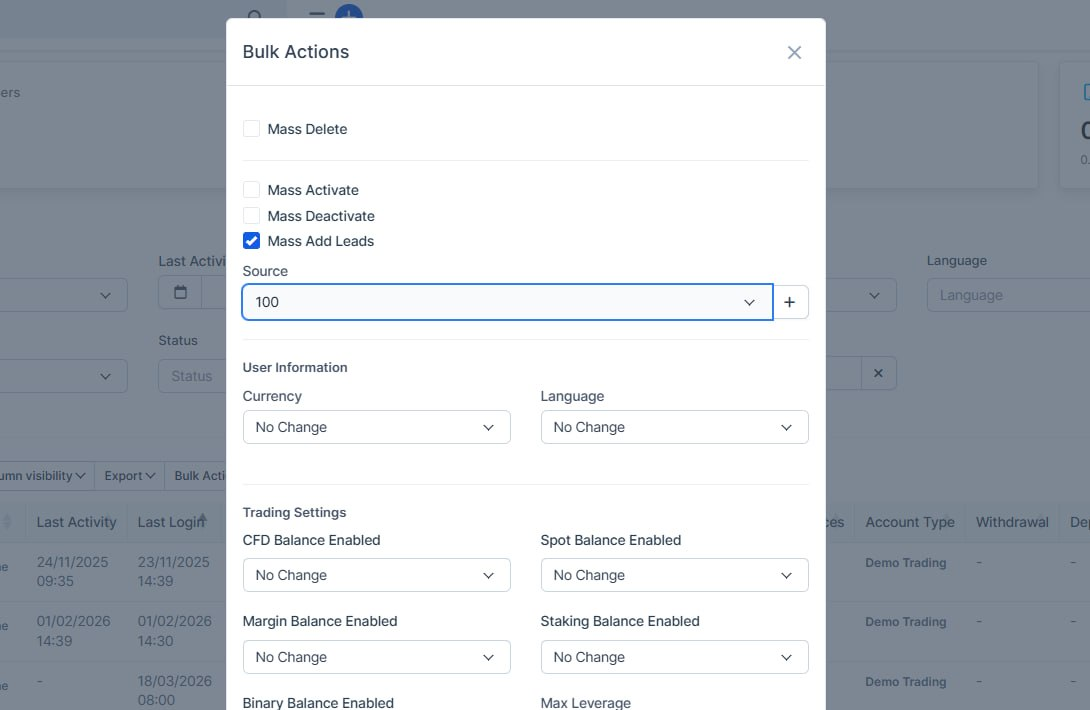
-When adding a lead, a popup with source selection is shown, allowing you to either choose an existing source or create a new one directly within the popup
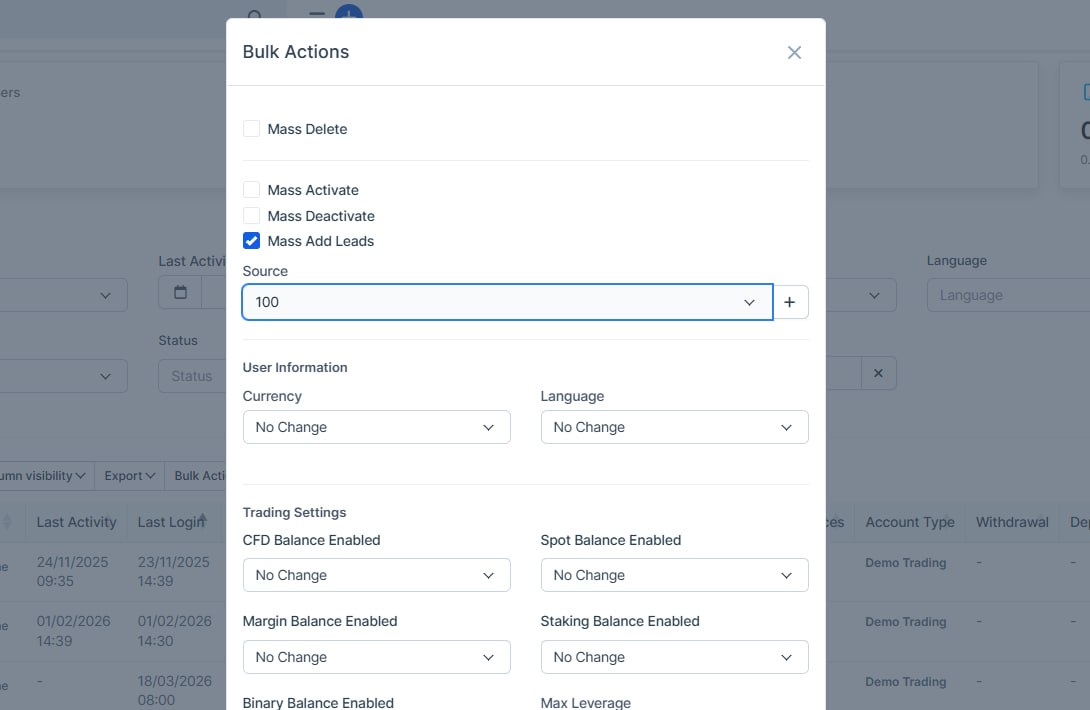
-Added bulk action functionality to select multiple users and create leads for them
Knowledge Base Updates
What was added:
- Knowledge base display has been fixed
Note:
If you see a broken page, simply go to the article's edit page and save it again
Bank Transfer Updates
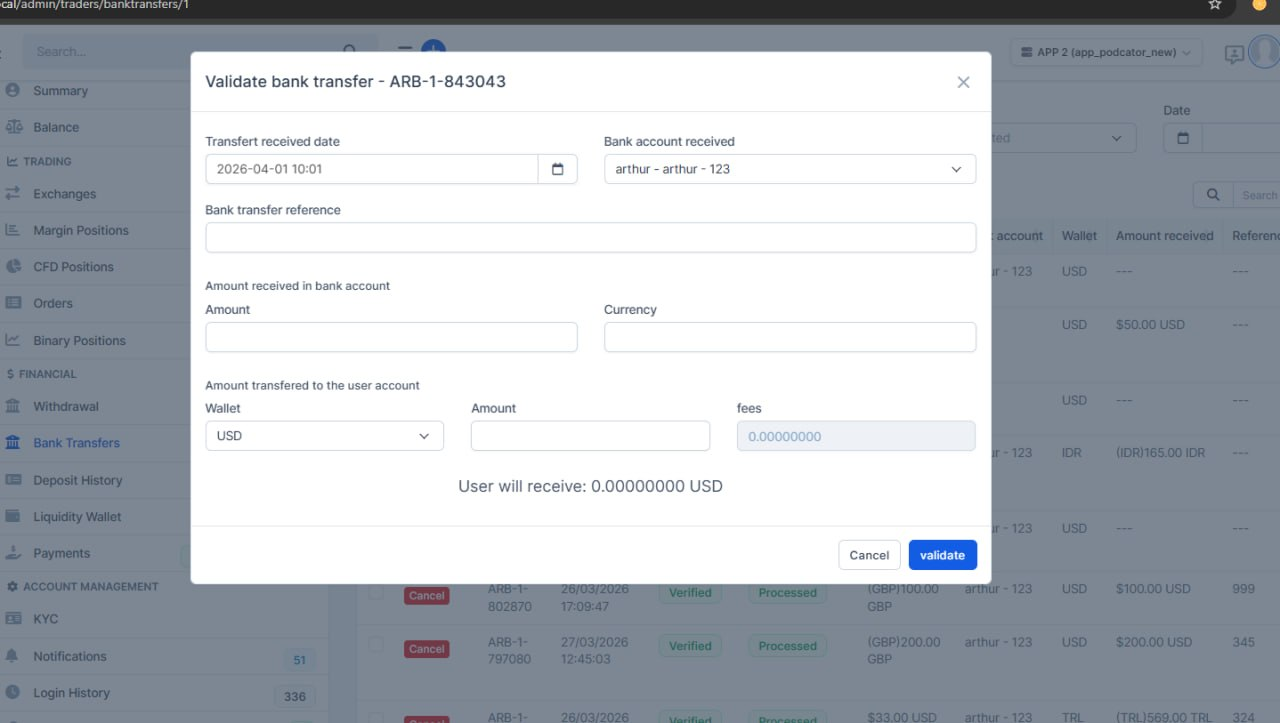
Traders-> Trading view graph-> Bank transfer
What was added:
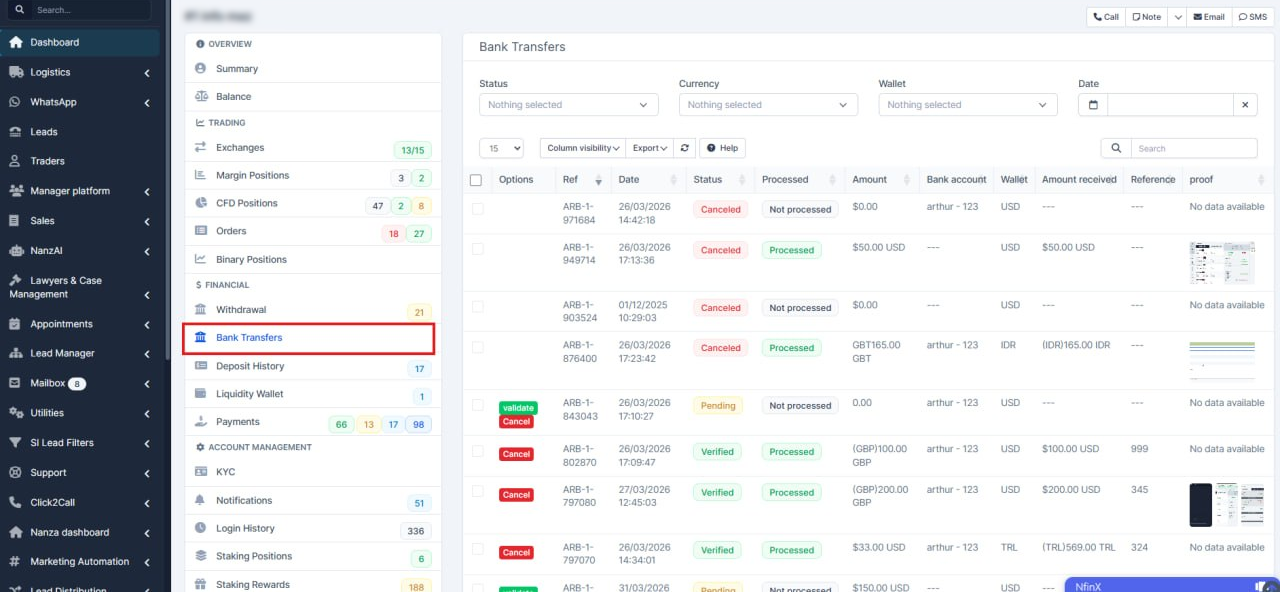
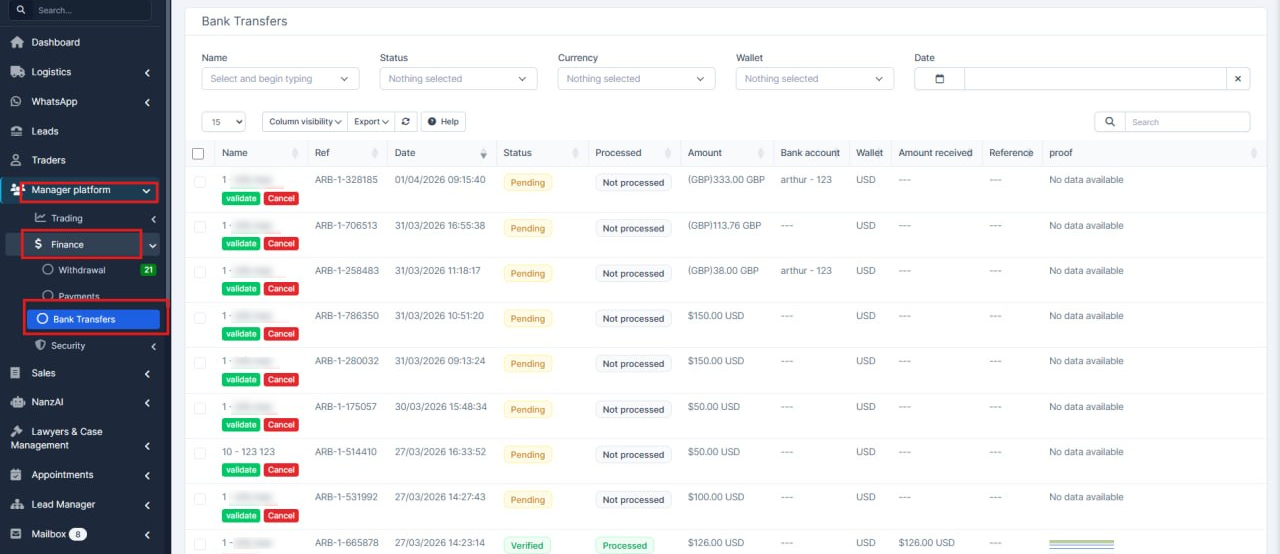
- A new table for bank transfer transactions has been added in Manager Platform → Finance → Bank Transfer.
It provides a complete overview of all transactions, including statuses, receipts, and the ability to confirm or cancel operations. All actions are synchronized with the main platform in real time.
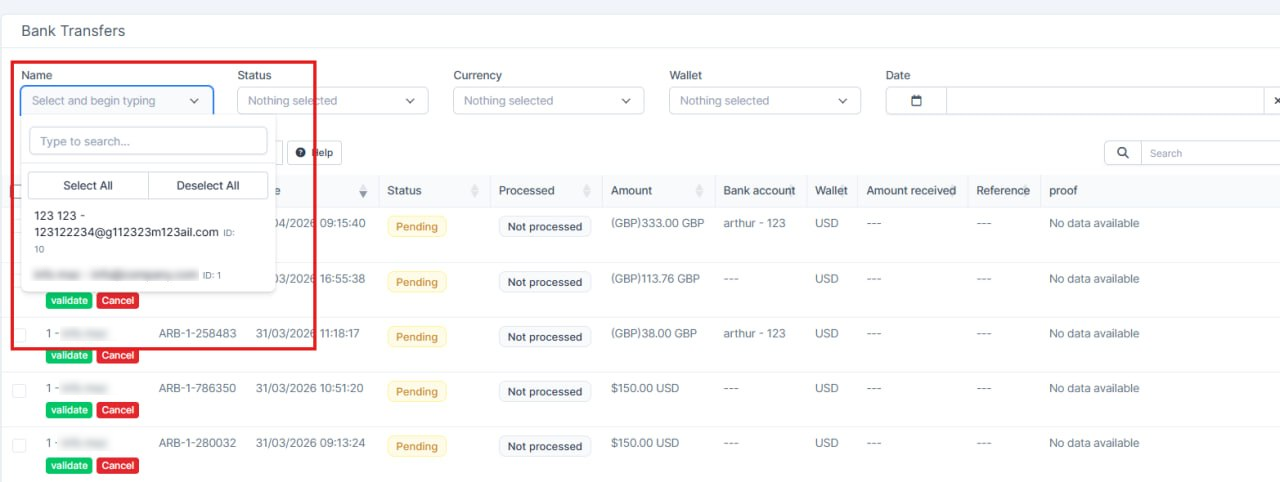
- An improved search has been implemented: results are loaded dynamically as the user types, without loading all data at once
- The same functionality has been added at the trader level, displaying transactions related to a specific user
Fixed Links
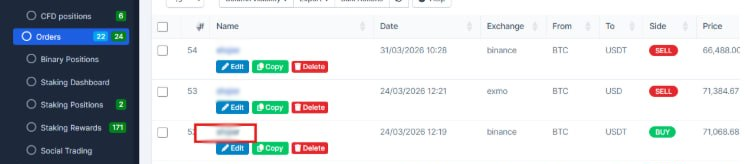
Platform Manager > Trading > Orders
What was added: the links for each user have been fixed.
Bank Account Management Updates
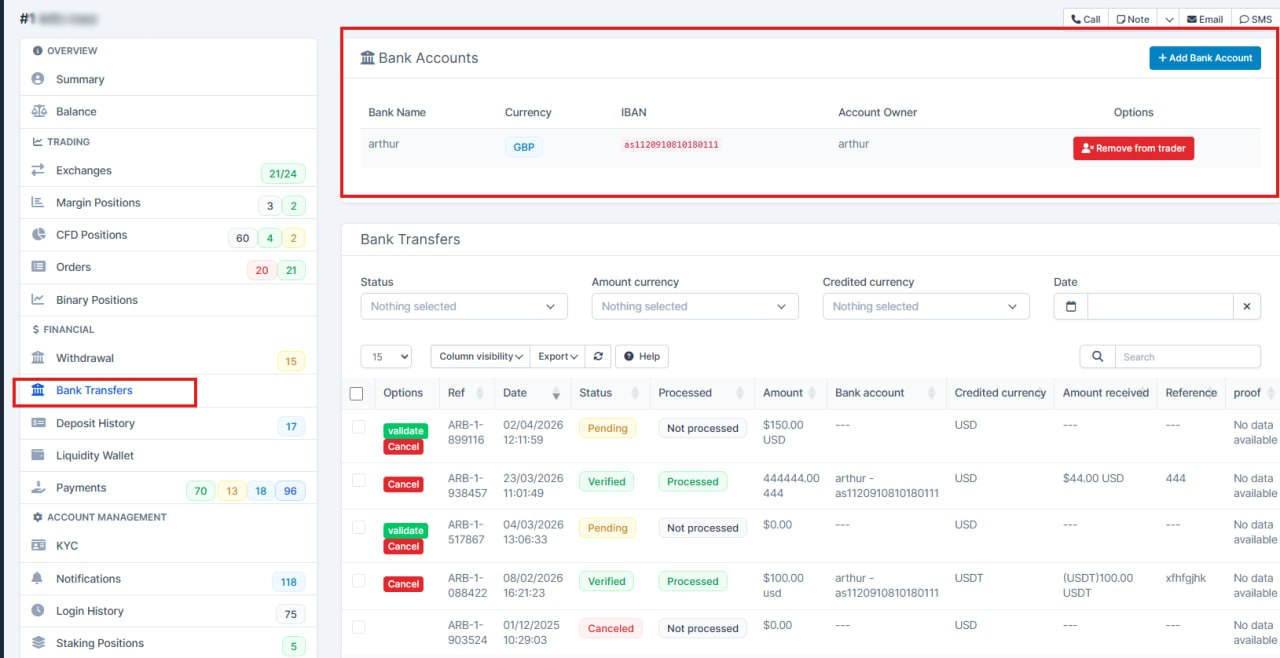
What was added:
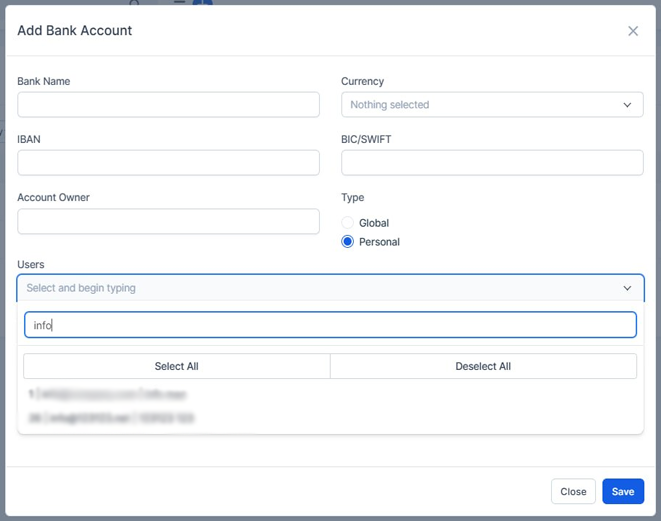
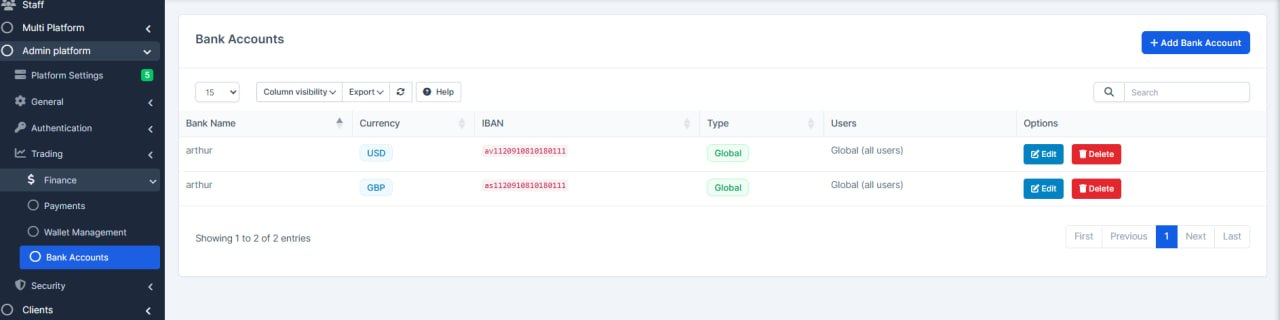
-A new page has been added under Setup → Platform Admin → Trading → Finance → Bank Account, which contains all bank account settings available on the platform.
- Personal bank accounts can now be created and assigned individually to each user.
On the trader page:
- You can view all transactions related to the user.
- You can add or remove personal bank accounts assigned to that user.
Note:
Only personal bank accounts can be assigned to users.
Global bank accounts are not available for user-level selection.
Withdrawal Update
What was added:
- Fixed transaction history display in Manager Platform → Finance → Withdrawals
- New transactions now retain withdrawal method information even if the method is deleted
See Platform "Withdrawal Update" down the page for more details
Withdrawal Update
What was added:
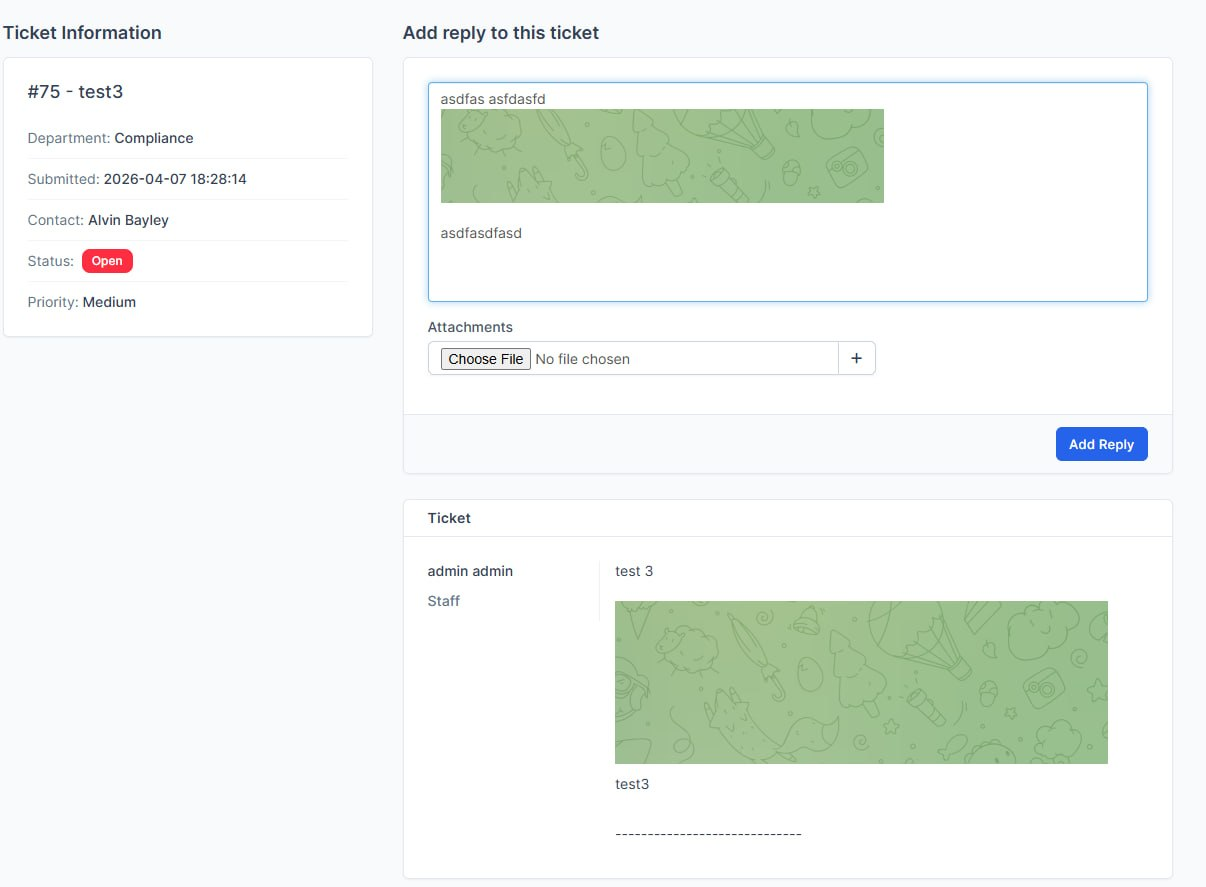
- tickets now support images (CTRL+V) in all forms
>add ticket>reply to ticket> public ticket form
Trader Settings Presets
What was added:
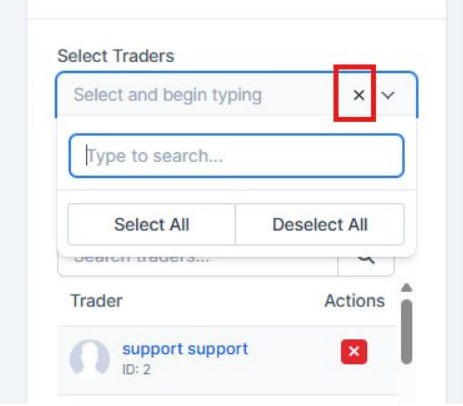
Fixed - now everything works when you click the ticker (Trader settings presets)
Platform Features and Updates
Staking Enhances
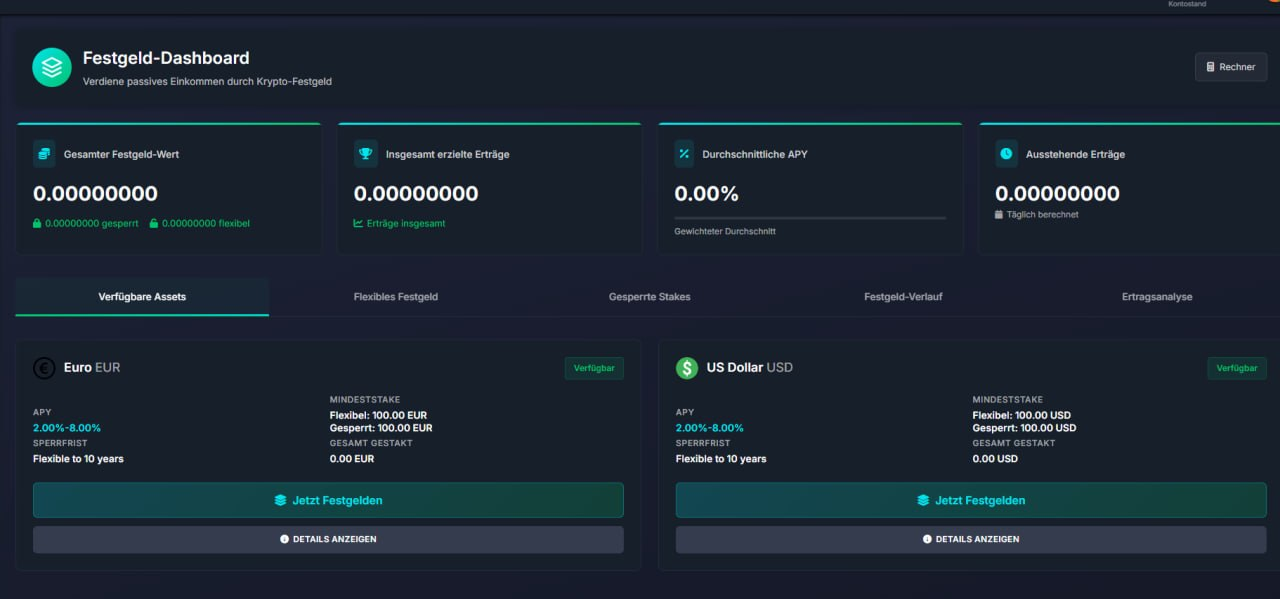
What was added:
- Flexible staking limits — In admin we can set minimum and maximum amounts for flexible staking, with checks so limits stay valid. The staking UI and calculator respect these limits.
- Which options are shown — For each asset we can control which locked periods are enabled and whether flexible staking is shown. If flexible is off, clients don’t get that option as before.
- Supporting updates — Admin UI, staking dashboard, API/calculator, translations, and database structure were updated so this works end-to-end.
Intro Tour Management
What was added:
- Improved the Intro Tour settings in CRM so admins can manage steps visually instead of editing raw data manually.
- A new API has been added to improve integration (for the technical team)
Account Types Fixes
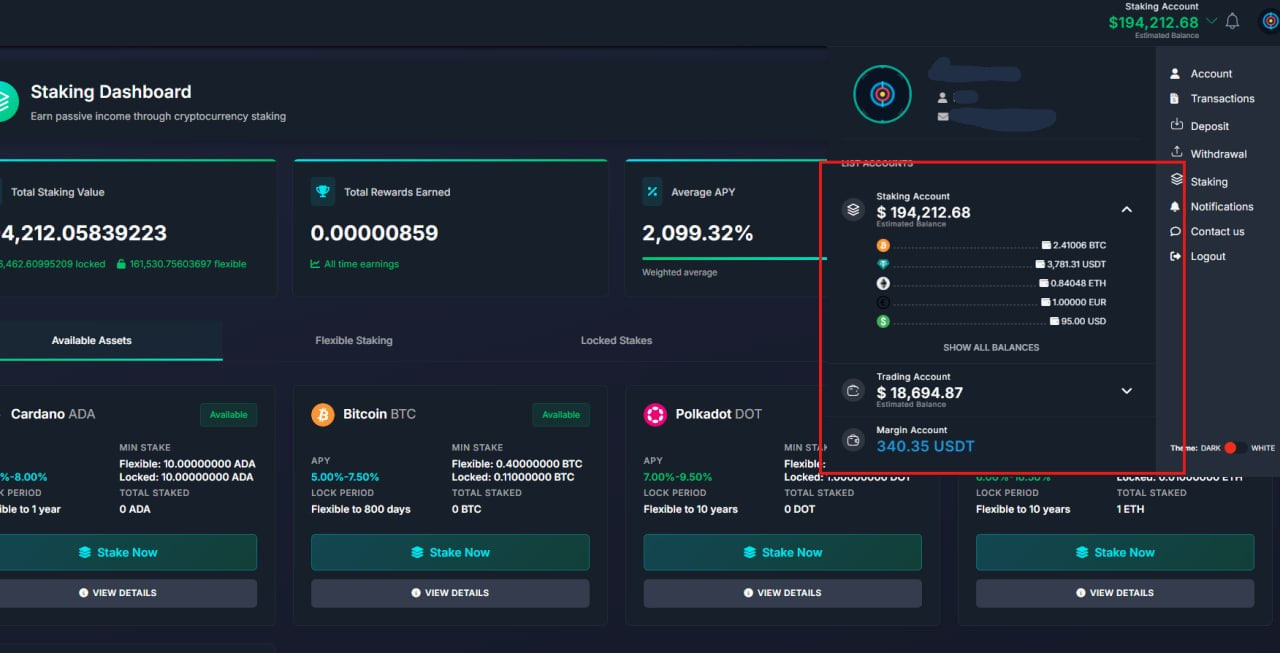
What's new:
- Fixed account/balance switching so it works more reliably across the platform.
- Added a safe fallback: if the selected account type is unavailable, the system now automatically picks a valid one instead of failing.
- Unified validation rules in key areas (trading, dashboard, and social features), which removes inconsistent behavior between sections.
- Cleaned up old logic to make balance handling more stable and predictable for users.
Bank Transfer Updates
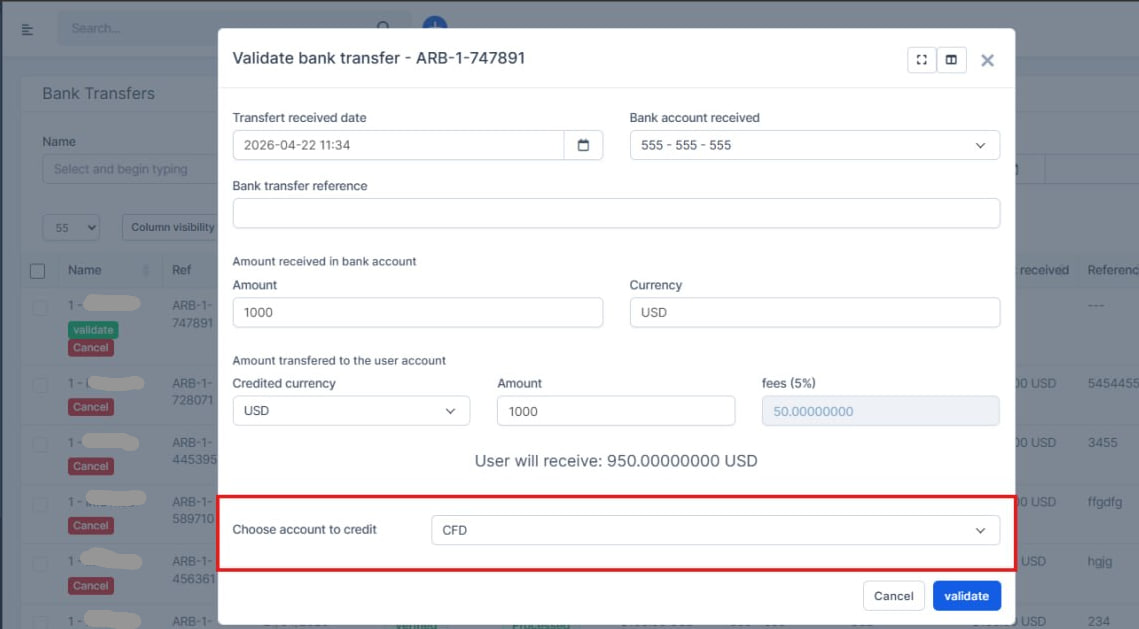
What's new:
- Fixed account/balance switching so it works more reliably across the platform.
- Added a safe fallback: if the selected account type is unavailable, the system now automatically picks a valid one instead of failing.
- Unified validation rules in key areas (trading, dashboard, and social features), which removes inconsistent behavior between sections.
- Cleaned up old logic to make balance handling more stable and predictable for users.
Templates Fix
What's new:
- Fixed spacing issues in the TPL-5 form
- Fixed text rendering in cookies
- Fixed multiple form loading issue — the form now works smoothly, without flickering, and with improved performance
Templates Fix
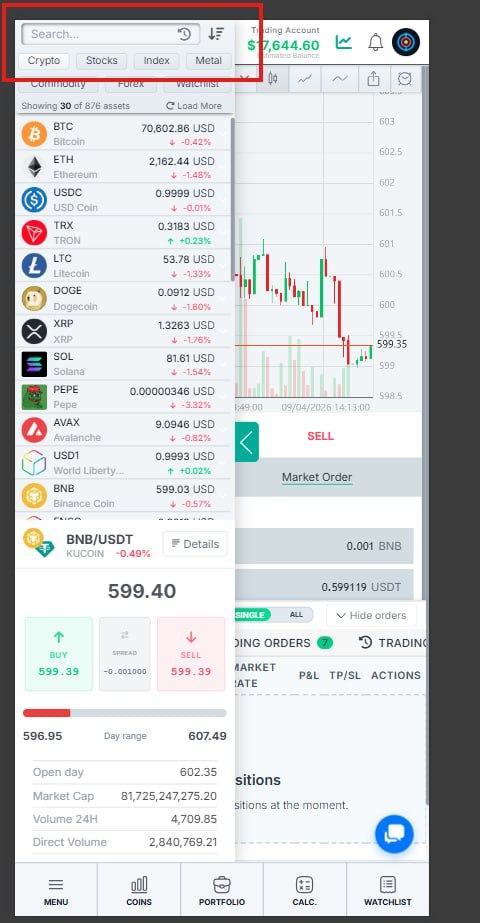
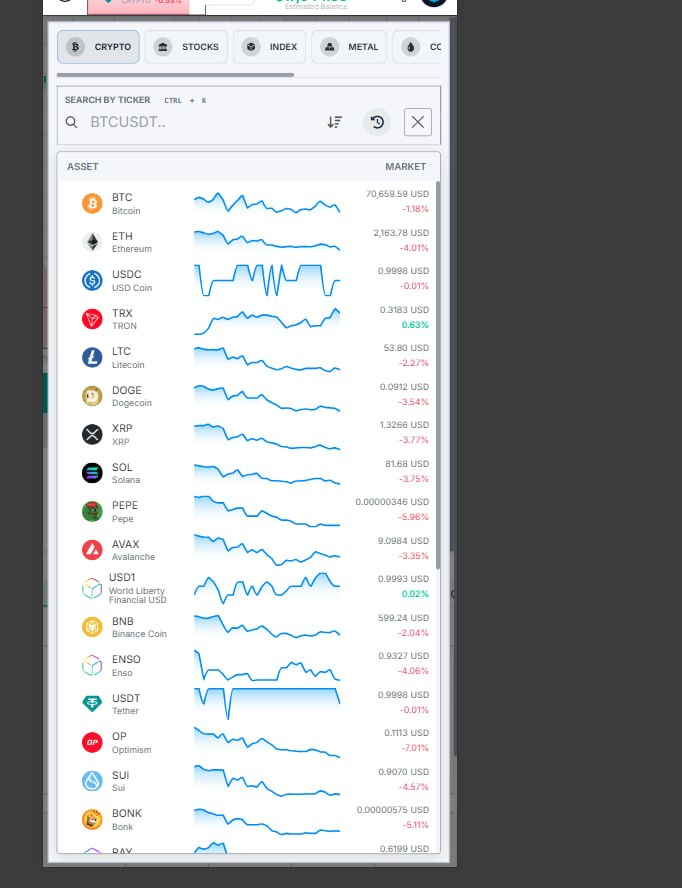
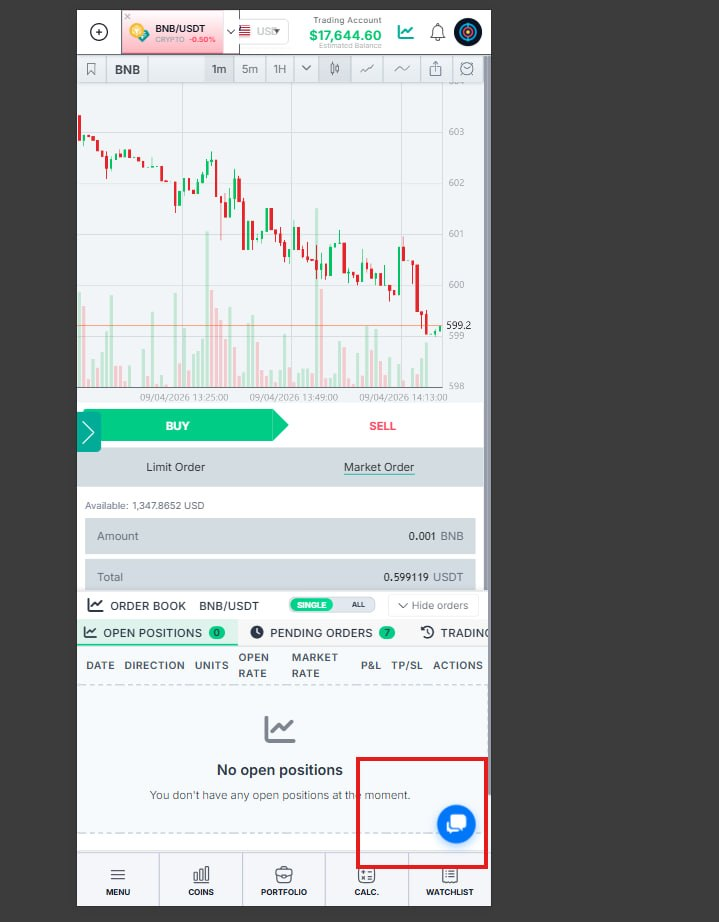
What's new:
- Fixed search in the mobile version
- Added widget support for the mobile version
- Fixed chat display issues
Aiding Fields added
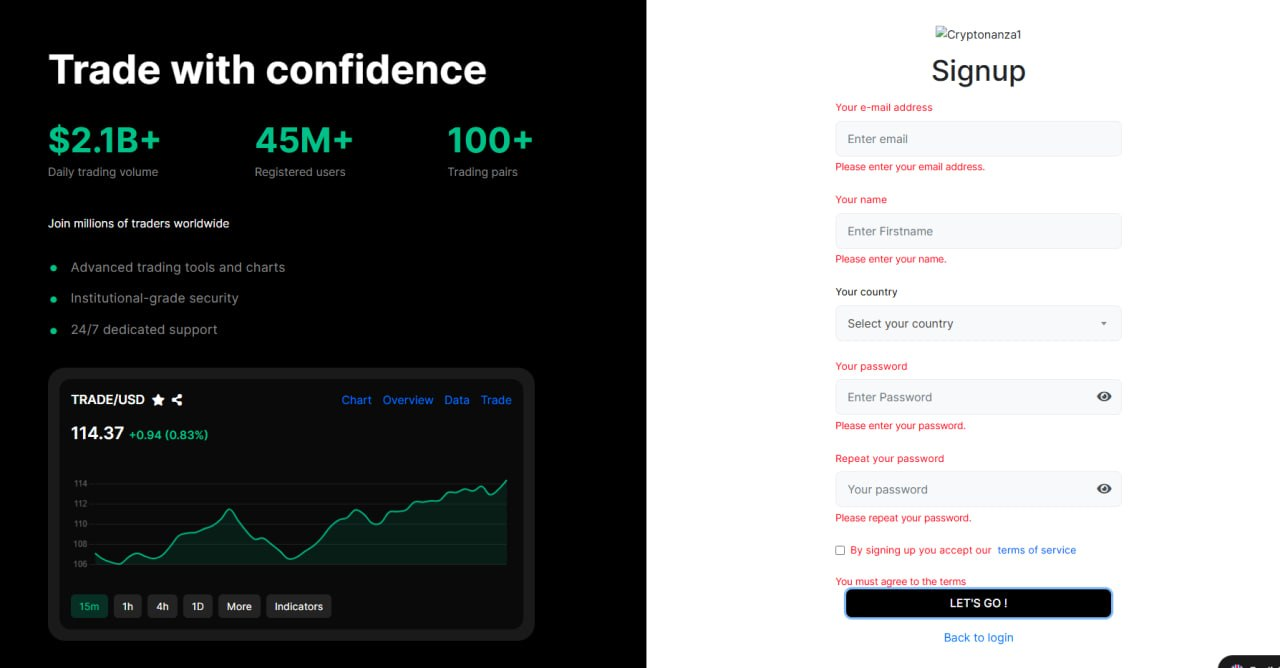
What's new:
- Fixed error display in tpl-4
- Improved functionality and removed duplicate and unused code (for the tech team)
Personal Bank Details
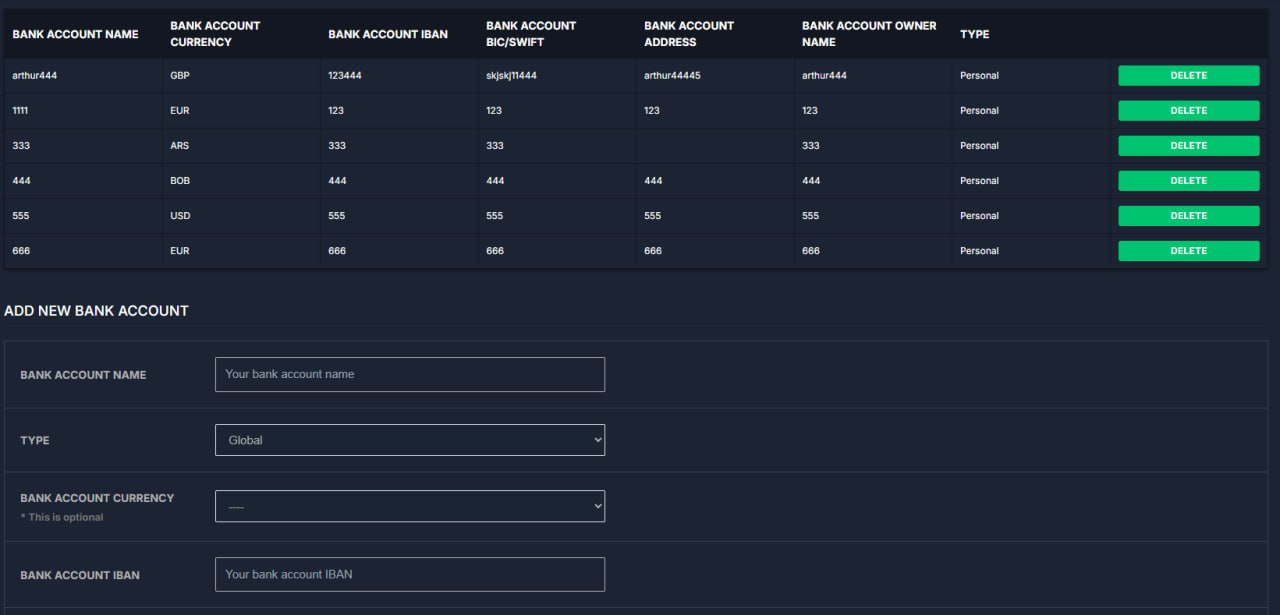
What's new: Added personal and global bank account labels, along with more detailed management capabilities via CRM.
Withdrawal Update
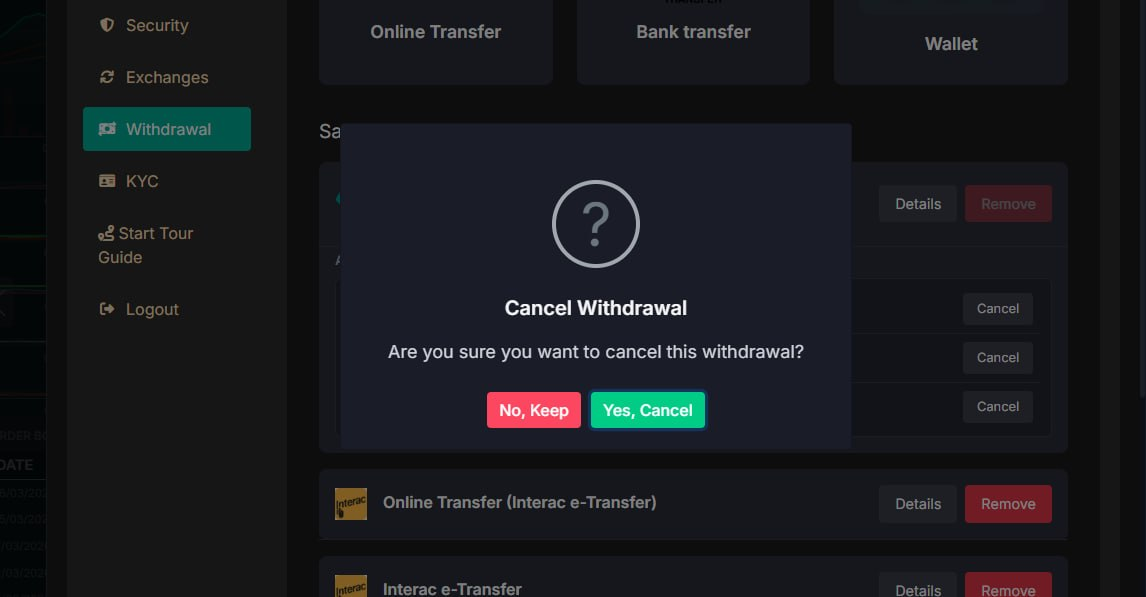
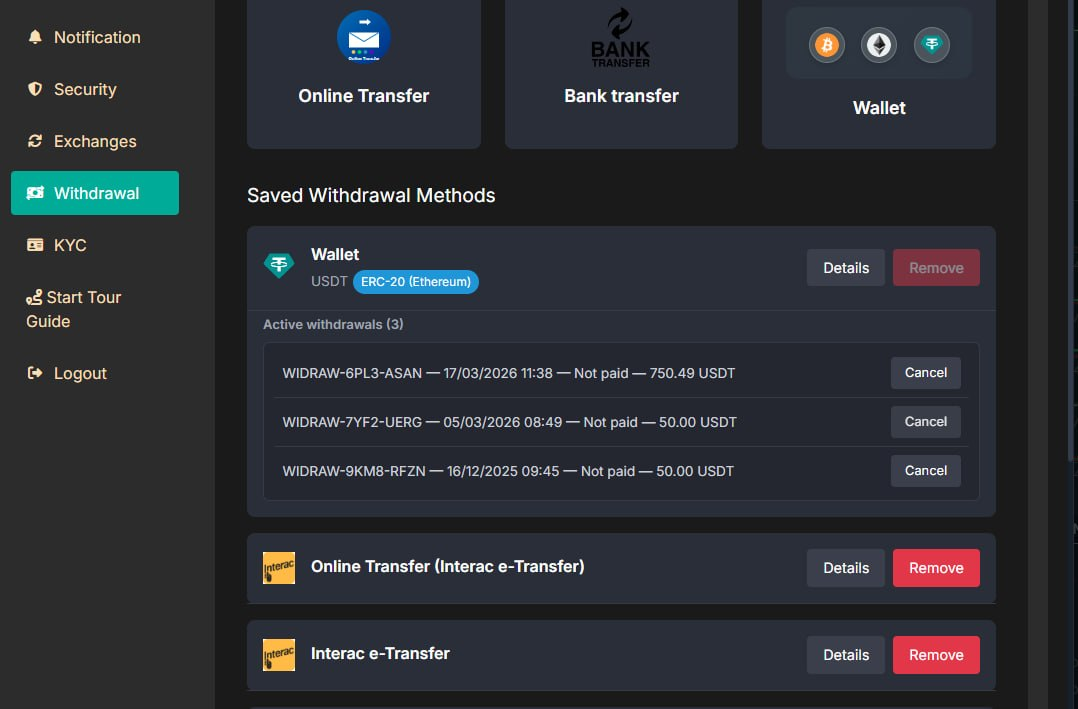
What was added:
- In the profile, under the Withdrawals section, all withdrawals with a status other than "Successful" are now displayed
- A withdrawal method can now be deleted only after canceling all transactions or after they are approved by a manager
Release Date: April, 2026
Thank you for being valued partners. We're committed to continuously improving the platform to help you grow your business.
The Development Team