CRM Features and Updates
Balances UI Enhancement
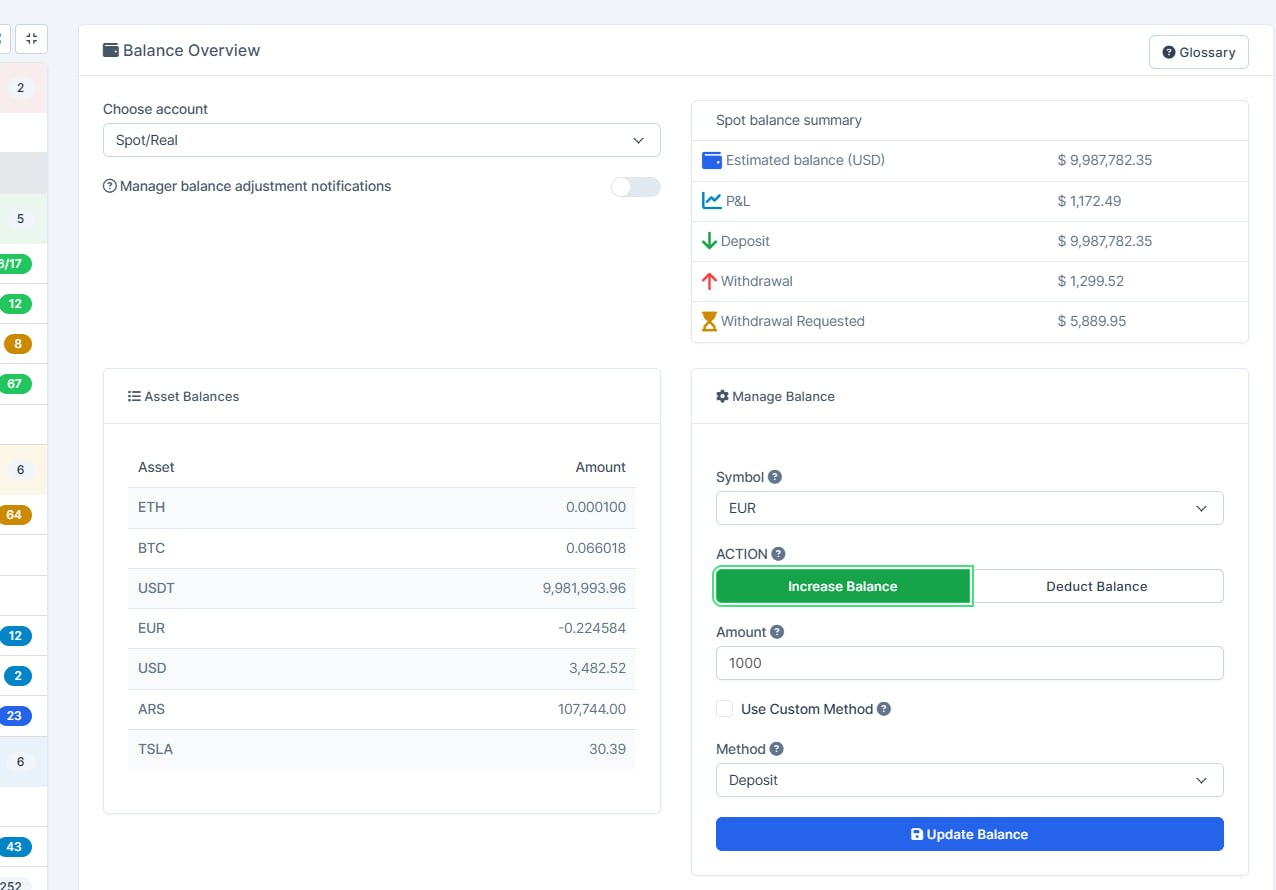
What was added:
- Updated the trader -> balances page layout
Activity Log Enhancement
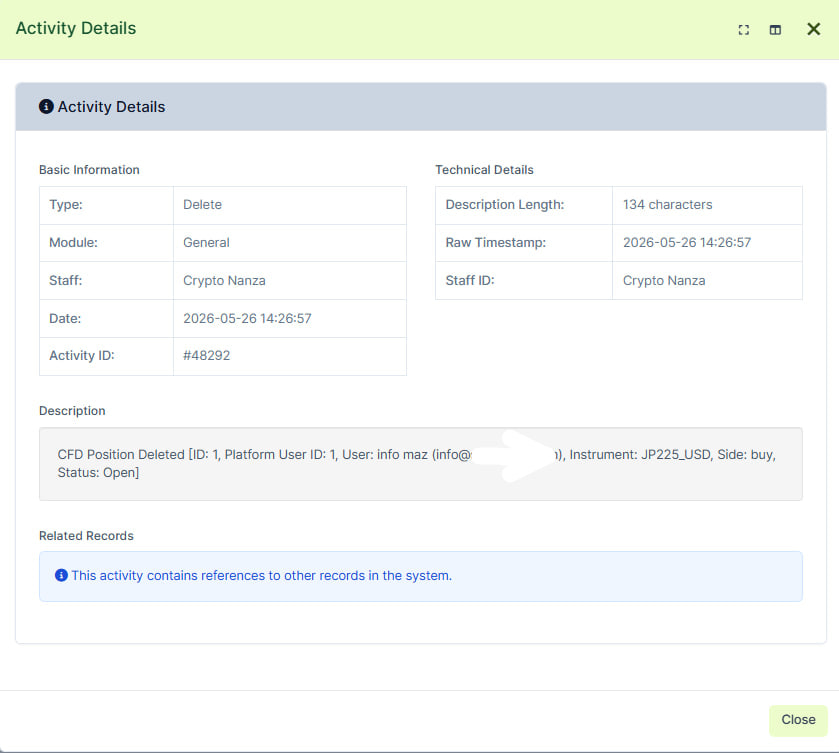
What was added:
- Enhanced activity log messages when margin/cfd position was deleted from crm
- Added additional info (position owher id, email, position info)
Adaptive Country Code
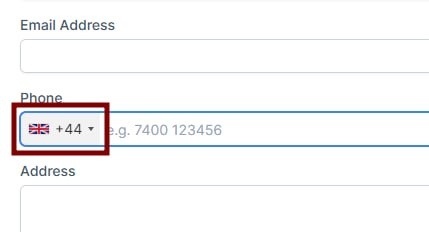
What was added:
- Web To Lead forms updated. Phone number prefix is auto detected from geoip.
Sorting Enhancement
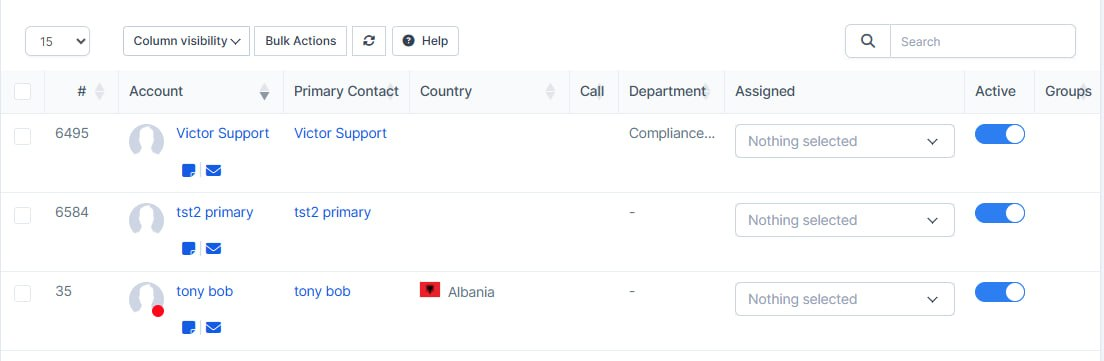
What was added:
- Easier to select and change your mind on the clients list
The tick box at the start of each row is no longer treated as a sortable column, so you can check a client, uncheck them, and check again without the table reacting like you clicked a sort header.
- Bulk actions match what you actually selected
Selection for mass updates and deletes follows the checkboxes you left on, which makes it clearer which clients are in or out before you confirm an action.
- Rest of the table still sorts where it should
Name, notes, and other real data columns can still be sorted; only helper columns (balances, status chips, and the selection box) stay fixed so the list stays easy to work with.
Email Delivery Log
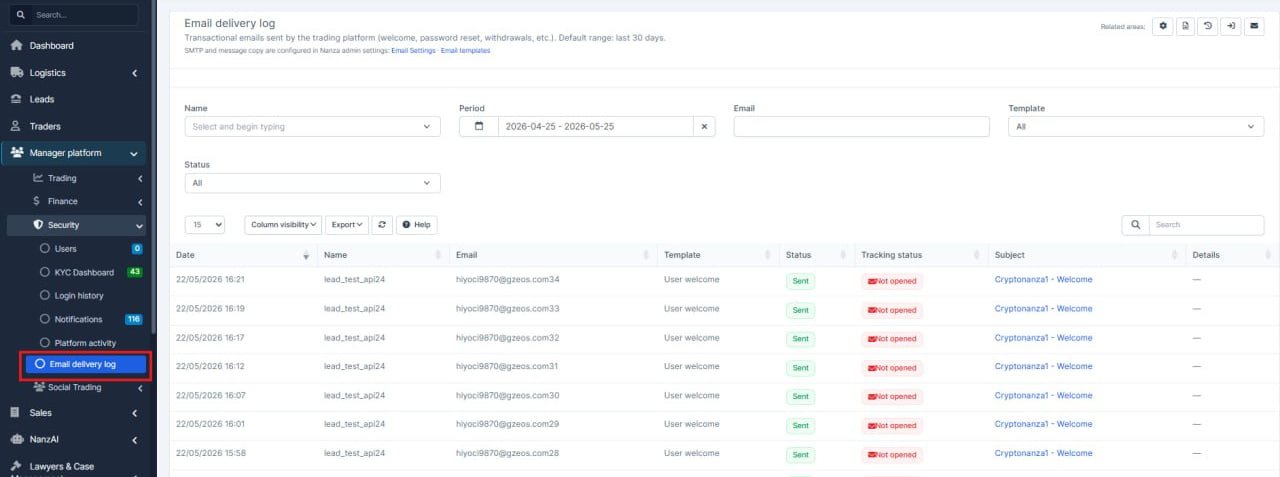
What was added:
- Platform email history in CRM
Staff can see transactional emails sent from the trading platform (welcome, activation, and other templates) without asking developers or checking server logs.
- Dedicated email log for each trader
A new Emails section on the trader profile shows that person's delivery history in one place, so support can answer "did the client get the email?" faster.
- Read the actual email in CRM
Support can open a preview of the message content from the email log, so they do not need to guess what was sent.
- Open tracking on the list
The email outbox shows whether a message was opened (when tracking applies), so teams can see engagement at a glance.
- Clearer dates and permissions
Sent date is shown on the main list for easier sorting and filtering, and access to email logs is controlled by dedicated permissions.
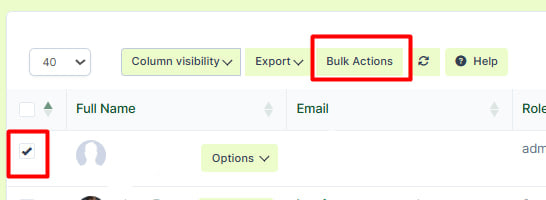
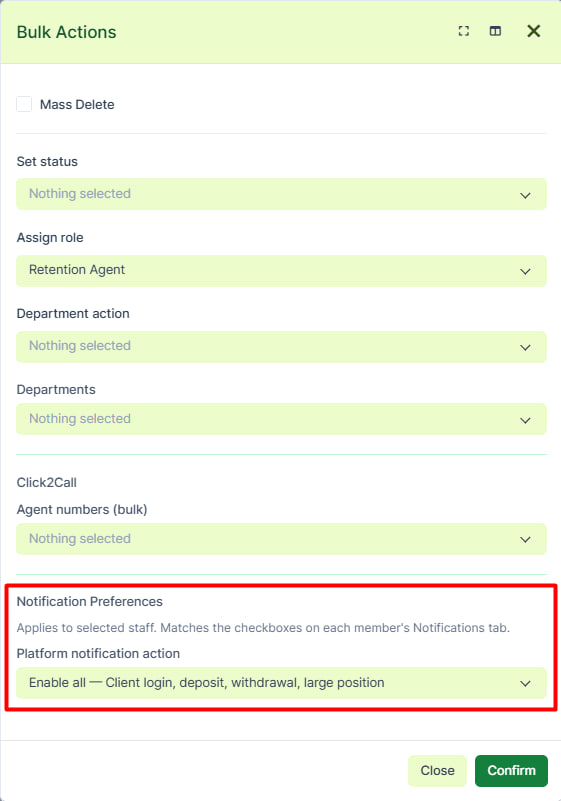
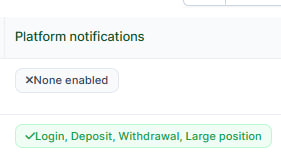
What was added:
- Added the Notifications Preferences. Now it's possible to bulk enable notification for a few staff members
- Will work by a condition if you're assigned as a Trader Admin
Trader Area Update
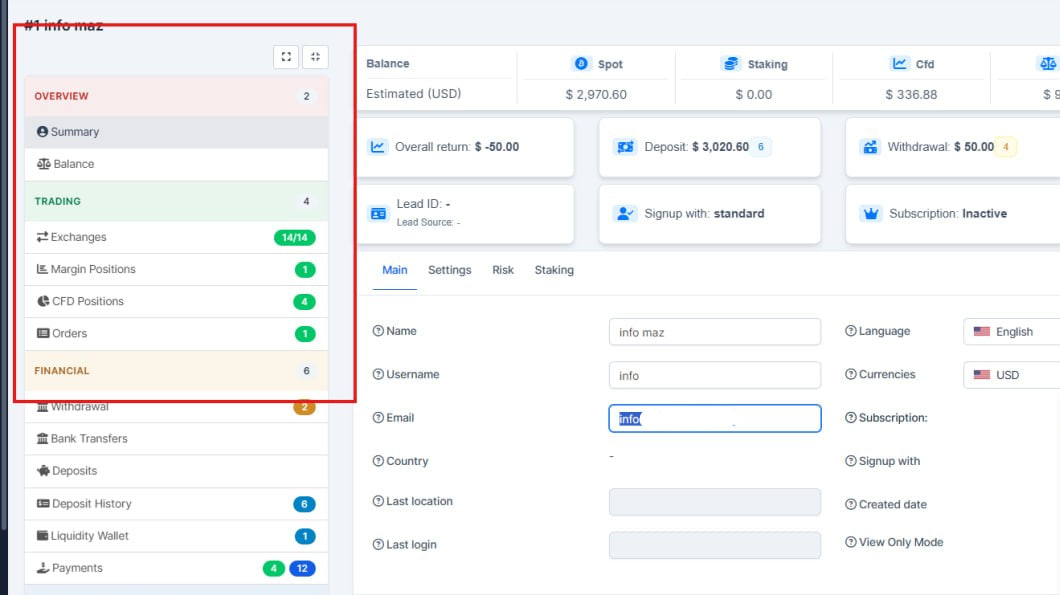
What was added:
-We improved the trader area in the CRM so it is easier to use every day: the side menu is clearer to scan and behaves more consistently in light and dark themes. Links from client and lead records into the trader profile should feel more predictable. We also made small accessibility improvements (e.g. keyboard and assistive tools).
Country List Updates
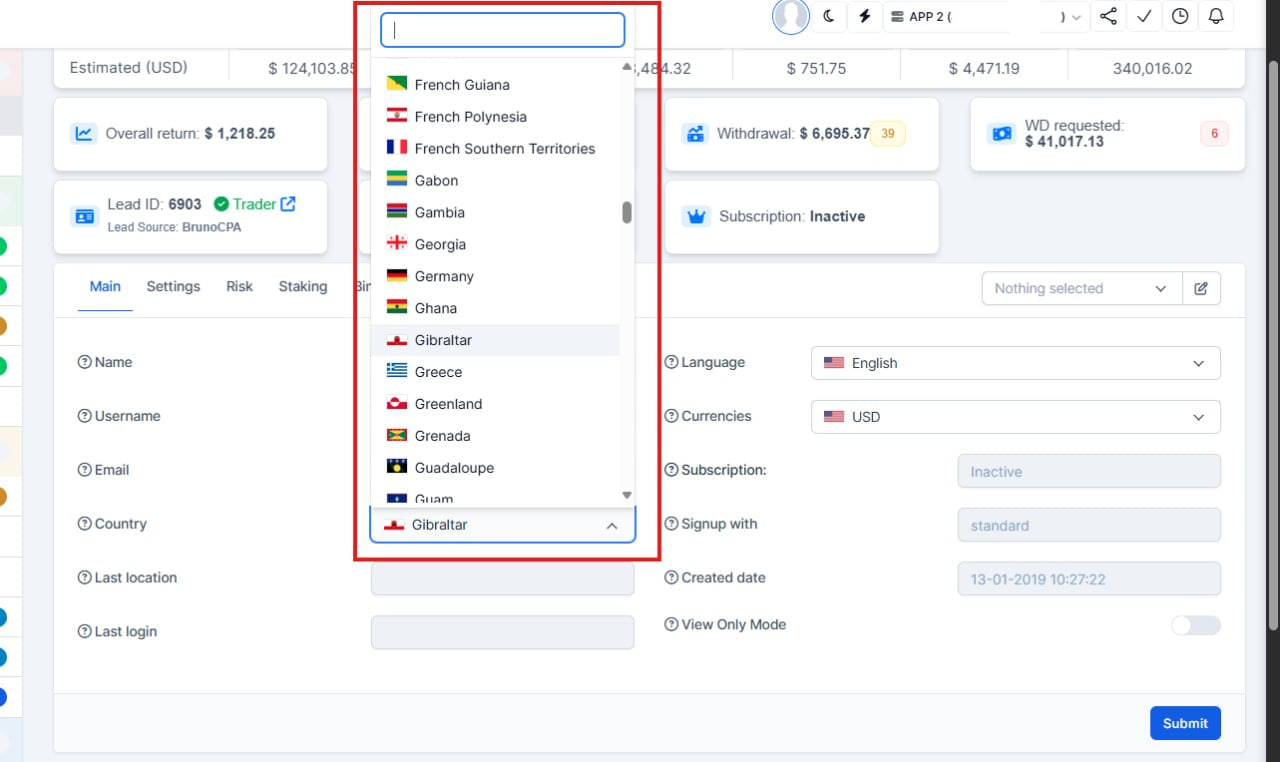
What was added:
- Trader country can be updated from the summary screen
Staff can now pick the trader's country from a searchable list on the trader summary, instead of only seeing it as fixed text. This makes corrections faster when onboarding data was wrong.
- Country matches the trading platform
The country shown and saved in CRM now comes from the same place as on the trading platform, so CRM and platform stay aligned and there is less confusion about which country applies.
- Same edit rules as other trader details
When a profile is locked or the user should not edit, the country field respects the same read-only rules as the other fields on the summary page.
Currency Enabling/Disabling Feature
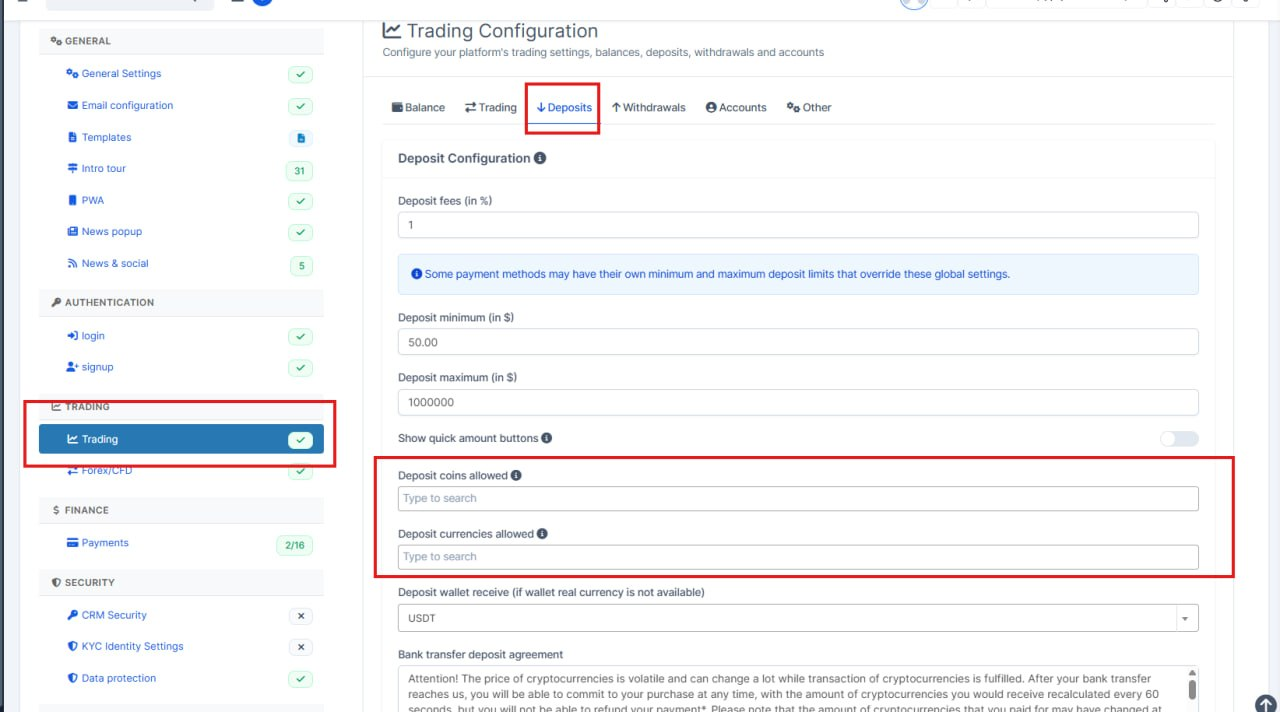
What was added:
- Deposit allowed lists can be cleared
Admins can remove all cryptocurrencies and fiat currencies from the deposit settings and save an empty list. Previously, clearing the fields did not stick after save.
- Trading settings stay on the same tab after save
When you save changes from Deposits, Withdrawals, or another Trading section, the page returns to that same section instead of jumping back to Balance.
Fixes on the Summary page
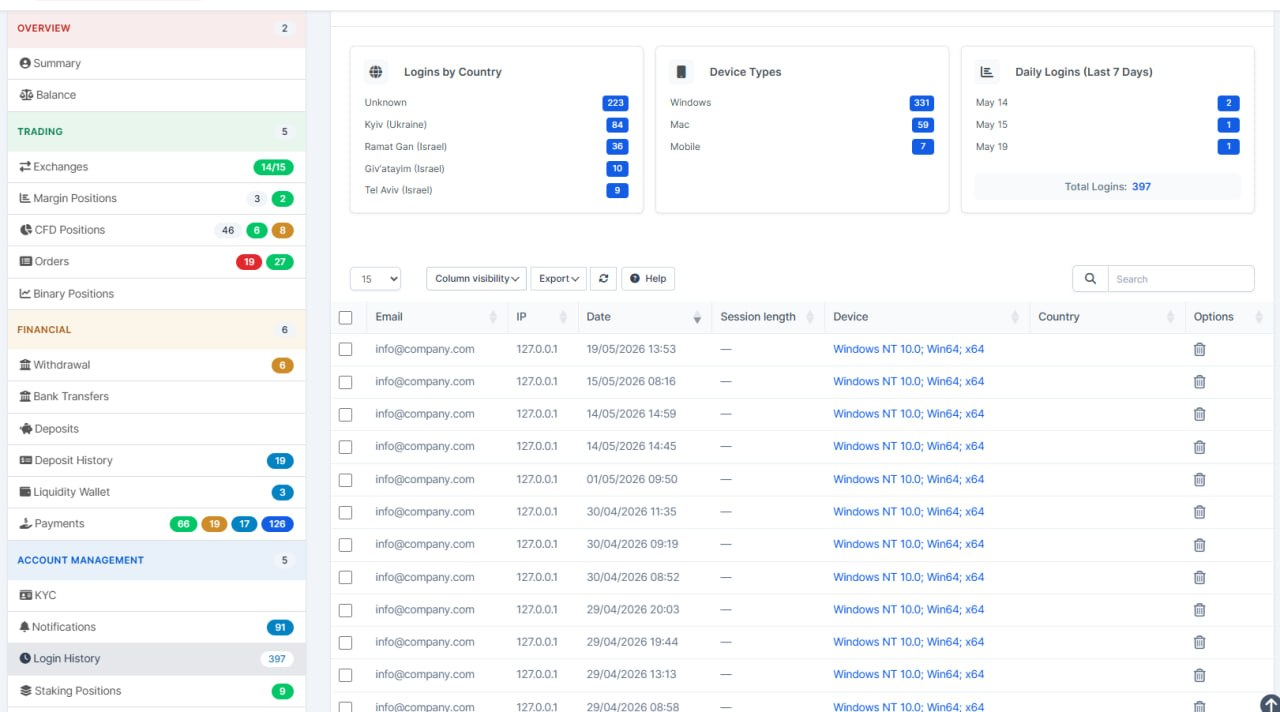
What was added:
- Trader login history shows the right numbers
When staff open a trader's login history page, the summary charts and totals now reflect only that trader's logins, matching the count in the sidebar instead of platform-wide stats.
- Login history managed in one place
Per-trader login history and delete actions were moved into the dedicated Login History area of the CRM, with the same URLs staff already use, so behavior is clearer and easier to maintain.
- Safer delete and cleaner screens
Deleting a login record from a trader's page now returns to the correct page with a proper success message, and the page heading supports multiple languages.
Trading Setting Presets Enhancement
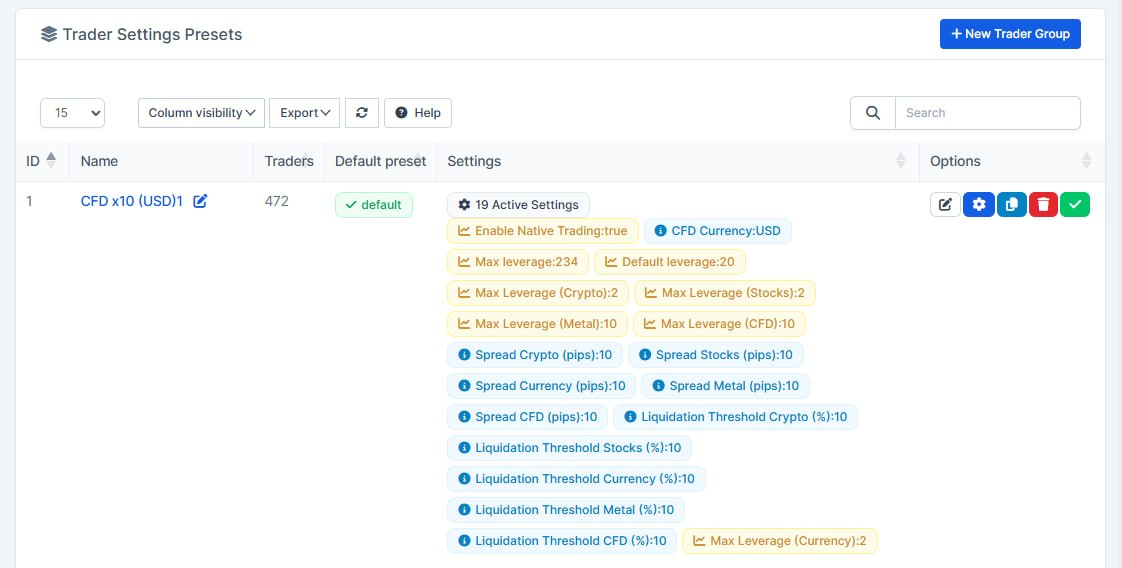
What was added:
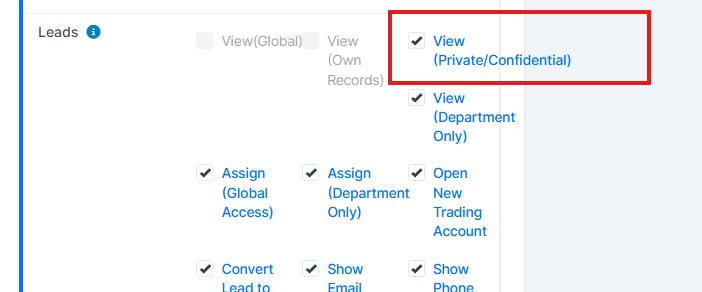
- Admins can see all leads again
CRM administrators are no longer blocked from viewing public and private leads, or leads assigned to other team members. This restores full visibility for people who manage the system.
- Private-lead rules still apply to staff
Team members with access only to private leads still see just those records. Their permissions were not opened up by this change.
- Consistent behavior across lead screens
The same visibility rules now apply on the main leads list, Kanban board, summary widgets, lead search, and related add-on screens so admins get a single, predictable experience.
Permissions Fix
What was added:
- Clearer trader presets list
The presets table now shows only settings that are actually turned on, so rows are easier to scan and the active-settings count matches what you see.
- Feature groups stay hidden when off
When staking, binary options, social trading, or copy trading is disabled for a preset, related sub-settings no longer clutter the list view.
- Default preset labels translated
The default-preset column, checkbox, and help text use proper translations in English, French, German, Spanish, and Ukrainian instead of mixed hardcoded English.
What was added:
- Clearer trader presets list
The presets table now shows only settings that are actually turned on, so rows are easier to scan and the active-settings count matches what you see.
- Feature groups stay hidden when off
When staking, binary options, social trading, or copy trading is disabled for a preset, related sub-settings no longer clutter the list view.
- Default preset labels translated
The default-preset column, checkbox, and help text use proper translations in English, French, German, Spanish, and Ukrainian instead of mixed hardcoded English.

What was added:
- Binary Positions now has its own separate permission toggle — managers can enable/disable access to the Binary Positions page per staff member or role.
- Menu auto-hide logic — if a staff member has no permissions for any items inside a menu section (Trading, Finance, Security, Social Trading), that entire section disappears from the sidebar. If ALL sections are empty, the top-level 'Manager platform' menu also hides.
- Social Trading Dashboard — previously visible to everyone with platform access. Now properly controlled by the 'View Social Trading' permission.
What was added:
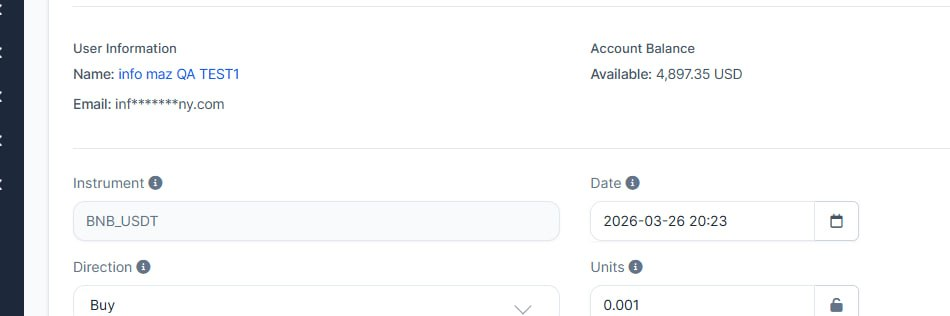
- Client emails protected on CFD and order screens
When staff open a CFD position or an order in the admin area, client email addresses are masked unless their role is allowed to see full lead emails. This matches the rest of the CRM and keeps contact details visible only to people who should have them.
- No change for authorized roles
Users who already have permission to view email addresses still see full addresses and the same guidance as before, so workflows for managers and permitted staff stay the same.
What was added:
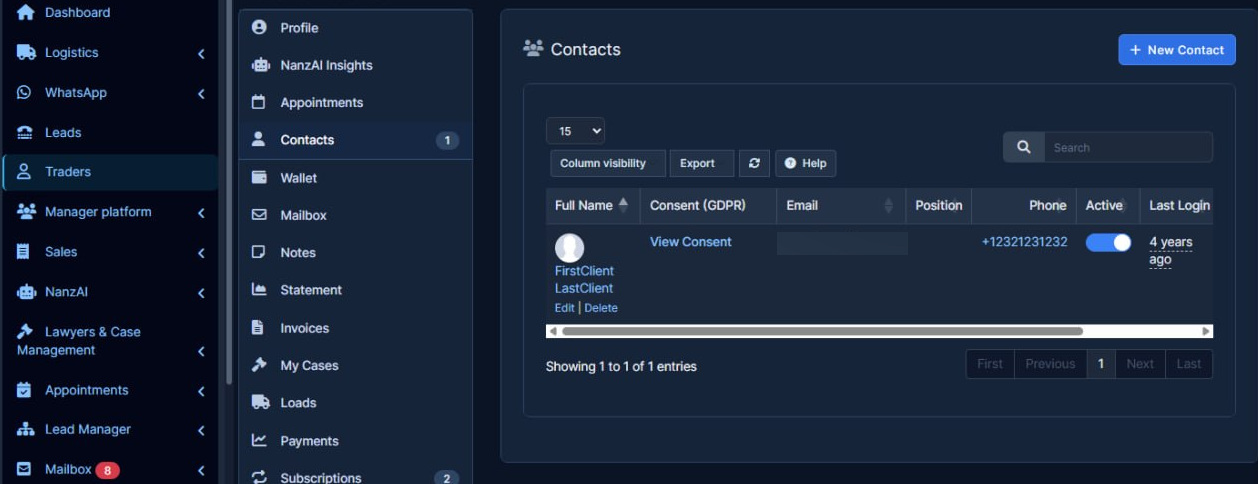
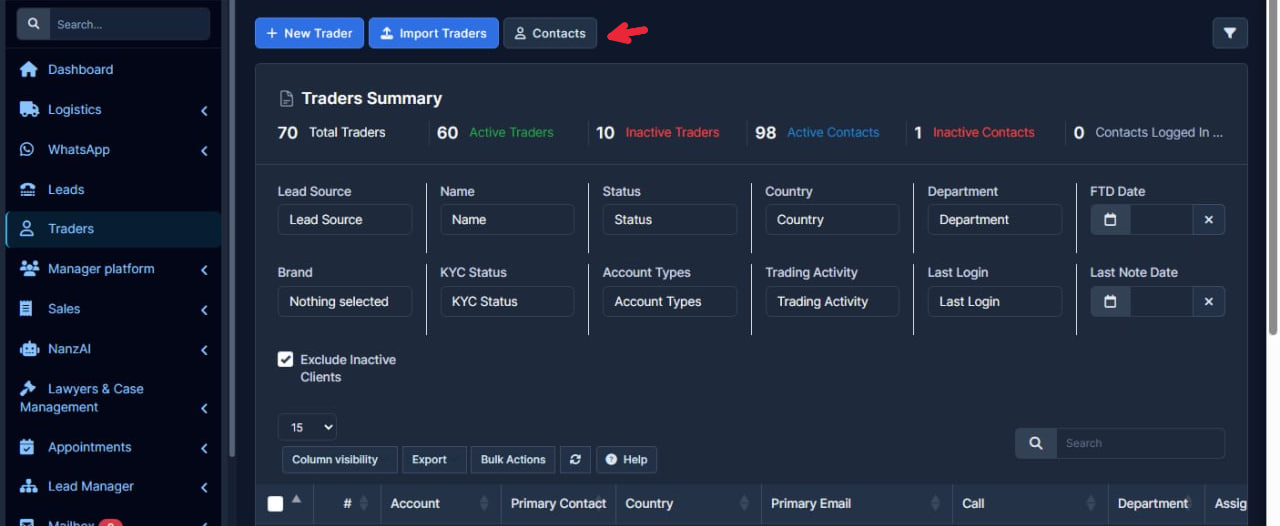
- Contacts list access tightened
The global Contacts shortcut and the full contacts screen now appear only for staff who can both view and edit customers, so read-only users are not sent to tools they cannot use.
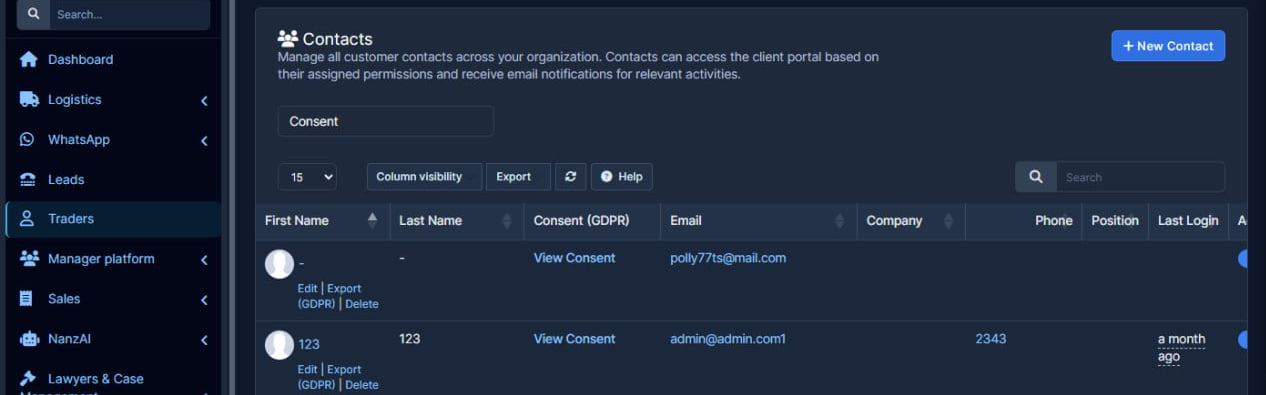
- Contact emails respect privacy settings
Contact tables still show email for authorized users, but others see a masked address instead of the full email, keeping sensitive data hidden while the list stays useful.
- Safer editing on contact rows
Edit links, name clicks, and active/inactive toggles are limited to users who are allowed to change that contact, reducing accidental edits by viewers.
- Contacts tab always available on customer profiles
Staff can open the Contacts tab on a customer record without needing separate email or phone visibility rights; what they see inside still follows their permissions.
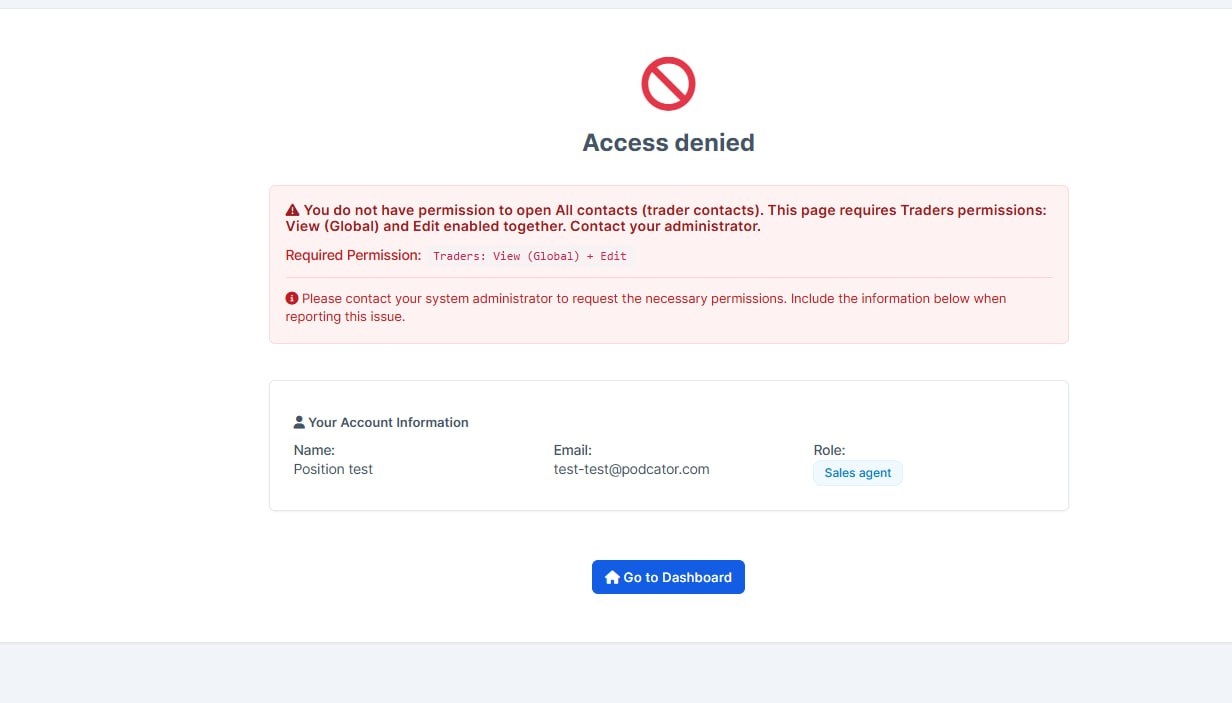
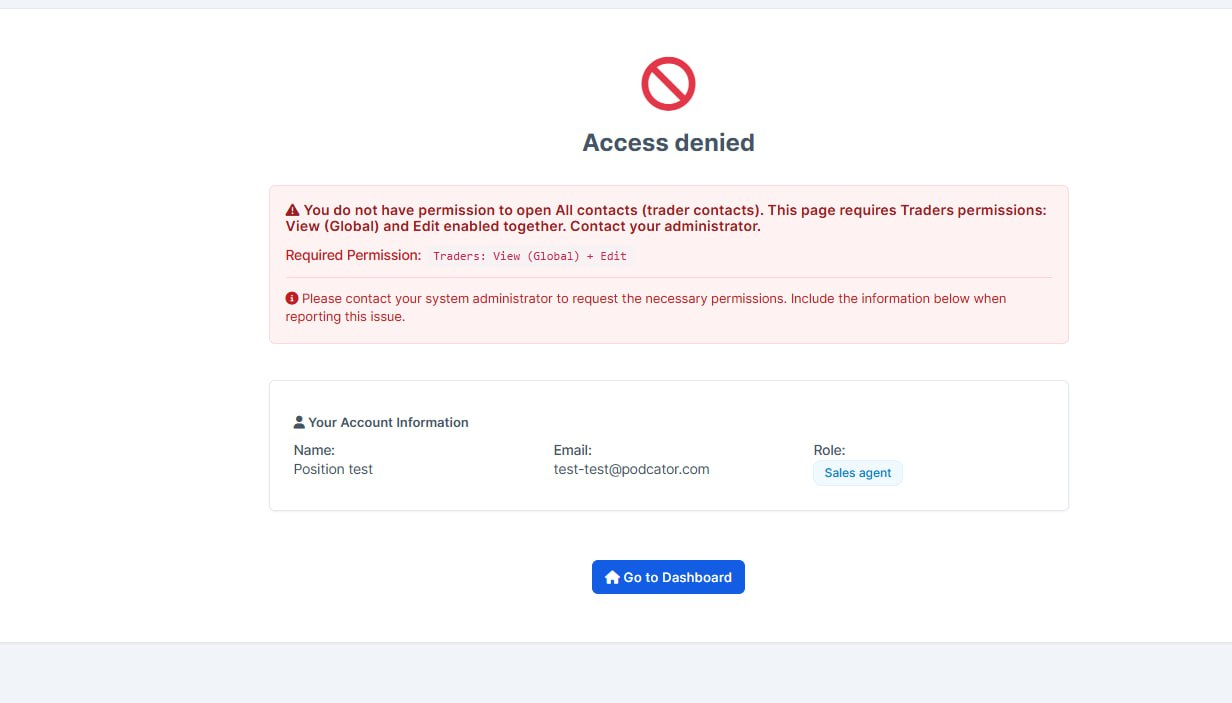
- Clearer message when All contacts is blocked
Staff who open the global contacts list without the right access now see a plain explanation instead of a vague “access denied” label.
- Exact permissions to request from admin
The page now states that both “view all traders” and “edit” must be enabled together, so managers know what to turn on in the role without back-and-forth with support.
- Consistent “Traders” wording
Messages match how the rest of the CRM refers to clients (English and Ukrainian), reducing confusion for local teams
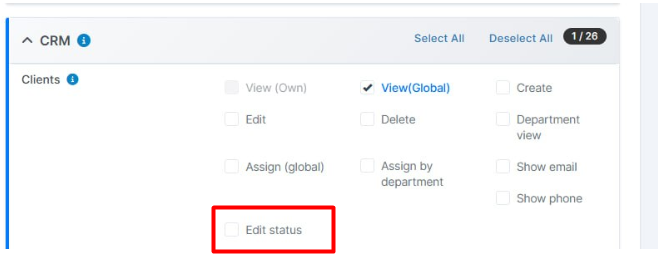
What was added:
- New permission to change trader status only Staff can now be given a separate Edit status right under Clients, without granting full edit access to all trader details.
- Safer access control for status updates Changing a trader status works if the user has either full Edit or the new Edit status permission, so roles can be narrower and easier to manage.
- Clearer screens for users without access The status dropdown on the trader list and profile only appears when the user is allowed to change status, avoiding actions that would fail.
- Simple message when action is blocked If someone tries to change status without permission, they see a short clear message instead of a generic access denied.
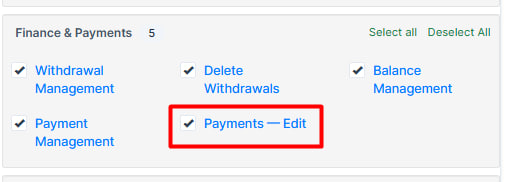
What was added:
- New permission which allows the agents to manage the Payments permissions.
Balances Fix
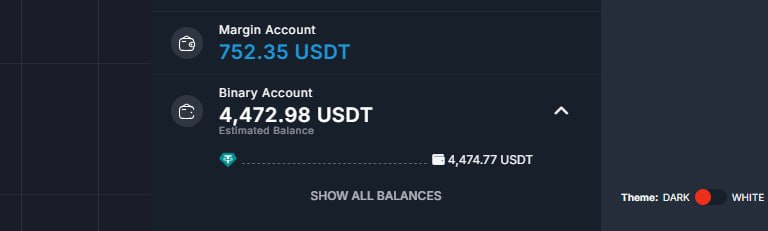
What was added:
- Clearer wallet balance on the dashboard
Estimated totals in the top wallet area now show the amount first and the currency after it, so balances are easier to read at a glance.
- Correct currency on each account in the switcher
When users open the account list, each account's estimated value now uses that account's own currency instead of copying the wrong symbol from the active account.
Order Creation Fix
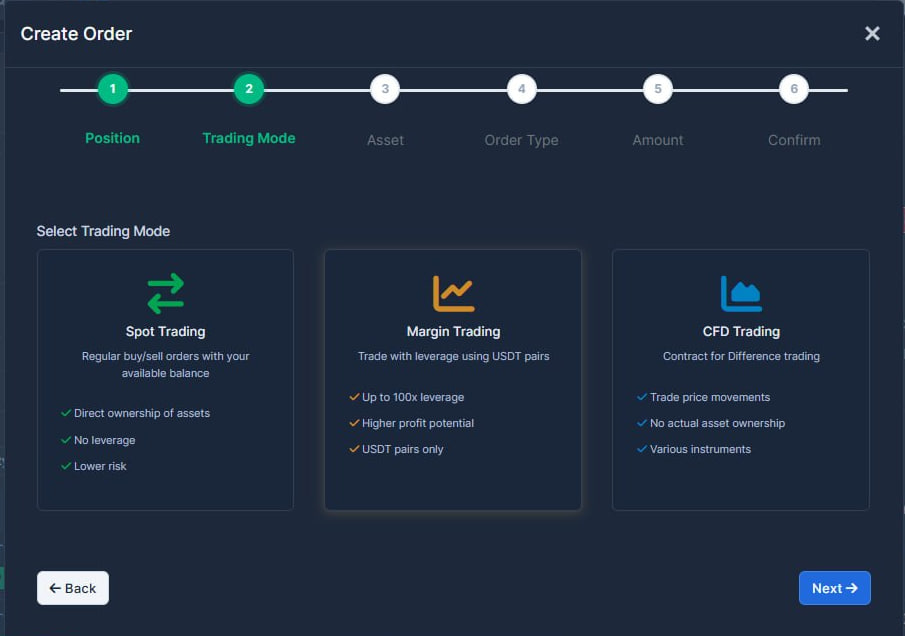
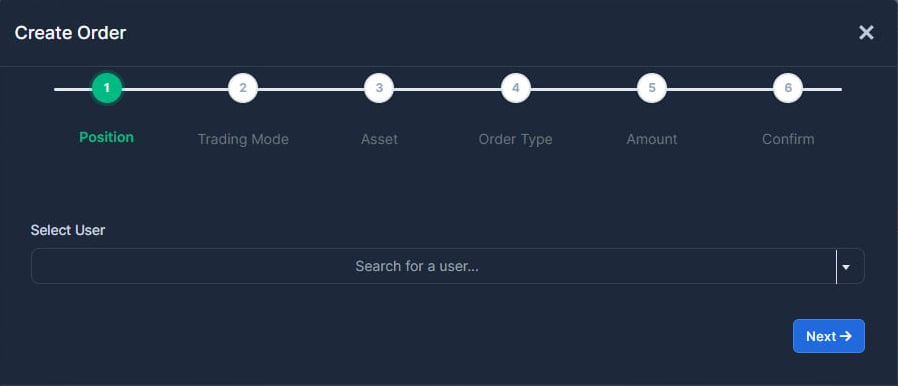
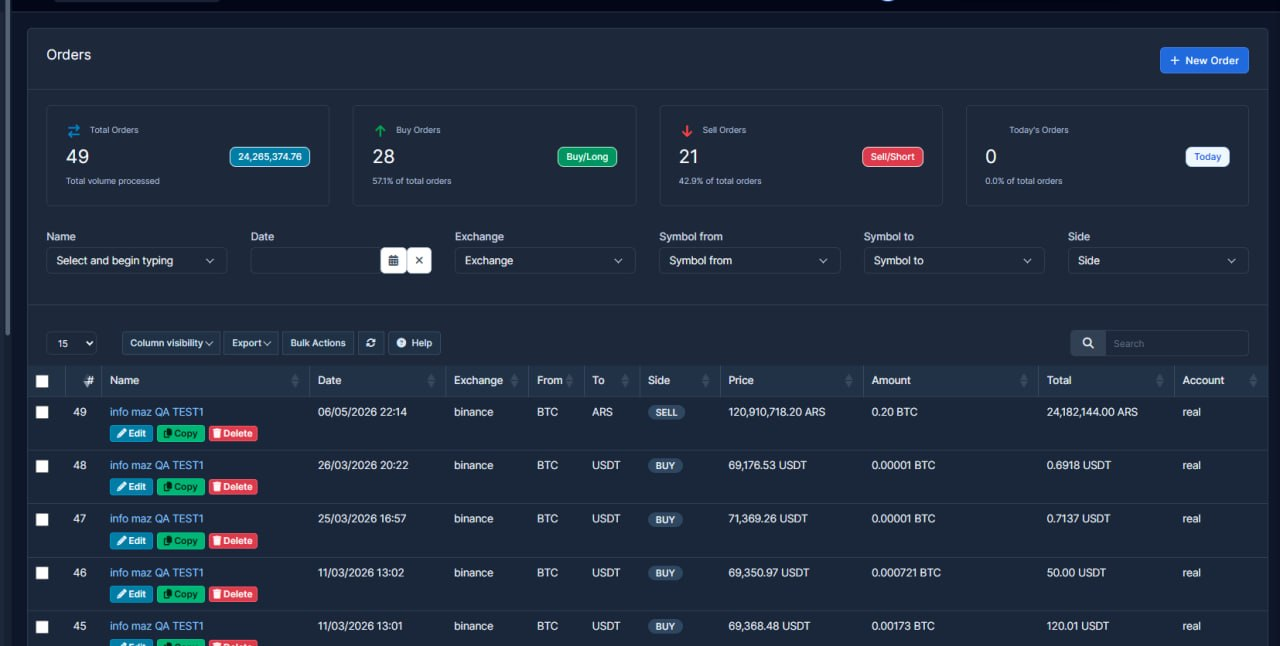
What was added:
- Clearer new-order experience
The guided steps when staff create an order (trading style, asset, buy or sell, and leverage where it applies) are easier to follow, with clearer wording and a tidier layout so people make fewer wrong choices and spend less time going back a step.
- Orders overview that reads at a glance
The summary figures at the top of the orders list are shown in a more even layout and stay consistent when filters reload, so admins can scan totals and today’s activity with less visual noise.
- Better language coverage
Labels and messages for this flow are aligned across several supported languages, so mixed-language teams see the same quality of text as in English.
- Leaner presentation code
Old styling that was no longer used was removed, which keeps the screen easier to maintain and should reduce odd layout quirks on different devices.
API log Improvements
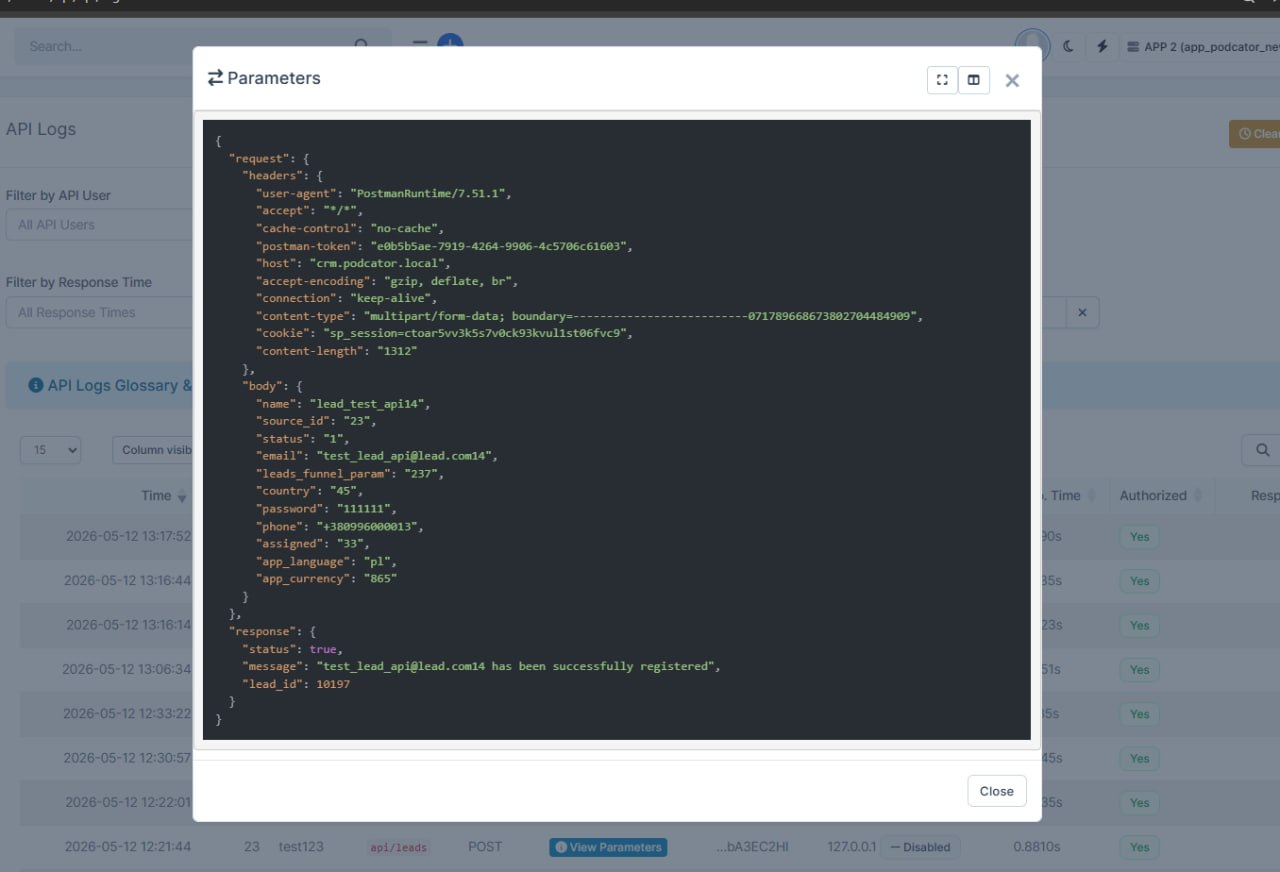
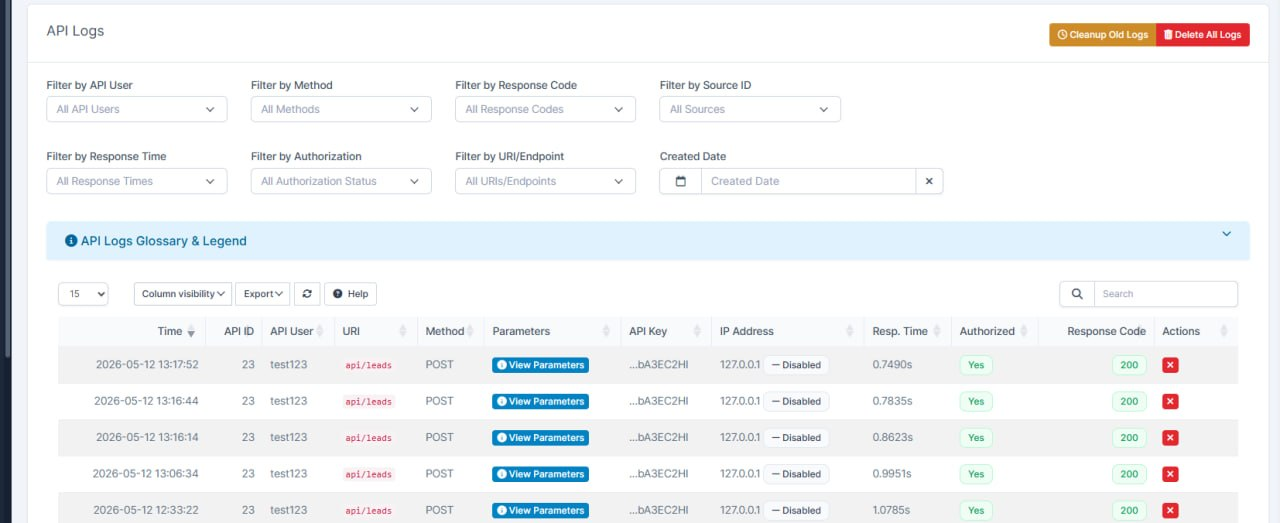
What was added:
- Removed duplicate logs
Previously, the same action could be recorded twice, which made the API history harder to analyze.
- Now one API request = one clear log entry
Each API call now creates a single clear log entry where the request and response are displayed together. This matches the standard behavior of our API layer.
- Updated log design
We improved the visual layout of the logs so the information is easier to read and understand. The records now look cleaner, and reviewing the API history is more convenient.
Withdrawal Improvements
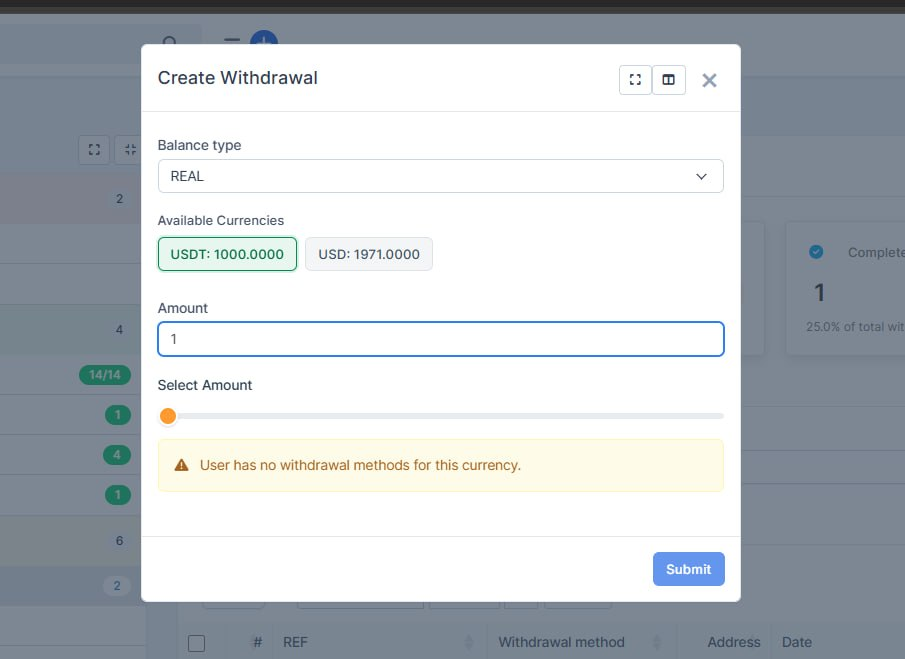
What was added:
- Fixed the withdrawal popup so it consistently shows the correct balances for the user, including when funds are on a different account type.
- Added account type switching (Real/CFD) with automatic refresh of available currencies and amounts.
- Hidden zero-balance currencies to reduce confusion and show only actionable options.
- Restored and stabilized receiver wallet/address selection so users can choose where to withdraw.
- Improved clarity of selected currency in the UI so it is obvious what is currently chosen.
- Ensured bank transfer options appear only for fiat currencies (not for crypto-only withdrawals).
- Improved validation and messaging for invalid requests to avoid misleading errors.
- Overall result: withdrawal flow is now more reliable, clearer for users, and aligned with expected business rules.
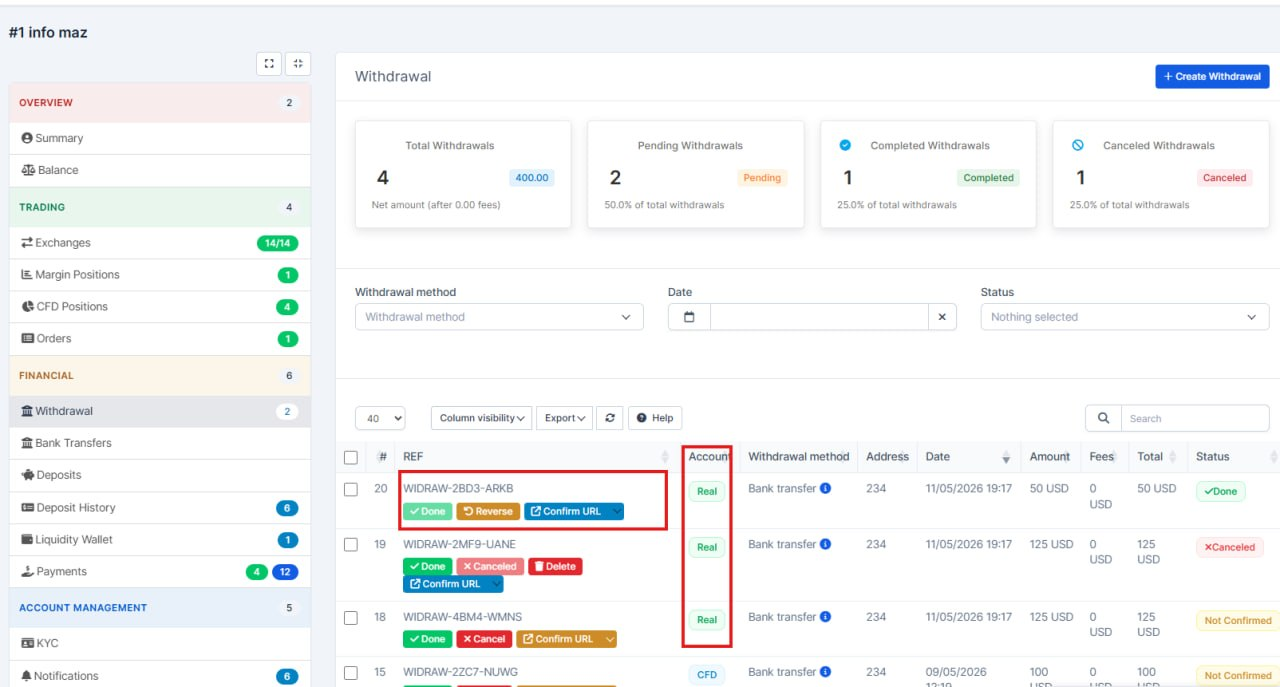
- Added Account column to the withdrawal table - now you can see which account (Real, Margin, CFD, etc.) the withdrawal was made from.
- Action buttons (Done, Cancel, Reverse, Delete, Confirm URL) now work directly on the trader's withdrawal page - previously they were only available on the general withdrawal list.
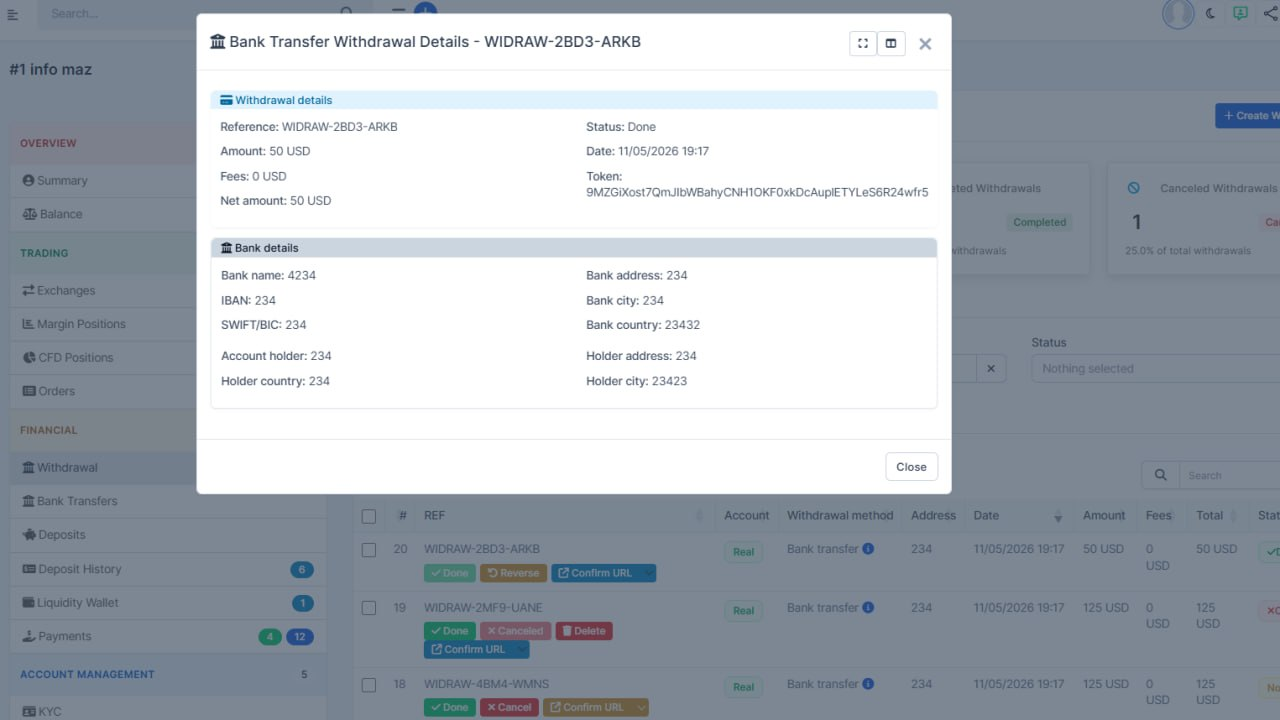
- Bank transfer details button now also works on the trader's withdrawal page.
Trader Area Update
What was added:
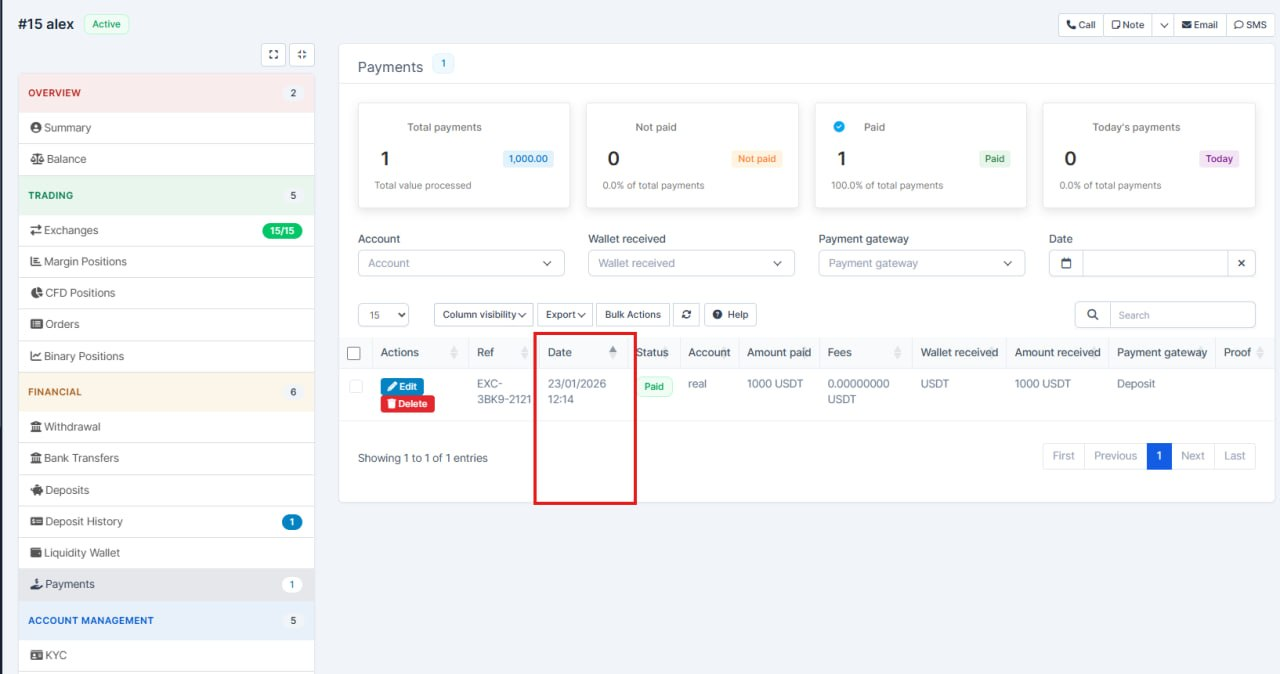
- Payments list matches what you see on screen
The deposits/payments table in CRM now lines up with the column headers shown in the admin view, so data appears under the right headings instead of drifting out of sync.
- More reliable payment rows
Internal IDs and currency details are loaded correctly behind the scenes, which keeps edit, delete, and bulk actions working on the right payment.
- Clearer and safer display
Amounts, references, and payment details are shown in a more consistent way, with safer handling of text fields to reduce display glitches.
Trader Status
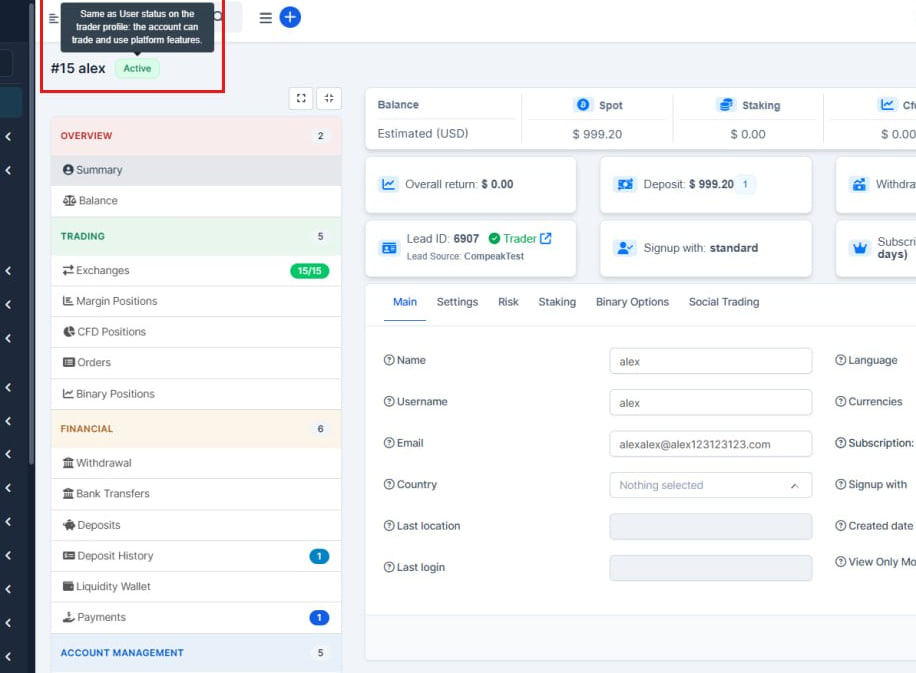
What was added:
- Trader active/inactive status is visible everywhere
Staff now see a clear Active or Inactive label on the trader header across Summary, orders, balances, positions, payments, and other trader screens, so account state is obvious without opening settings first.
- One click from the status badge to fix an inactive account
Clicking the status label takes you straight to the trader Settings tab where User status can be turned on, which speeds up unblocking traders who cannot trade.
- Clearer warnings when a trader cannot trade
When someone is inactive, related screens show a plain-language reminder and a direct link to settings, reducing confusion and failed order attempts.
- Consistent labels and translations
Status tooltips and alert text were aligned and updated in English, Ukrainian, French, German, and Spanish so teams using different CRM languages get the same guidance.
Bank Rails Feature
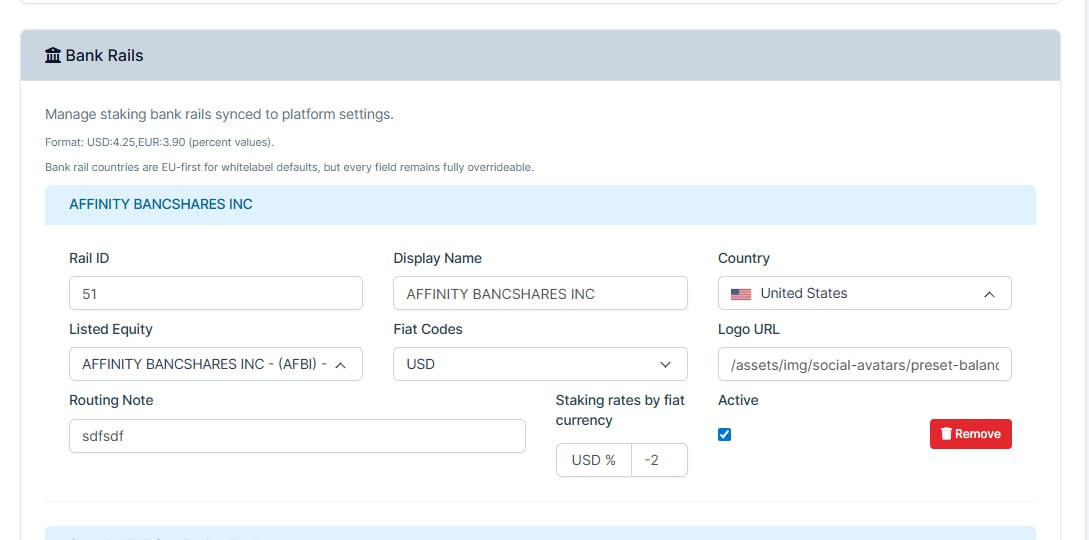
What was added:
Staking settings page updated (Setup > Admin platform > Trading >Staking Settings )
- We improved the staking settings page to make configuration clearer, safer, and easier for admins to manage.
- Settings controls were redesigned to be more user-friendly (faster to configure and harder to misconfigure).
- Added/expanded liquidity provider and bank rails configuration on the same page.
Improved handling of countries, fiat currencies, and per-currency rate setup.
- Save logic was hardened so updates are processed more reliably and with clearer status messaging.
- Internal normalization was added so saved staking/fiat settings remain consistent.
API Activity Log Enhancement
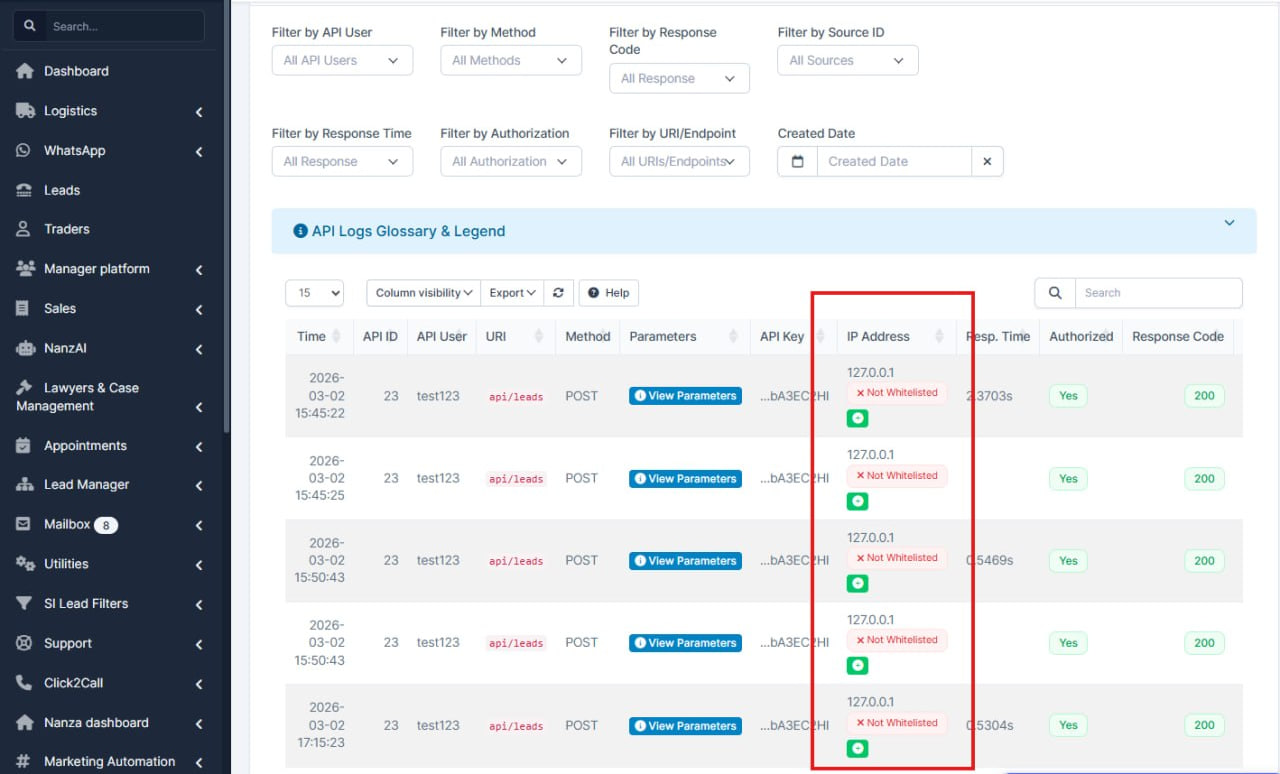
What was added:
- Made the API activity log easier to use: each line can now show whether the visitor’s IP address is on our allowed (whitelist) list, so you can spot trusted vs other traffic at a glance.
- We also removed a bit of unused styling in the appointments area — it does not change how anything works.
KYC Update
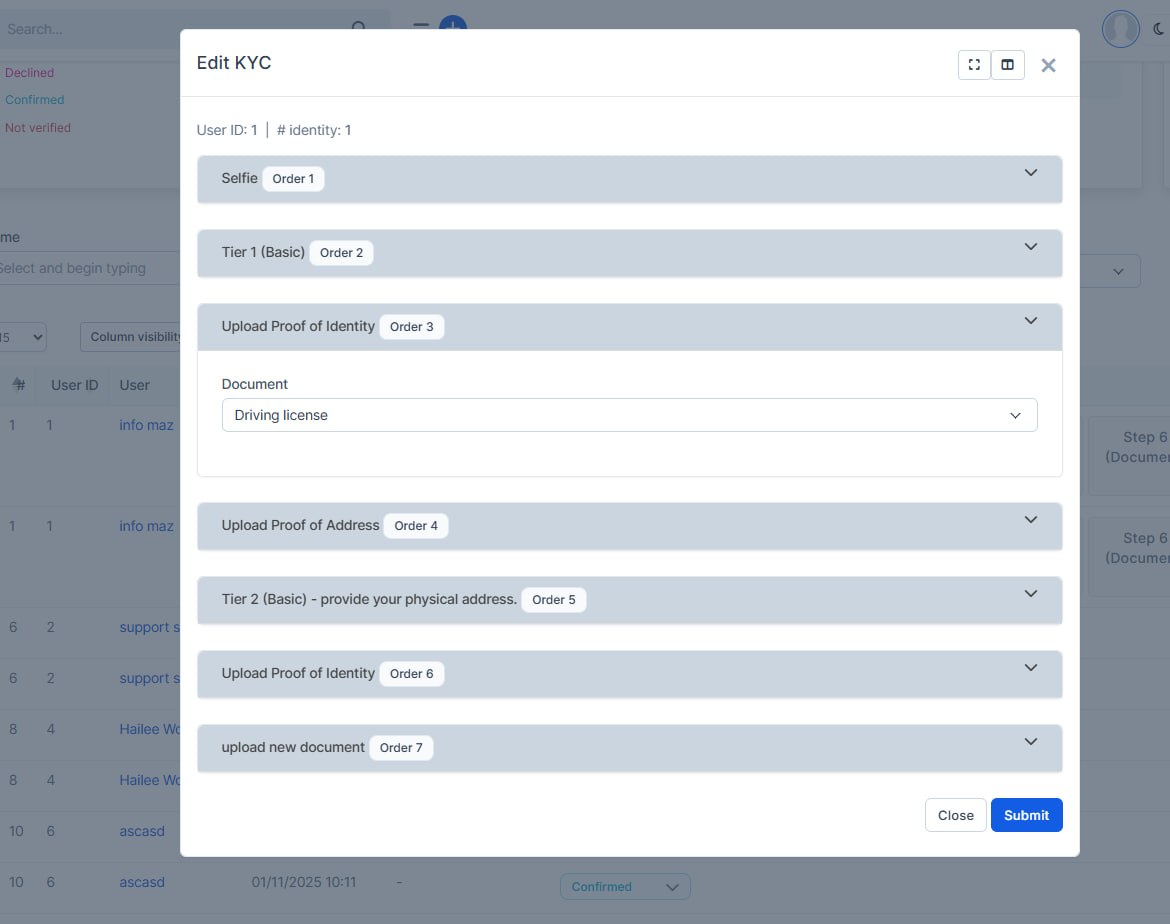
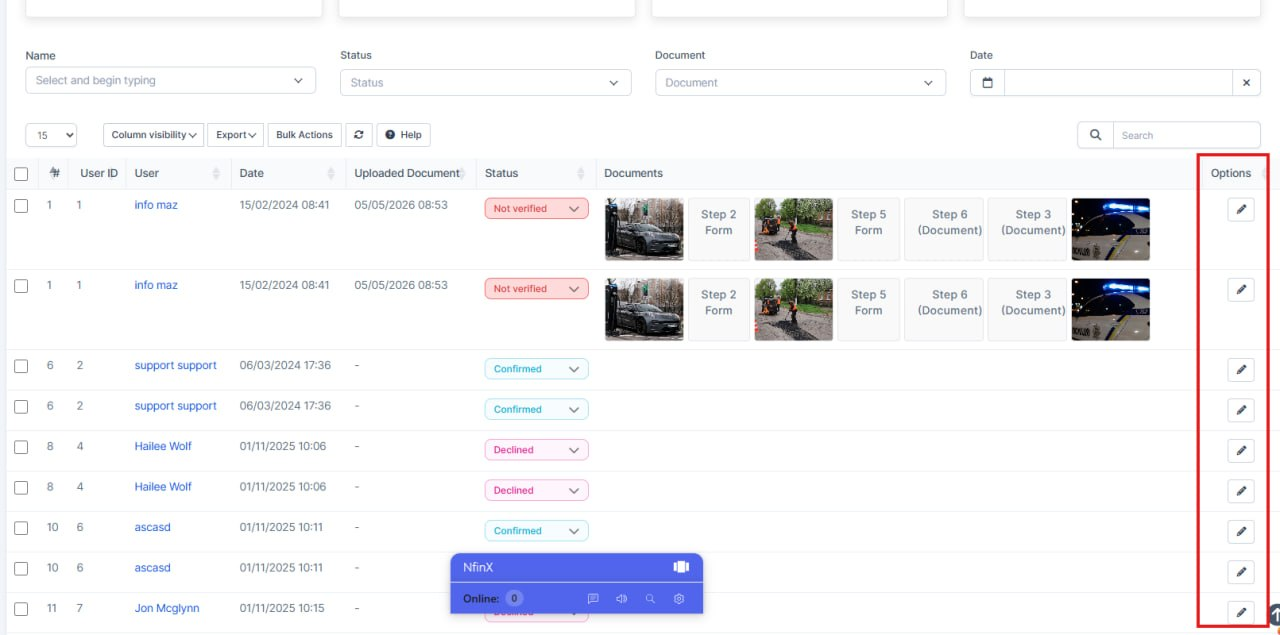
What was added:
- Fixed the KYC workflow for admins so they can now quickly open a user, review their verification information, and update it from one place without jumping between screens.
- Before this, KYC correction and updates were slower and could require manual handling. Now the process is simpler, faster, and more controlled, with access limited to staff who have the right permission.
Also, the KYC list was improved so the Edit action works reliably even when some columns are hidden, which removes confusion and prevents failed edit attempts.
API Management
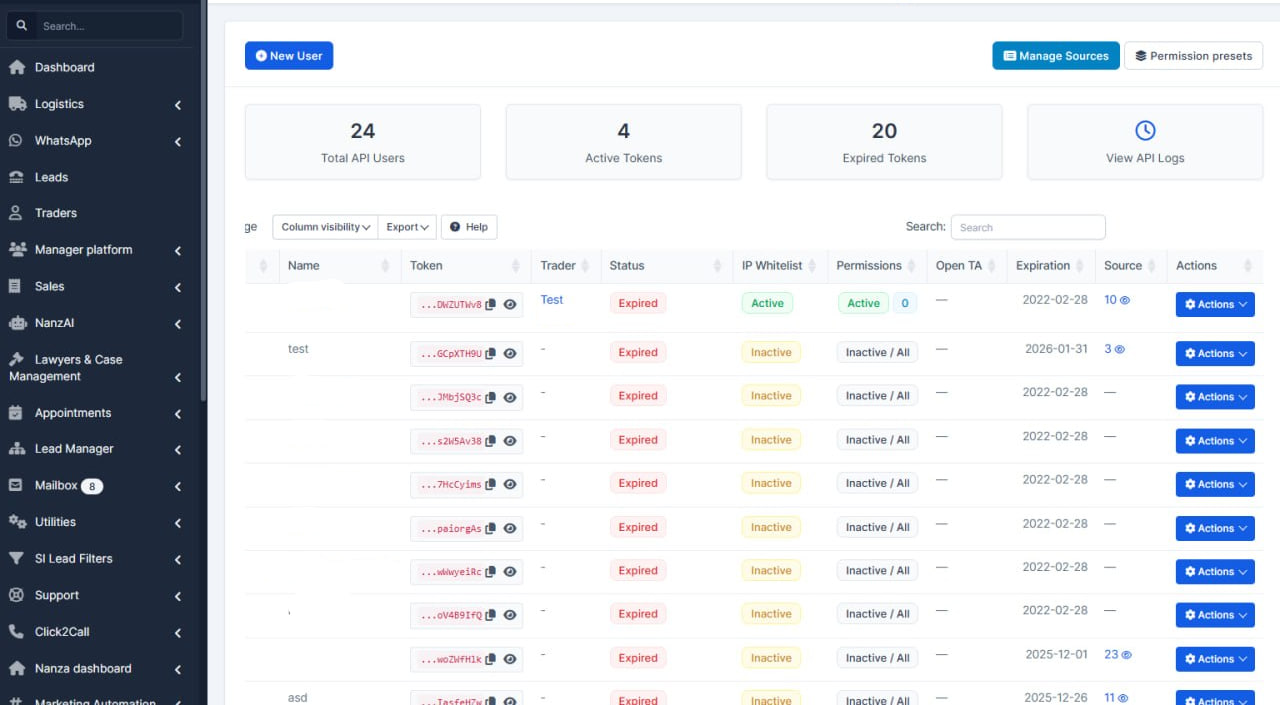
What was added:
- Improved the API management screen by combining permission details into one clear column instead of spreading them across multiple columns. This makes the page easier to read and faster to review, while keeping all the same information and behavior as before. No backend logic, access rules, or database structure were changed — this is a safe UI clarity improvement.
Lead Source Feature
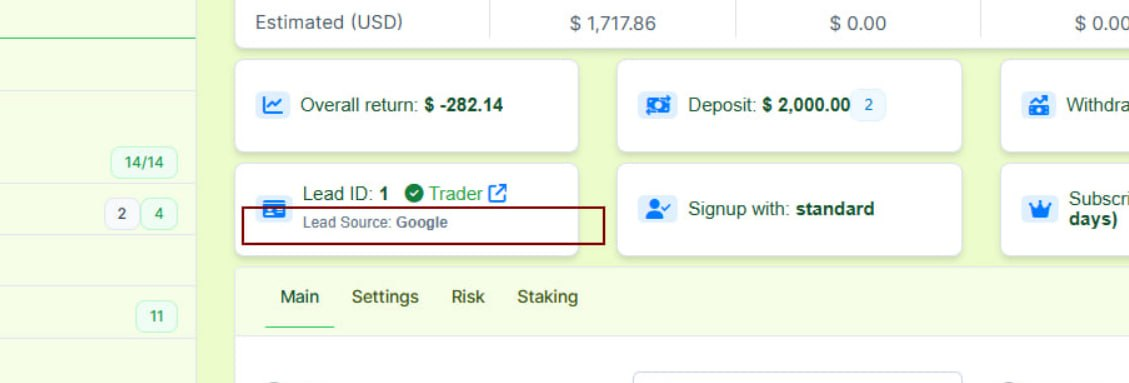
What was added:
- Added lead source to the traders summary page
fixed lead and trader links in the traders summary page
Deposit Enhancement
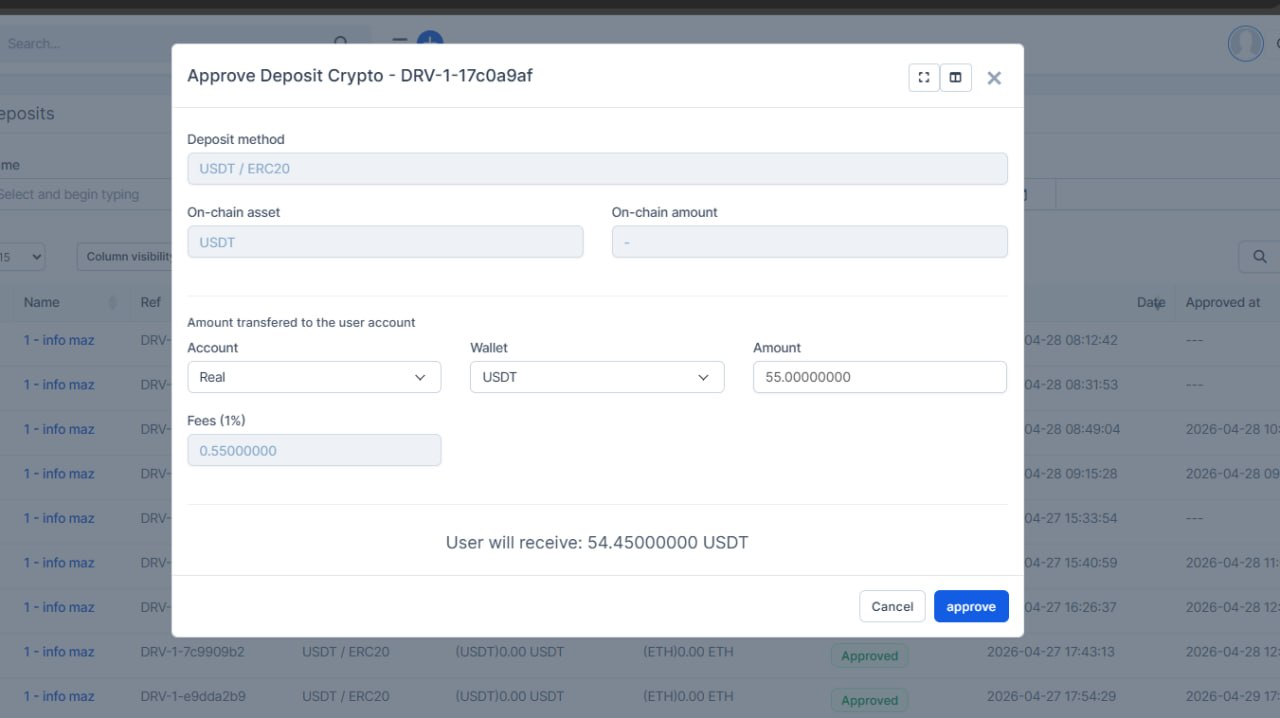
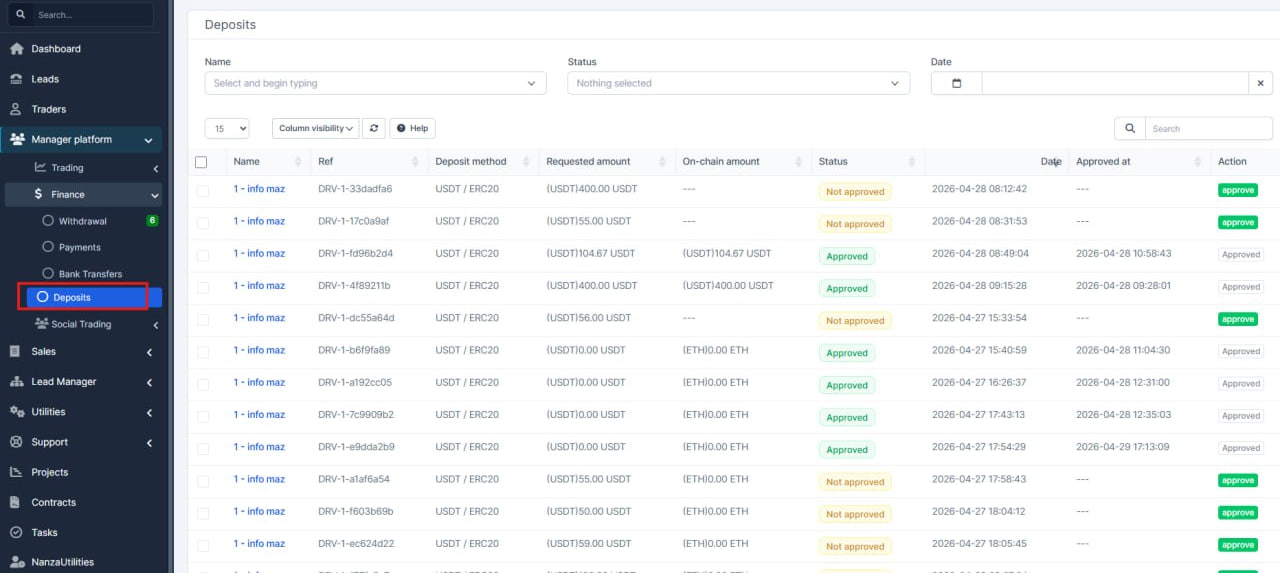
What was added:
- Added a dedicated deposits area in the CRM.
- Improved visibility of each deposit request and its key details.
- Added a guided approval flow for faster and more consistent decisions.
- Improved trader context screens so managers can review requests quicker.
- Cleaned up wording and overall flow to reduce manual effort.
- Reduced the chance of mistakes during deposit review and approval.
As a result, the team can now process deposit requests more clearly, consistently, and with better control directly from the CRM. The changes available on the app.
Permissions Fixes
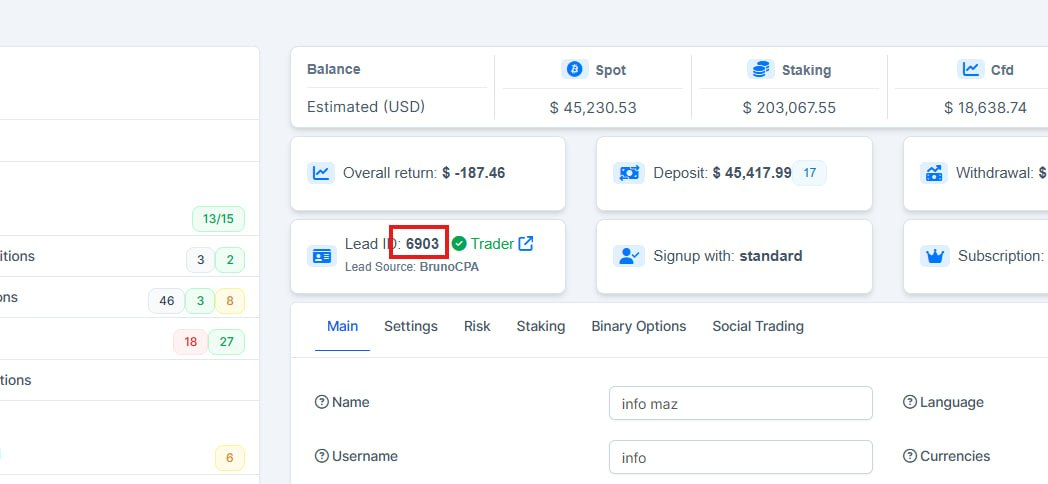
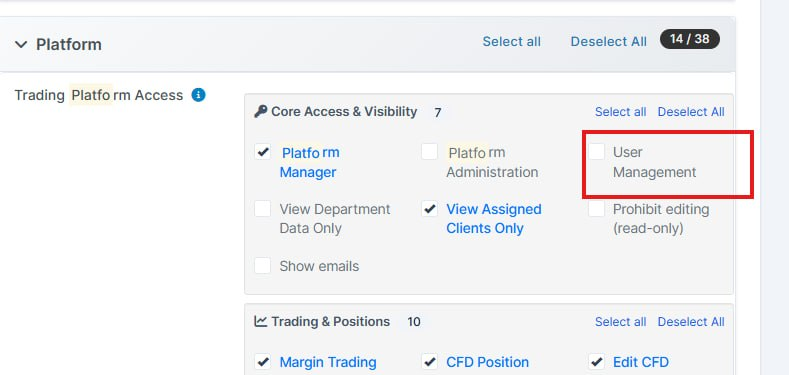
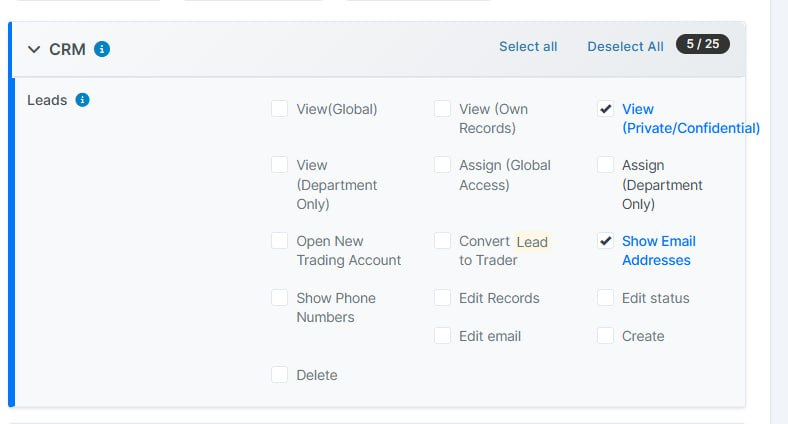
What was added:
- Fixed permission checks on trader pages.
- Restricted access to sensitive trader sections for users without the required permissions.
- Updated navigation behavior so restricted users no longer see or access trader profile links where they should not.
- Applied access checks more consistently across trader sections and related tables.
Improved table link behavior:
- users with permission can open links as usual;
- users without permission will still see the data, but it will not be clickable.
Hide Emails Option
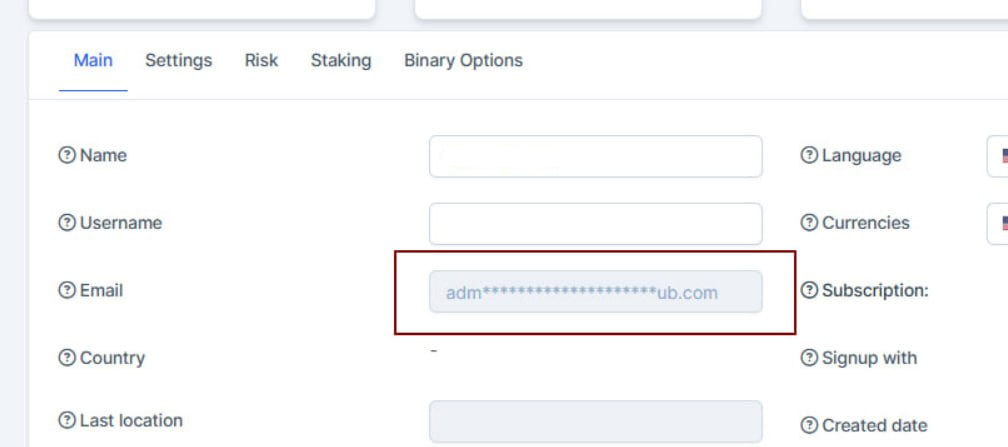
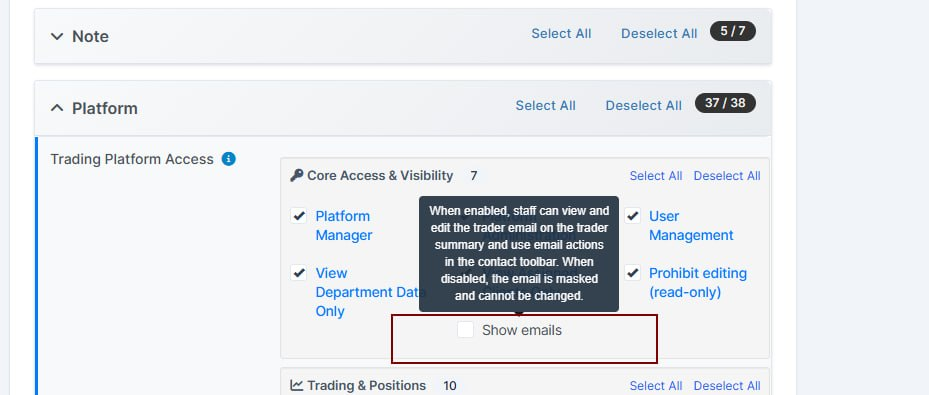
What was added:
- Added an option to hide emails on the traders summary page
managed by this permission
UI Enhancement
What was added:
- Refreshed how leads look in the CRM: status and “assigned to” labels are clearer and more consistent across screens, and the table toolbar (buttons row) is neater and easier to use. Staff profile and dark-mode styling were aligned so the interface feels more polished. This is a visual and usability improvement only — lead logic and permissions are unchanged.
Platform Features and Updates
Accounts Managing Functions
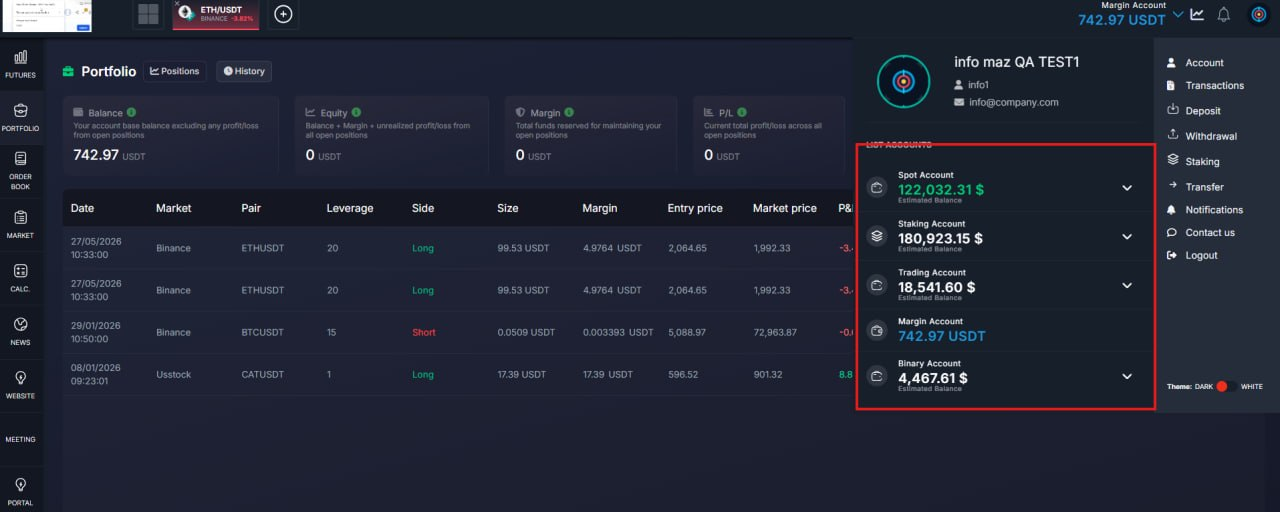
What was added:
- Account switching now returns users to the main dashboard. After selecting another account in the portfolio switcher, users are automatically taken to the main dashboard, so they immediately continue from the primary workspace.
- Portfolio labels and status wording were clarified in English. We added missing English text keys used in the portfolio and positions UI to keep labels clear and avoid confusing placeholders.
UI Fixes
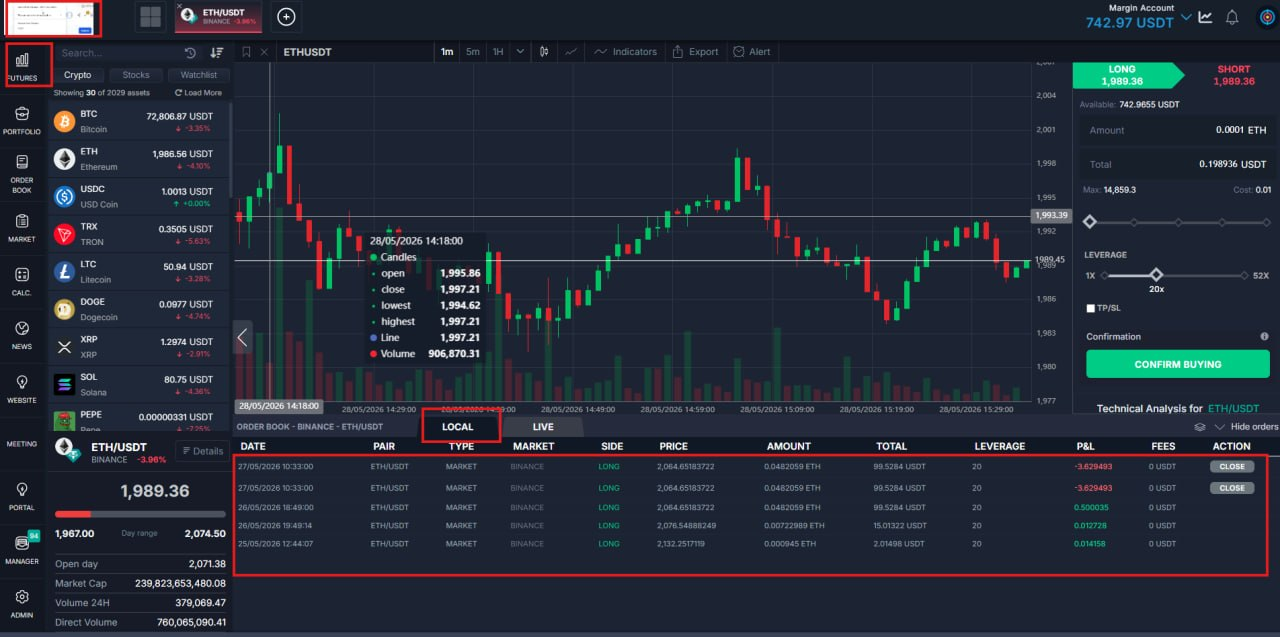
What was added:
Margin Local table now loads consistentlyWe fixed the case where Local requests returned data but rows were not shown, so the order table now appears reliably for users.
- Futures and dashboard navigation now keeps the trading context in sync
After switching via FUTURES or dashboard entry points, the active pair context is restored correctly instead of leaving the table empty.
- Better resilience for refresh and rendering flow
The loading logic now handles tab and view transitions more safely, reducing random empty states and improving day-to-day stability.
Welcome Screen
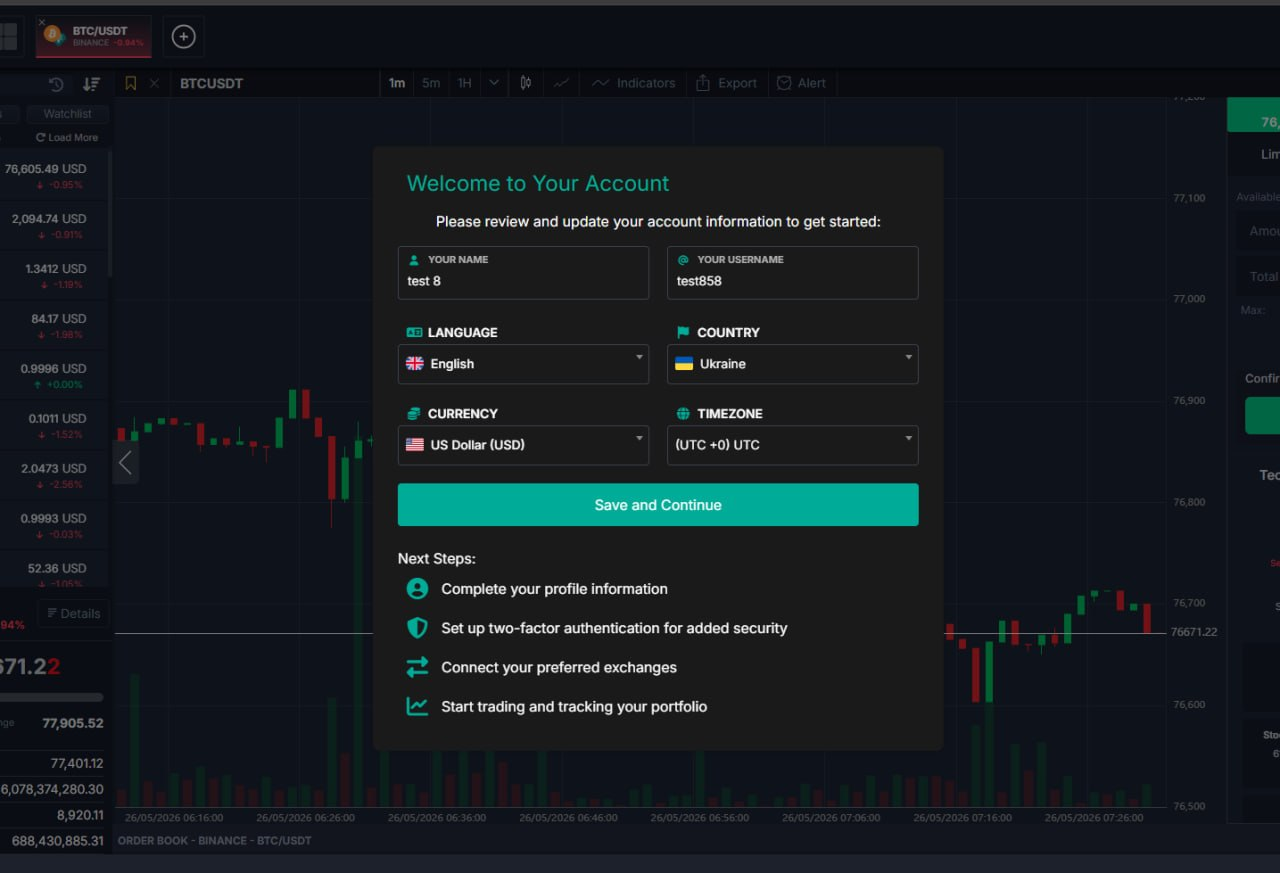
What was added:
- Updated the Welcome Template form: improved the visual presentation and adapted the layout for all screen sizes.
Trading Setup Screen
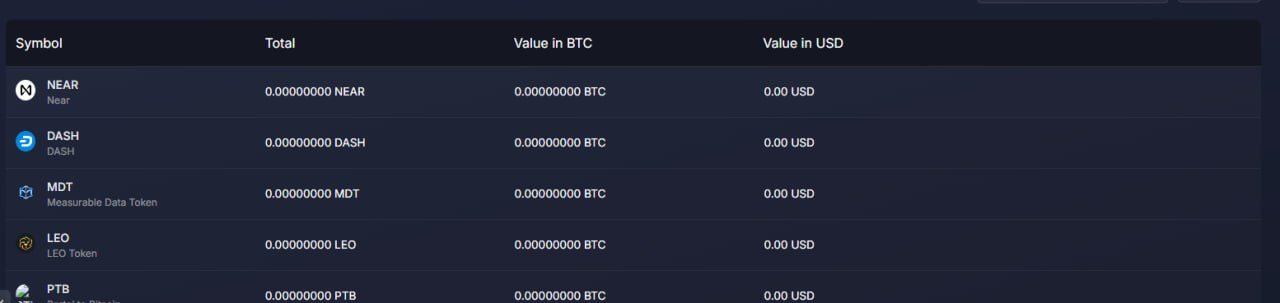
What was added:
- Trading setup screen stays on top
The third-party connection/setup overlay now appears above other panels, so users are not blocked by layers covering the setup flow.
- Portfolio table header layout
Removed extra header styling that was forcing awkward centering in the portfolio table, so column headers align more naturally with the rest of the table.
Market Pages Enhanced Look
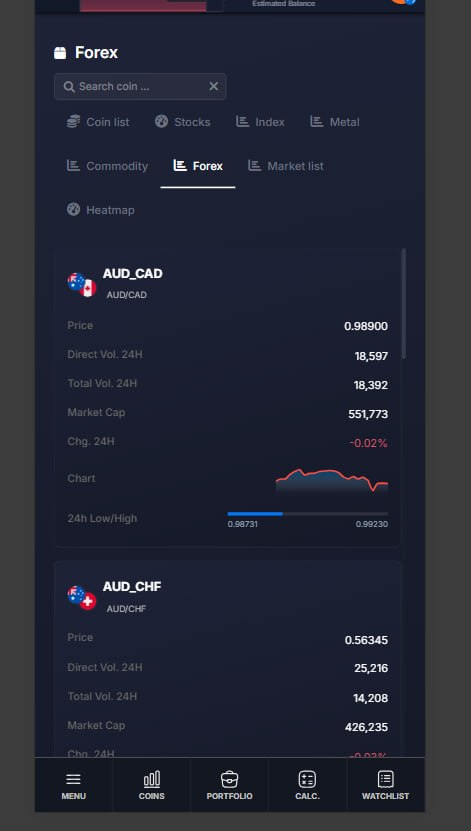
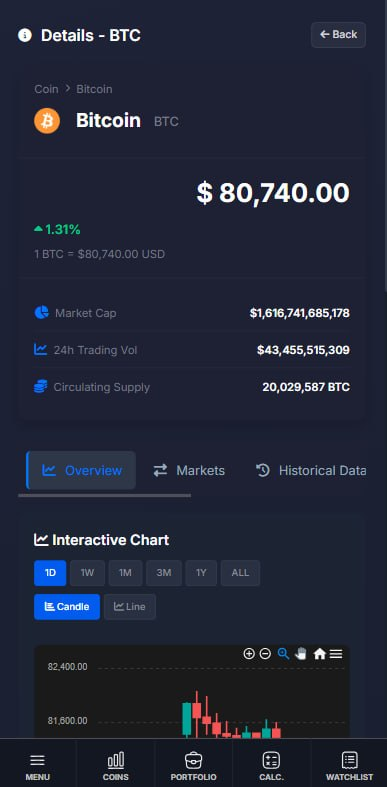
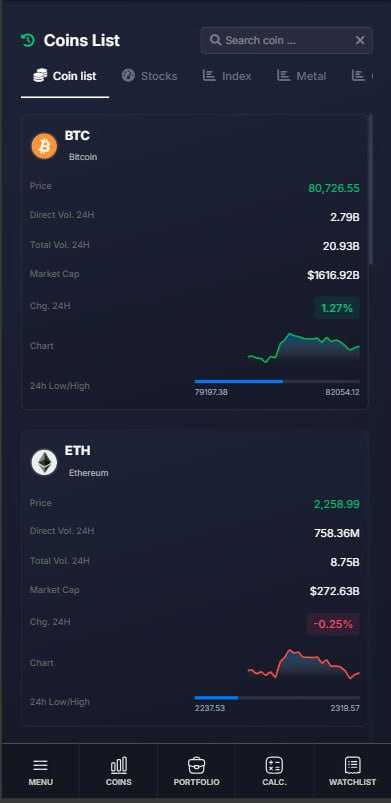
What was added:
- The mobile version of the Market Forex page has been fixed. The elements now display correctly on mobile devices.
- Mobile scrolling on long pages
People using phones can scroll through the full page again in the main app area, so long content such as market details is no longer stuck with part of the screen unreachable.
- Clearer trading panel on small screens
Trading panel styling was streamlined so the layout looks cleaner and is easier to take in at a glance on a narrow display.
- Tabs and data tables on tight widths
- Tab strips and table-style blocks were tuned for small screens so controls stay readable and less cramped when the device is held upright.
Transaction History Improvements
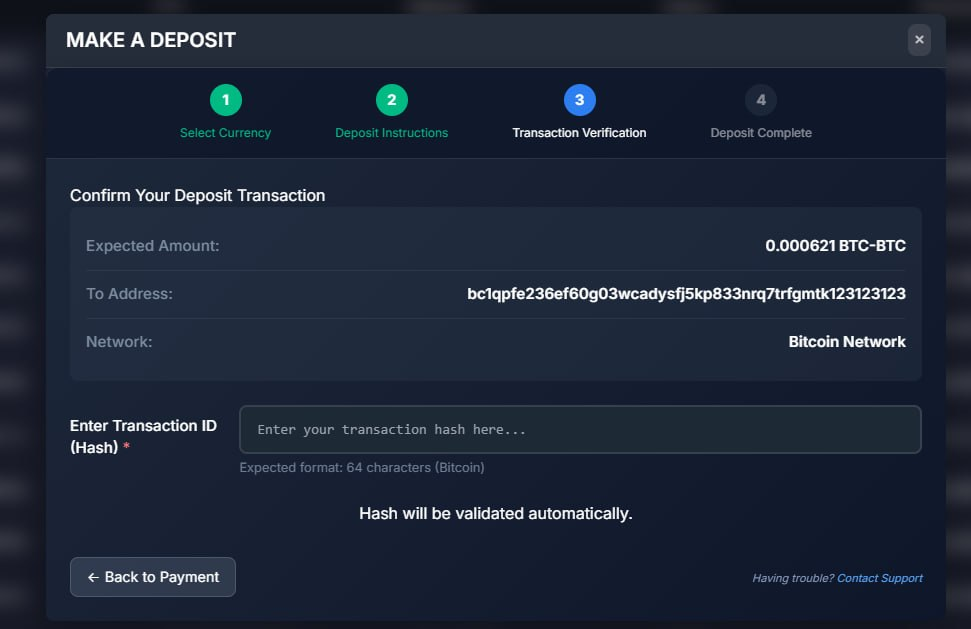
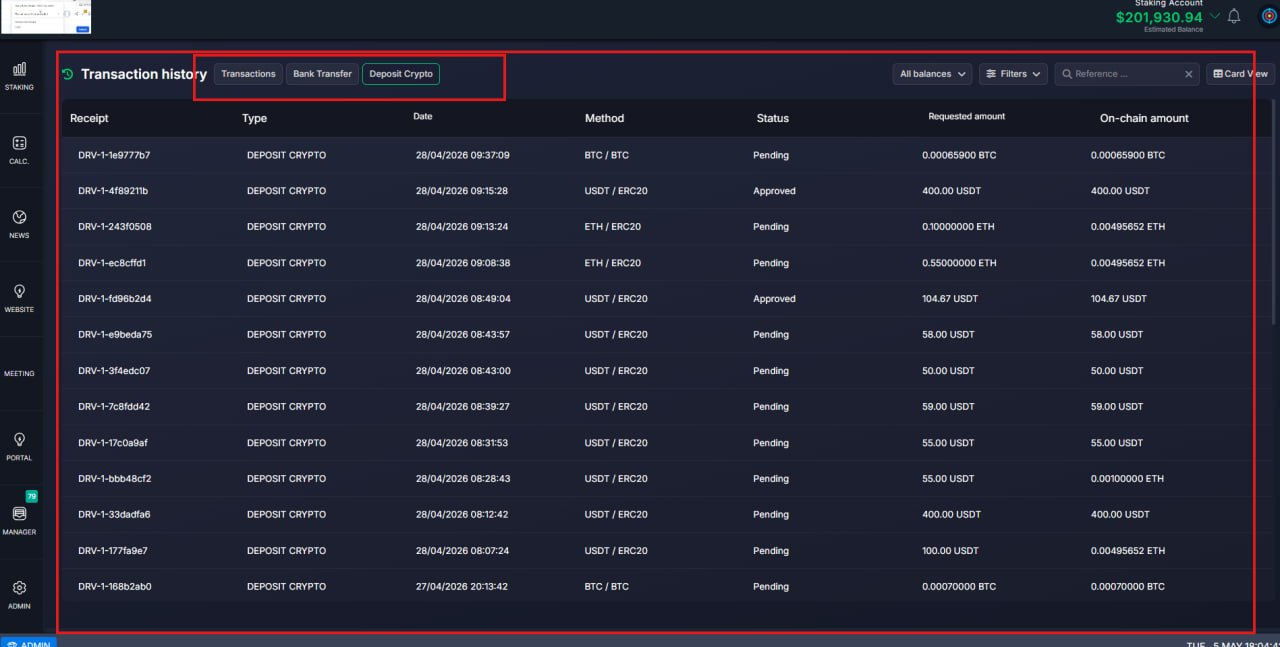
What was added:
- Added better validation for transaction details and deposit amounts.
- Improved visibility of key deposit data, including requested values and on-chain values.
- Cleaned up confusing wording in the interface.
- Improved transaction history views for easier review.
- Updated balance-related behavior to reduce possible mistakes.
Email Masking Feature
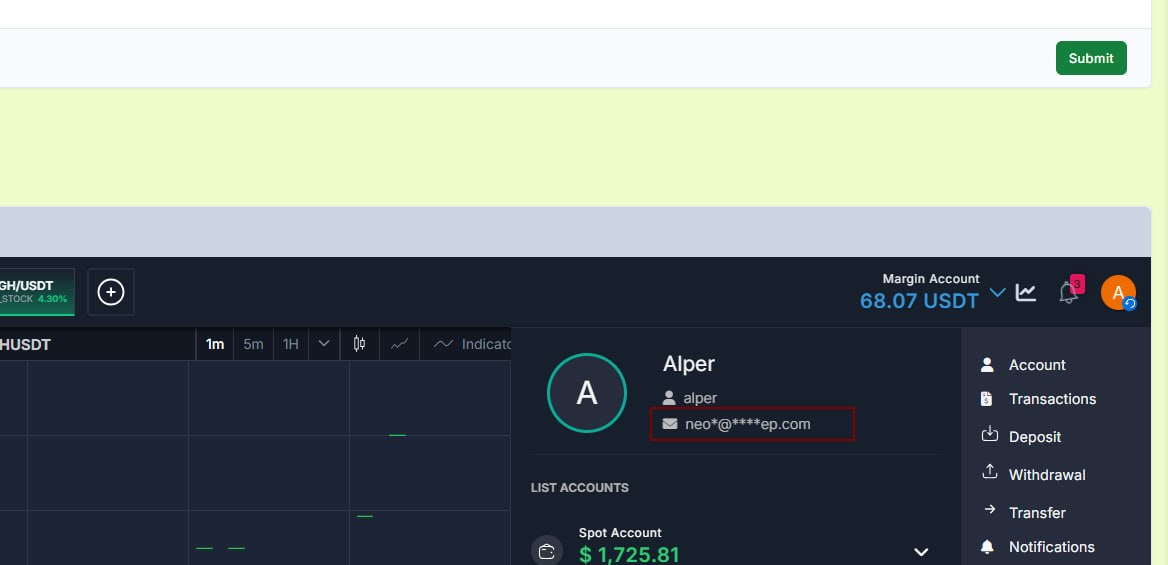
What was added:
- Fixed the identity verification (KYC) flow so the country and other dropdowns look and behave like the rest of the trading app. Before, those lists could look like a bright or mismatched box, especially next to our dark interface or inside the CRM frame. Now they follow the same dark or light appearance as the platform.
- Also fixed a small UX issue: when the user closed a dropdown, the page could still behave as if something was left open; that state is cleared properly now.
- Fixed the appearance inside the CRM when the platform is opened through an iframe, so the interface now displays correctly and consistently.
Identity Verification Fixes
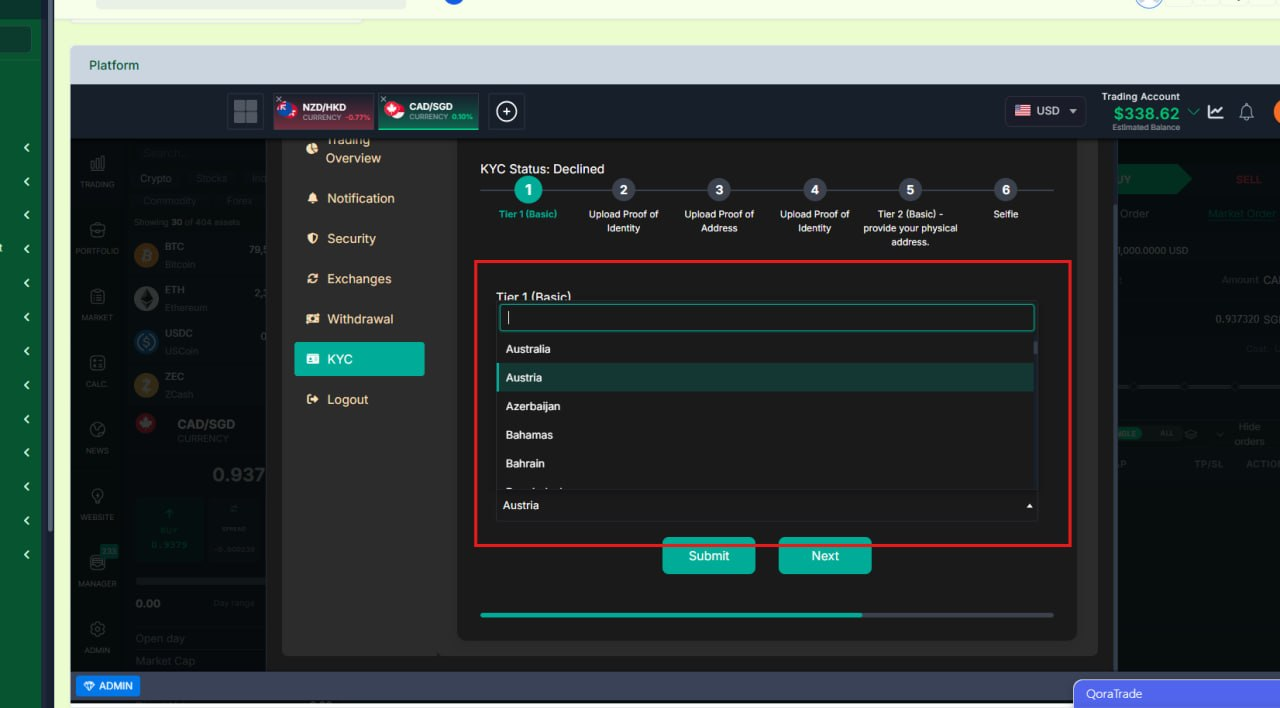
What was added:
- Fixed the identity verification (KYC) flow so the country and other dropdowns look and behave like the rest of the trading app. Before, those lists could look like a bright or mismatched box, especially next to our dark interface or inside the CRM frame. Now they follow the same dark or light appearance as the platform.
- Also fixed a small UX issue: when the user closed a dropdown, the page could still behave as if something was left open; that state is cleared properly now.
- Fixed the appearance inside the CRM when the platform is opened through an iframe, so the interface now displays correctly and consistently.
Staking Liquidity Provider Bank Flow Feature
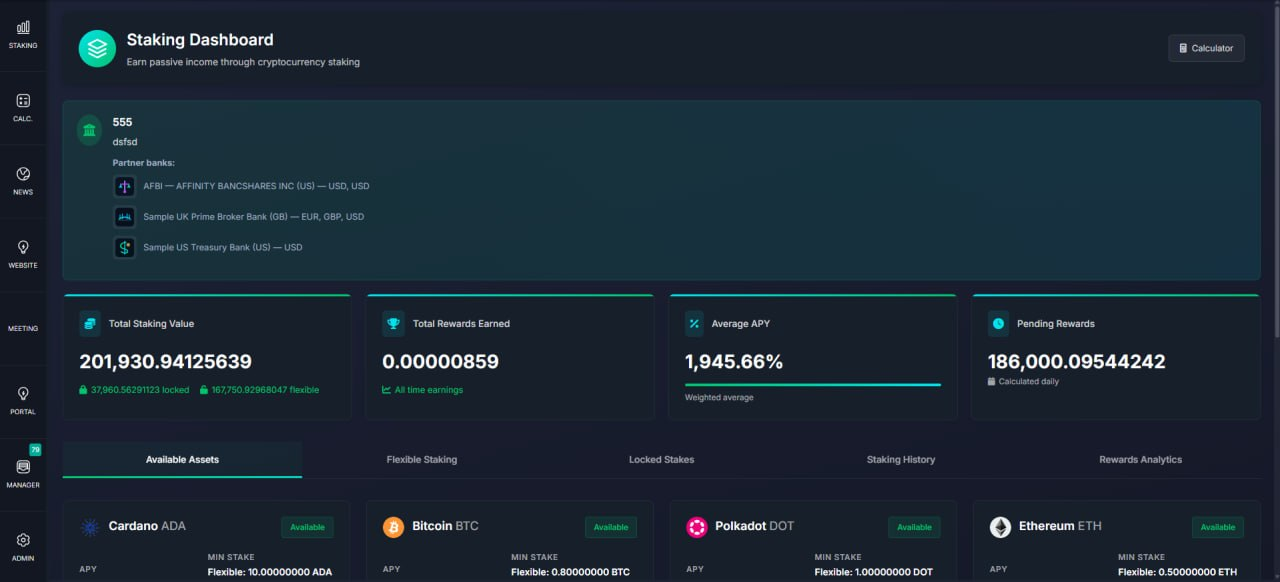
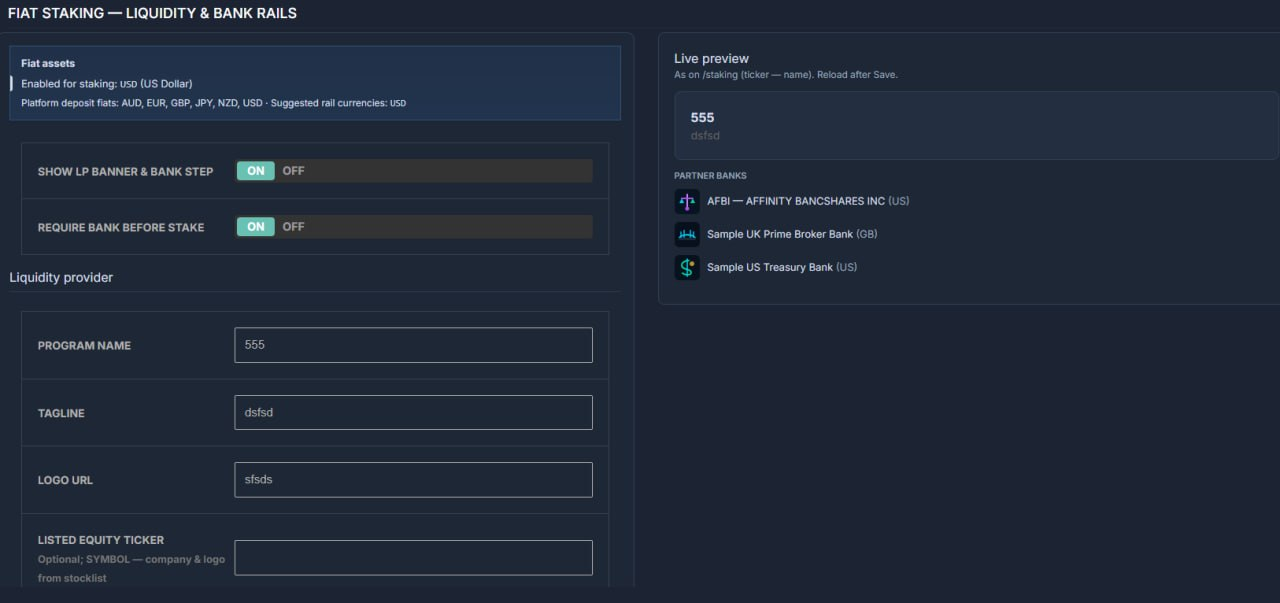
What was added:
- Improved the Staking LP bank flow so managers can configure partner banks more clearly (including logos), users see cleaner and more informative staking screens, selected bank details are now reliably saved with staking positions, and wording/UI consistency was improved across the staking experience.
Traders Permissions Fix
What was added:
- Previously, staff members could see Traders in the CRM even without any permissions — as long as they had at least one client assigned to them. This was a loophole that bypassed the permission system.
What was fixed:
Now the "Traders" menu item and page are only visible if the staff member has either "View (Own)" or "View (Global)" permission enabled
View (Own) staff sees only traders assigned to them
View (Global) staff sees all traders
No permissions no menu, no page, no data
This ensures the permission checkboxes in CRM settings actually control access as expected.
Release Date: May, 2026
Thank you for being valued partners. We're committed to continuously improving the platform to help you grow your business.
The Development Team