CRM Features and Updates
Safer Default for Platform Chat Staff List
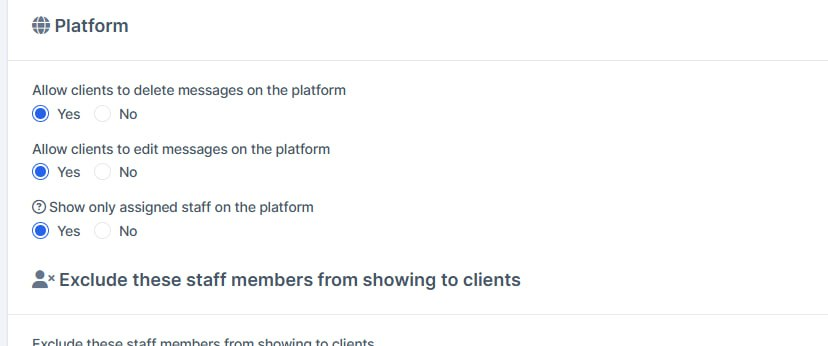
What was added:
- Safer default for platform chat staff list
Clients on the trading platform now only see staff assigned to them by default, so unassigned people are not exposed unless an admin turns that off.
- Missing chat privacy options filled on upgrade
If those Platform chat switches were blank after an update, they are created with clear Yes/No defaults so settings are not left empty.
Delete Function Fixed
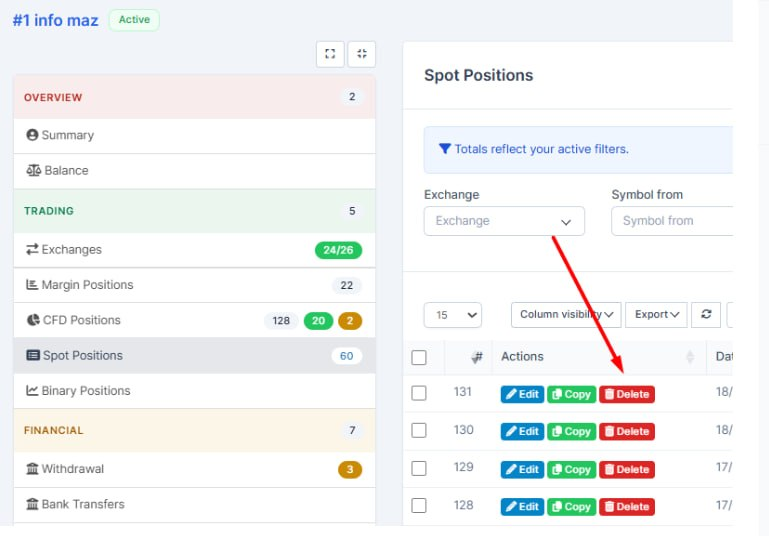
What was added:
- Delete confirmation no longer uses the browser popup
Staff now get the same in-app confirmation dialog when deleting spot, CFD, and margin positions — clearer and consistent across screens.
- Delete works on trader position pages
From a trader’s spot or CFD positions page, Delete opens the confirmation dialog properly and completes the action (it previously did nothing useful on those screens).
- After CFD delete, you stay on the same page
Deleting a CFD position returns you to the trader or list page you came from, so you don’t lose context.
Available Balance
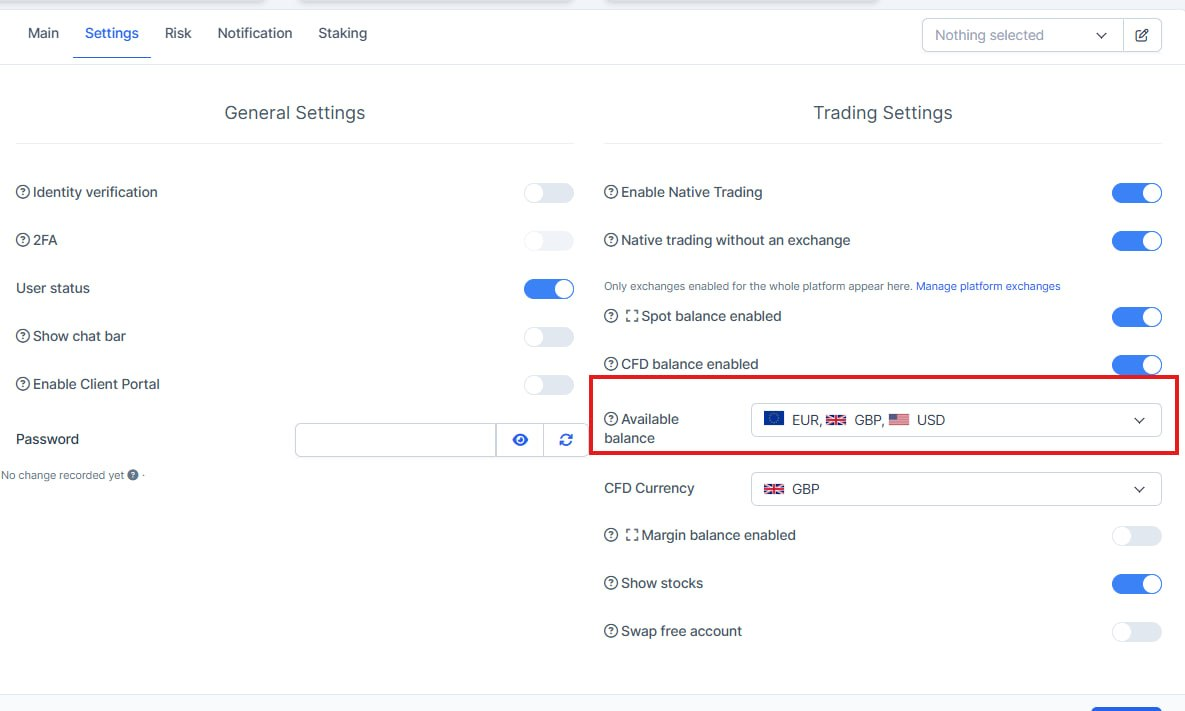
What was added:
- Convert respects Available balance currencies
Staff can convert into every currency allowed for that trader on CFD, not only a single default. Convert destinations now match the Available balance list set on the trader card.
- Same rules on the trading platform
Platform convert and inbound CFD transfers follow the same Available balance list, so trader settings in CRM and what clients see in the app stay aligned.
- Faster convert amount entry
Convert now has quick 25% / 50% / 75% / Max controls next to Amount, so staff can fill the available balance in one click without typing.
Affiliate Table Fixes

What was added:
- Affiliate leads table shows the right columns
On the affiliate profile page, the Leads list had mixed-up fields (name under email, email under status, and so on). Columns now line up correctly so staff can trust what they see.
- Clearer lead details for affiliates
Name, email, status, and date added display in the proper places, so reviewing affiliate-driven leads is quicker and less error-prone.
Better Copy Order Process
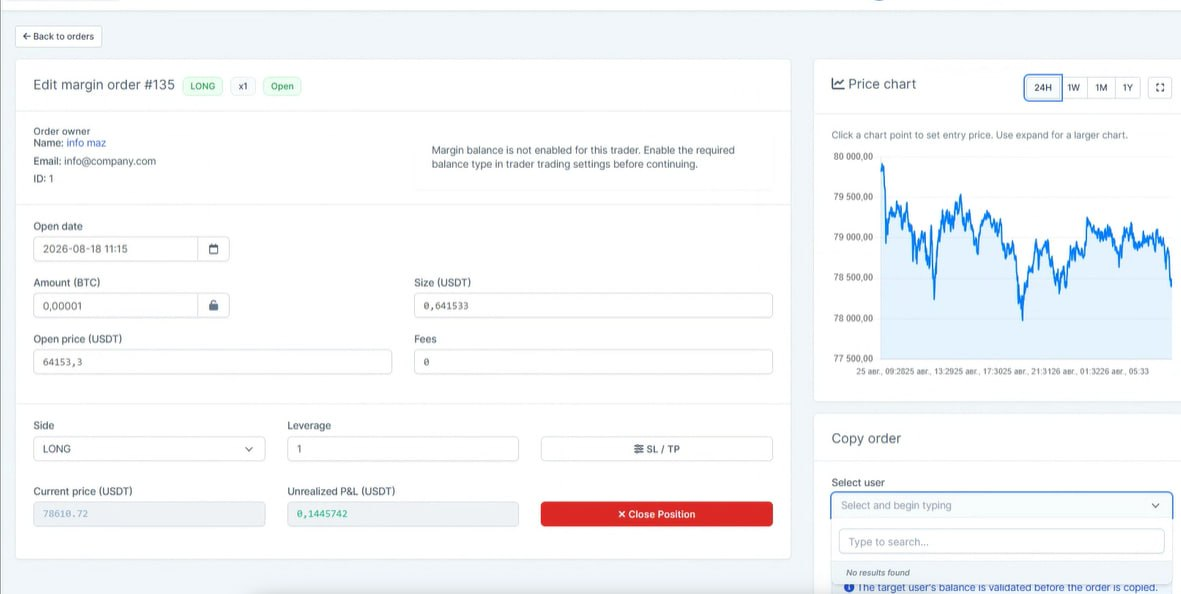
What was added:
- Safer copy to another trader
When copying a CFD, spot, or margin position/order, the user list now only shows traders who have that account type turned on. This avoids failed copies and confusing error messages.
- Clearer copy action label
The copy button now says “Copy this user” consistently on CFD, spot, and margin screens, so the action is easier to recognize.
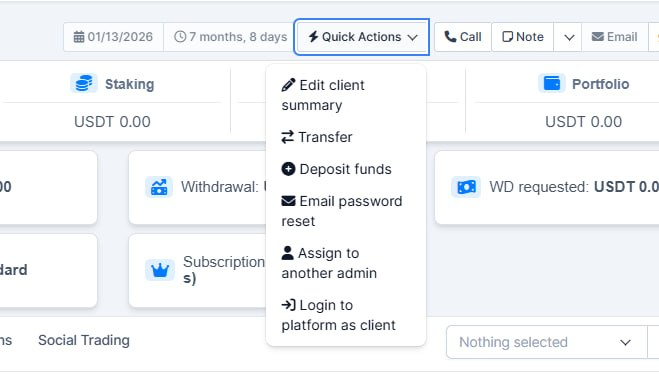
Cleaner Quick Actions menu
What was added:
- Cleaner Quick Actions menu
Staff only see actions they are allowed to use. Options without permission are hidden instead of shown greyed out, so the menu is shorter and clearer.
- Trading shortcuts respect account settings
Open spot, margin, or CFD only appears when that trading account is enabled for the client, so staff are not sent into trades that cannot be opened.
CFD Precision in the CRM
What was added:
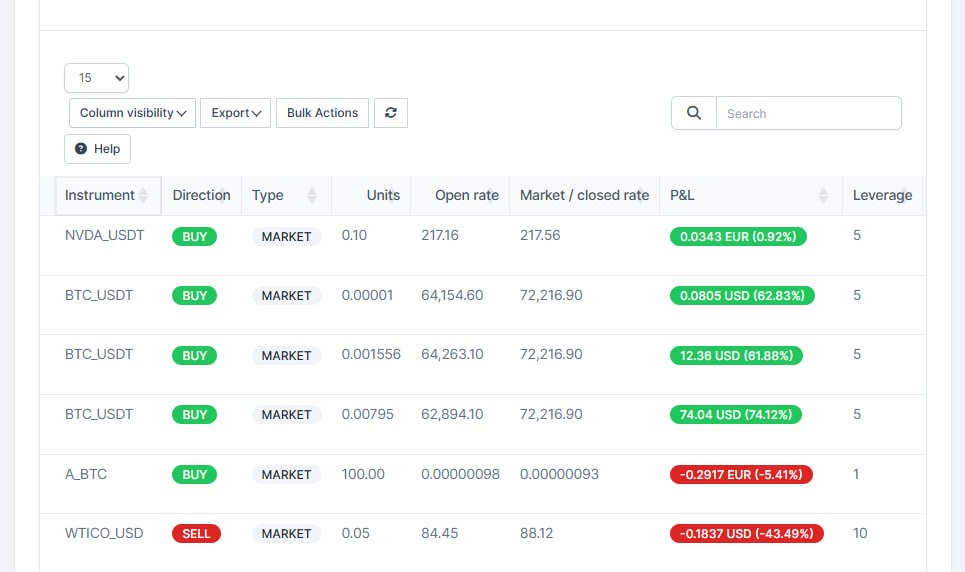
- Clearer CFD price precision in CRM
Open and live market prices now use the same decimal rules as the trading platform, so forex pairs stay readable (for example 1.1707 instead of overly rounded or overly long values).
- More accurate profit and loss display
P&L amounts use smarter precision for small and large values, making CRM figures easier to compare with the platform without losing important detail.
Bank Tranfer
What was added:
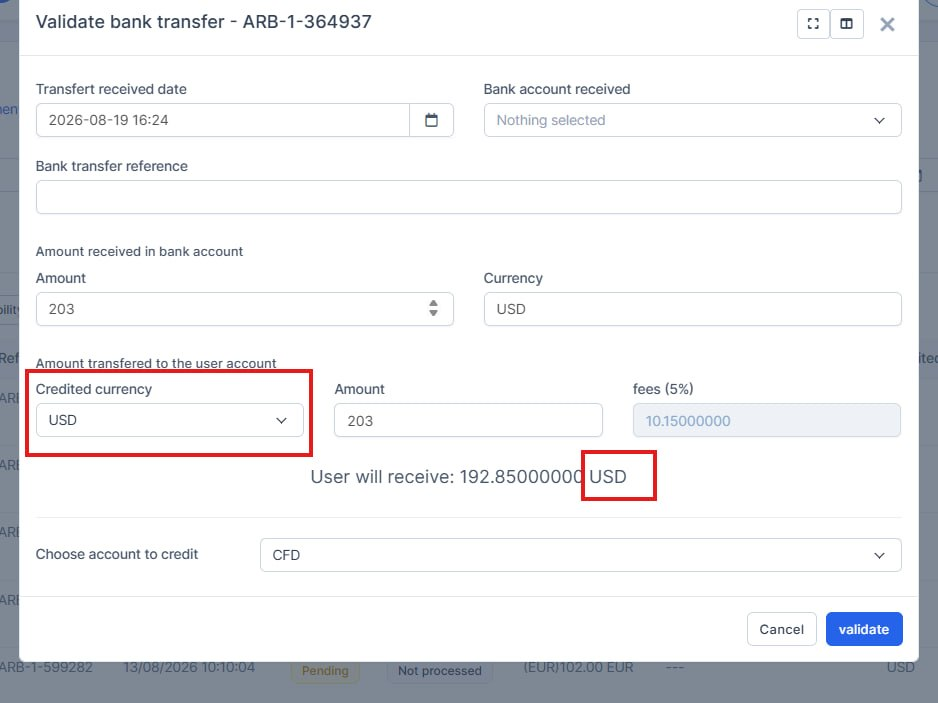
- Bank transfer currency is preselected
When a staff member validates a bank transfer, the receive currency is now filled in from what the client actually deposited. They no longer have to pick it from the list every time.
- Deposit currency stays available
If that currency is not in the usual options, it is added to the list so it can still be selected. This avoids accidentally using the first currency in the dropdown instead of the real deposit currency.
Trader Settings

What was added:
- Trader settings apply immediately
When staff apply a settings preset to a trader, the platform now refreshes those settings right away. The trader sees the new values instead of leftover old ones.
Read-Only Staff Permissions
What was added:
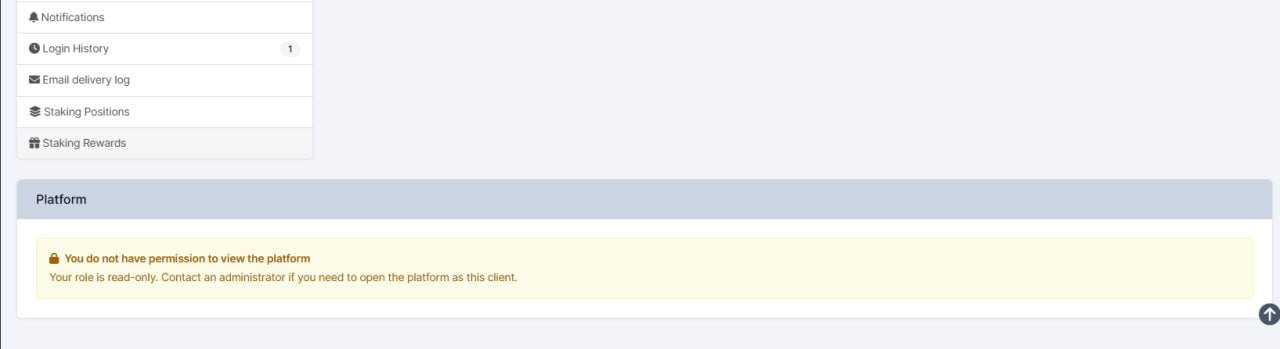
- Read-only staff cannot open the trading platform
Staff with a read-only role now see a warning instead of loading the client's platform. This stops them from opening an account they are not allowed to use.
- The reason is shown in staff languages
The warning is available in English, French, German, Portuguese, Spanish, and Ukrainian so people understand why the platform is blocked and who to contact.
Order Price Edition
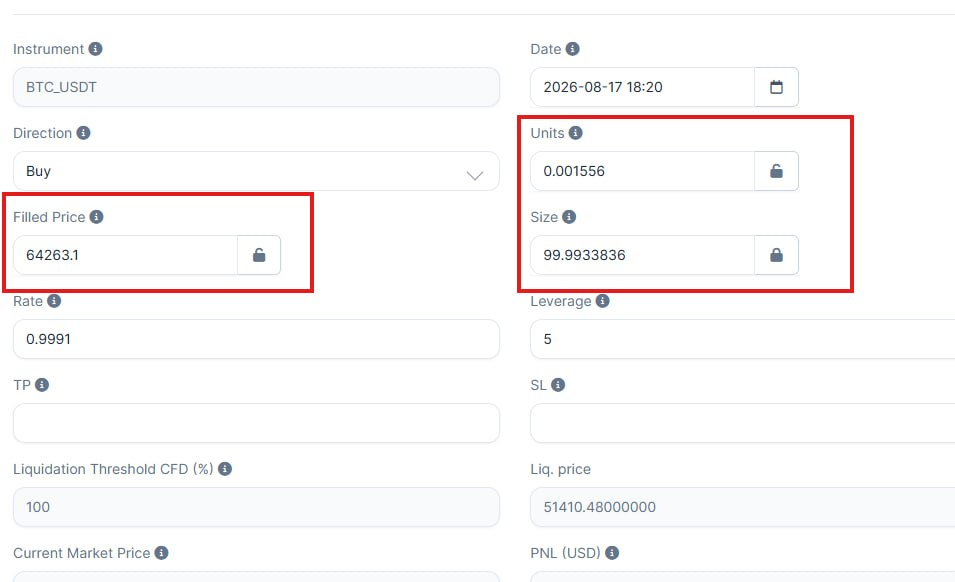
What was added:
- You can edit the size in orders.
Create Order Enhancement
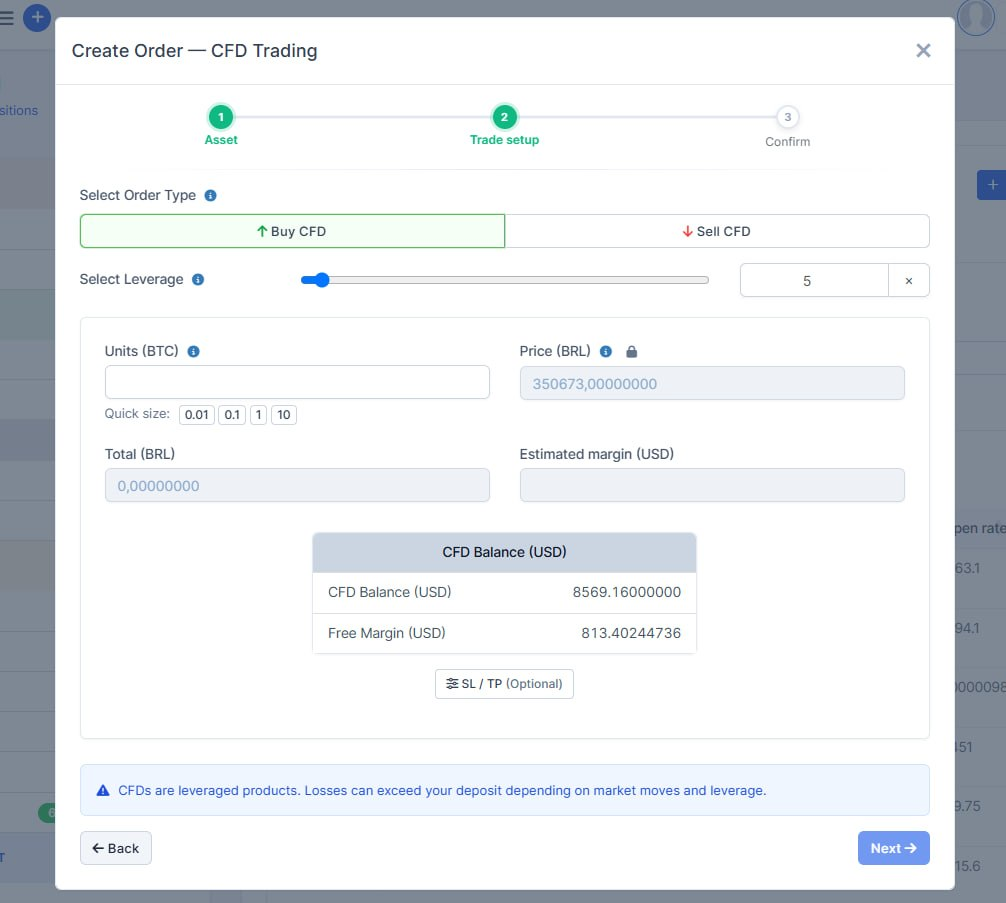
What was added:
- The order window has been updated. The layout has been optimized. The loading of the modal window has been optimized- Filters refresh the deposit list
Changing date range or dropdown filters now reloads the table immediately, so staff see the matching deposits without extra clicks.
Deposit Columns
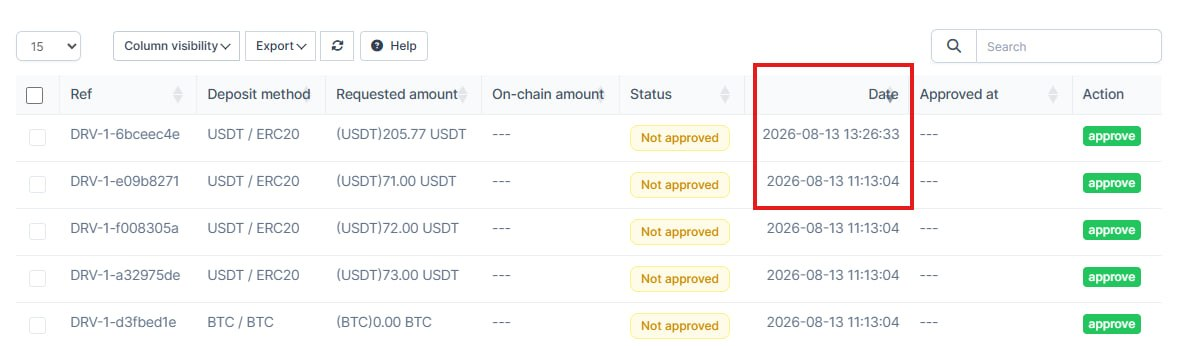
What was added:
- Deposit list columns stay aligned
The Method column now shows asset and network together, and unused extra fields were removed so the table no longer shifts out of place.
- Filters refresh the deposit list
Changing date range or dropdown filters now reloads the table immediately, so staff see the matching deposits without extra clicks.
Lead Card Enhancement
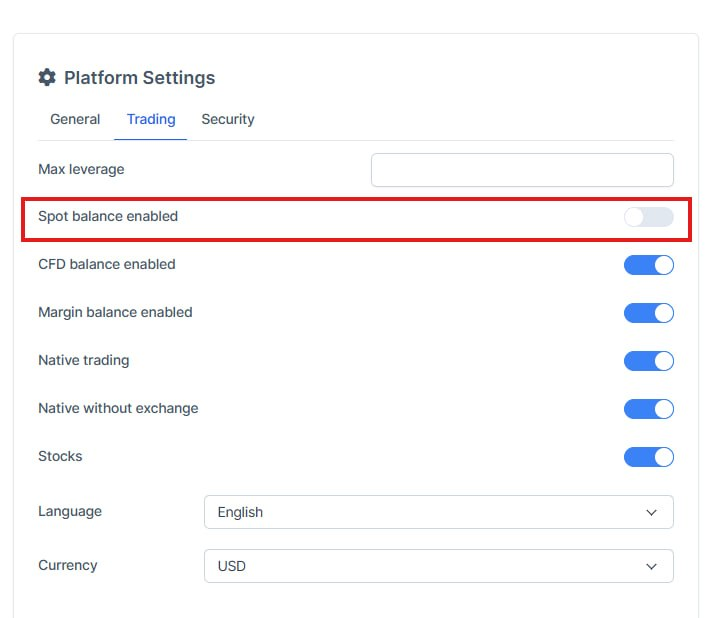
What was added:
- Spot account setting on lead card
Staff can now turn the Spot (Real) trading account on or off from the lead Platform → Trading tab, same as CFD and Margin. Before, Spot was missing there even though the balance was shown.
- Correct setting from the trader account
The switch loads and saves the real Spot status for that trader, so changes from the lead card stay in sync with the trader profile.
Funds Converting
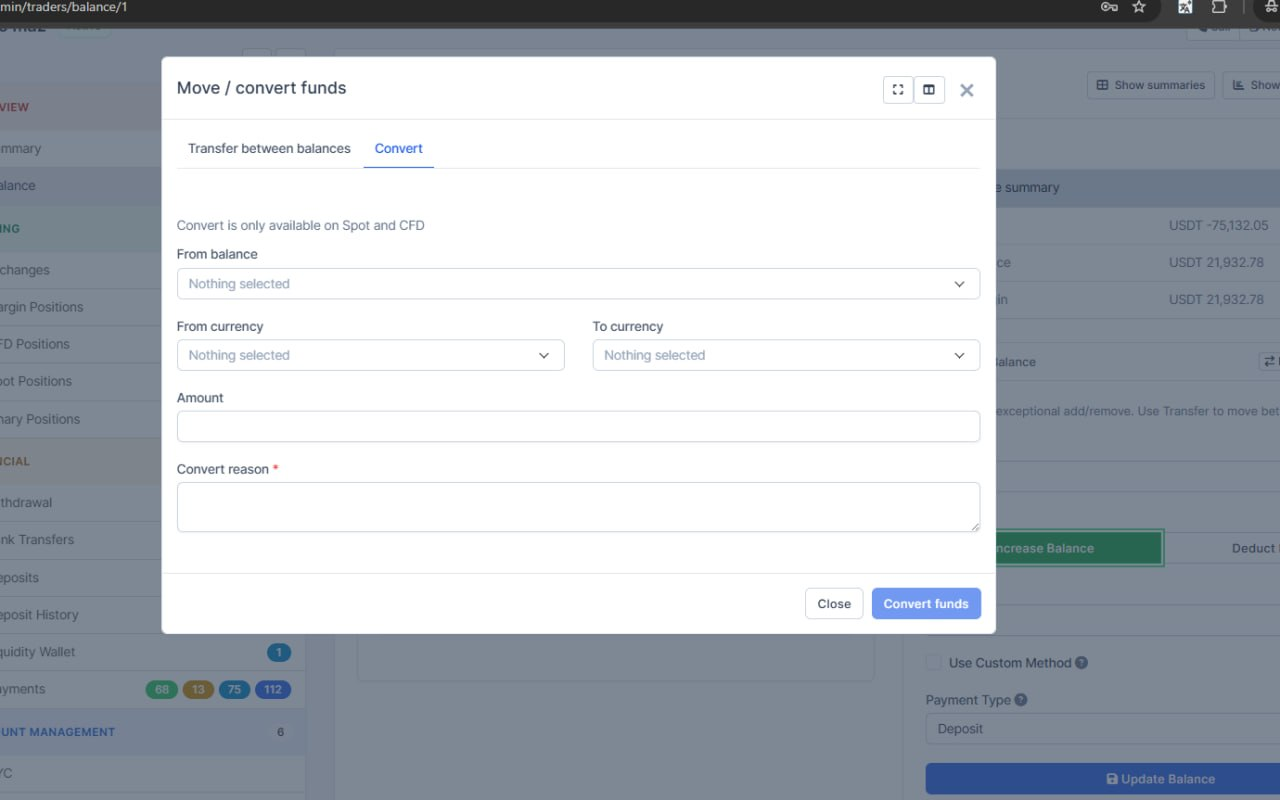
What was added:
- Staff can convert trader balances in CRM
Operators can now convert Spot and CFD balances from the trader profile, without leaving CRM or switching tools.
- Clear quote before converting
Staff see the rate and expected result first, then confirm — fewer surprises and fewer failed attempts when rates move.
- Safer handling with a required reason
Every conversion needs a short reason and is logged, so balance changes stay traceable for ops and support.
- Transfer and Convert in one place
The balance modal now has separate Transfer and Convert tabs, so staff pick the right action faster with less confusion.
Balances Functionality Update
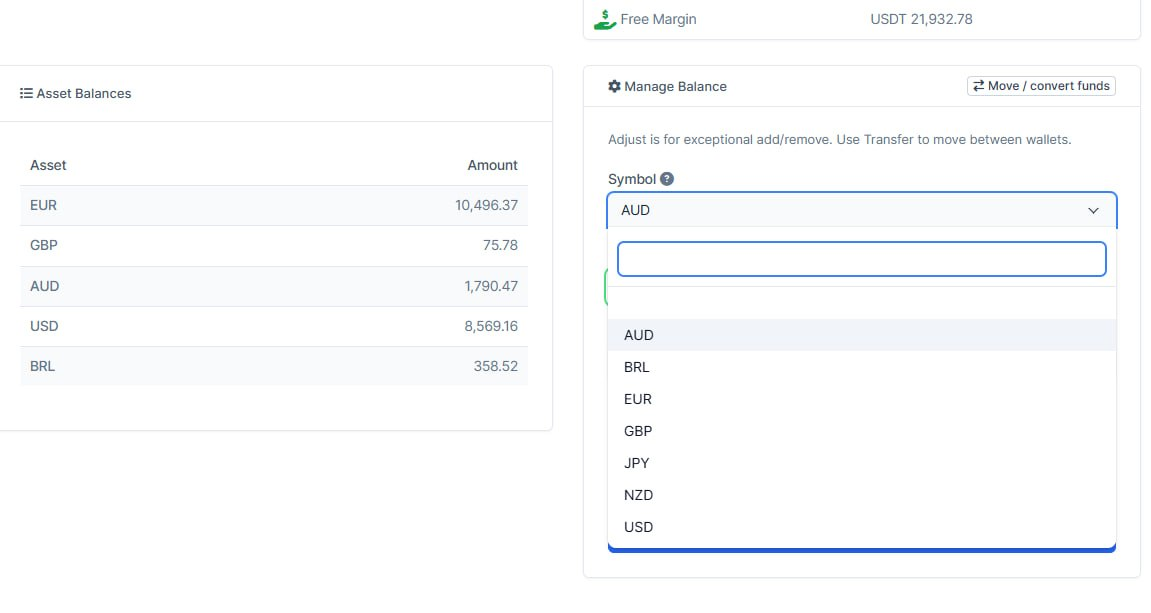
What was added:
- CFD top-ups limited to fiat currencies
Staff can no longer add crypto to a trader’s CFD balance. Only fiat currencies are offered and accepted, matching how CFD wallets are meant to work.
- Convert button can’t fire twice
Clicking “Convert funds” more than once while a conversion is running no longer sends duplicate requests.
- Balances refresh after a transfer
After moving funds between wallets, the page reloads so the updated balances show right away instead of looking unchanged.
Price Charts Fixes
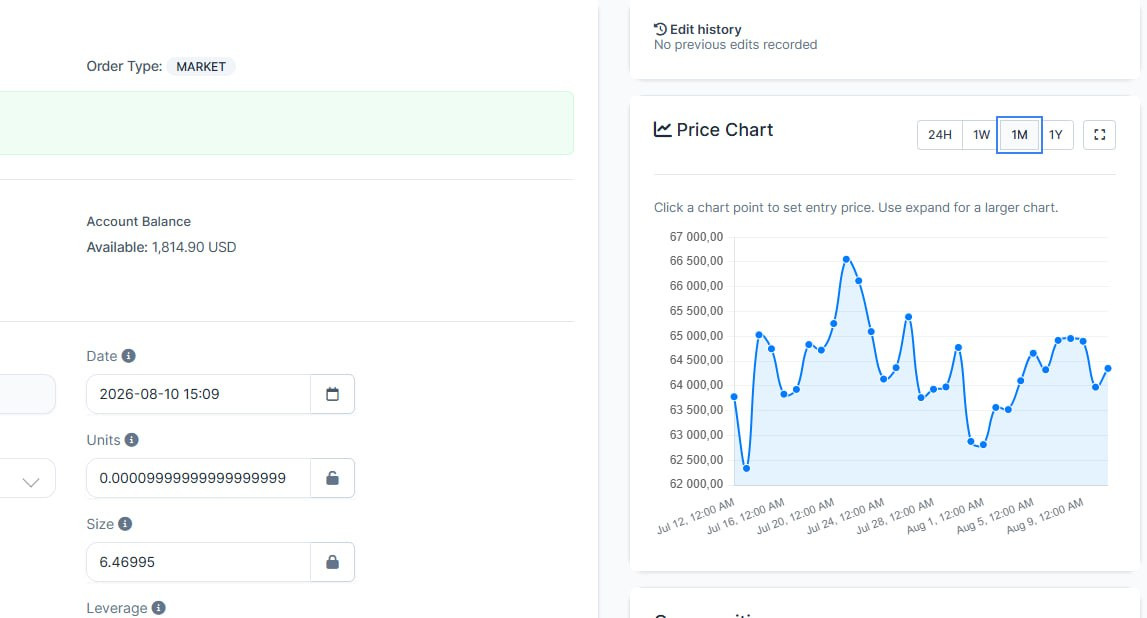
What was added:
- Price charts on CFD edit work again
Staff editing forex, index, commodity, and similar CFD positions can see the price chart instead of an empty or broken chart.
- KuCoin CFD charts load correctly
Positions quoted in USD on KuCoin now pull the matching historical prices, so the chart no longer fails for those instruments.
- Cleaner charts over long periods
Longer time ranges stay readable and responsive by simplifying dense price points without losing the overall price path.
Visibility of Traders' Emails
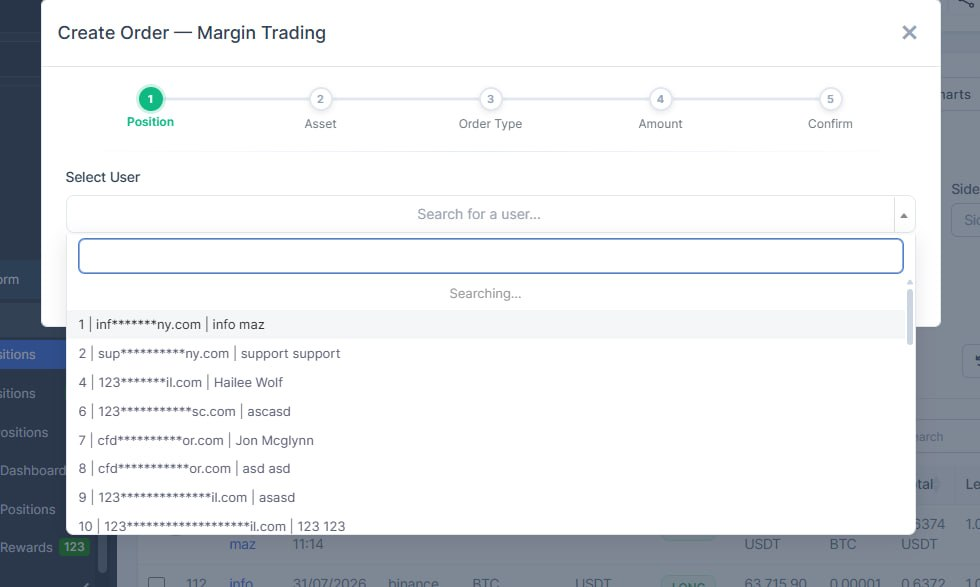
What was added:
- Trader emails hidden without Show emails permission
Staff without the Trading Platform “Show emails” right no longer see full trader emails on CFD, Margin, and Spot edit screens. Admins still see everything.
- Create and copy order modals also mask emails
When picking a trader in create-order or copy-order/copy-position dialogs, emails are masked the same way, so contact data stays protected end to end.
Chat Updates
What was added:
- Clearer chat conversations
Staff can reply to specific messages, pin important ones in group chats, and see a cleaner header that fits better on smaller screens.
- Reactions stay in sync with Telegram
Emoji reactions now work in chat and sync with Telegram, including reactions from external contacts, so teams see the same feedback on both sides.
- Easier message writing and editing
The composer shows character limits, mentions are readable on outgoing messages, and media captions can be edited — reducing failed sends and messy follow-ups.
- More reliable chat operations
Links with underscores no longer break, clearing assigned staff actually saves, and the chat sound toggle behaves correctly.

What was added:
- Send several photos in one go
Staff can now attach, paste, or drop more than one image when writing a chat message, instead of sending them one by one.
- Photos arrive as one album in Telegram
When several images are sent together to a Telegram chat, the customer sees them as a single album with one caption, not as separate messages.
- Same album look inside the CRM inbox
Those photos also show as one grouped message in the unified inbox, so the conversation stays clear and easy to follow for the team.
- Mini chat windows support multiple files too
The small pop-up chats (for staff and clients) also let you pick several files at once, so the workflow matches the main inbox.
- Chat messages display correctly Special characters in PulseChat no longer show as encoded text (for example & instead of &). Messages look the way people actually wrote them.
- Editing a message is readable When staff or clients edit a message, the original text appears in the edit box. After saving, everyone in the conversation sees the updated wording without extra encoding.
Trading Hours Setup
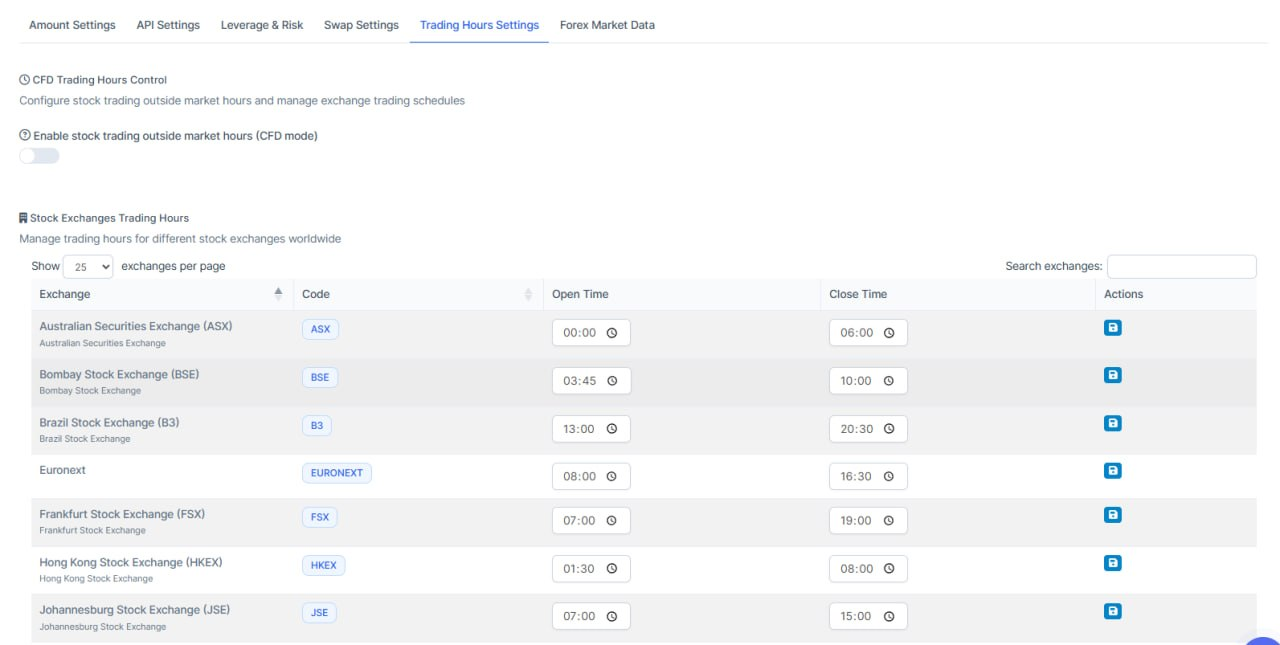
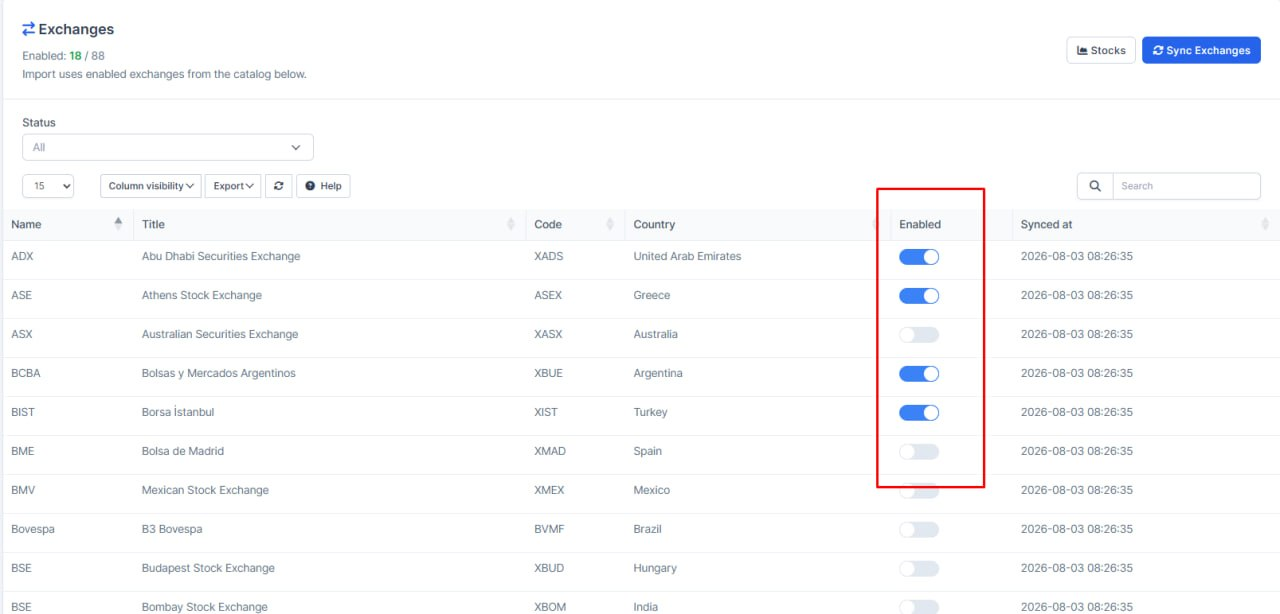
What was added:
- CRM toggle uses the trading platform
Turning an exchange on or off in CRM now goes through the trading platform, so both places stay in sync and the same rules apply.
- One place for trading-hours setup
When an exchange is enabled, missing trading-hours rows are created only on the platform side — less chance of CRM and platform getting out of step.
Tasks Filter
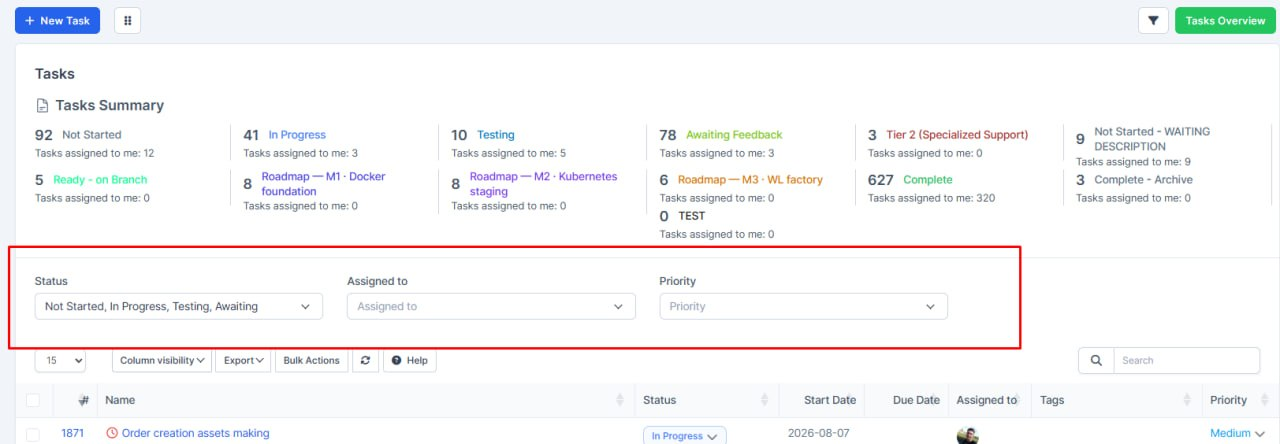
What was added:
- Easier task filtering on the Tasks page
Staff can now filter the task list by status, assignee, and priority using clear dropdowns above the table — faster to find the right work without digging through menus.
- Priority filter added
Tasks can be narrowed by priority (Low, Medium, High, Urgent), so urgent items are easier to surface for follow-up.
Slash Format for Trading Pair
What was added:
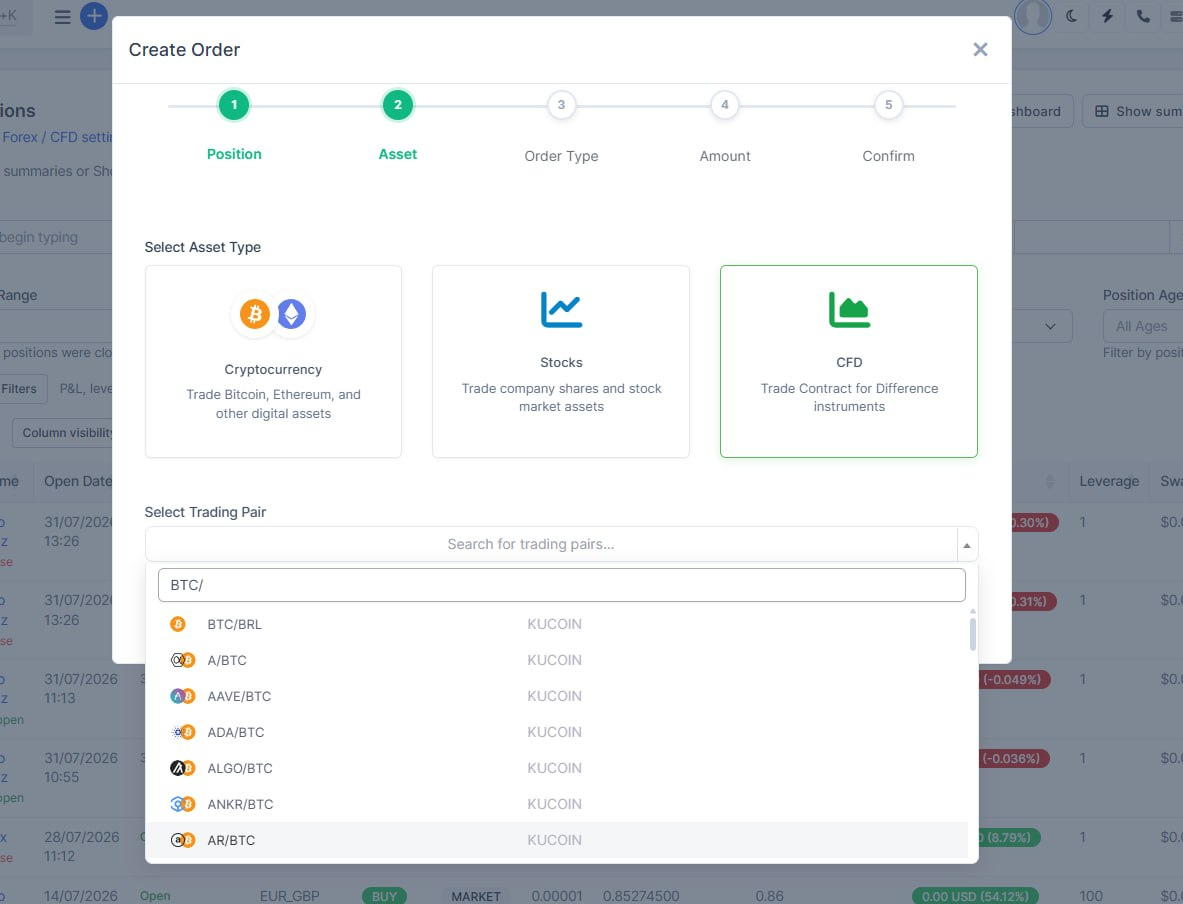
- Trading pair search accepts slash format
Staff can now search pairs like BTC/ or BTC/USDT in Create Order. Before, a slash returned no results even when the pair existed.
- CFD instruments match common pair notation
Searches such as EUR/USD find the matching CFD instrument, so operators do not need a different spelling than what they see on screen.
IP Whitelisting Issues
What was added:
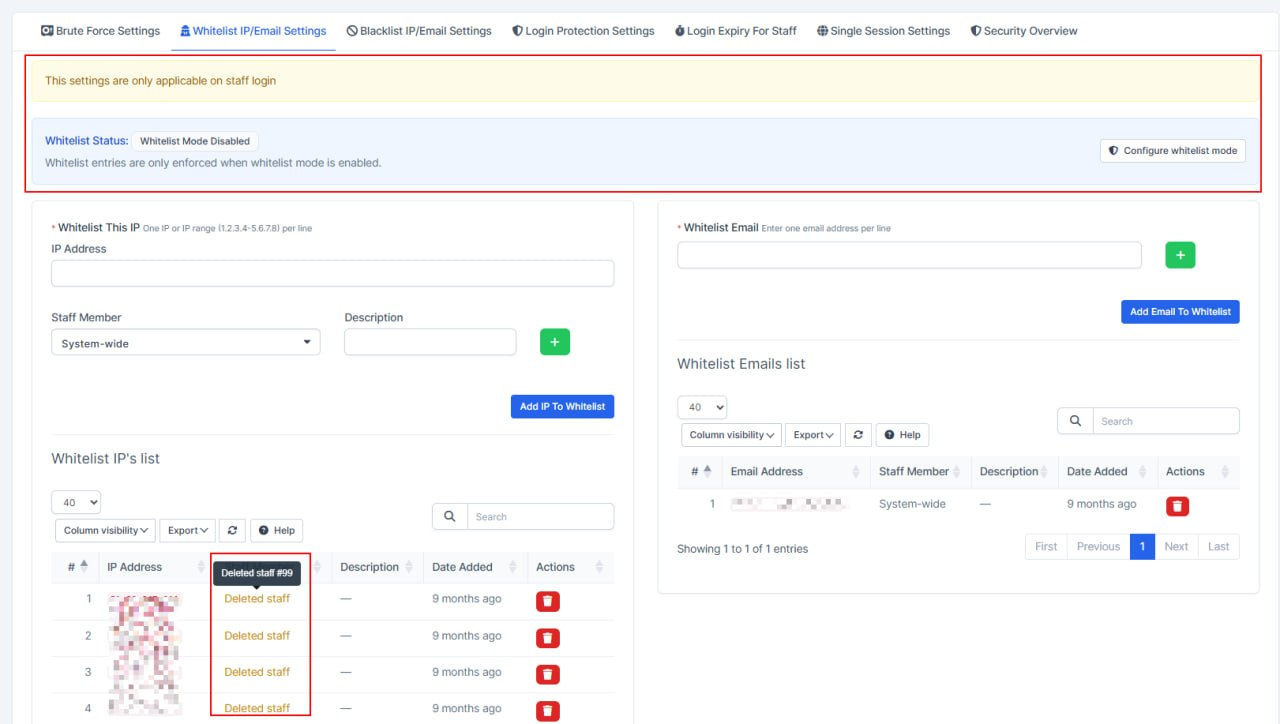
- UI fixes to NanzaShield module
Now shows if whitelisted ip belogns to deleted staff member
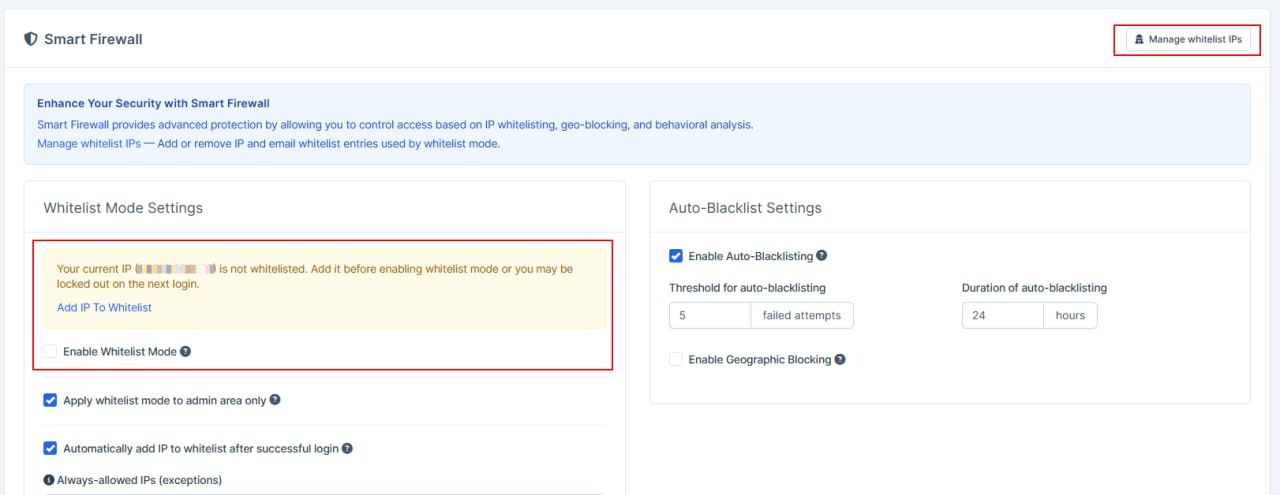
Cross links are added to whitelist settings
Also added notification if your ip is not whitelisted
Order creation fixes
What was added:
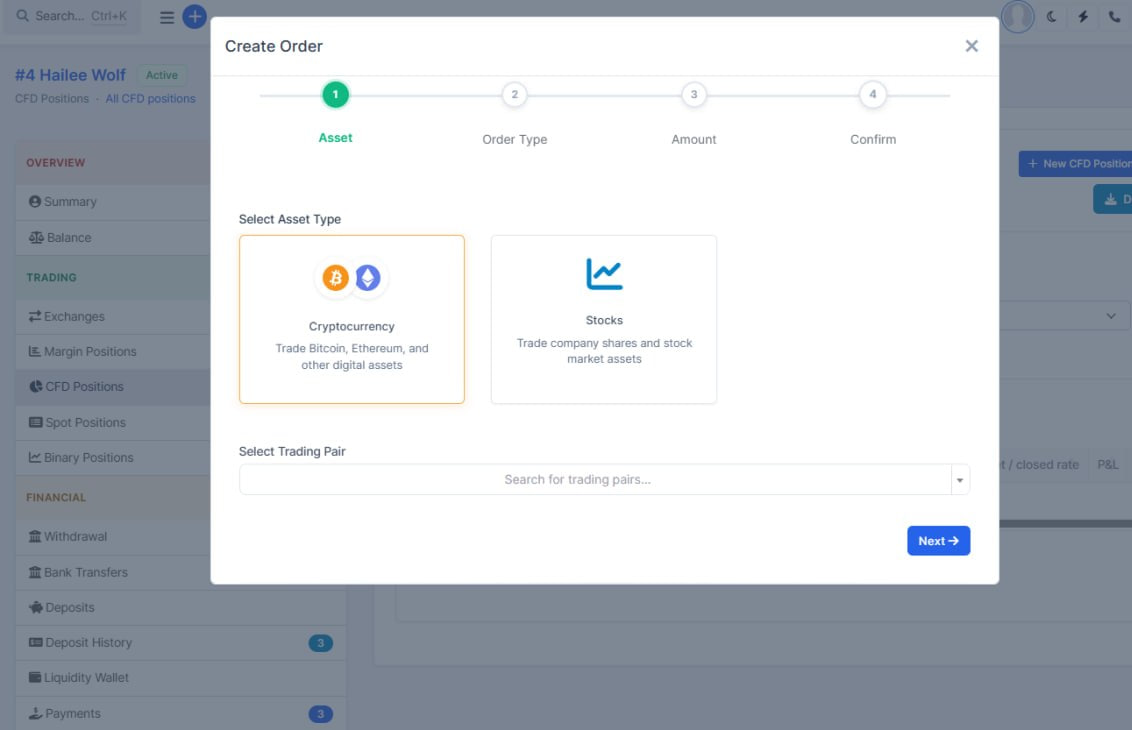
- Create Order remembers the trader again
On a trader's positions page, opening Create Order no longer asks you to search for the user — the current trader is selected automatically, so staff can place the position in fewer steps.
Transfer Functionality on the CRM
What was added:
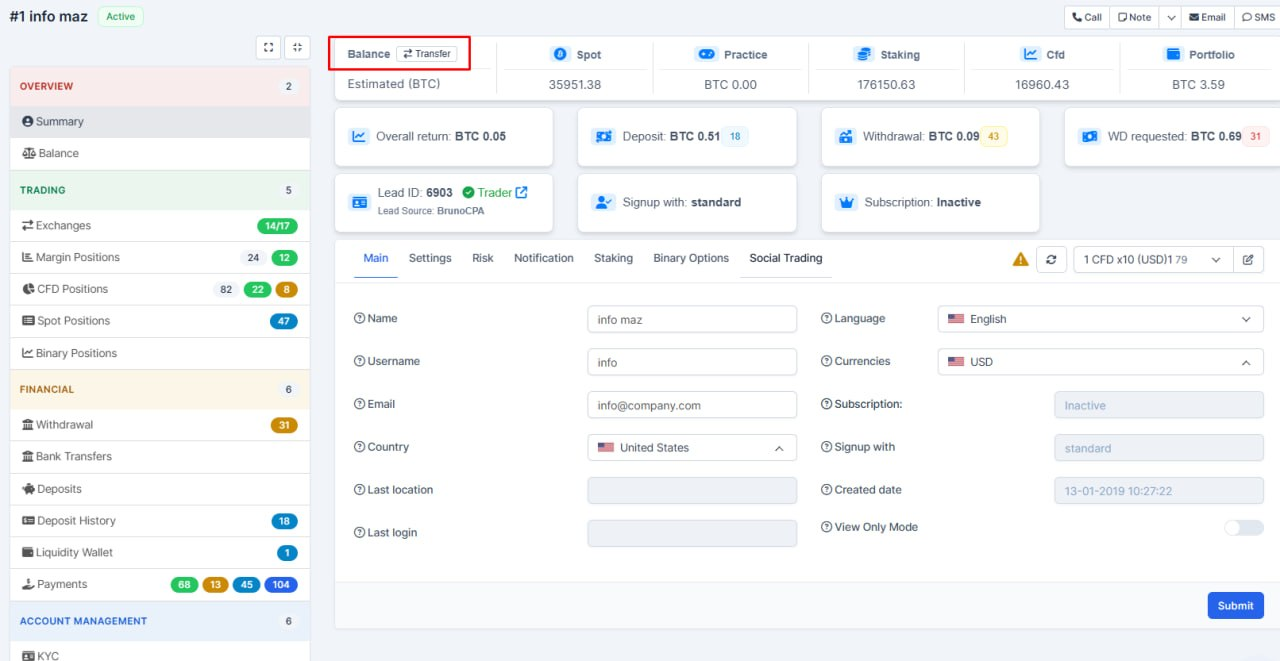
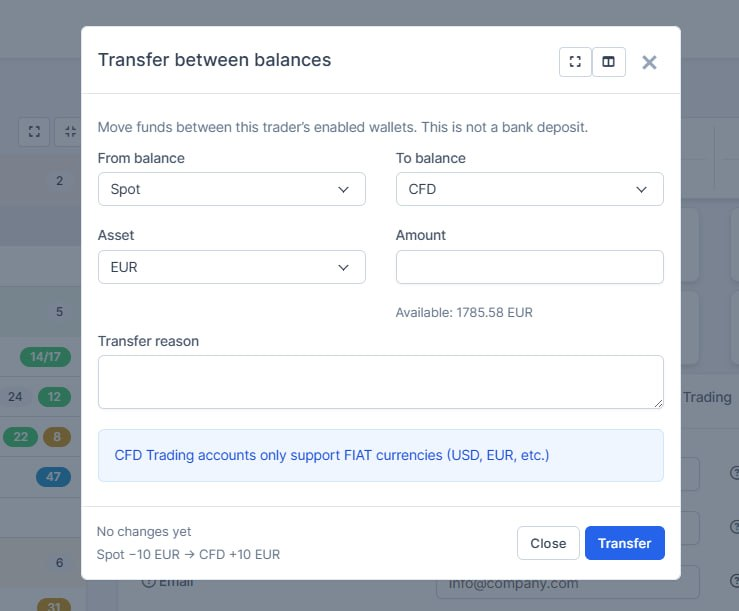
- Transfer funds between trader wallets
Staff can now move money between a trader’s enabled balances (spot, margin, CFD, staking, binary) in one step from the trader profile — clearer and safer than manual add/remove.
- Clearer rules before money moves
Transfers follow the same platform rules as live trading (same wallet blocked, margin/binary USDT-only, CFD fiat-only), so invalid moves are stopped early with plain messages.
- Safer access and audit trail
Only staff with both user and balance management permissions can transfer, and each move requires a reason that is logged for accountability.
Clearer Search
What was added:
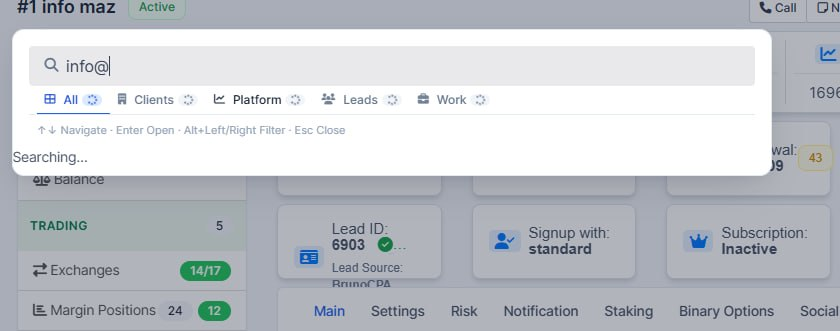
- Clearer search loading in the command palette
When staff type a search, the filter tabs (All, Clients, Leads, and so on) now show a small loading spinner instead of old counts, so it is obvious results are still updating.
- Tabs stay visible while search runs
On the first search, the tab bar appears right away with a loading state instead of staying empty until results arrive — less confusion about whether search is working.
Optimised performance
What was added:
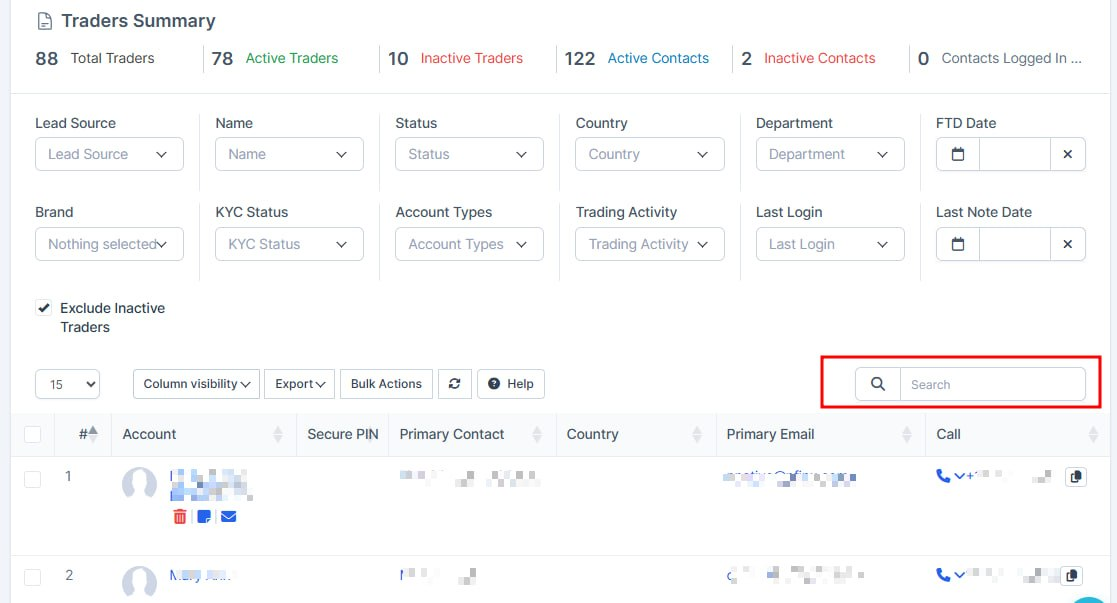
- For Leads and Traders pages, table search performance optimized (table search now works much faster).
Clearer automated processes screen
What was added:
- Clearer automated processes screen
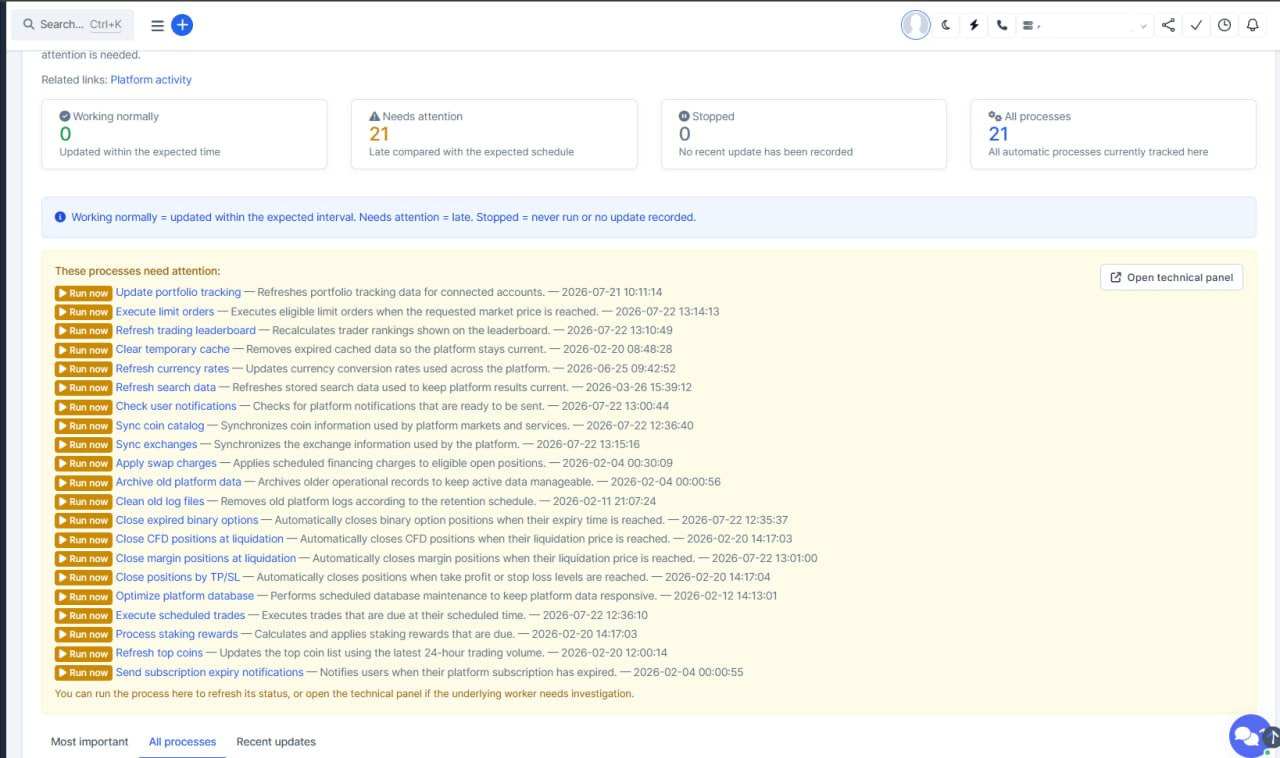
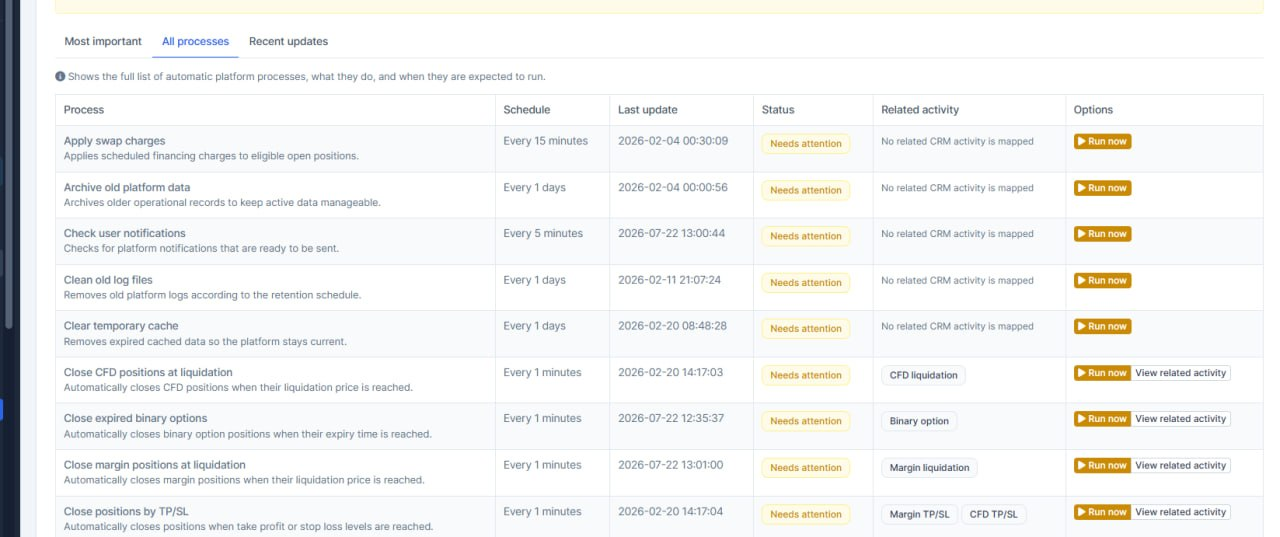
The platform processes page now uses plain language instead of technical cron terms, so staff can see what is running and what needs attention without developer knowledge.
- Processes explained in simple words
Each process shows a human-readable name and a short explanation of what it does for trading, rewards, or background operations.
- Faster action on delayed processes
Delayed items are easier to spot, and Run now sits at the start of each alert row so operators can react quickly.
Clearer Social Trading labels
What was added:
- Clearer Social Trading labels
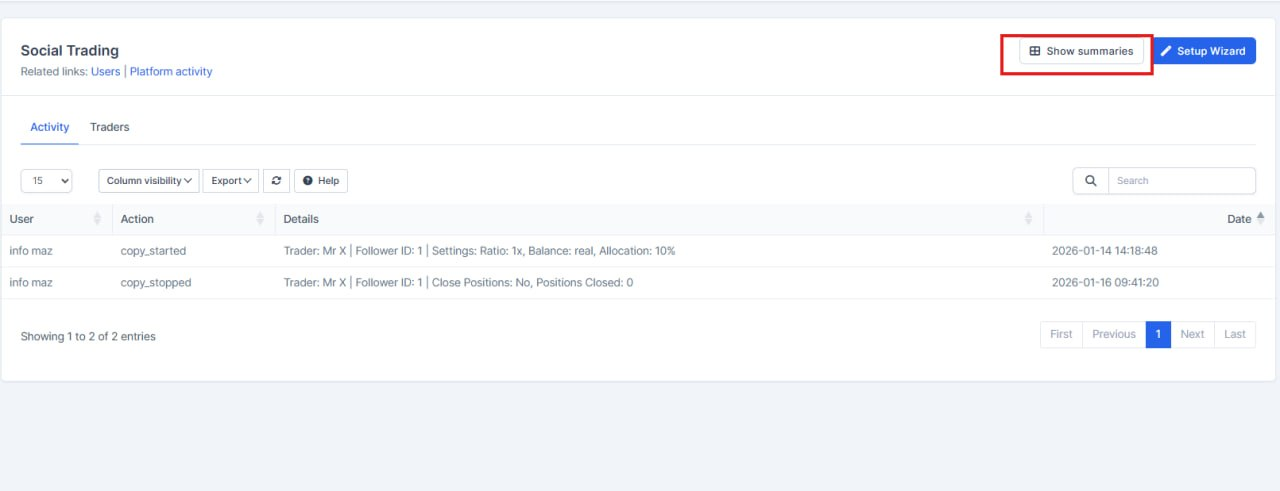
The Social Trading page now uses clean, readable labels instead of internal-style wording, so the interface is easier for staff to understand.
- Consistent translations across languages
The updated labels were added across all supported module languages, helping the page stay correctly translated for different teams.
- Fewer wording mismatches on one page
Buttons, stats, tabs, and bulk actions now follow the same language style, which reduces confusion and makes the page feel more consistent.
Faster Platform Users page
What was added:
- Faster Platform Users page
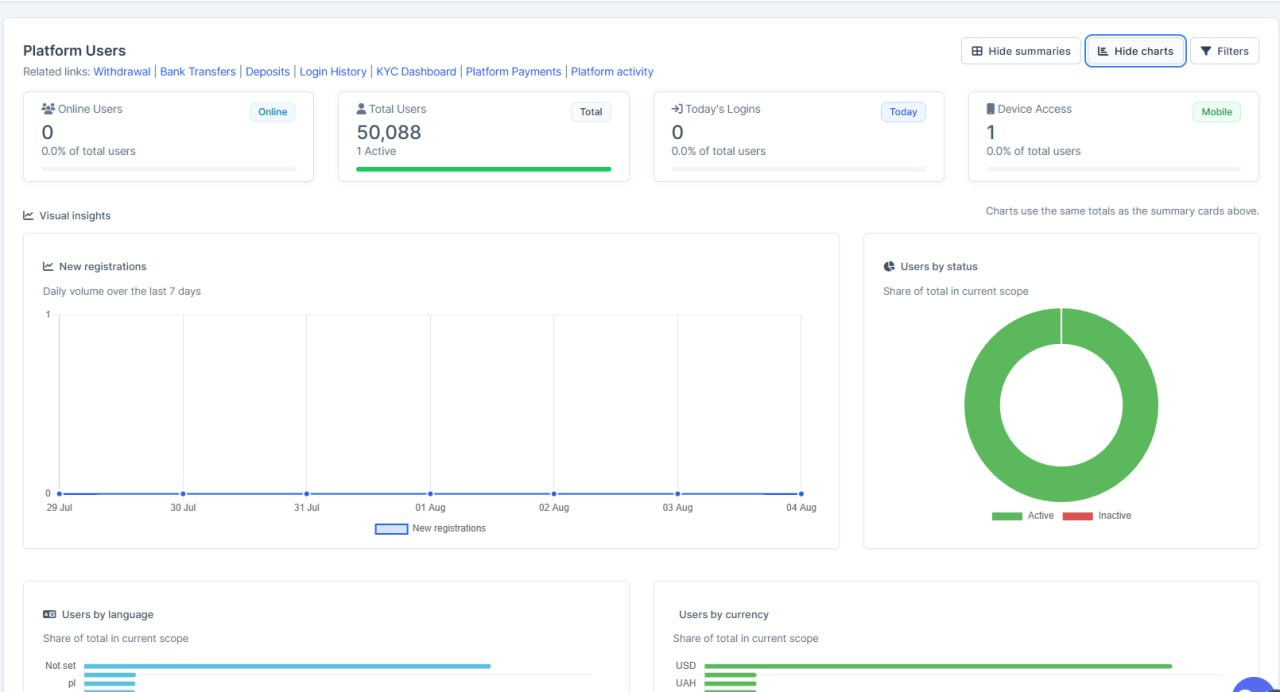
The users list no longer loads heavy summary numbers and charts every time you open it, so the page opens more quickly.
- On-demand summaries and charts
Staff can open summaries or charts when they need them, with the same toggle style used on the KYC dashboard.
- Stats match current filters
When filters change, the summaries and charts update to match who is in the list, so the numbers stay useful for the current view.
FTD leads by date in API docs
What was added:
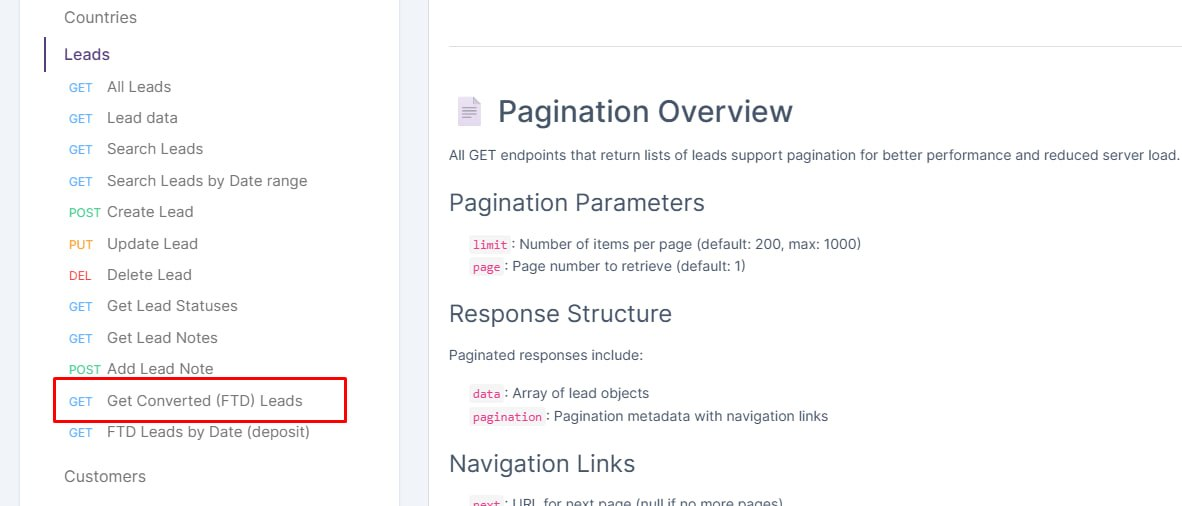
- FTD leads by date in API docs
Partners and integrators can now find the deposit-by-date leads endpoint in the API manual sidebar, so this FTD filter is easier to discover and use.
- API docs menu stays readable while scrolling
The documentation side menu no longer slides up under the admin header, so the search and links remain visible when you scroll the page.
Button Update
What was added:
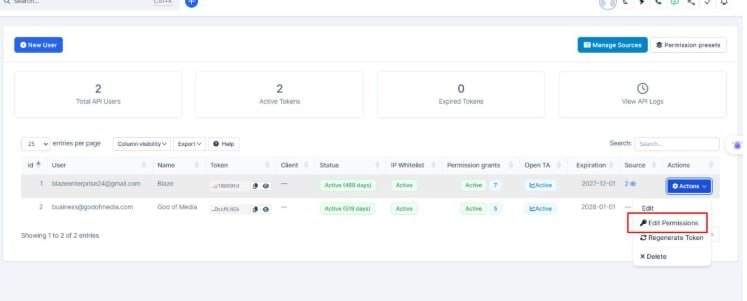
- Fix this button (url)
Exchanges Updates
What was added:
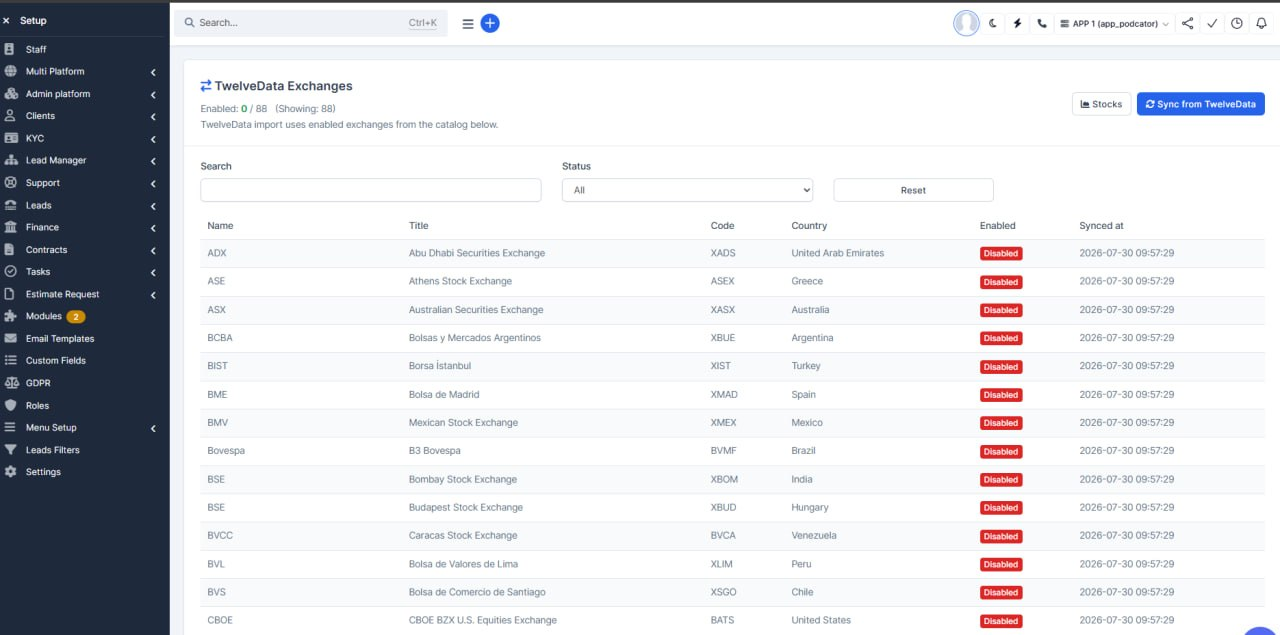
- TwelveData exchanges catalog in CRM
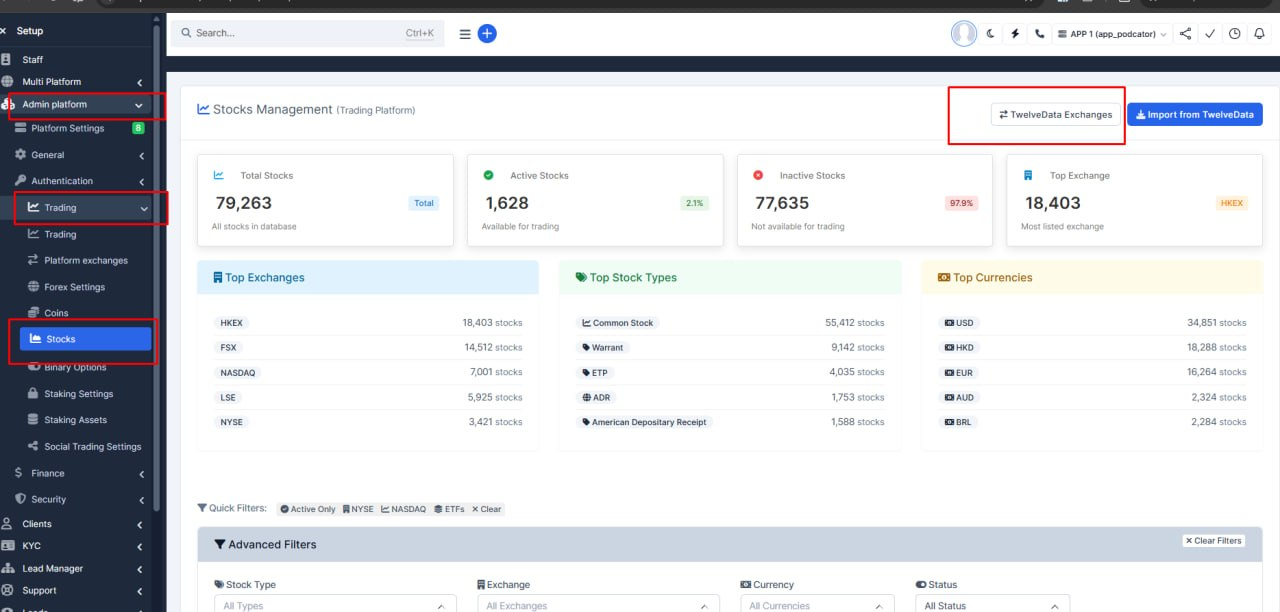
Staff can now open a dedicated exchanges list from the Stocks admin page to see which stock markets are available from TwelveData.
- Sync and enable exchanges before import
Admins can pull the latest exchange list from TwelveData and turn individual exchanges on or off, so stock imports only use the markets you choose.
- One-click stock import from Stocks page
A new Import from TwelveData button on the Stocks page runs the import without leaving CRM, using only the enabled exchanges from the catalog.
- Clear warnings when setup is incomplete
If the TwelveData API key is missing or the platform database is not ready, the admin screens show a clear message instead of failing silently.
Platform Features and Updates
Platform Chat Fixes
What was added:
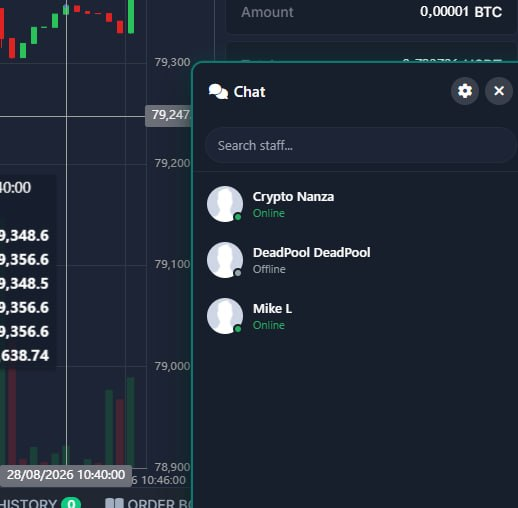
- Clearer staff list in platform chat
Clients no longer see internal CRM role labels (like Super Admin) under each agent. They only see the person’s name and online status, which is easier to read and avoids confusing job titles with departments.
Securities Settings Enhancement
What was added:
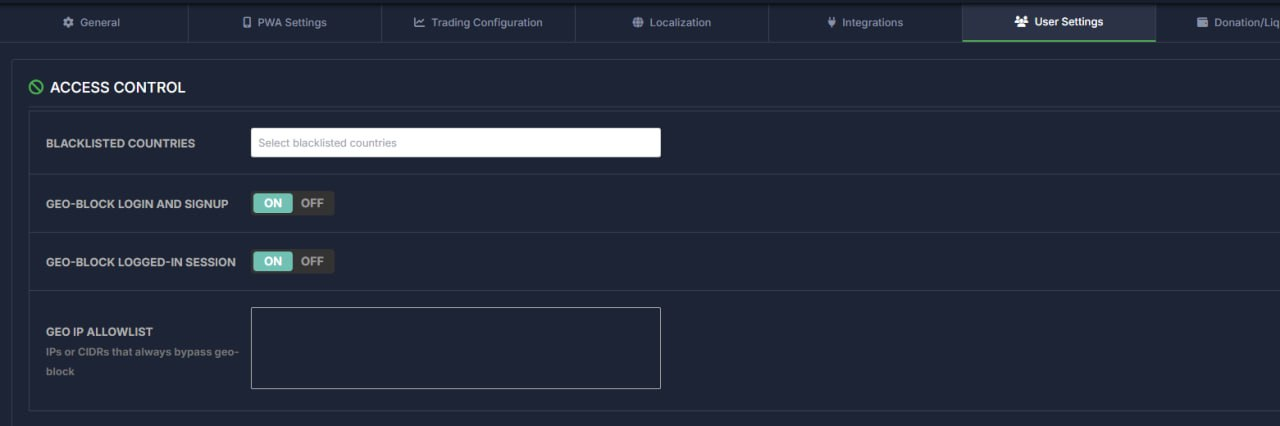
- HTTP Security settings save from CRM again
Staff could change geo-block and HTTP security options in CRM but nothing was saved and an error appeared. Saving works again so those controls can be used as intended.
- Clearer toggles in platform admin
HTTP security switches in the trading platform admin UI use the same styled on/off controls as the rest of settings, so they are easier to spot and flip.
- Safer default for geo-block and security headers
New installs and this update start with geo-block and related security headers off by default, so traders are not blocked until ops deliberately turns those options on.
CFD Wallet Fixes
What was added:
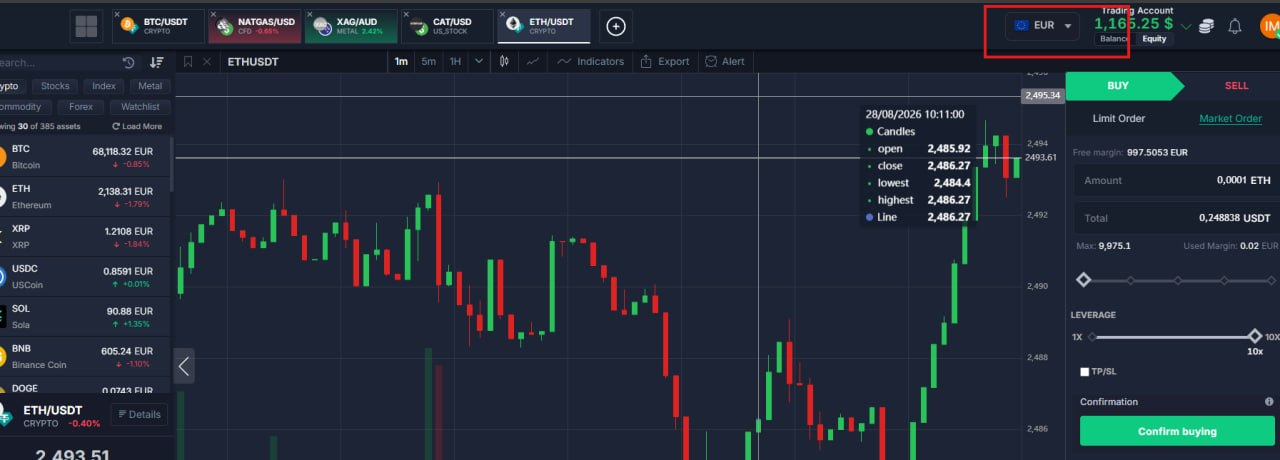
- CFD wallet currency limits
Staff can now control which currencies each trader may use on their CFD wallet. The trading platform respects that list for profile settings, deposits, transfers, and conversions — traders only see and use what they are allowed.
- Safer CFD deposits
Deposits into a CFD account are checked against the trader’s allowed currency list. Attempts to credit a currency that is not permitted are blocked instead of going through incorrectly.
- Clearer transfer and convert flow
Moving or converting funds on CFD now follows separate rules for sending versus receiving, so inbound transfers land only in allowed currencies. The convert screen avoids invalid same-currency pairs and shows the right options.
- Improved deposit experience for CFD
The deposit flow handles CFD accounts more reliably, including clearer fiat currency choices and icons where relevant, so traders pick the correct wallet and currency with fewer mistakes.
Currencies Fixes
What was added:
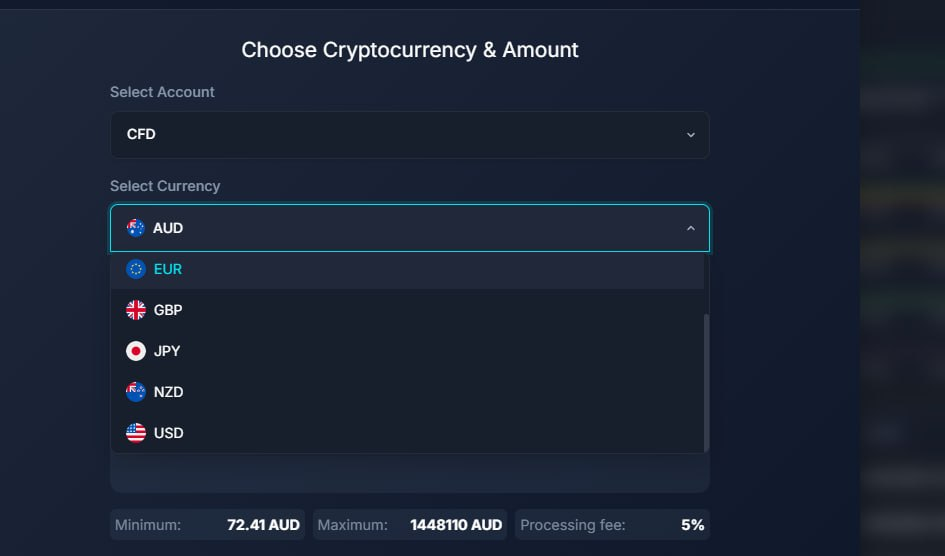
- Clearer currency icons on deposit
Fiat currencies now show their own icons instead of a missing or generic coin image, so users can pick USD, EUR, and other fiat options at a glance.
- Matching icons on internal transfers
The same fiat icons appear when moving funds between accounts, so currency lists look consistent and are easier to scan.
Spot Pending Orders
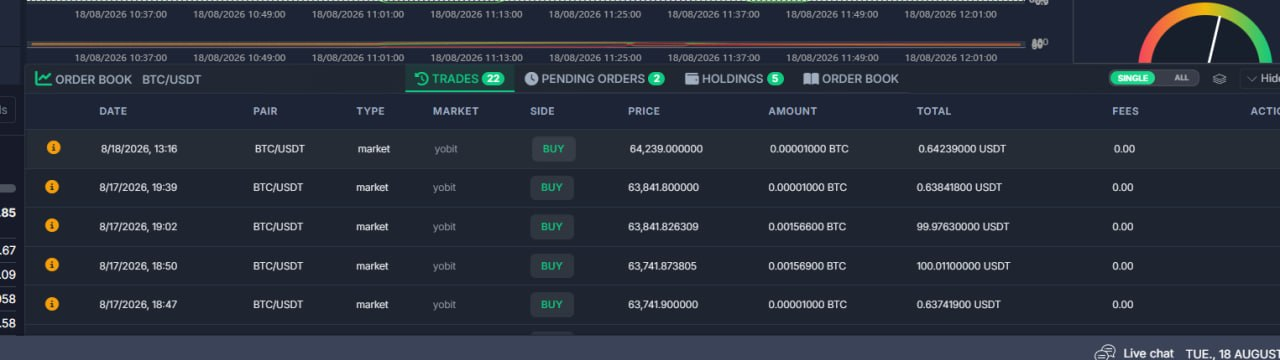
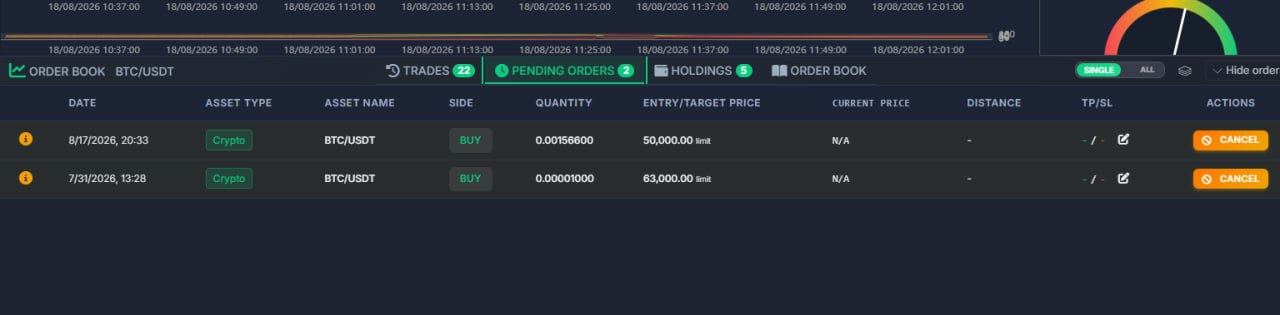
What was added:
- Cleaner spot pending orders
Spot limit orders no longer show leverage or margin. Those fields only apply to CFD and futures accounts, so the table is simpler and less confusing.
- Correct order size and value
Buy and sell amounts now show the actual coin quantity and the cash total, instead of mixing those two numbers.
- Newest orders on top
Open, pending, and history rows now appear with the latest first, so recent activity is easier to find.
Spot Wallets Fixes
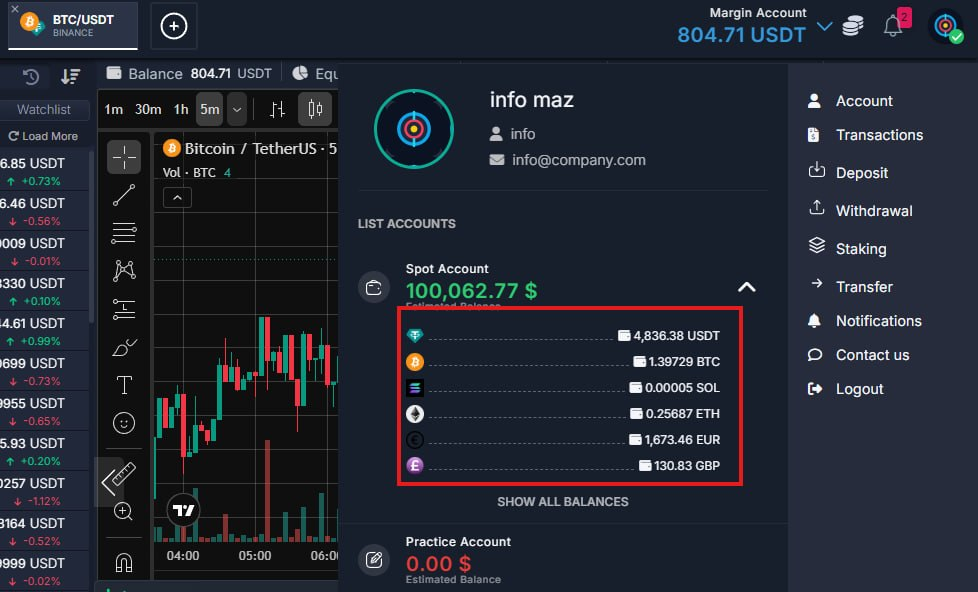
What was added:
- Spot wallet assets refresh after trades
After buying or selling on Spot, the coin balances in the account dropdown now update right away — so traders see the correct USDT, BTC, and other holdings without reloading the page.
Password Reset
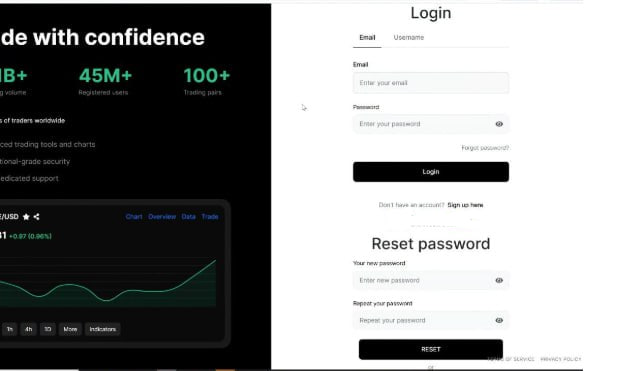
What was added:
- Password reset link shows the right screen
Opening a reset link from email or SMS no longer shows the login form on the same page. Users now see only the new-password fields, so recovery is clearer and less confusing.
- Return to login still works
From the reset screen, “Back to login” still switches back to the normal sign-in form.
Deposit Fixes
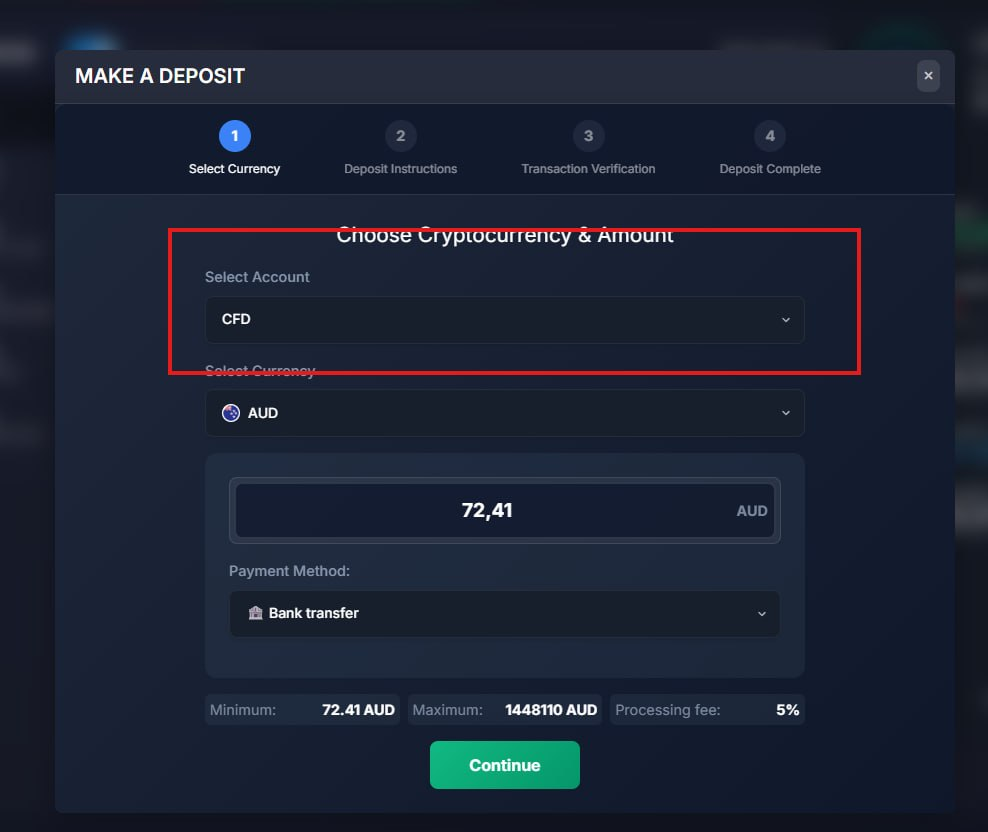
What was added:
- Deposits can go to the chosen account
Traders can now pick which account should receive a deposit, instead of everything landing on the real account by default.
- Bank transfers and payment methods follow that choice
Bank transfers and the usual payment options now carry the selected account through, so funds are credited where the trader intended.
- Staff approval uses the requested account
When a deposit is reviewed, the account the trader asked for is used first, which reduces manual corrections.
- Currency list matches the selected account
Available deposit currencies now update based on the chosen account, so traders only see options that actually apply.
Stocks are Removed from Withdrawal
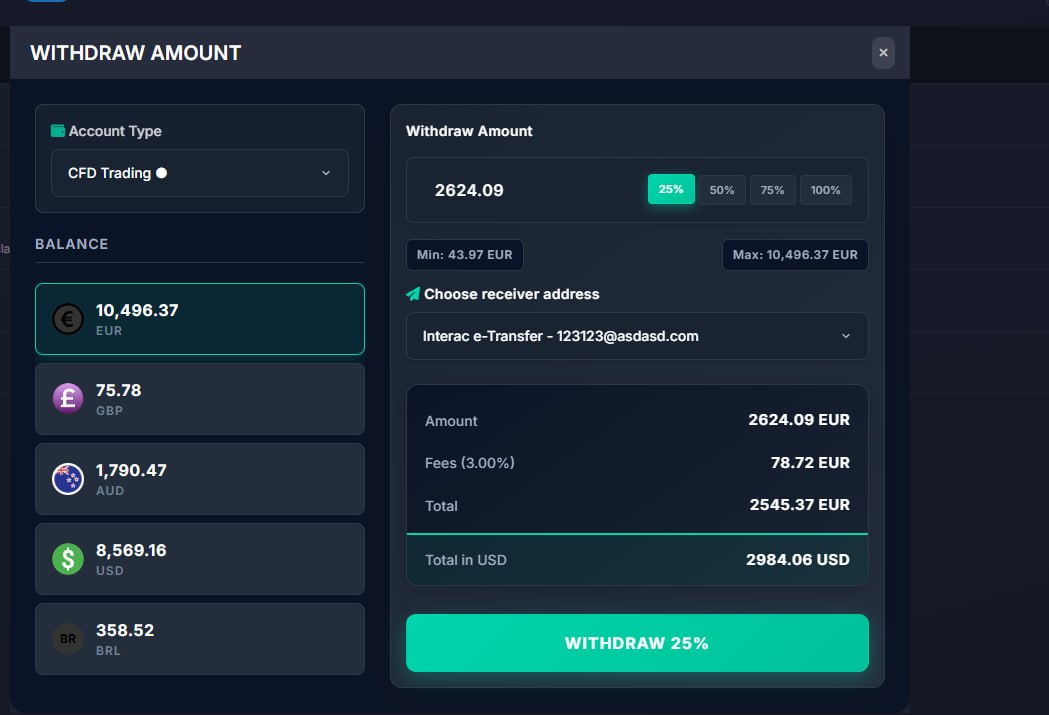
What was added:
- Stocks removed from withdrawal selection
Users can no longer pick stock holdings when requesting a withdrawal. Stocks are for buying and selling only, so this keeps the flow aligned with how those assets work.
- Safer withdrawal checks on the server
Even if someone tries to withdraw a stock through another path, the system now blocks it. That reduces the risk of incorrect or unsupported withdrawal requests.
Zero balances by Default
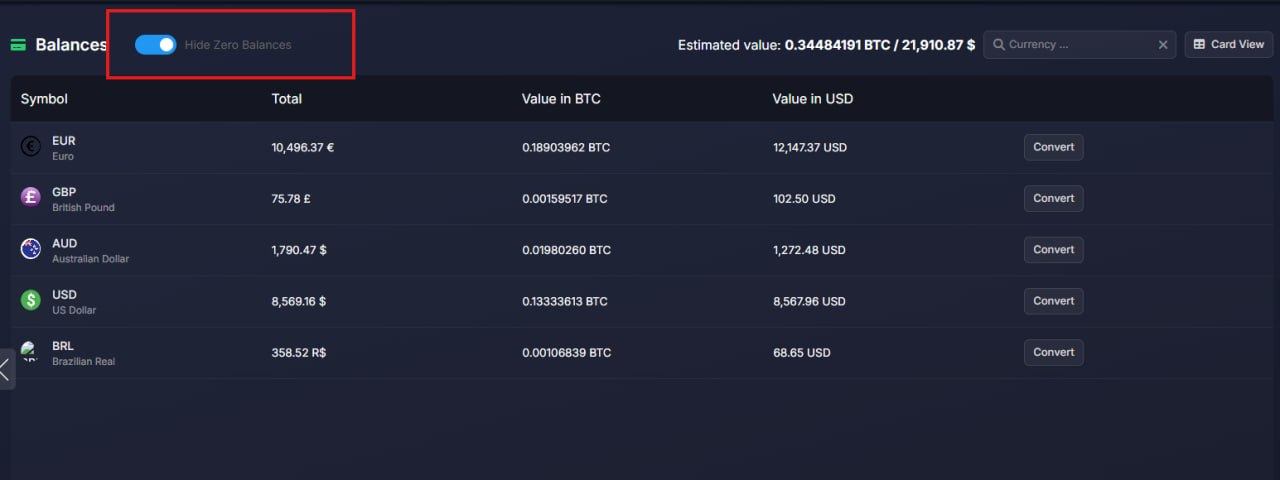
What was added:
- Zero Balances is currently set by default
Balance/Equity Switch Fixes
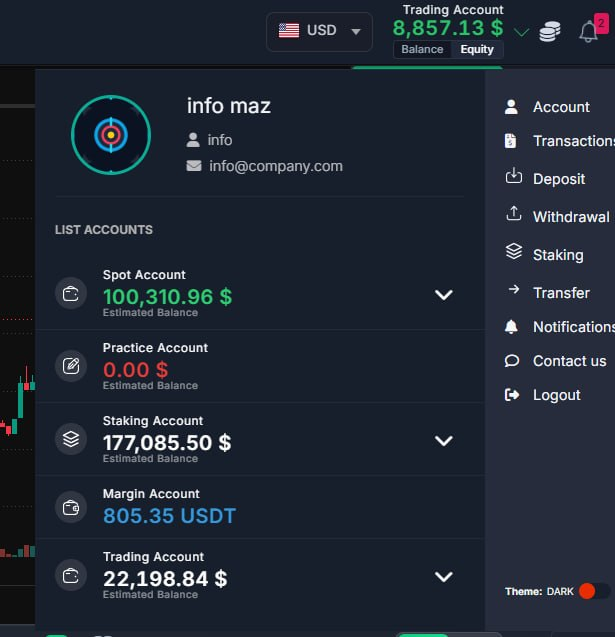
What was added:
- Balance / Equity switch works every time
Traders can switch between Balance and Equity in the account list repeatedly. Before, it often stuck after the first change and showed the wrong amount.
- Account list stays in sync with the header
The amounts in the accounts dropdown now follow the same Balance / Equity choice as the top wallet display, so the numbers stay consistent and trustworthy.
Balances Convert
What was added:
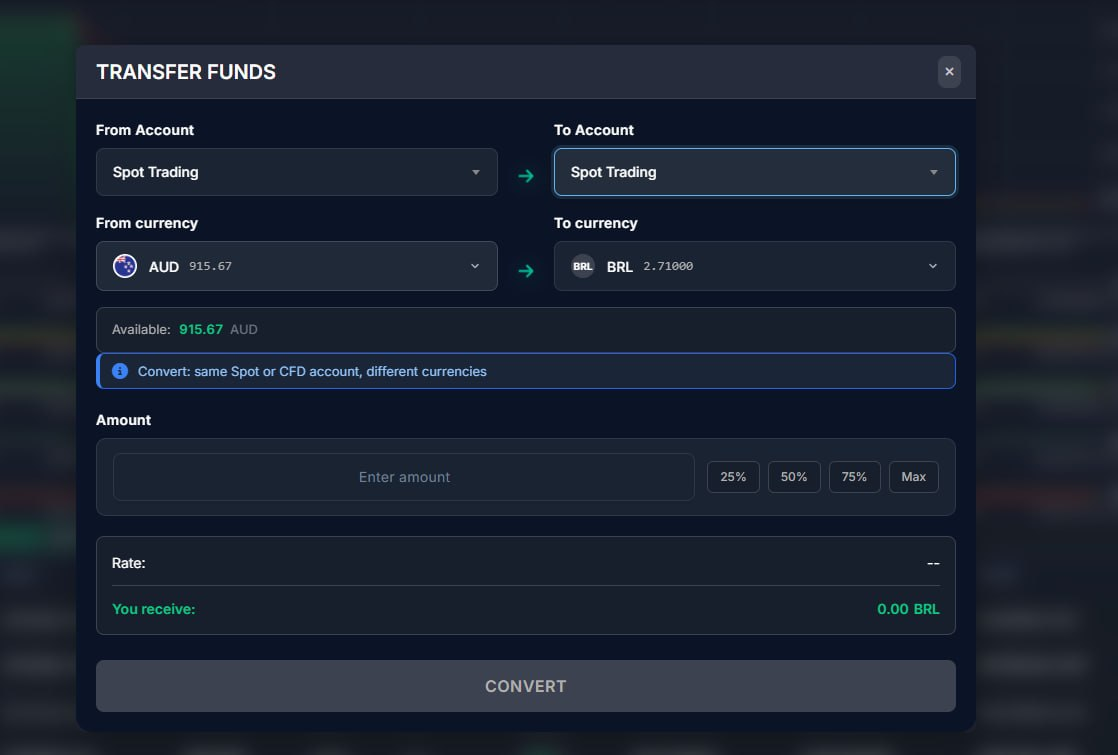
- Convert balances in one clear flow
Traders can convert Spot and CFD currencies from the same balance modal as transfers, so moving money between currencies is faster and less confusing.
- Staff can convert trader balances from CRM
Support and ops can run Spot/CFD conversions for a trader without needing the trader to stay logged in.
- Quote first, then confirm
Users see the rate and expected result before completing a convert, which reduces mistakes when rates change.
- Cleaner balances list controls
Hide-zero-balances remembering and table header styling are improved, so the balances screen is easier to scan and stays consistent.
Deposit Icons Update
What was added:
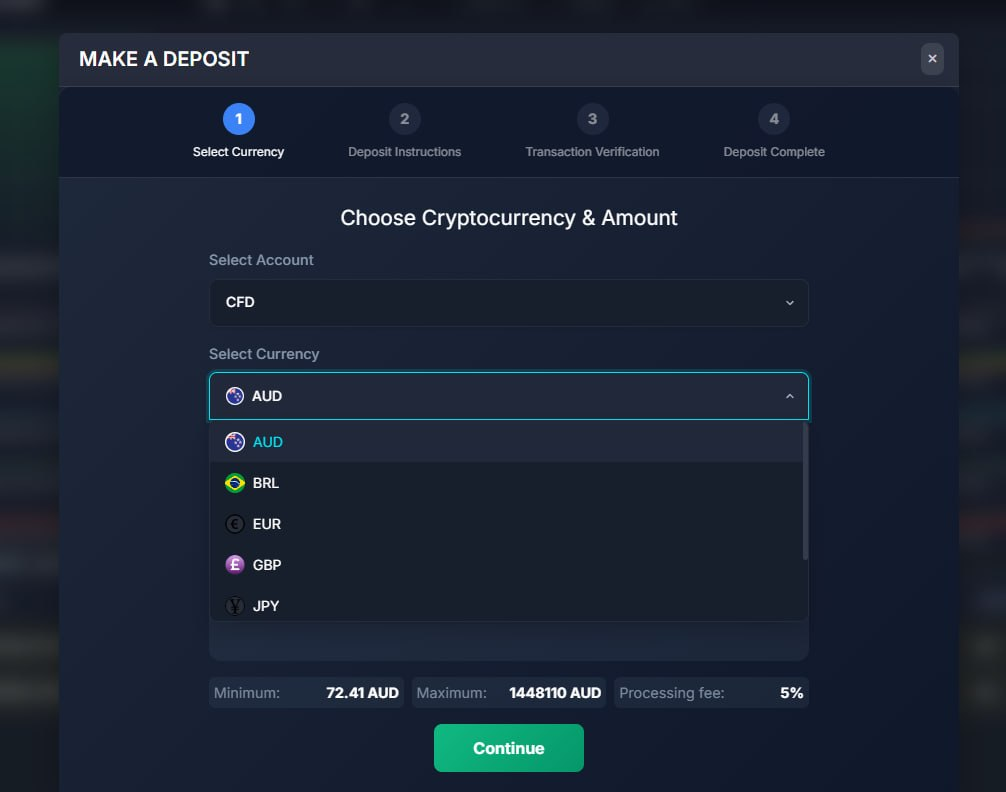
- Deposit currency icons no longer go blank
When a currency has no dedicated coin image (for example BRL or NZD), the deposit picker now shows the country flag instead of leaving the icon empty.
Bank Transfer Settings
What was added:
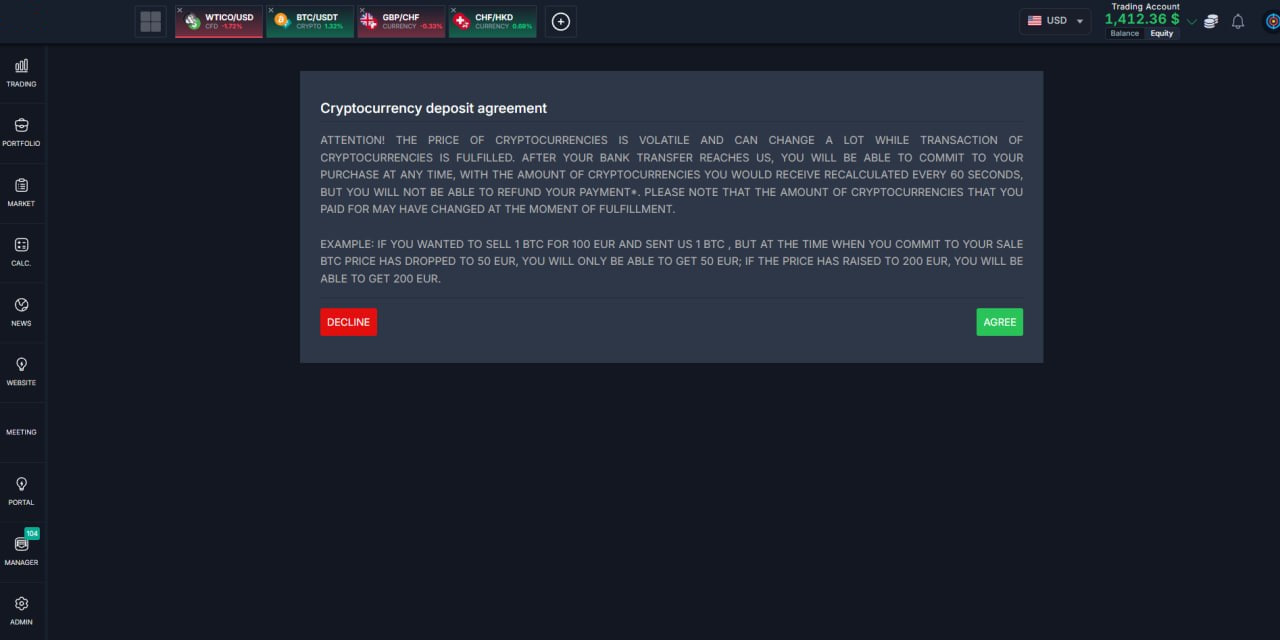
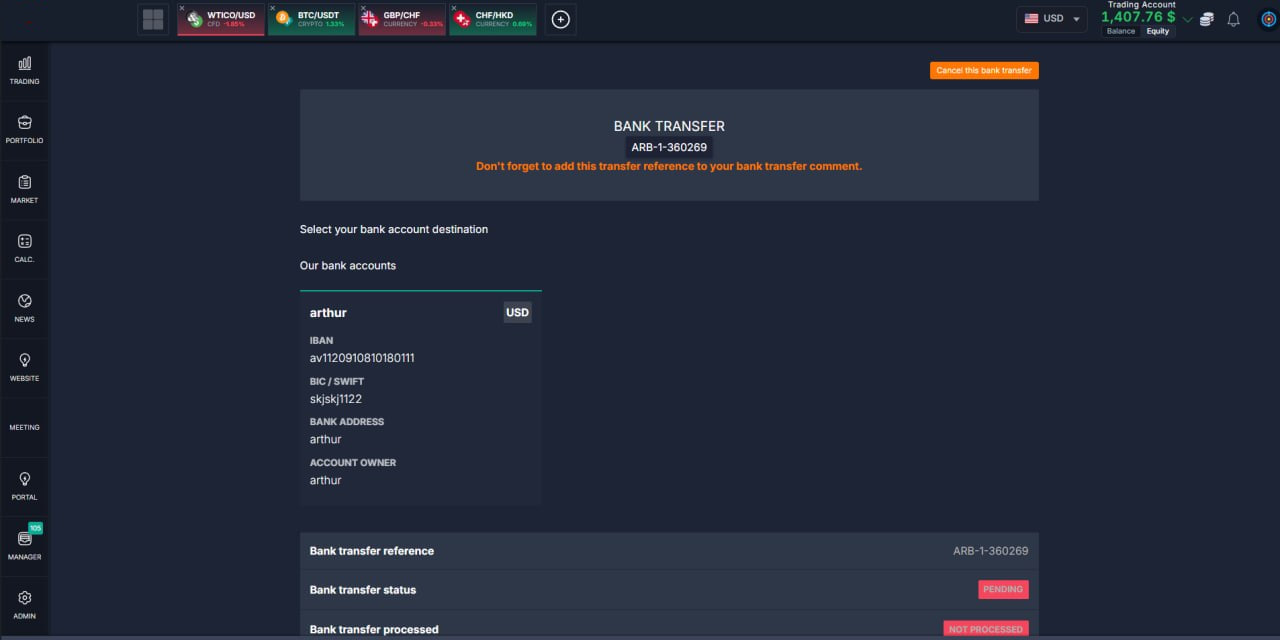
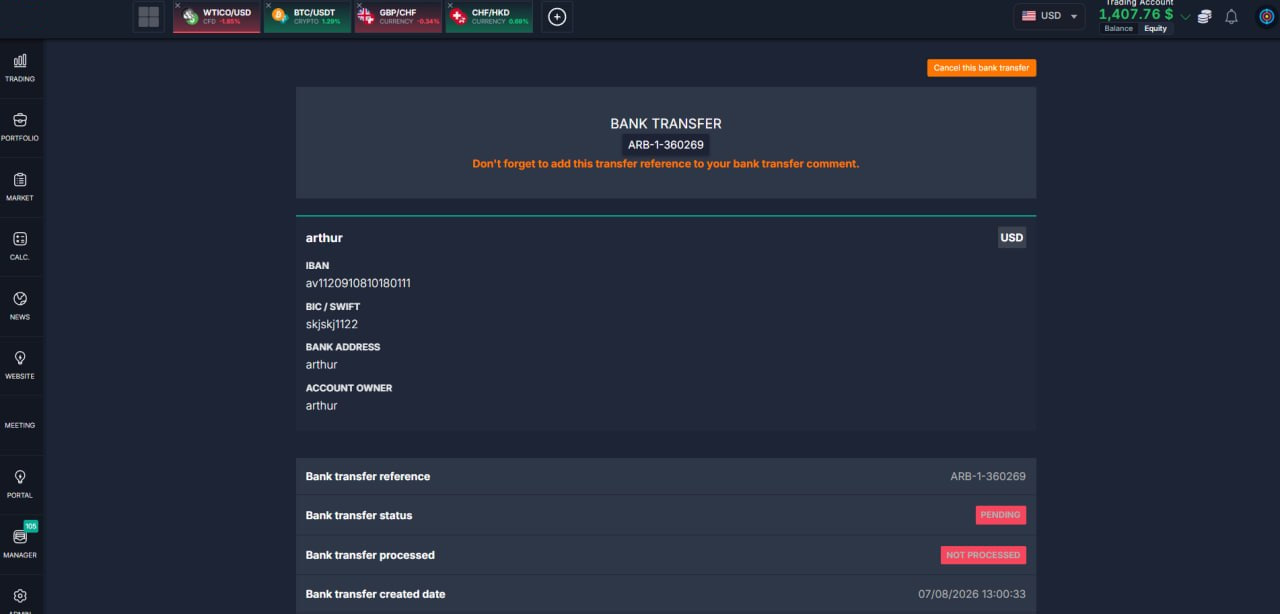
- Bank transfer stays inside the app
Choosing bank transfer no longer opens a separate popup. Users stay in the main app and move between deposit and bank transfer screens more smoothly.
- Deposit flow hands off cleanly to bank transfer
From the deposit wizard, bank transfer now continues with the chosen amount and currency, so users do not lose their progress or have to re-enter details.
- Clearer bank transfer screens
Bank transfer and contract pages were refreshed to match the rest of the app layout and look more consistent on desktop and mobile.
- Reliable links for bank transfer pages
Bank transfer URLs now load correctly inside the app shell, so bookmarks and in-app navigation both work as expected.
Resizable Blocks
What was added:
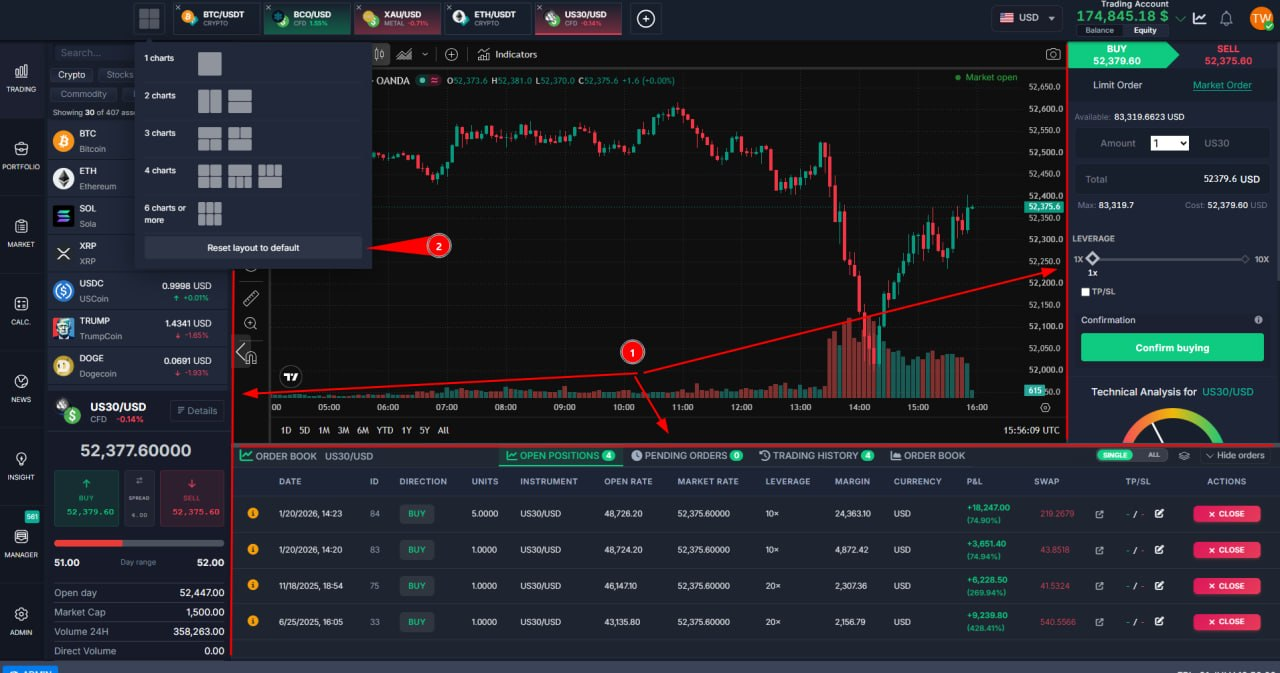
- Those (1) blocks are now resizable
State is saved after page reload
There is a button (2) to reset UI to default sizes
Exchanges Enhancements
What was added:
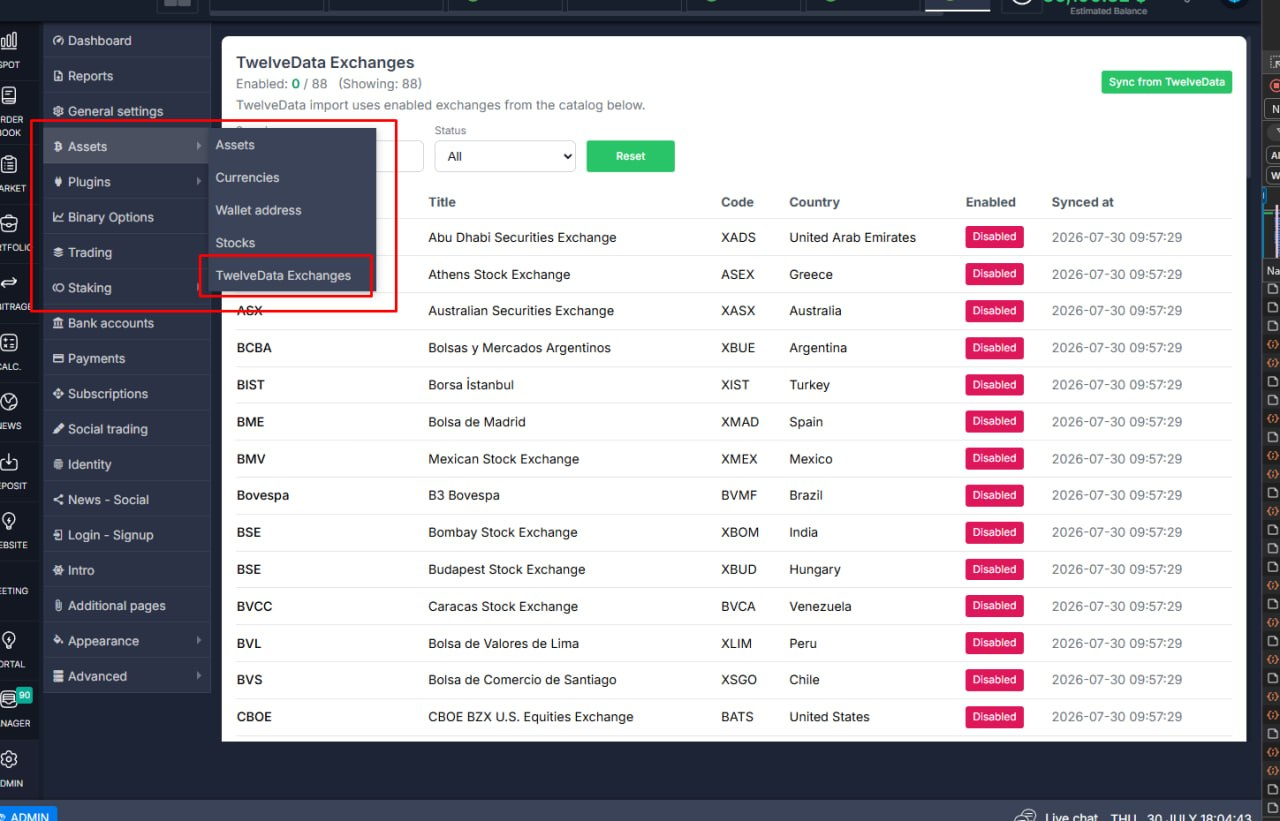
- TwelveData exchanges catalog in admin
Admins can sync the exchange list from TwelveData and turn exchanges on or off in one place, instead of relying on a fixed hardcoded list.
- Stock import follows the catalog
Stock import now uses only the exchanges that are enabled in that catalog, so ops control which markets get pulled in.
- Clearer filters and status controls
Search, plan, and status filters plus enable/disable controls are easier to read and use on the new admin page.
Toggle Fixes
What was added:
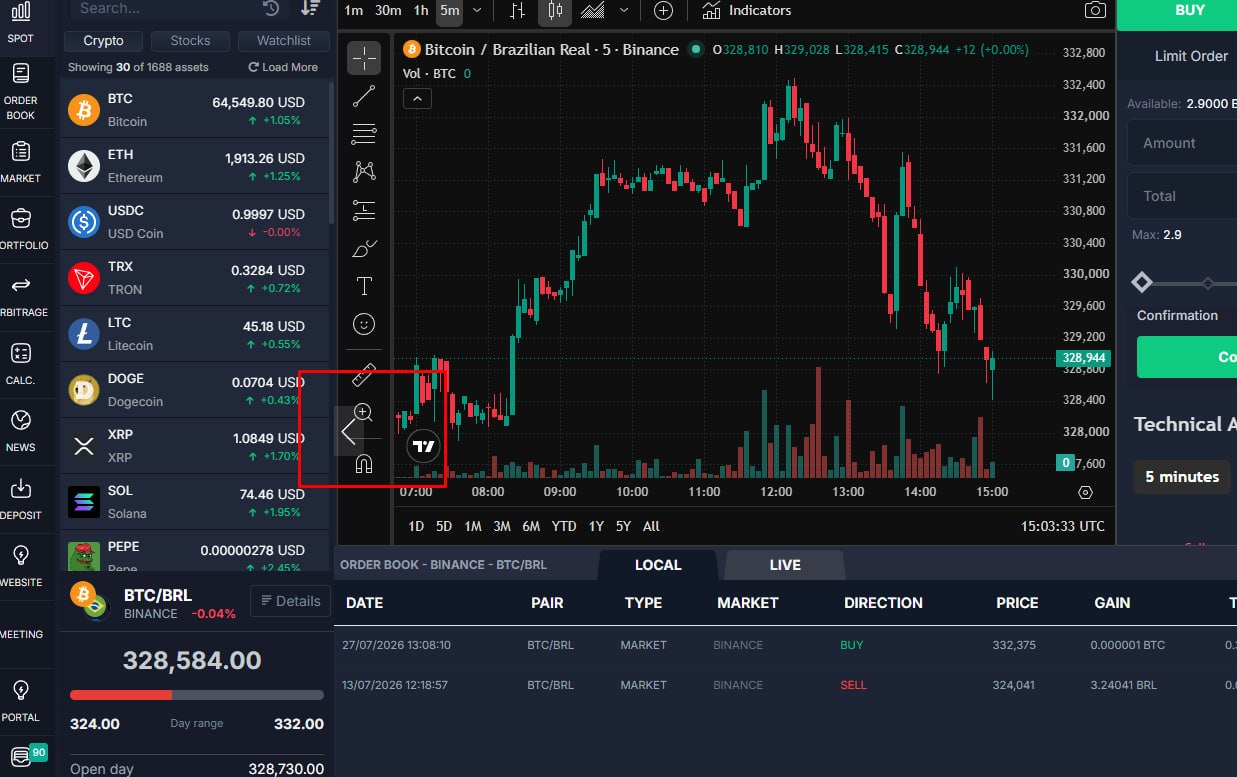
- Left panel toggle stays on top
The open/close control for the asset list no longer slips under the chart and order book, so traders can collapse or expand that panel without fighting overlapping UI.
Deposit Page Enhancements
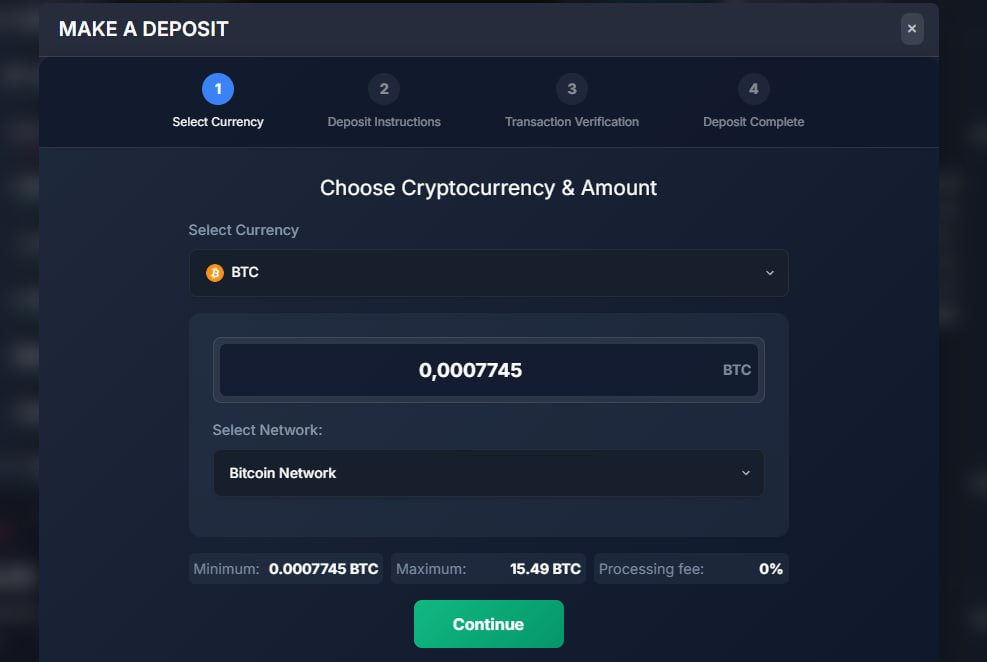
What was added:
- Clearer currency and network selection on deposit
The deposit flow now uses searchable dropdowns instead of crowded tabs, so choosing a coin or network is faster and easier — consistent with withdraw and transfer.
- Better look in light theme and on phones
Hover highlighting on the full option row works correctly in the white theme, and the deposit screen fits small screens without clipped steps or cramped controls.
Release Date: September, 2026
Thank you for being valued partners. We're committed to continuously improving the platform to help you grow your business.
The Development Team