CRM Features and Updates
Search Updates
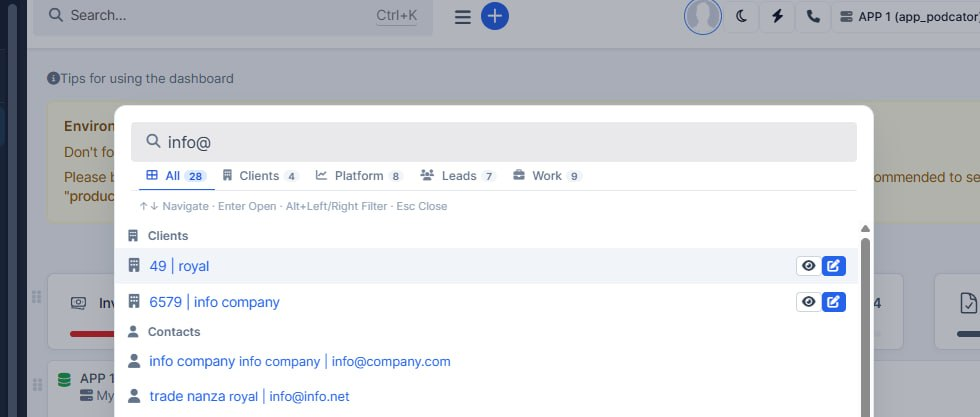
What was added:
- Updated Search functionality.
CFD Positions Fix
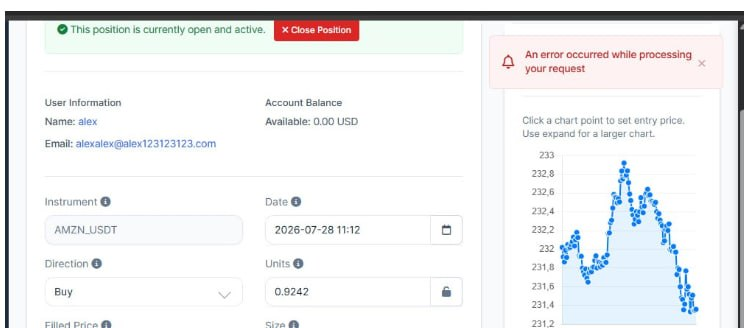
What was added:
- CFD position edit no longer shows a false error
After a successful save, staff sometimes saw a red error toast even though the position was updated. That misleading message is fixed.
- Same reliability for Spot and Margin order edits
The same response issue could affect Spot and Margin order edits; those paths are guarded the same way so success messages stay clear.
Balances and Equity Fixes

What was added:
- CFD balance shows cash by default
Estimated CFD totals now show the account balance instead of equity, so wallets and CRM views match what users expect as “balance”.
- Equity still available when needed
Where the platform needs equity (cash plus open profit/loss), that value is requested explicitly, so the Balance / Equity toggle keeps working correctly.
- Clearer CFD wallet display data
Balance and equity for the CFD account list are stored separately, so switching modes no longer mixes the two numbers.
Loading Speed
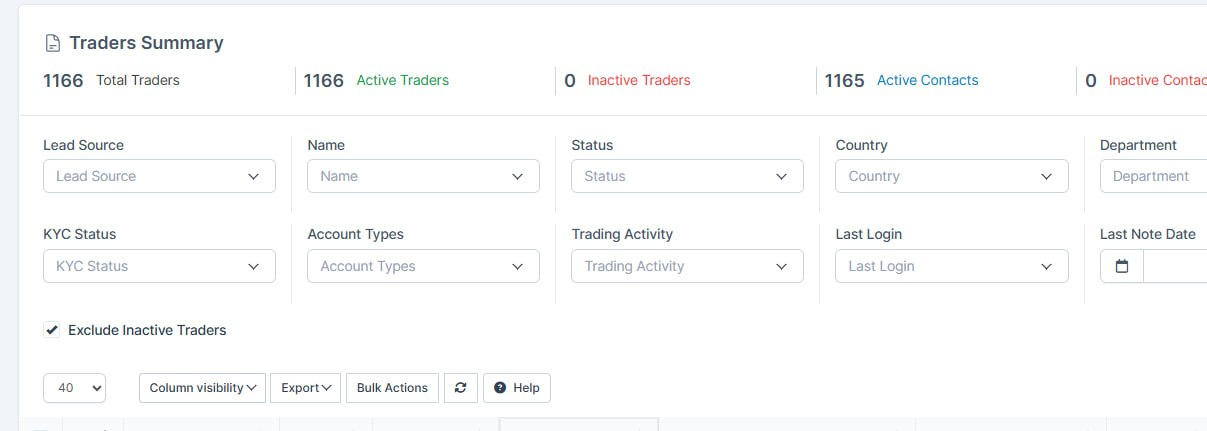
What was added:
- For the traders/clients bug was fixed. Now table loads ~10 times faster
Chat Features
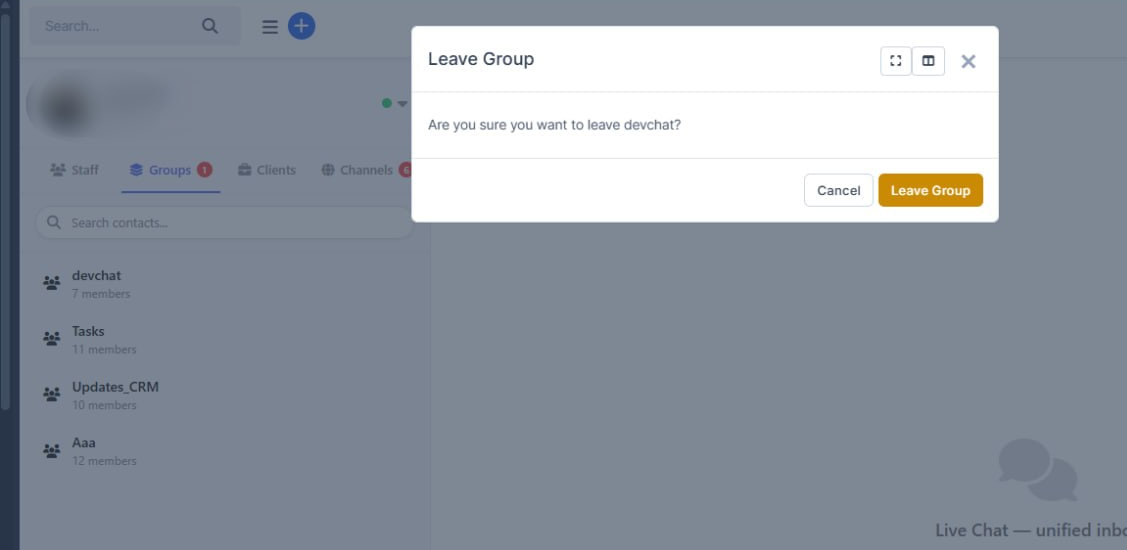
What was added:
- Leaving a chat group now sticks
Staff can leave a group in PulseChat and stay out after refresh — the system now removes them from the group properly instead of showing success while nothing changed.
- Deleting a message can remove it from Telegram too
When you delete a message in the CRM inbox, it can also be removed in the linked Telegram chat, so both sides stay in sync.
- Clearer confirmations before delete and leave
Delete message and leave group now use the same styled confirmation popup as the rest of the CRM, with clearer wording instead of the browser’s basic dialog.
Email Configuration Settings
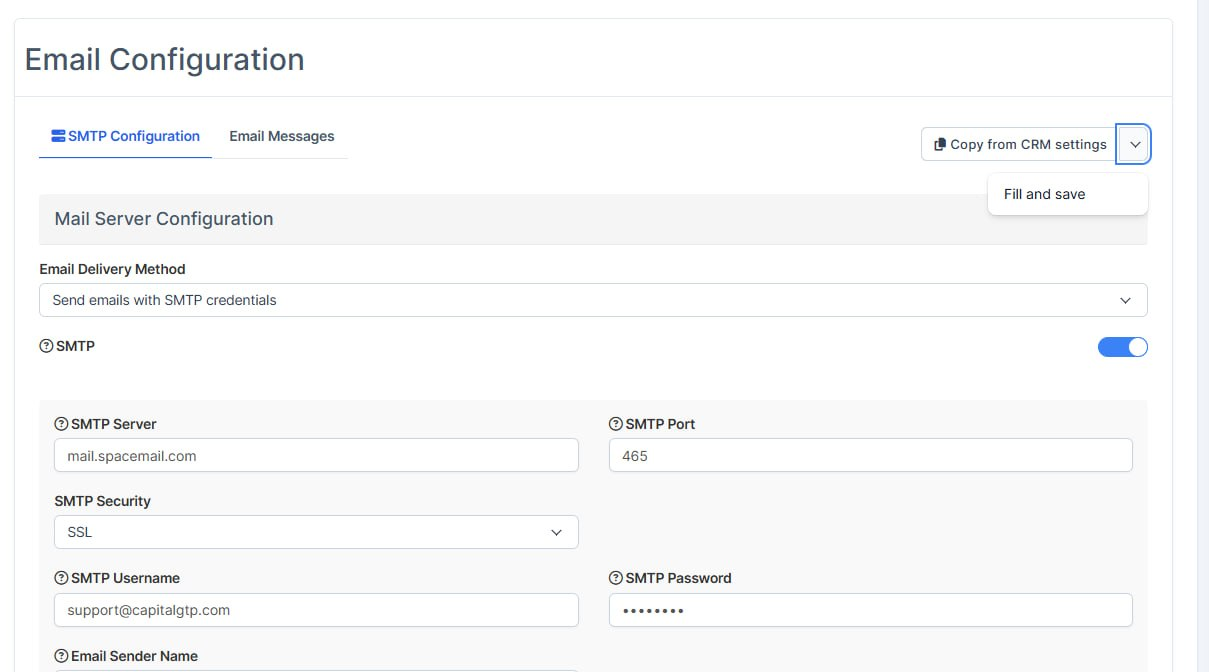
What was added:
- A button has been added to copy settings from the CRM, as well as a second button to copy and save them at once. An error message will appear if the settings are incorrect.
Chat Features
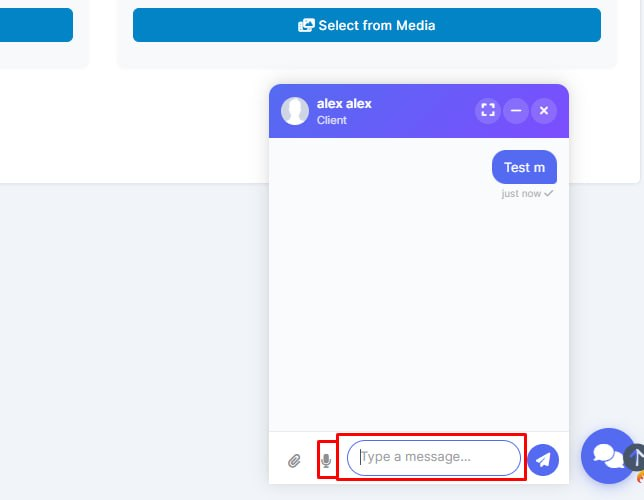

What was added:
- File sharing in staff group chats
Staff can attach images and documents in classic team groups from the mini and full chat, with clearer errors if a file type is not allowed.
- Voice messages in the floating mini chat
Users can record, preview, and send audio without opening the full chat view, so quick replies stay faster.
- Safer routing for group messages and uploads
Group file sends stay in the correct conversation even when IDs overlap with other chat types, and only members with permission can post.
- Text formatting in the mini chat
Bold, italic, underline, strikethrough, and related styles work in the floating chat the same way as in the full chat, and the formatting toolbar stays visible above the window.
Logo Fixes
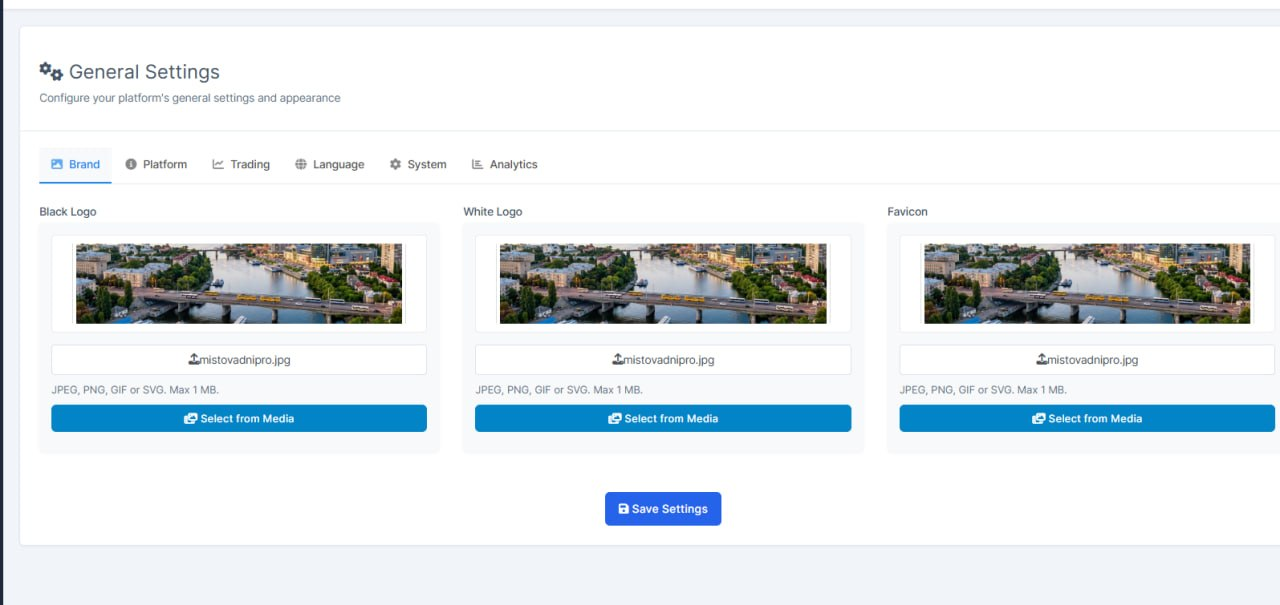
What was added:
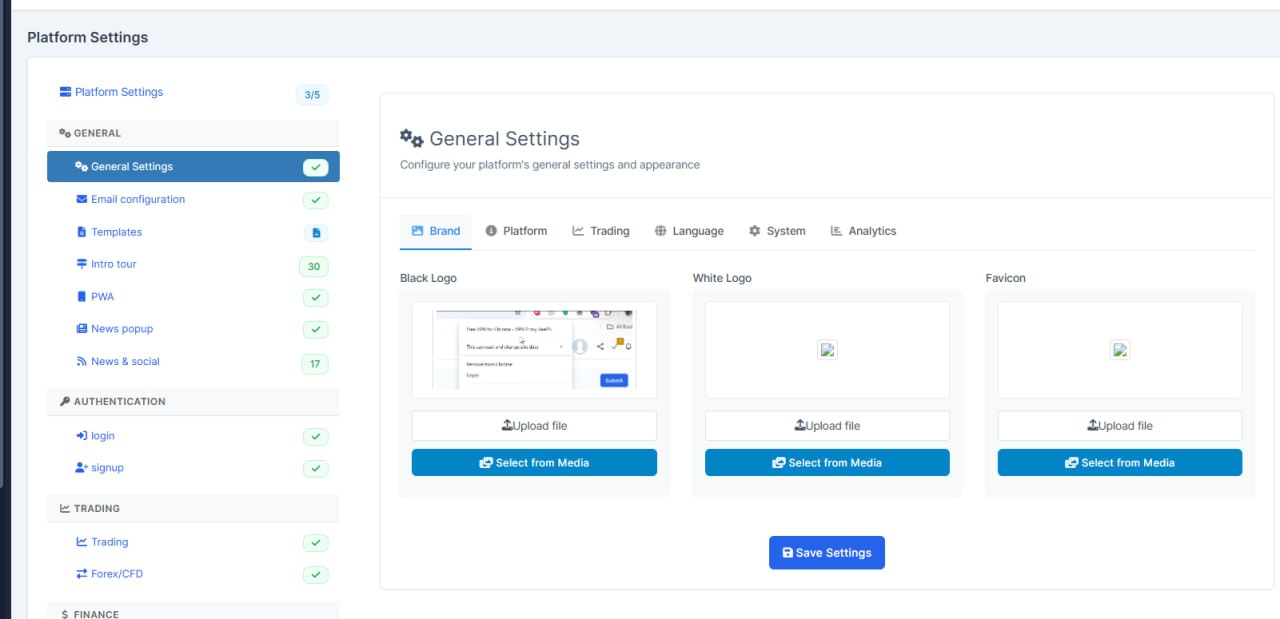
- Instant logo preview on Brand settings
Admins now see the black logo, white logo, or favicon right away after choosing a file or picking one from Media — no need to save first just to check how it looks.
- Clear warnings for wrong or oversized files
Only JPEG, PNG, GIF, and SVG are accepted, up to 1 MB. If the file is the wrong type or too large, a clear warning appears instead of a silent failure after save.
Dashboard Resolutions
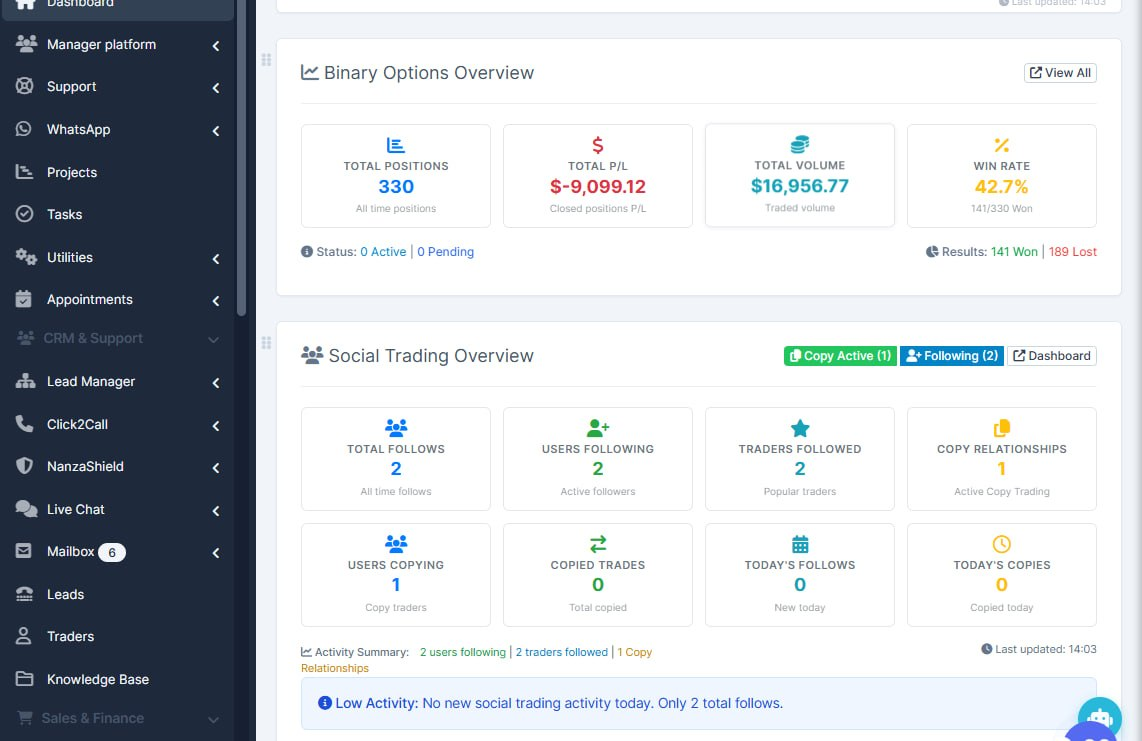
What was added:
- CRM Dashboard widgets now are more adaptive to smaler screens
Chat Enhancements
What was added:
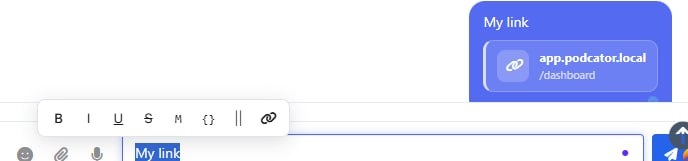
- Telegram-style message formatting in PulseChat
Staff can format messages with bold, italic, underline, spoilers, code, and links while typing — similar to Telegram — so outbound chat looks clearer and more professional.
- Cleaner link previews in chat and on the trading platform
Links show as compact preview cards instead of raw URLs, including in the client chat on the platform, so messages are easier to scan and click.
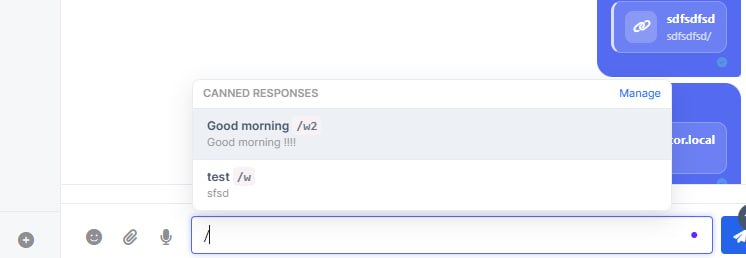
- Safer sending of canned replies with links
Inserting saved replies that contain links no longer corrupts the message text when sending.
- Typing in chat no longer jumps to global search
Pressing K while writing a message stays in the chat composer instead of focusing the top CRM search bar.
- More reliable channel message delivery status
Incoming channel messages now store delivery status correctly, so read/delivery indicators can stay accurate.
Minimal Leverage
What was added:
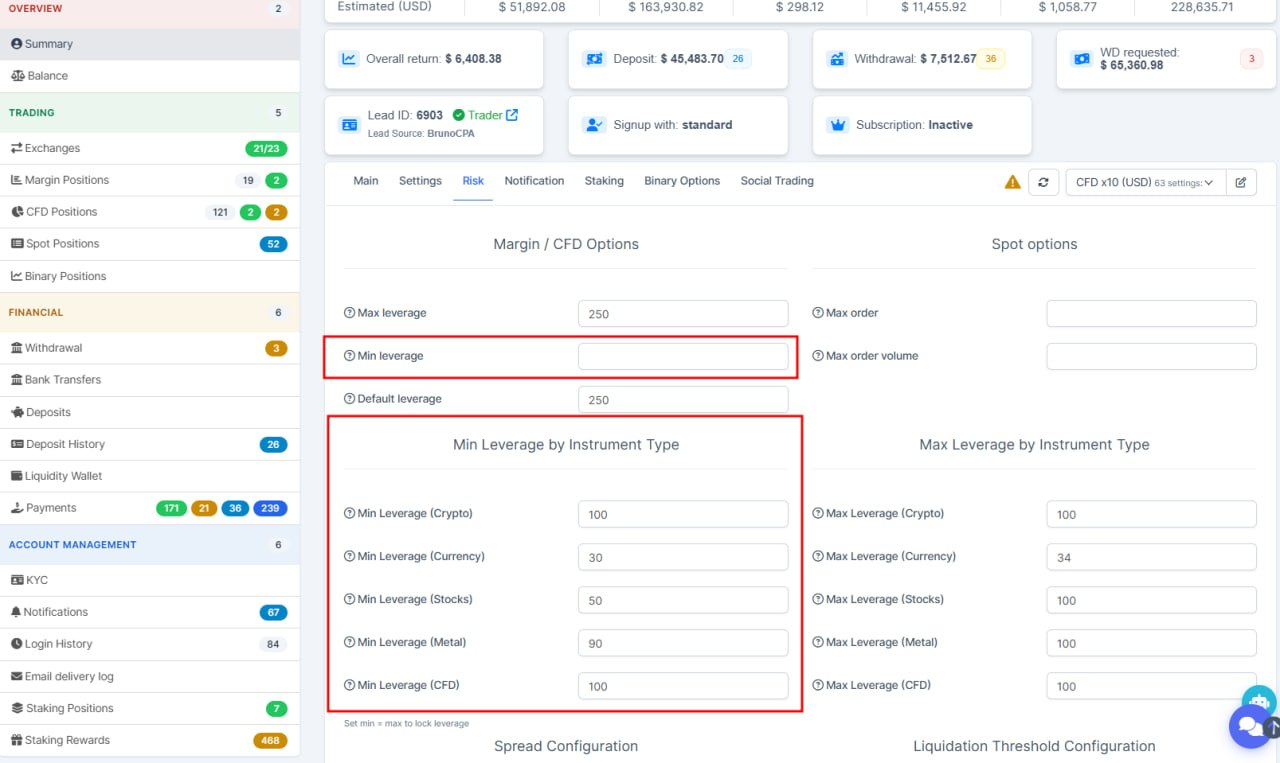
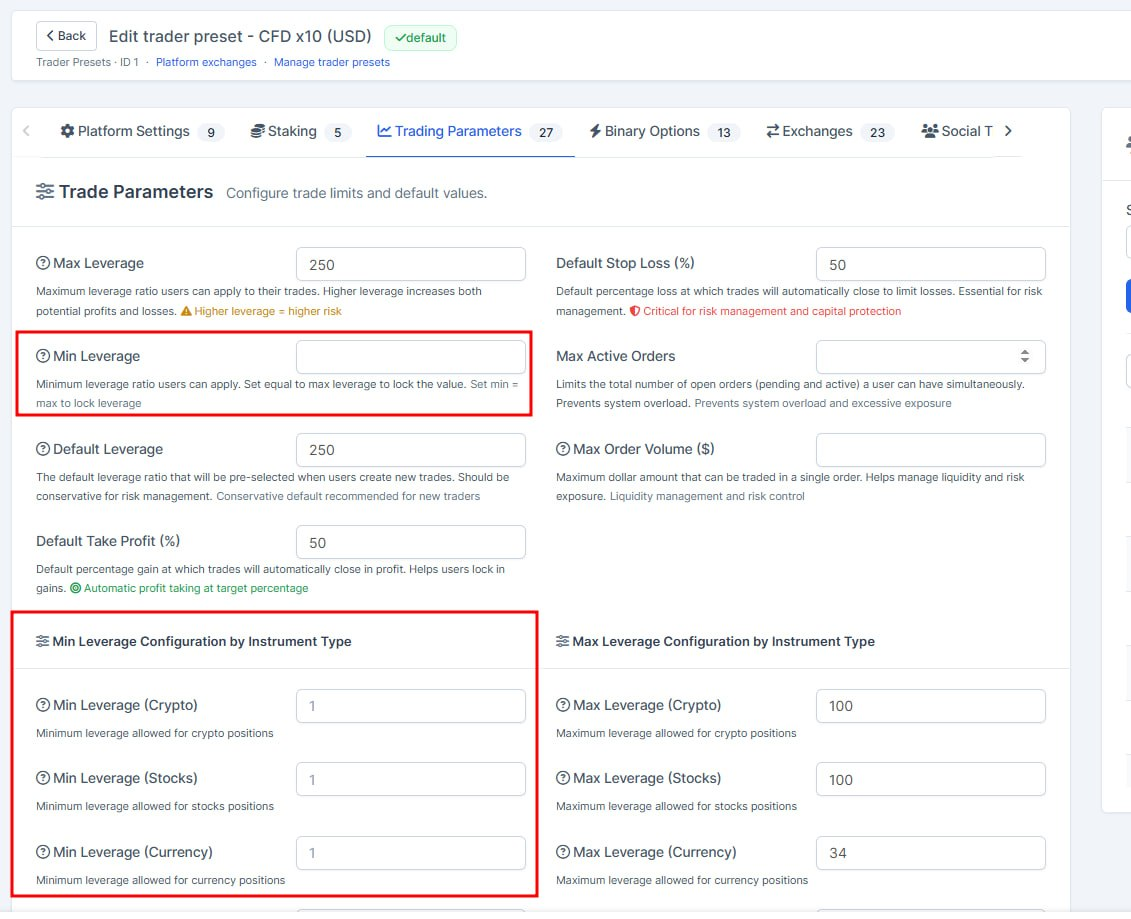
- Added min leverage settings for user trades
Available from both, trader presets and for single user (from traders summary page)
Wider Permissions
What was added:
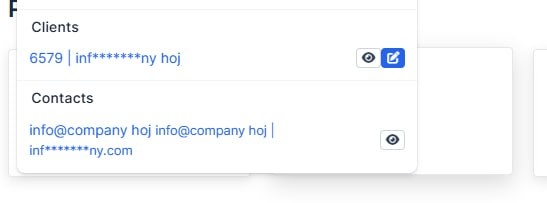
- Emails hidden in global search when permission is off
Staff without Show email permissions no longer see full email addresses for contacts, leads, or platform users in the top search. Addresses are masked so private contact data stays protected.
- Platform Users list respects Show emails permission
On the Platform Users page, emails are masked in the table and filters when Platform Show emails is disabled. Editing or saving an email without that permission is blocked.
Statistics Panels Across Trading Screens
What was added:
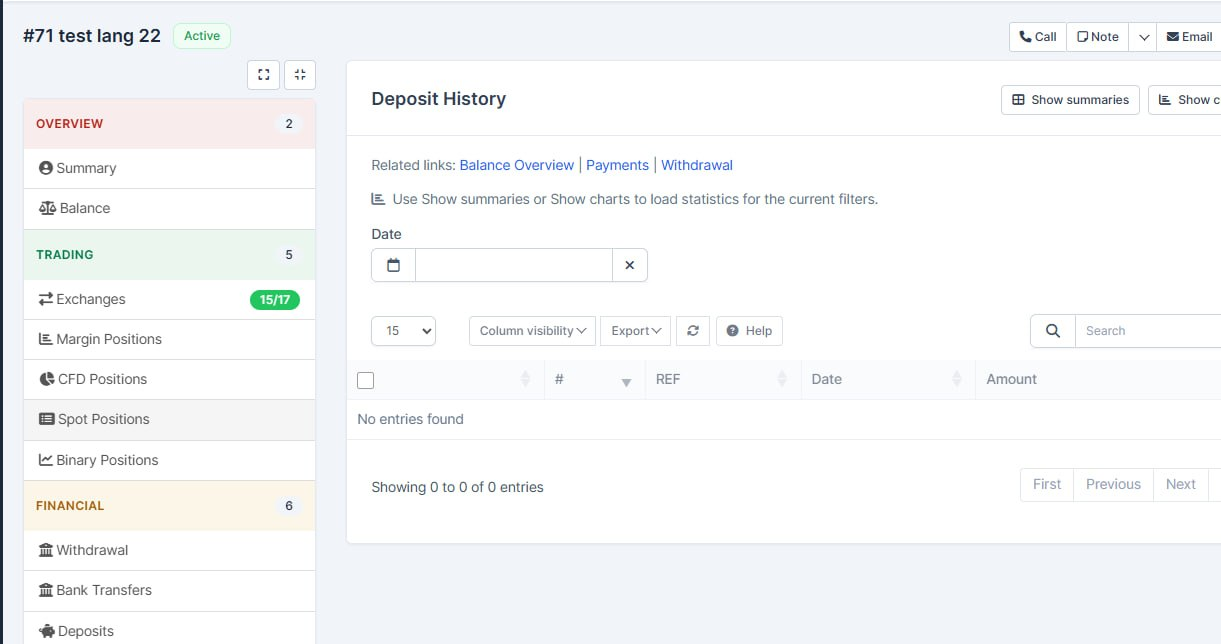
- Statistics panels across trading screens
Staff can see clearer summary charts for deposits, orders, withdrawals, login history, notifications, binary positions, and platform activity — with filters that load only when needed so pages stay responsive.
- One-click filter reset
Filter toolbars now share consistent Reset labels and behavior, so clearing a search or date range is faster and less error-prone across Nanza lists.
- Platform activity and scheduled jobs control
Platform activity gained better filtering plus a cron management view to review and run scheduled jobs, making ops checks easier without digging into server tools.
- Safer admin actions and steadier UI
AJAX endpoints and notifications updates enforce proper access checks, and layout tweaks (trader balance charts, orders date range, deposits table) reduce display glitches for daily staff work.
Chat Enhances
What was added:
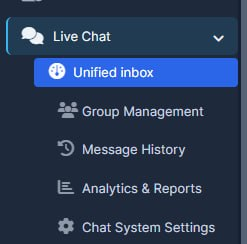
- The CRM chat has been upgraded, with key processes migrated to WebSocket connections. This reduced the system load, improved data exchange speed, and made the chat faster, more stable, and responsive.
Platform Settings
What was added:
- Added functionality to maintain the active tab state in the URL for Kryptoforex settings, improving user experience when navigating between sections.
- Implemented JavaScript to update the URL with the current section when tabs are switched, ensuring that the correct section is retained after form submissions.
- Updated various controller methods to redirect users back to the appropriate settings page based on their previous location, enhancing navigation consistency.
Platform to CRM Chat
What was added:
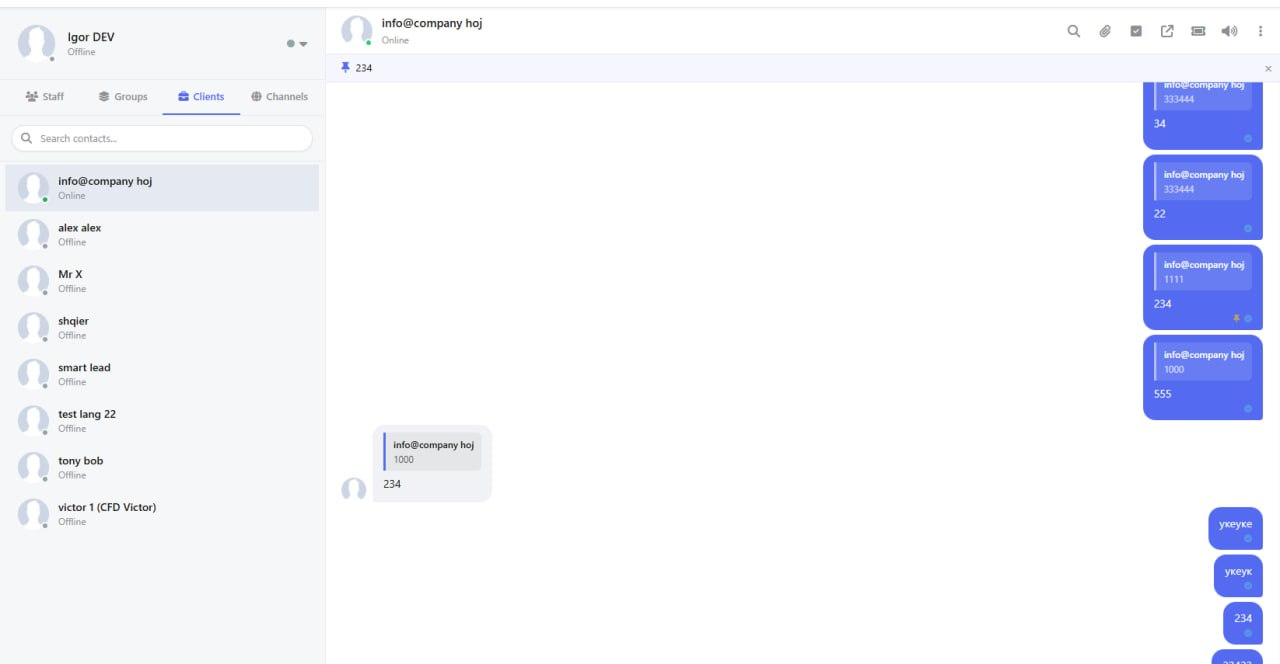
- Edit, reply, and delete chat messages
Staff and clients can manage their messages more naturally — edit, reply in context, and remove mistakes — without waiting on rigid time limits.
- Emoji reactions and clearer delivery status
People can react with emojis and see when messages are delivered or read, so conversations feel closer to everyday messengers.
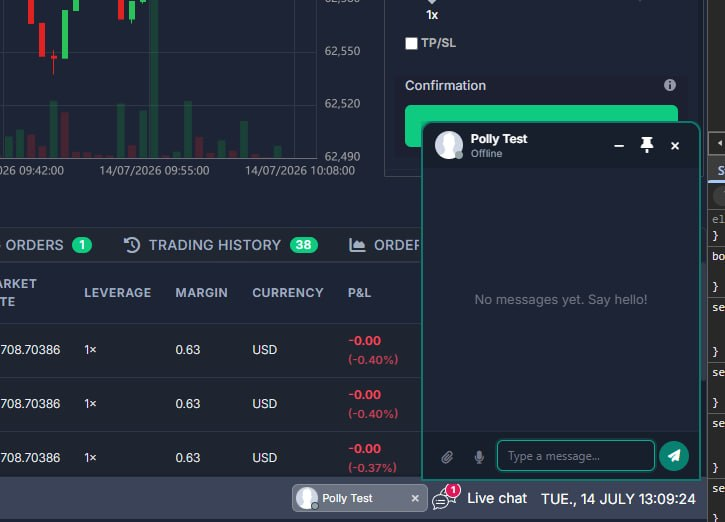
- Cleaner floating chat and client experience
The mini chat window, notifications, search, image viewing, and voice notes work more smoothly on both staff and client sides.
- Show only assigned staff in client chat
Admins can limit who clients see in chat to staff assigned to them, reducing noise and keeping conversations with the right people.
Position Creation Possibilities
What was added:
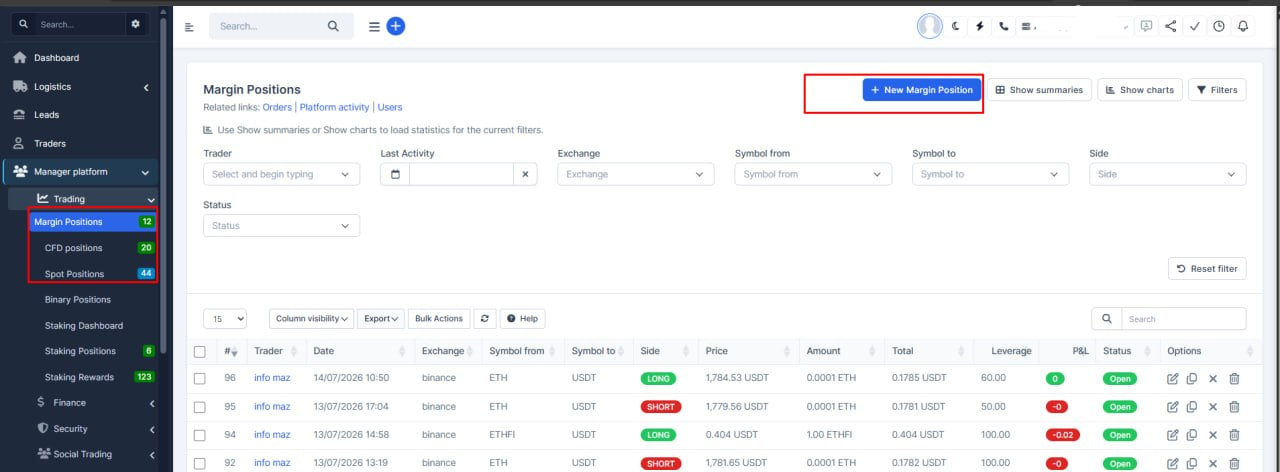
- Faster way to open a new position from trader pages
Staff can start creating a spot, margin, or CFD position directly from the trader's own pages and from the main position lists, without hunting for the right screen first.
- Smarter create-position wizard
When the trader and trading type are already known, the form skips redundant steps and shows a clear 1, 2, 3, 4 flow, so admins spend less time clicking through setup screens.
- Clear warnings when trading is not allowed
If a trader's account is inactive or a balance type (spot, margin, CFD) is turned off, the system shows a stable warning with a link to fix settings instead of a confusing flash or a dead-end form.
- Create buttons only when they make sense
On a trader's page, the "new position" button appears only if that trader actually has the matching account type enabled, which avoids failed attempts and support noise.
- Clearer copy on margin positions
The copy-position tooltip now says "Copy position" so staff know exactly what the act
Status Fixes
What was added:
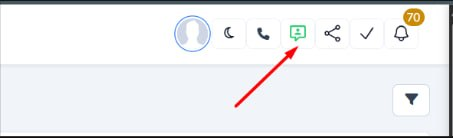
- Fixed the online/offline status of the CRM.
Trading Deposit Screens Enhancement

What was added:
- Trading deposit settings display correctly on first open
The deposit coin and currency pickers in Platform Settings no longer appear broken or shifted to the right when you first open the Trading tab.
- Works when switching between trading sections
Balance, Deposits, Withdrawals and other trading sub-tabs now show their dropdown fields in the correct layout without needing to save first.
- More reliable settings screen after tab changes
Reopening the Trading section in platform settings keeps the form fields styled consistently for admins.
Export Updates
What was added:
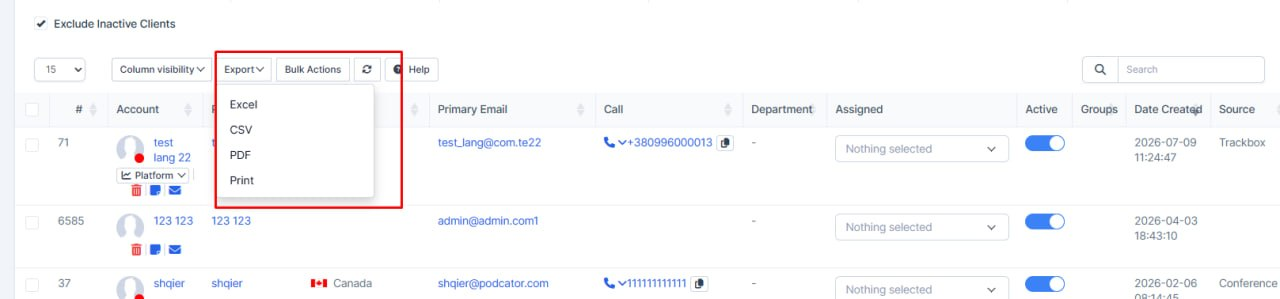
- Client and lead exports now include real balance figures
When staff export a clients or leads table, the file waits for balance amounts to finish loading instead of capturing placeholder text.
- Balance columns export cleanly in every format
Excel, CSV, PDF, and print exports now show the correct balance value or a clear dash when data is still unavailable, so shared reports are accurate and easier to trust.
New Click2Call Providers
What was added:
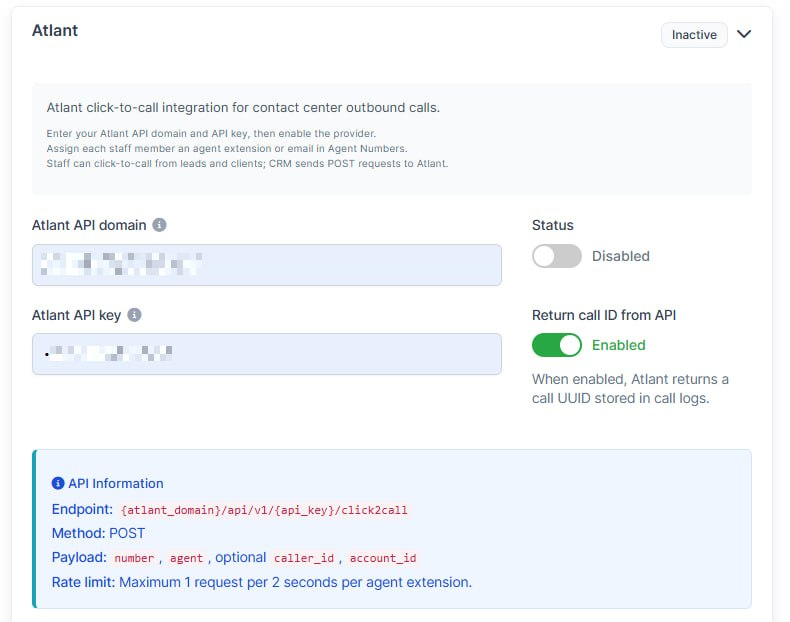
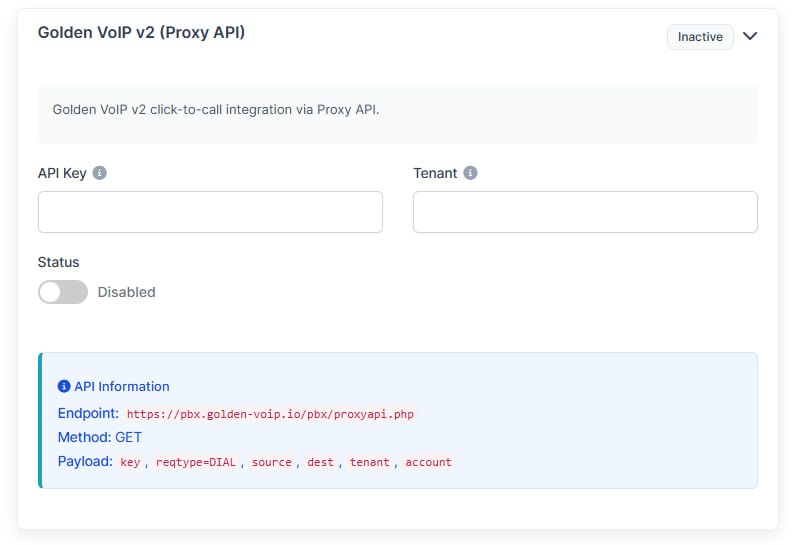
- For the click2call module, 2 new integrations was added:
Atlant voip provider
Golden VoIP v2 (Proxy API)
Pop-up Component
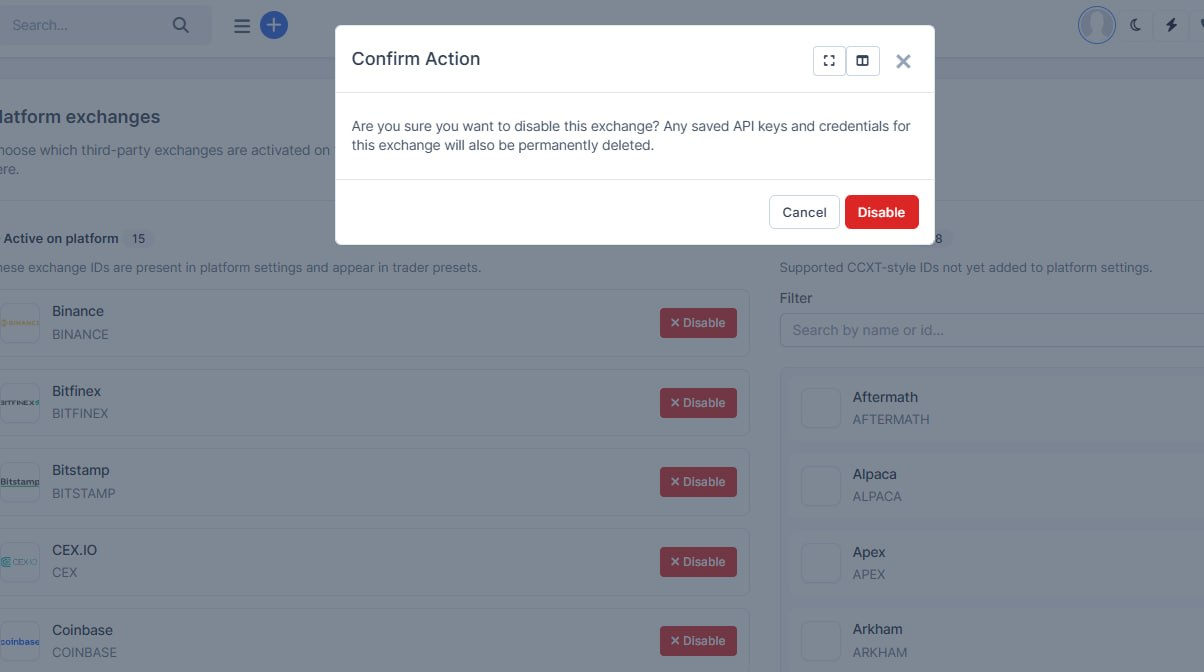
What was added:
- Added a global pop-up/modal component for system notifications and action confirmations. It provides a reusable and consistent way to display alerts, warnings, and confirmation dialogs across the platform.
Trader Notification Settings in CRM
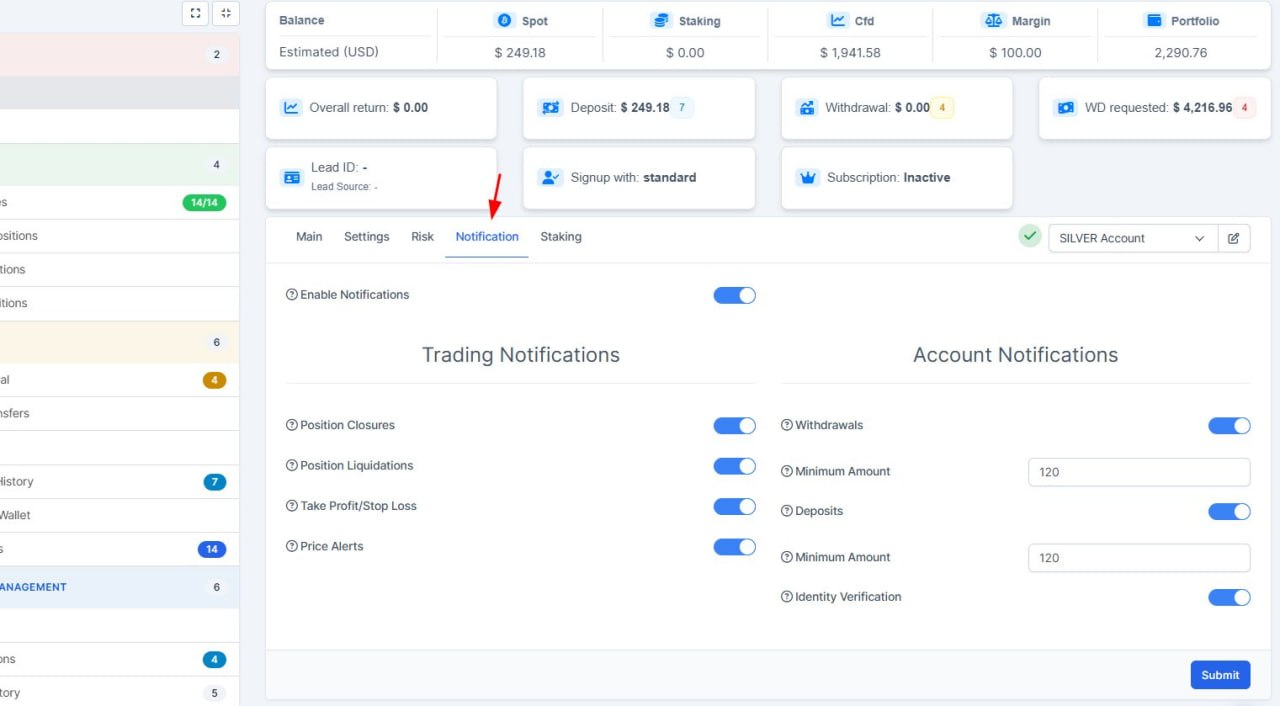
What was added:
- Trader notification settings in CRM
Staff can now manage a trader's platform notification preferences directly from the trader summary page — same options traders see in their account, without logging into the platform.
- Bulk notification setup via presets
Notification preferences can be saved in trader presets and applied to many traders at once, so onboarding and policy changes are faster and more consistent.
- Clearer preset save and apply
After saving preset settings, staff stay on the settings page instead of being sent elsewhere, and get a clear warning when a preset has no traders assigned to apply to.
Spread Cofiguration
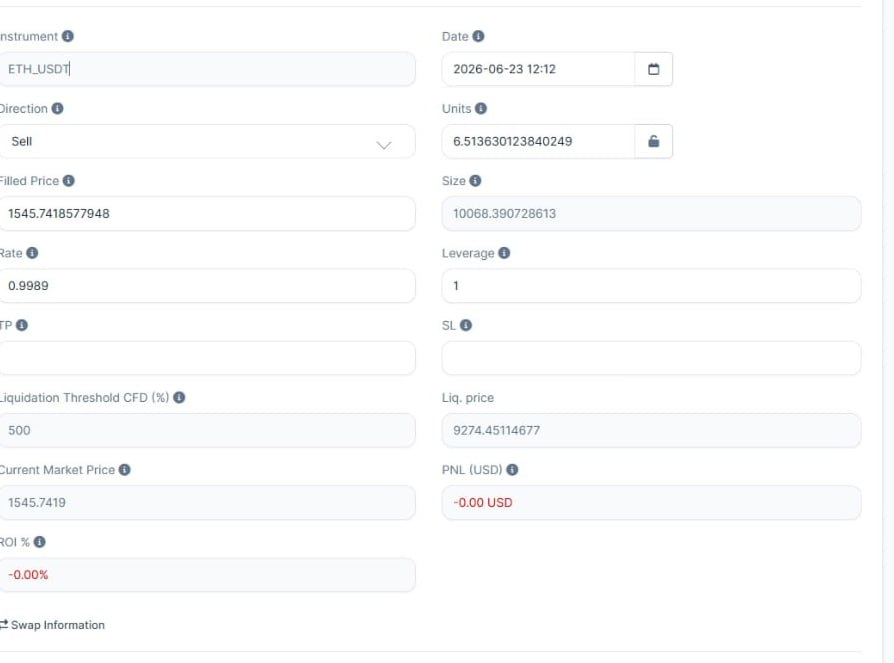
What was added:
- Optional Round Robin method for trader.
Round Robin
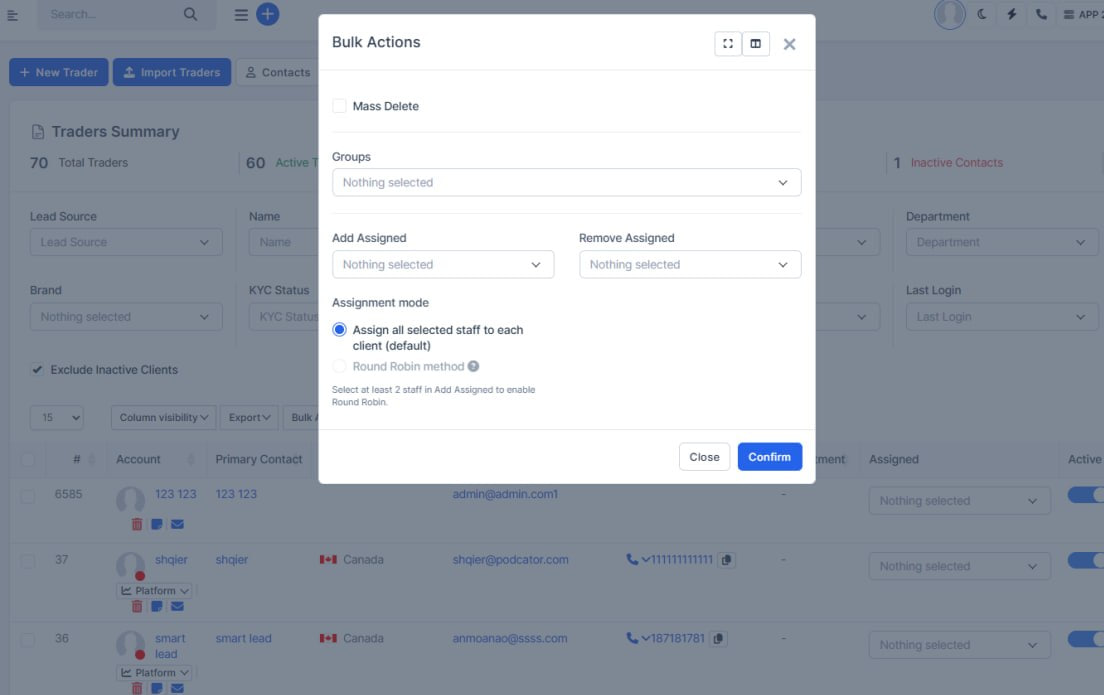
What was added:
- Optional Round Robin for trader bulk assignment
Managers can now choose how bulk assignment works on the Traders page. By default, nothing changes: every selected staff member is added to each selected trader. When needed, they can switch to Round Robin to spread traders evenly across the team (for example, 5 traders and 2 agents become 3 and 2).
- Clearer bulk assignment choices
The bulk action screen now shows two simple options so it is obvious which mode is active. Round Robin only becomes available when at least two staff members are selected, which helps prevent mistakes.
- More reliable bulk updates
Bulk assign, remove, and group changes now run in the correct order with a single refresh at the end, so mixed bulk actions are less likely to conflict or reload twice.
- Same fair split logic as leads
Trader bulk Round Robin now uses the same rotation rules already used for leads, so assignment behavior is consistent across the CRM.
Spread Cofiguration
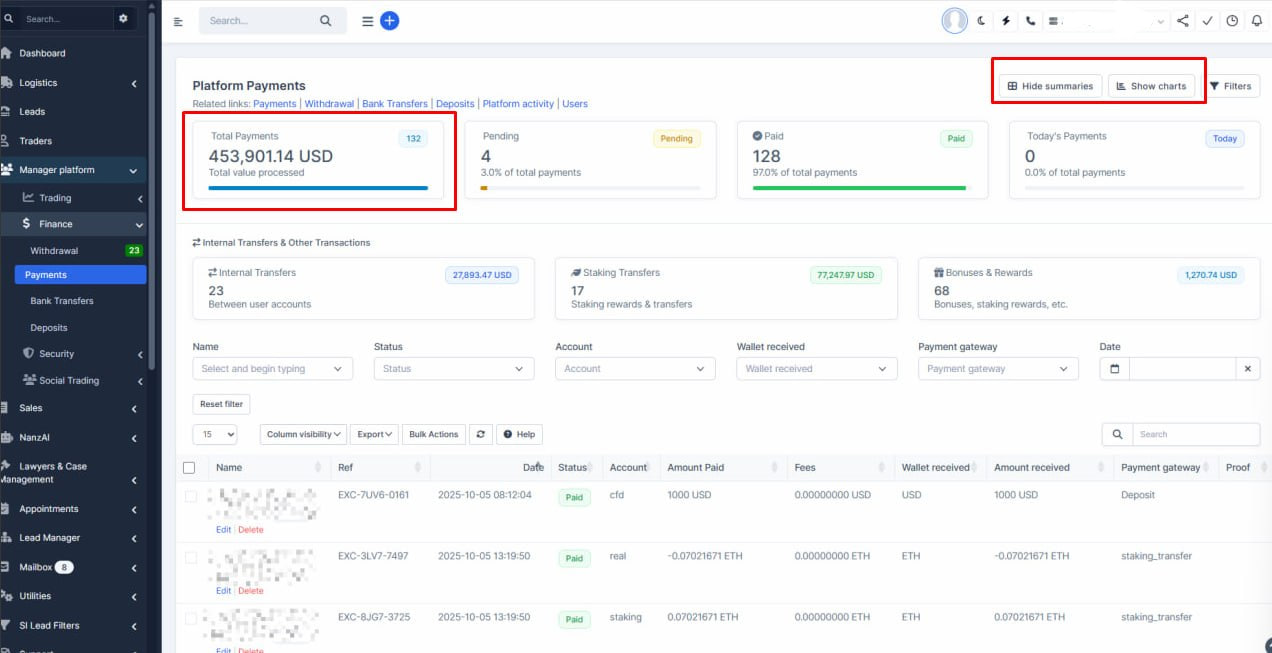
What was added:
- More accurate payment totals
We now convert mixed-currency deposits into one consistent currency before showing totals, so payment summaries are easier to trust and compare.
- Clearer payment summary cards
The main number on the summary now highlights the total amount, while the count is shown separately, making the dashboard faster to read at a glance.
- Smoother filtering while searching users
When staff search for a user by name, the payments table and stats no longer refresh on every keystroke — they update only after a user is selected, which reduces unnecessary reloads.
Click2Call Provider Added
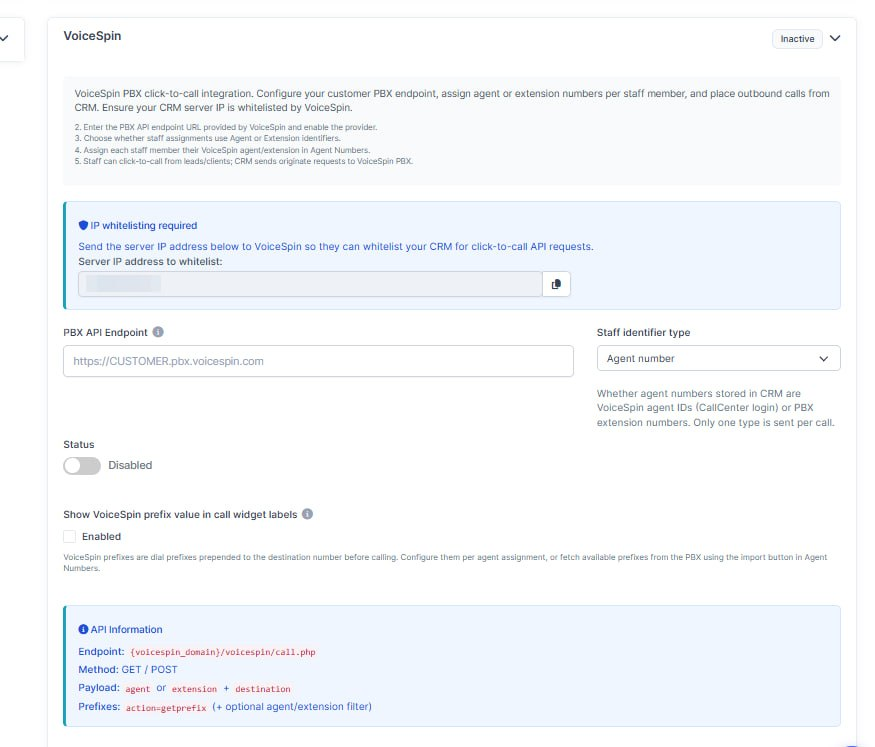
What was added:
- VoiceSpin click2call integration was added.
Options Enhancement
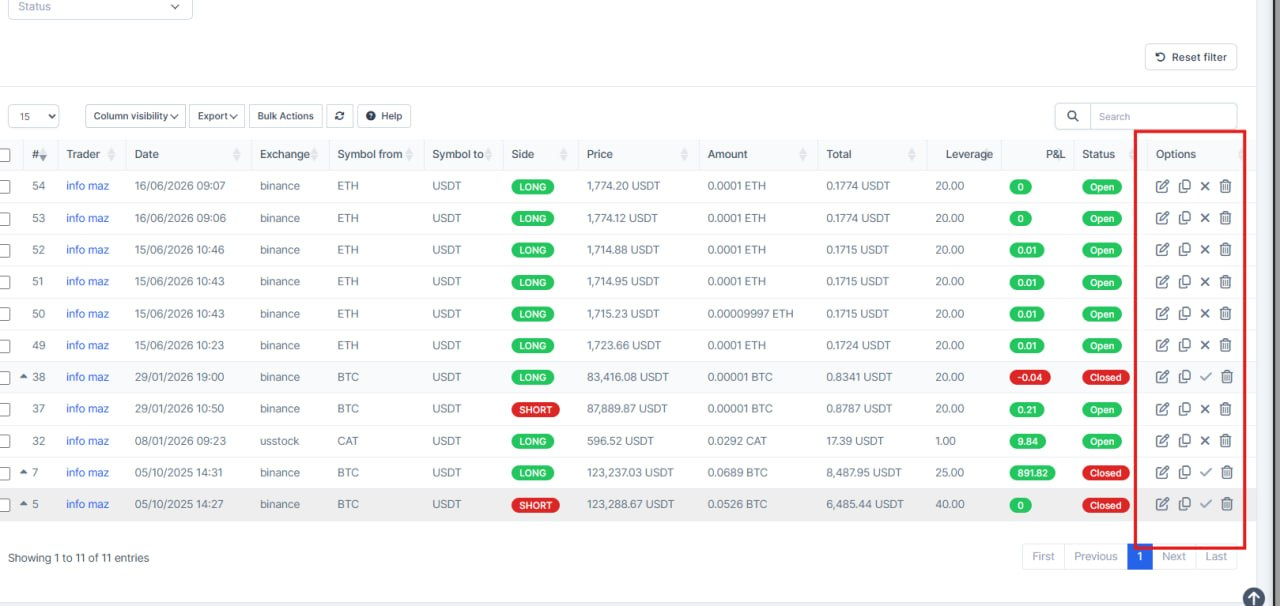
What was added:
- Margin position actions in Options column
Edit, Copy, and Close are now in a dedicated Options column, so the list is easier to scan and matches other trading screens.
- Trader column label
The owner column is renamed from generic Name to Trader, which is clearer for staff reviewing margin positions.
- Delete only when allowed
Delete stays in Options but is shown only to users with remove permission; others still get edit, copy, and close where applicable.
- Simpler trader profile view
On a trader's margin positions tab, the extra Trader column is hidden because the trader is already known; actions remain in Options.
Better Translation
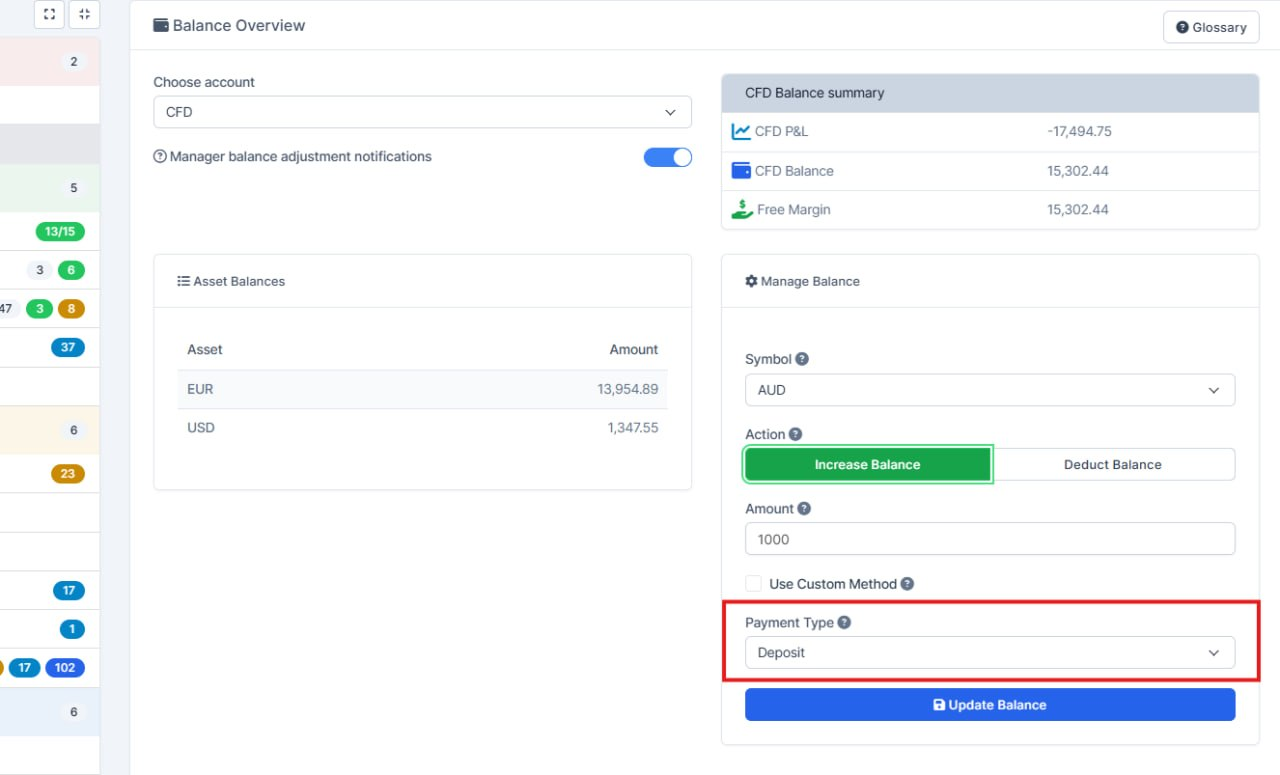
What was added:
- Clearer payment field on trader balance
The payment method field on the trader balance screen now shows "Payment Type" instead of a generic label, making it easier for staff to understand what they are selecting.
- Payment Type available in multiple languages
The new label is translated for French, German, Spanish, and Ukrainian so international teams see consistent wording in their language.
Margin Order Fixes
What was added:
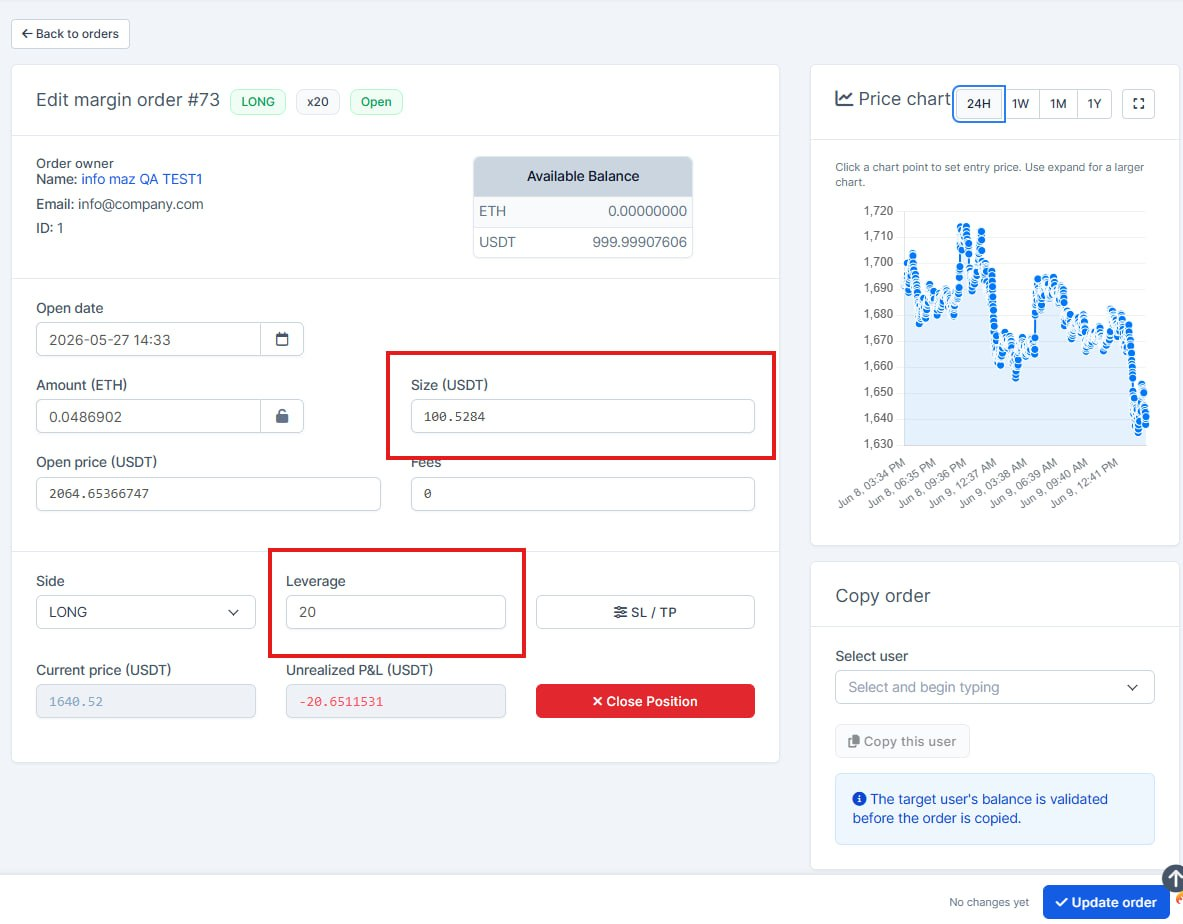
- Margin order edits now respect leverage
When staff increase a margin position size, the system checks only the extra collateral needed (not the full trade value), matching how the trading platform works.
- Leverage changes update the form correctly
Changing leverage on an open margin order now recalculates size and margin amounts consistently, so edits are easier to review before saving.
- Safer copy-order checks for margin positions
Copying a margin order to another user now validates the correct margin amount against their balance, reducing failed copies and confusion.
Fullscreen Feature
What was added:
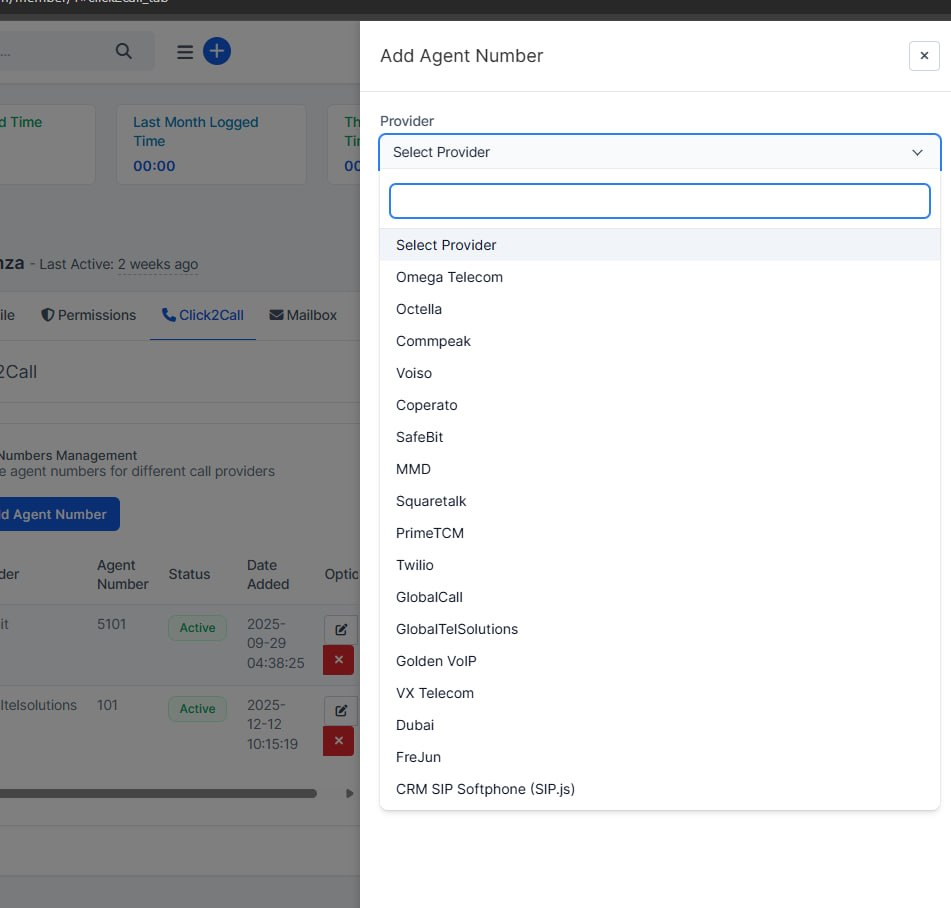
- Click2Call provider dropdown now opens fully
When adding or editing an agent number from a staff profile, the Provider list was getting cut off inside the side panel. Dropdowns now open correctly so admins can see and pick every provider without scrolling inside a clipped box.
- All agent-number selects work the same in the drawer
Status and Voiso agent pickers in the same form were updated the same way, so every dropdown in that flow behaves consistently when configuring telephony for staff.
Fullscreen Feature
What was added:
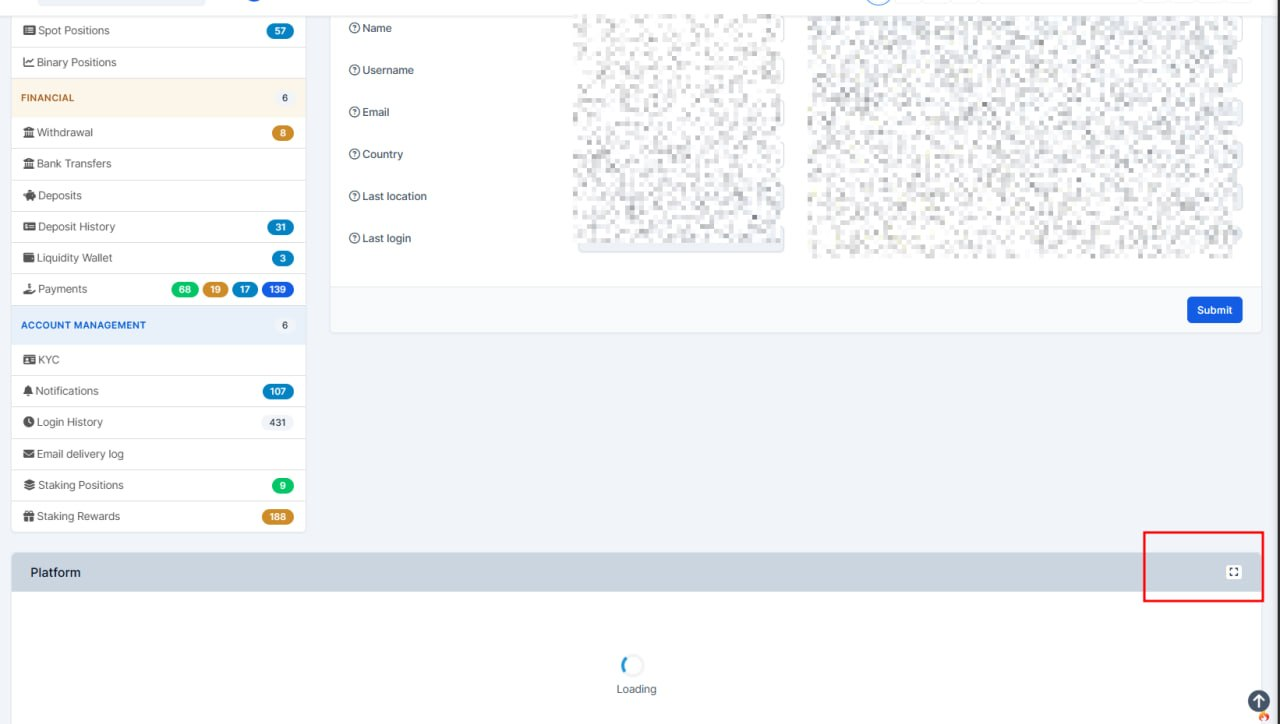
- Fullscreen view for the trading platform on trader profiles
Staff can now open the Platform panel in full screen with one click, making it easier to review a trader's platform activity without scrolling in a small embedded window.
- Faster first open with loading feedback
The platform loads automatically when fullscreen is opened for the first time, with a clear loading state so users know the session is being prepared.
- Smoother return to the normal view
Closing fullscreen brings the platform back into the regular panel without restarting the session, so work is not interrupted.
- Labels added for multiple languages
Fullscreen open/close actions are translated in English, French, German, and Spanish for consistent UI across locales.
AI Call Improvements
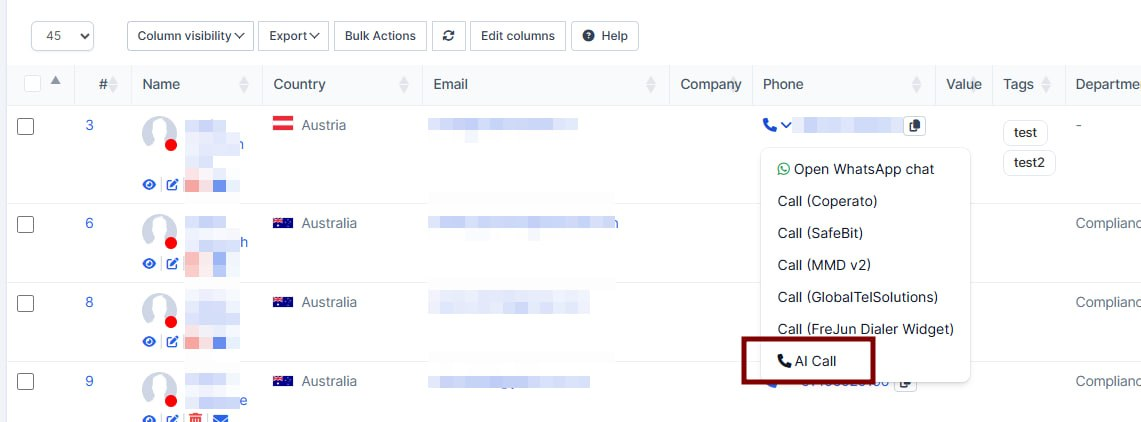
What was added:
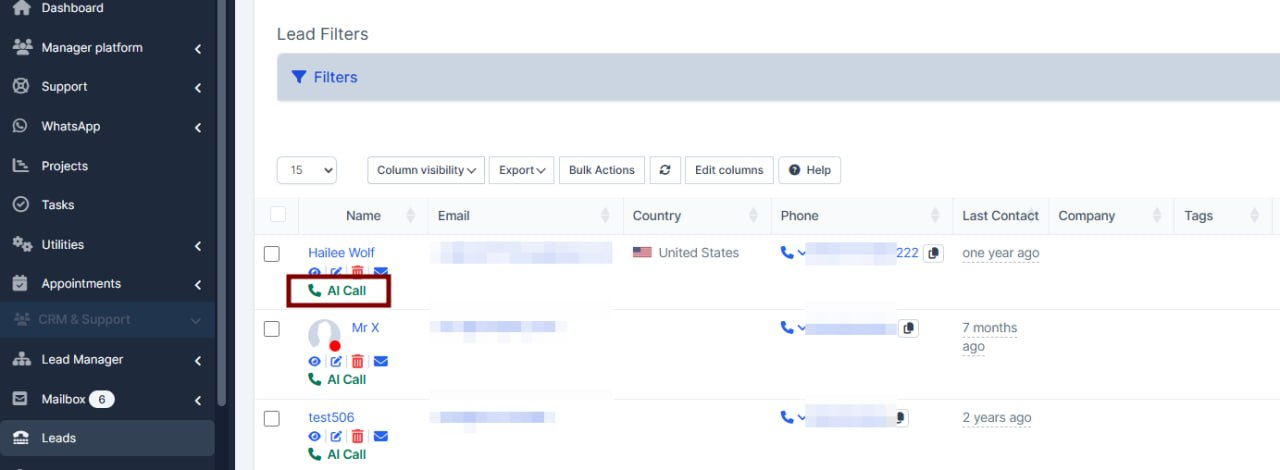
- Moved "ai call" button from the name columnto the click2call dropdown.
Leads Summary Fixes
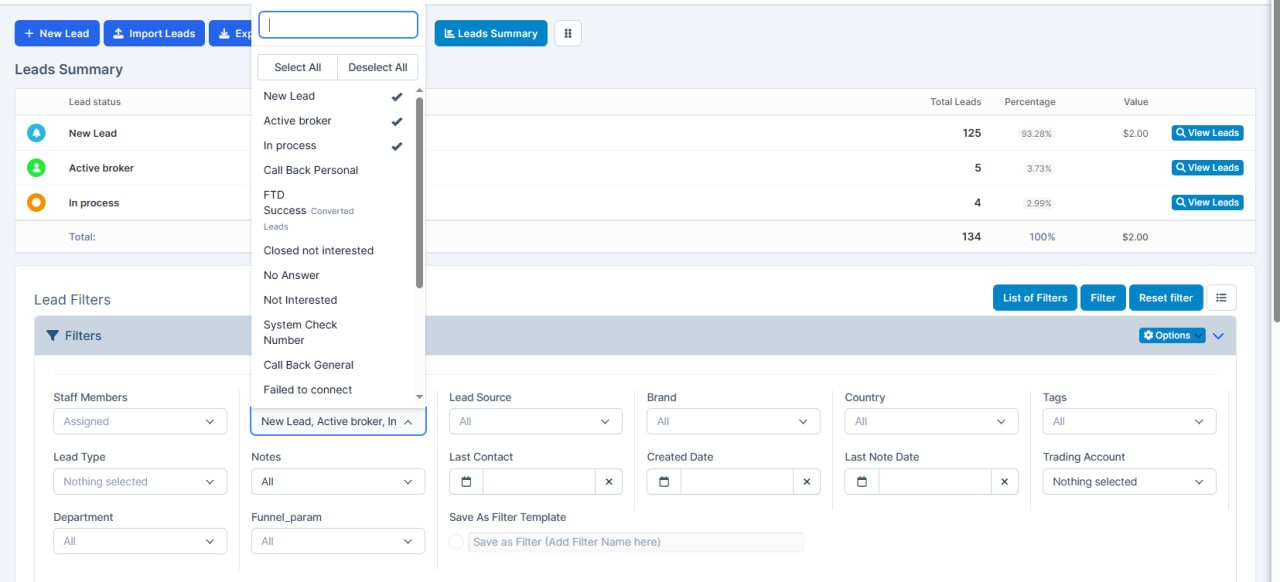
What was added:
- Improved leads summary to work with all filters.
C2C Logs Enhancement
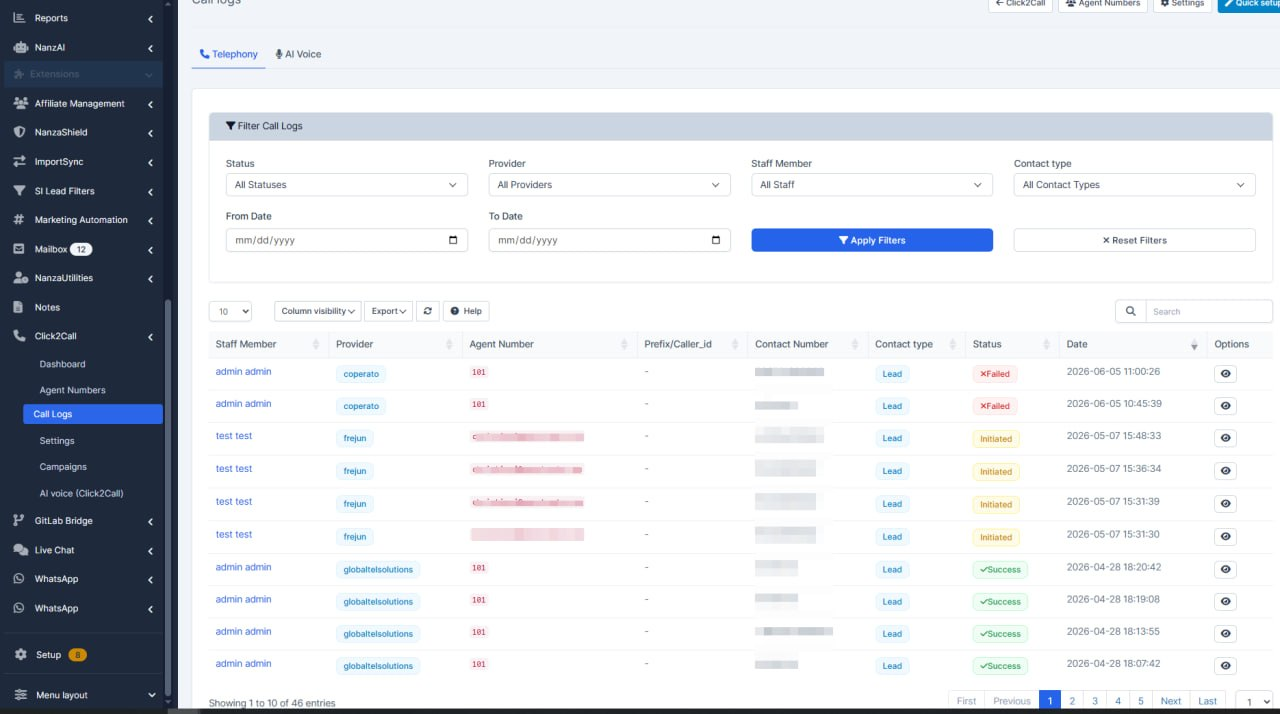
What was added:
- Improved call logs table which now can be seen in all logs and datatables on backend with filters/sorting.
Staking Assets Enhancement
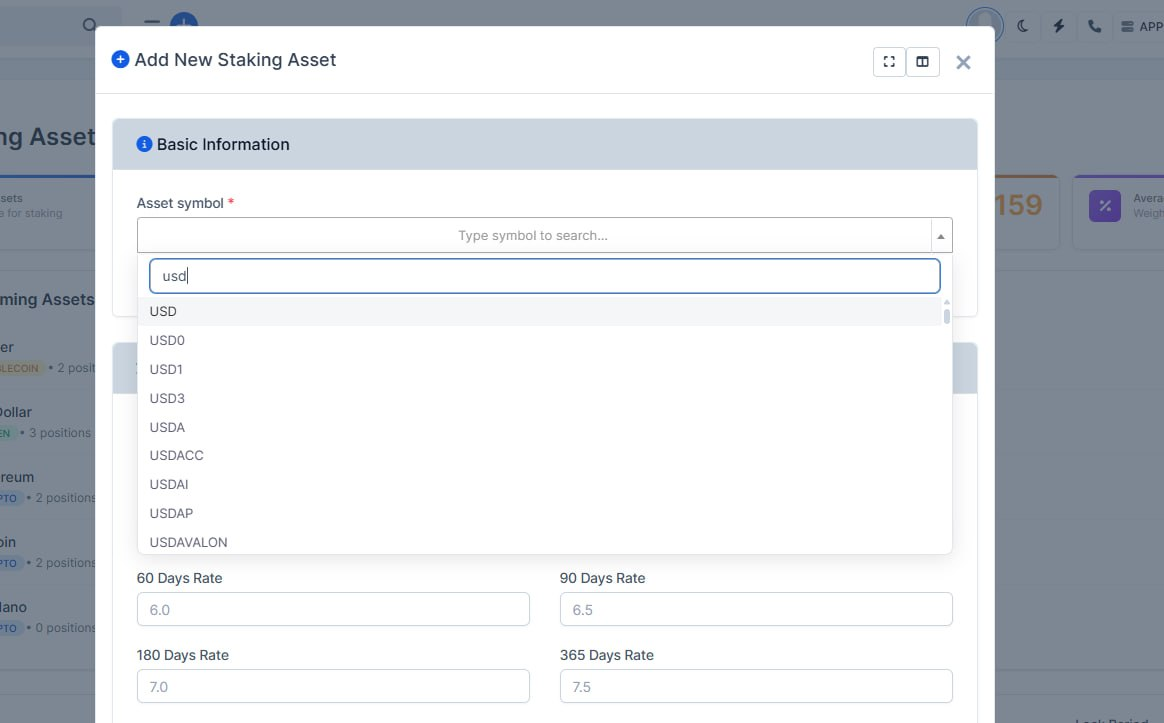
What was added:
- Staking assets: search by symbol like Trading
When adding a staking asset, staff can search by symbol the same way as on Trading deposit settings. Results include both crypto and fiat (for example USD or EUR), not only coins from the old fixed list.
- Clearer create-asset form
The form explains that you type at least one character to search, and still offers a manual custom asset option when the symbol is not in the list.
- Simpler backend for asset selection
Removed the old static coin dropdown and unused lookup code so one shared search powers the picker and less can drift out of sync.
Bank Transfer Fixes
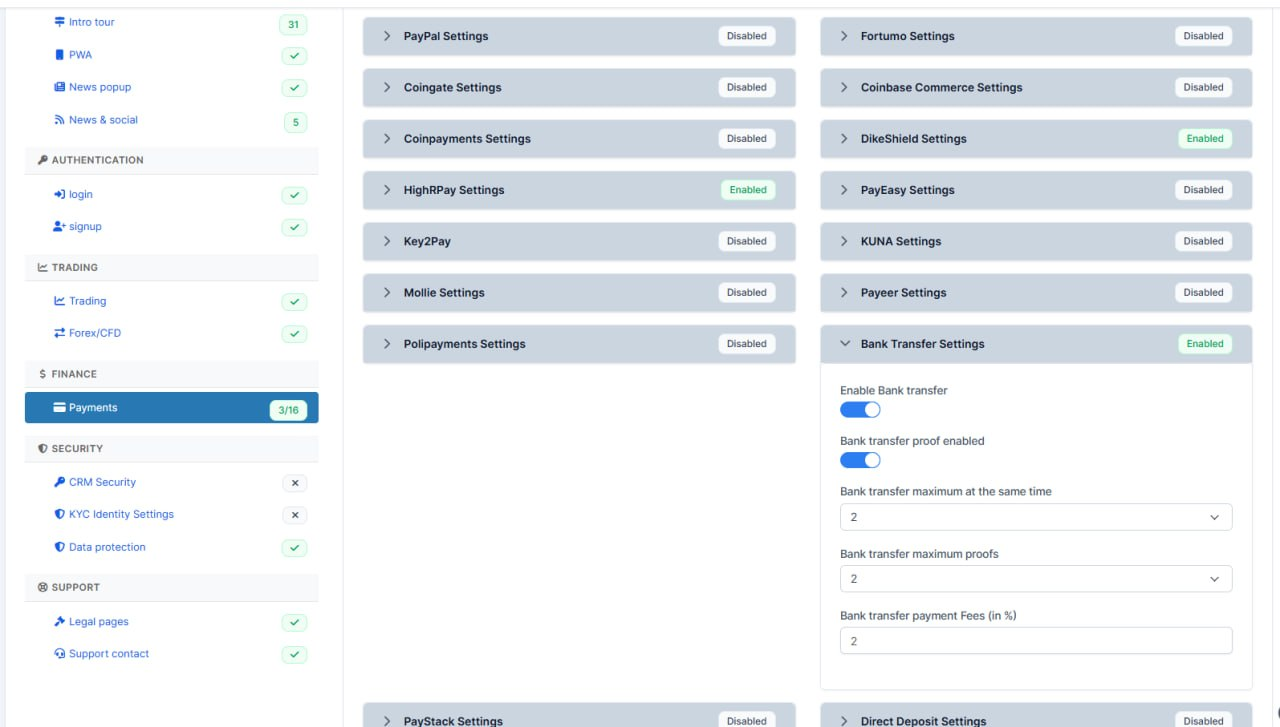
What was added:
- Bank transfer settings now match the platform
Settings for bank transfers in CRM (enable, proof upload, limits, fees) now read and save the same values as on the trading platform, so admins see what is really configured.
- Fixes wrong or missing values after save
Previously, changes made in CRM could fail to apply or show as off when bank transfer was actually enabled on the platform.
- Payments tab status is accurate
The Payments settings screen now correctly shows whether bank transfer is enabled in the gateway summary.
Permission Fixes
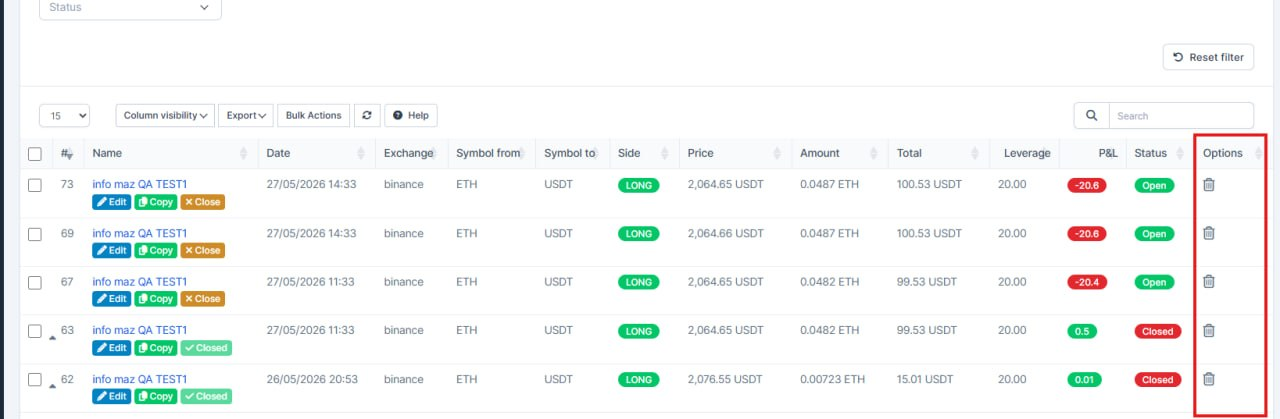
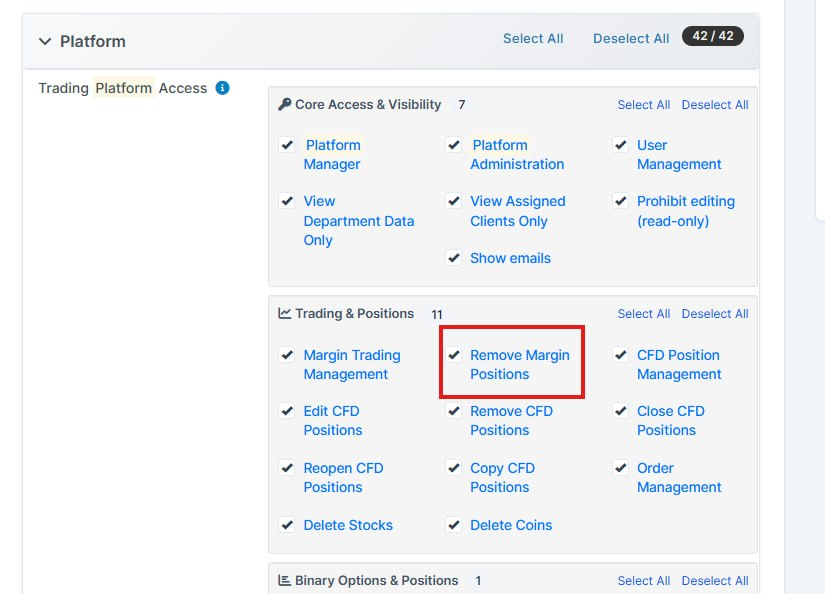
What was added:
- Delete margin positions from CRM
Staff with the right access can now remove individual margin positions directly from the positions list, instead of having no way to clean up bad or test records in the CRM.
- Safer access control for deletions
Removing positions is now a separate permission from general margin management, so only trusted roles can delete — view and manage access alone is no longer enough.
- Bulk delete aligned with the new rule
Mass-delete on the margin positions screen follows the same deletion permission, keeping bulk and single-row actions consistent.
- Clear confirmation when a position is removed
Success and error messages were added in English and Ukrainian so staff get immediate feedback after a delete attempt.
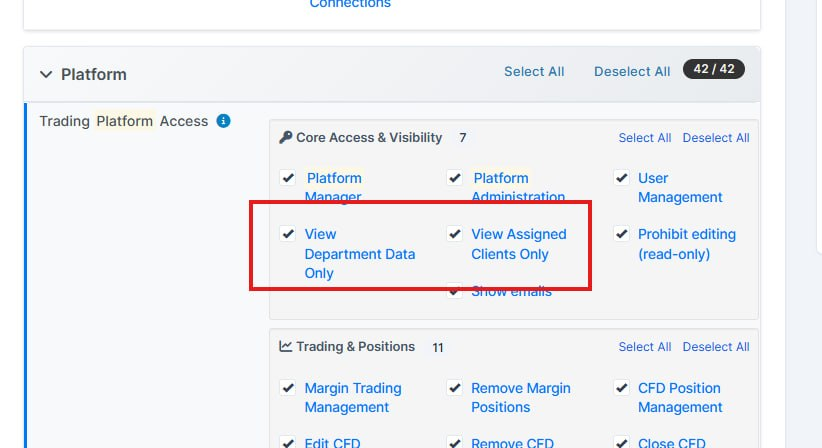
What was added:
- Platform Users page works with restricted permissions. Staff with View Department Data Only or View Assigned Clients Only no longer hit a server error when opening the Platform Users screen.
- Safer data scoping on user filters Email, location, currency, and language filters now show only data for clients that staff are allowed to see.
- More reliable permission checks behind the scenes Permission filtering was reworked so restricted views load consistently instead of failing mid-page.
Platform Features and Updates
Portfolio Fixes
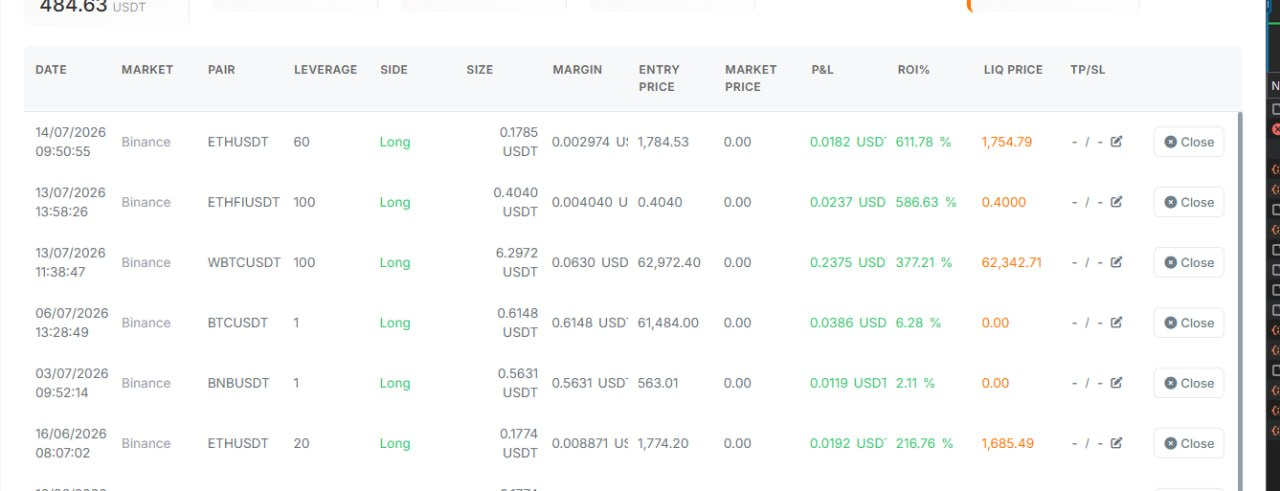
What was added:
- Portfolio colors work in light theme
Buy/Sell, profit/loss, and ROI now show green and red correctly on the CFD and Futures portfolio pages when using the white theme, so traders can read positions at a glance like they already could in dark mode.
- Consistent look across desktop and mobile
The same color rules apply whether the portfolio is shown as a table or as mobile cards, so switching device or view does not hide whether a position is winning or losing.
Dashboard Fixes
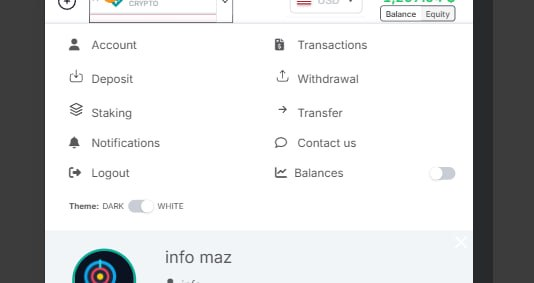
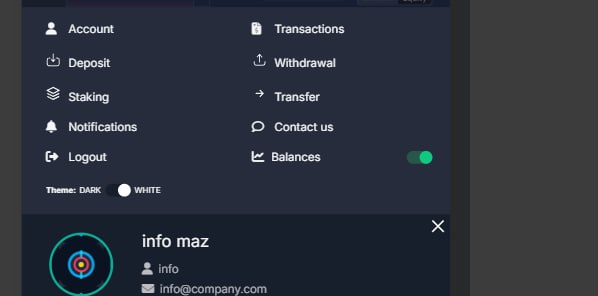
What was added:
- Cleaner mobile header On phones and tablets, the top bar no longer shows duplicate account, notification, and balance icons. The header is less crowded, so the trading pair and balance are easier to read.
- Balances control in the account menu CFD and margin users can show or hide the detailed balances panel from the wallet menu. The whole Balances row is tappable, with an on/off switch that turns green when balances are shown.
- Notifications without the header bell Notifications still open from the menu on mobile, with the same full-screen panel, even though the bell icon was removed from the header.
- Clearer toggles in light theme The theme switch and balances switch now use a light track and a white knob in white mode, so both controls are easy to see and use.
Outdated Pages
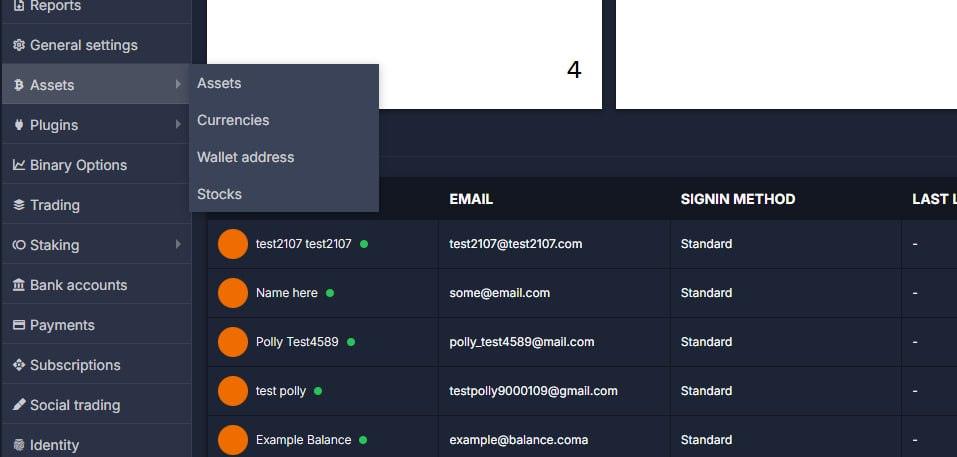
What was added:
- Removed outdated admin exchange pages
The old Markets and Exchanges screens in admin were broken and duplicated what Trading already does. They are removed from the menu so staff use one clear place to manage exchanges.
- Cleaned up unused exchange database tables
Legacy exchange tables that nothing in the live app used anymore are dropped via migration. This reduces clutter and avoids confusion with the tables that actually power trading and search.
- Simplified search and trading data flow
Search and trading now rely only on the current exchange pair list. Dead code paths that pointed at old tables are gone, which lowers the risk of silent errors after deploy.
- Kept the working exchange sync cron
The weekly job that refreshes trading pairs from connected exchanges is unchanged. Day-to-day trading, search, and watchlists continue to use the same active data source.
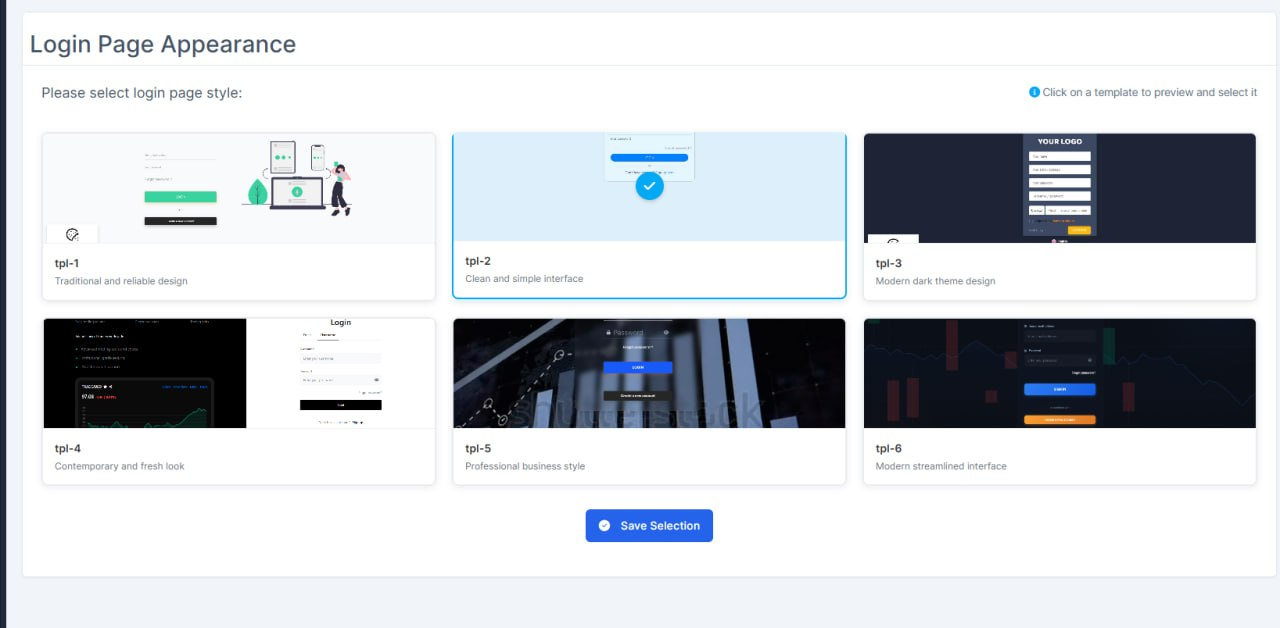
Templates Fixes
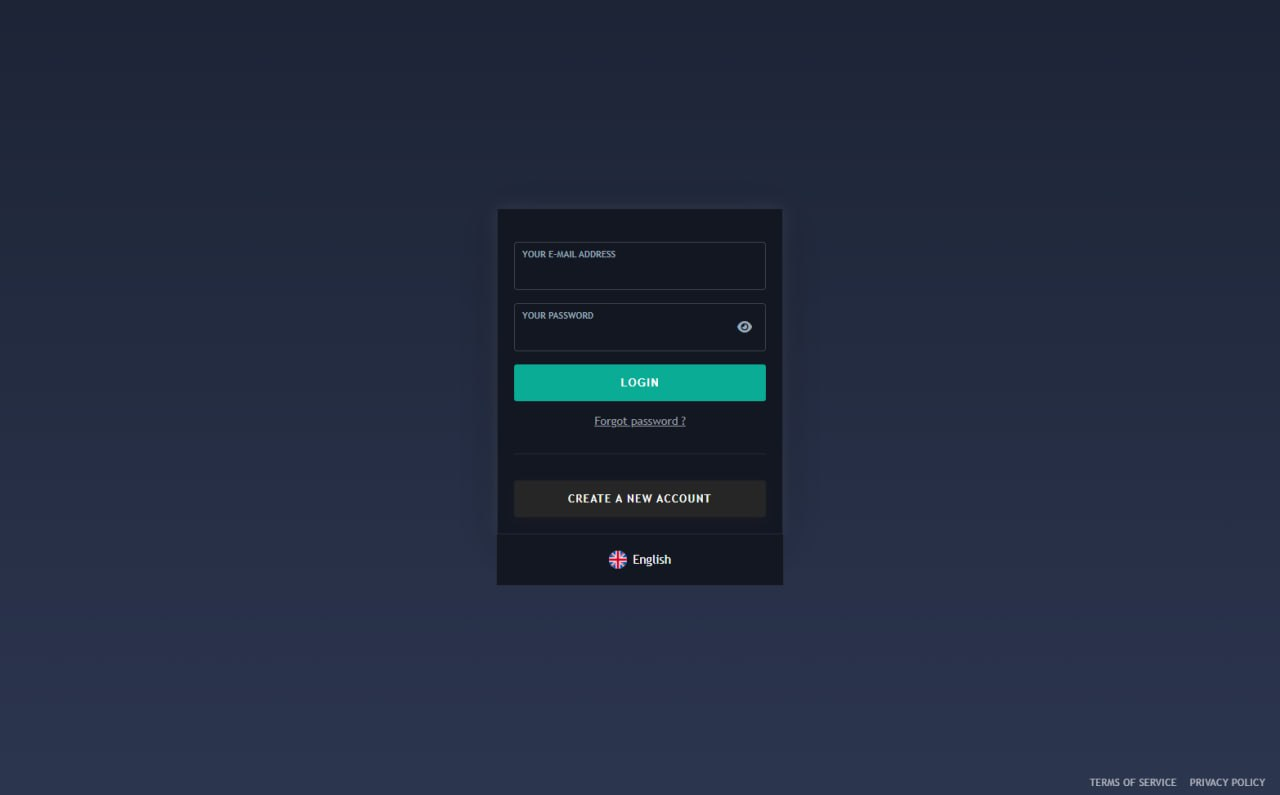
What was added:
- Cleaner login form on the first template Input labels no longer look like errors by default, and the white bar across the bottom of the page is gone so the screen looks tidy again.
- Terms and Privacy open the right pages Privacy Policy now shows privacy content instead of the same text as Terms of Service.
- Terms and Privacy links on more login designs Templates 2, 3, and 4 now have clear Terms of Service and Privacy Policy links at the bottom of the page.
- Clearer password errors on template 2 Validation messages appear under the password field (not beside the eye icon) and use the same red style as other form errors.
Buttons and Setting
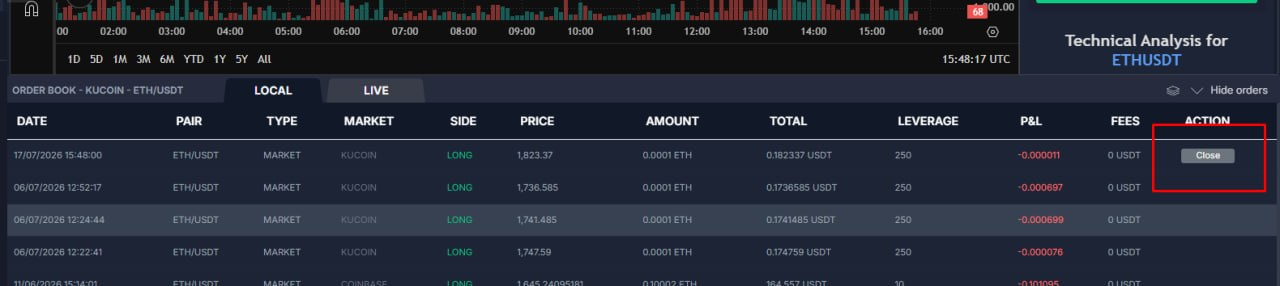
What was added:
- Order Book Close button looks centered again
The Close and Cancel labels in the order list were sitting off-center and looking cramped. They now sit properly in the button, so actions are easier to read at a glance.
- Positions buttons no longer affect the order list
Styles meant for the positions panel were spilling into the Order Book. That leak is stopped, so each area keeps its own look without side effects.
Correct Balance Change
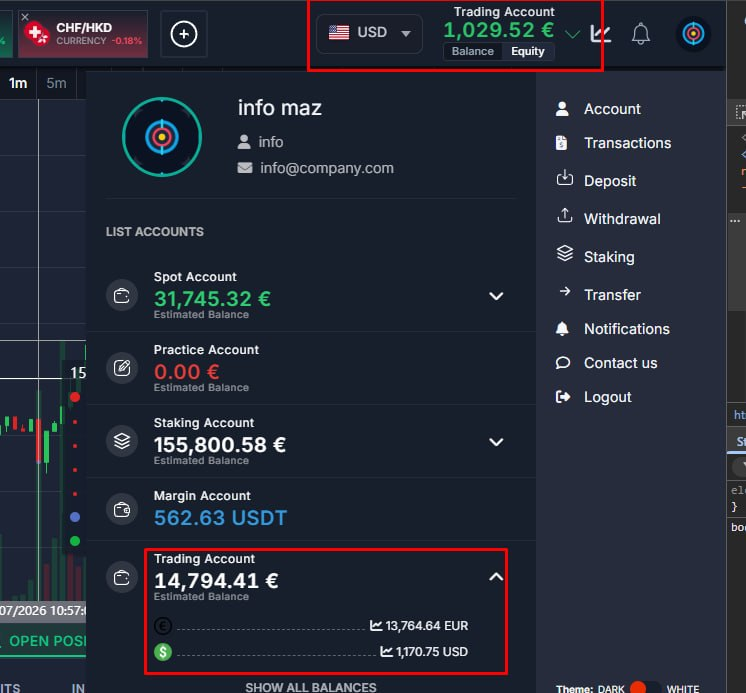
What was added:
- Correct balance when changing currency
When profile currency changes (for example to UAH or TRY), Trading Account totals now convert properly instead of keeping the same number with a different symbol.
- Clearer wallet and header amounts
Header and account list show CFD equity and balance in the selected display currency, while order free margin stays in the trading currency.
- Safer currency conversion
If a fiat rate cannot be found, the system no longer falls back to a 1:1 amount, which stopped misleading balances.
Better Mobile View
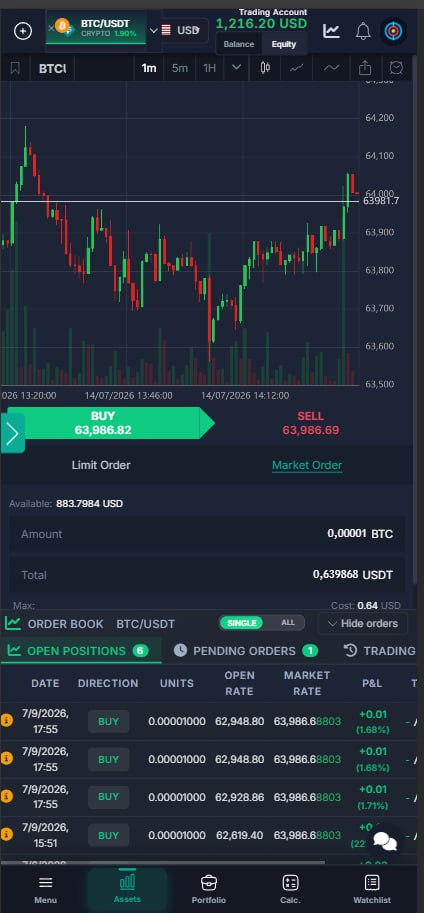
What was added:
- Cleaner mobile Order Book header
On mobile, switching to All no longer piles the toggle over the title text, so the header stays readable and usable.
- Spot orders without an empty Action column
The Spot local Order Book no longer shows a blank Action column that never had controls — the table is simpler and less confusing.
- Order table headers no longer overlap on mobile
Long headers like Total were stacking on each other on small screens. They now stay clear and easy to scan while scrolling the list.
Balance Calculation Logic
What was added:
- Balance calculation logic has been fixed (regarding swap charges).
Before:
Both positive and negative swap charges were deducted from the balance.
After:
Negative swap charges are deducted from the balance.
Positive swap charges are added to the balance value.
-We have updated the display of CFD balances. When you open a CFD position, your total balance will now remain unchanged instead of decreasing.
For example, with a starting balance of $1000 and a trade of $100:
Under the old logic:
- Balance: $900
- Margin: $100
Under the new logic:
- Balance: $1000
- Margin: $100
- Free Margin: $900
Balance/Equity Switch
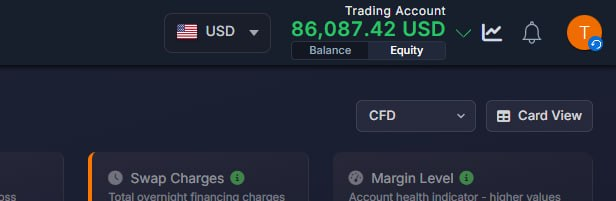
What was added:
- For CFD balance, a switch was added to select whether to show the Balance or Equity value.
Cleaner Deposit Screen
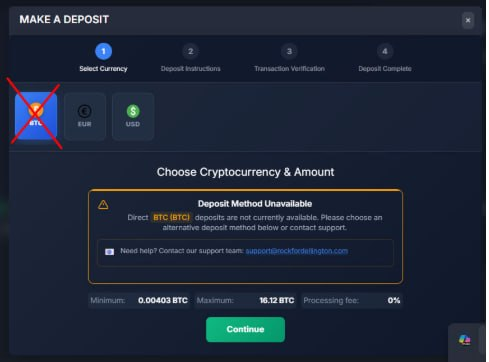
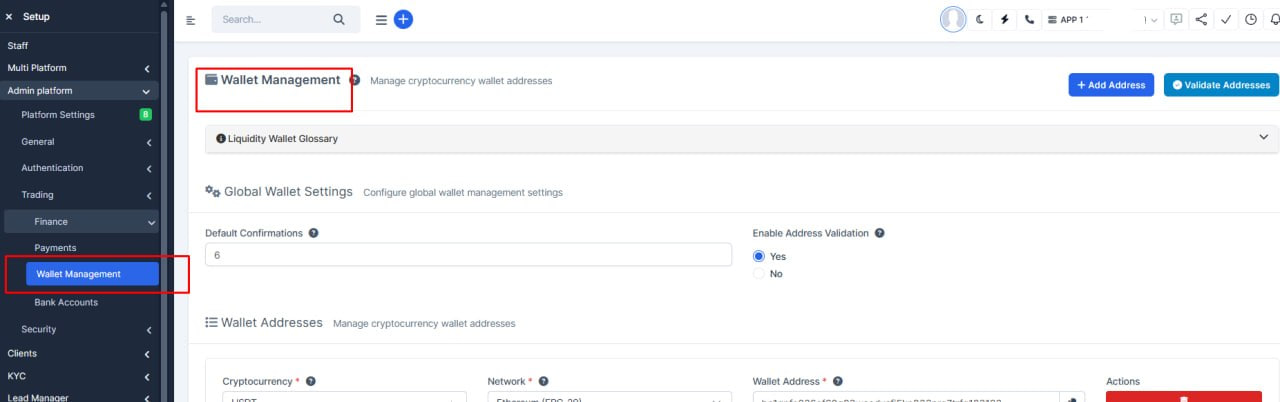
What was added:
- Cleaner deposit screen
Users no longer see crypto options (like ETH) when no deposit wallet has been set up for that coin. This avoids confusion and dead-end warnings.
- Wallets control what appears
As soon as a global or personal wallet is added for a coin, it shows up in the deposit list automatically — no extra setup on the user side.
- Fiat deposits unchanged
Regular currency deposits (USD, EUR, etc.) still work through payment gateways as before.
Deposit Enhances
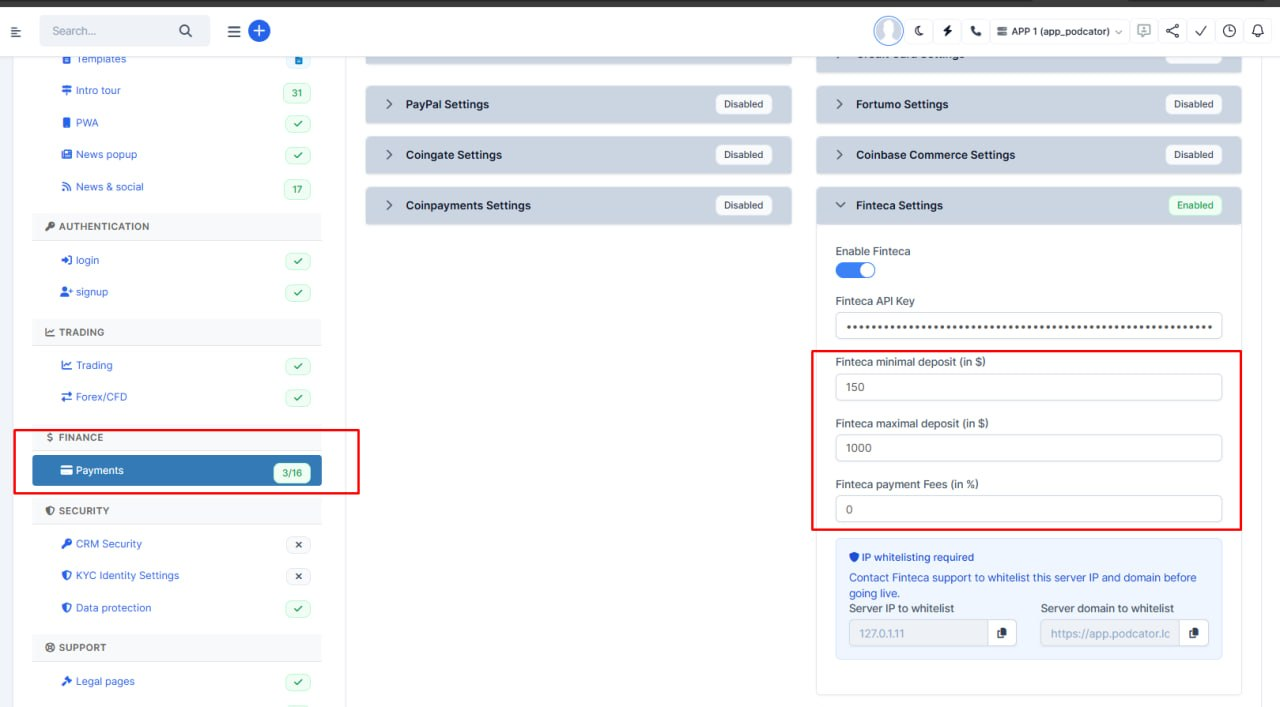
What was added:
- Finteca deposit rules are now configurable
Admins can set the minimum deposit, maximum deposit, and processing fee for Finteca from payment settings instead of fixed values in code. Defaults stay at 150, 1000, and 0% until changed.
- Payment settings page layout fixed
The top tab menu on the admin Payments page no longer overlaps or shifts out of place, making gateway settings easier to navigate.
- Smoother deposit experience
The deposit flow was cleaned up for choosing payment methods and cryptocurrencies, with clearer validation when users enter a transaction hash.
- More reliable admin tools
Admin screens load more consistently when switching into trading-related settings.
Deposit Enhances
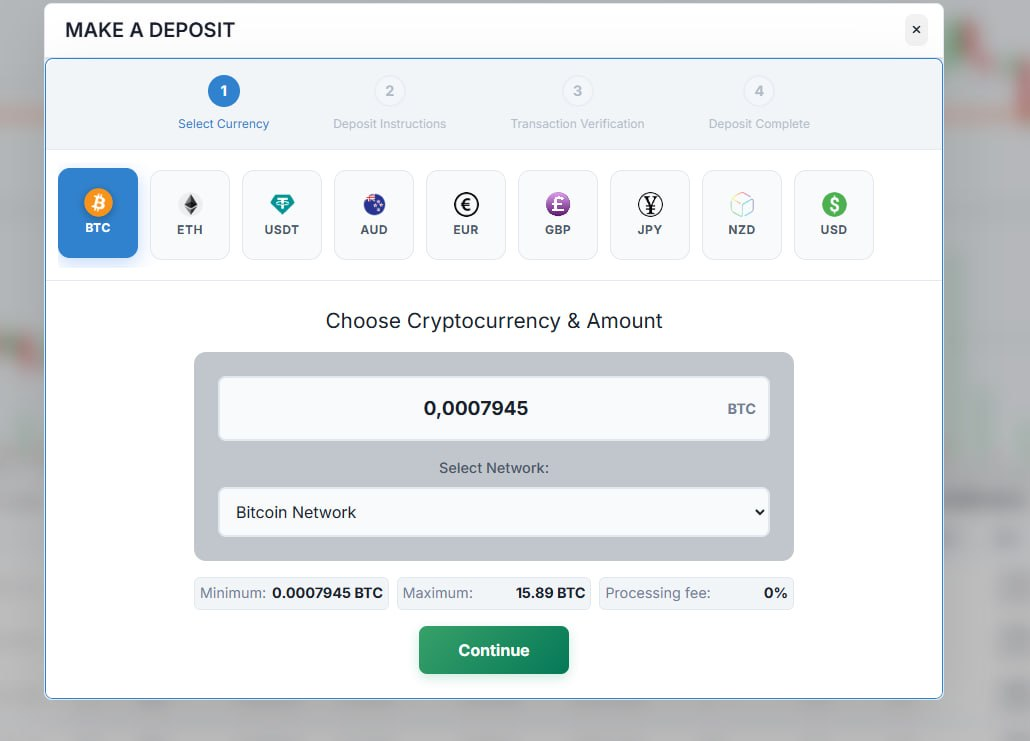
What was added:
- Smoother cryptocurrency switching on deposit
When users change the deposit currency quickly, the form now keeps the correct amounts and network details instead of showing outdated information.
- Clearer transaction hash checks
Deposit confirmation now requires a network to be selected first and applies stricter hash format rules, which should reduce invalid or rejected deposit submissions.
- More reliable PayEasy payment loading
PayEasy deposits use a single, shared loading flow with clearer error messages and retry options if the payment page fails to open.
- Simpler deposit payment selection
The old separate payment-method picker was removed; users choose gateways through the network selector, making the deposit steps easier to follow.
Added New Exchanges
What was added:
- Added 2 more stocks exchanges: DFM (Dubai financial market), ADX (Abu Dhabi Securities Exchange)
Smarter Exchanges menu in Account Settings
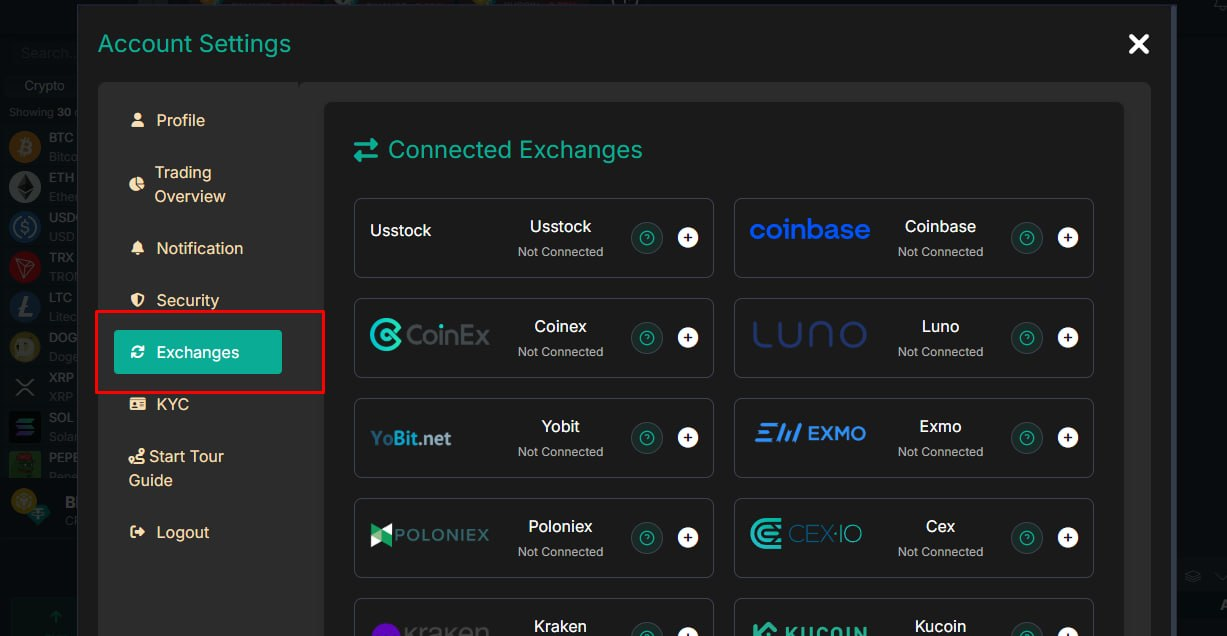
What was added:
- The Exchanges option now appears only when it is relevant for the user's setup — for example when Spot or Margin trading is enabled, or when native platform trading is turned off.
Smoother scrolling on market lists
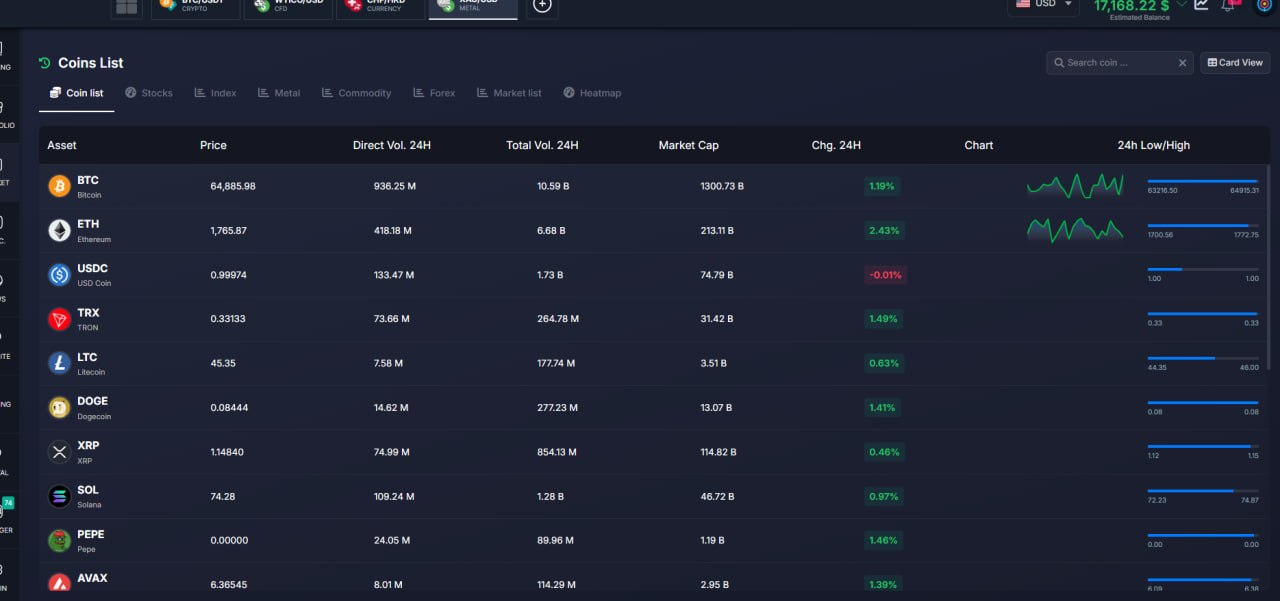
What was added:
- Smoother scrolling on market lists
We fixed how market list pages use screen space, so long lists scroll naturally inside the page instead of getting cut off or feeling cramped.
- More reliable “load more” behavior
We aligned infinite loading with the actual scroll area, so users can reach the bottom of a list and load additional rows more consistently.
- Consistent experience across market types
The same scrolling improvements now apply to coins, stocks, indices, metals, and forex lists, making navigation feel more predictable across the platform.
-
Spread Cofiguration
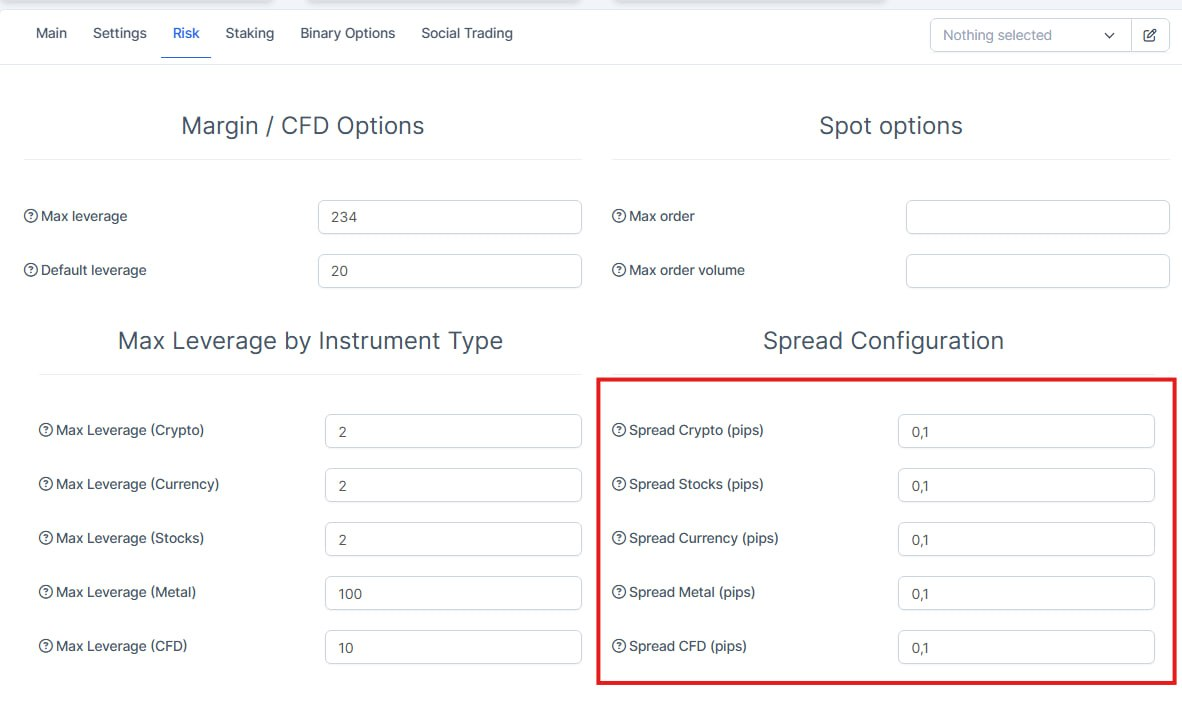
What was added:
- Zero spread setting now works for individual users
When an account has spread set to 0, the platform now applies no extra markup on trades. Previously, a 0 was treated as not set and a default spread could still be added.
- Safer default when market type is not specified
If spread is looked up without a specific market type, the platform now defaults to 0 instead of 2 pips, so no accidental markup is applied.
More Accurate Balance Conversions
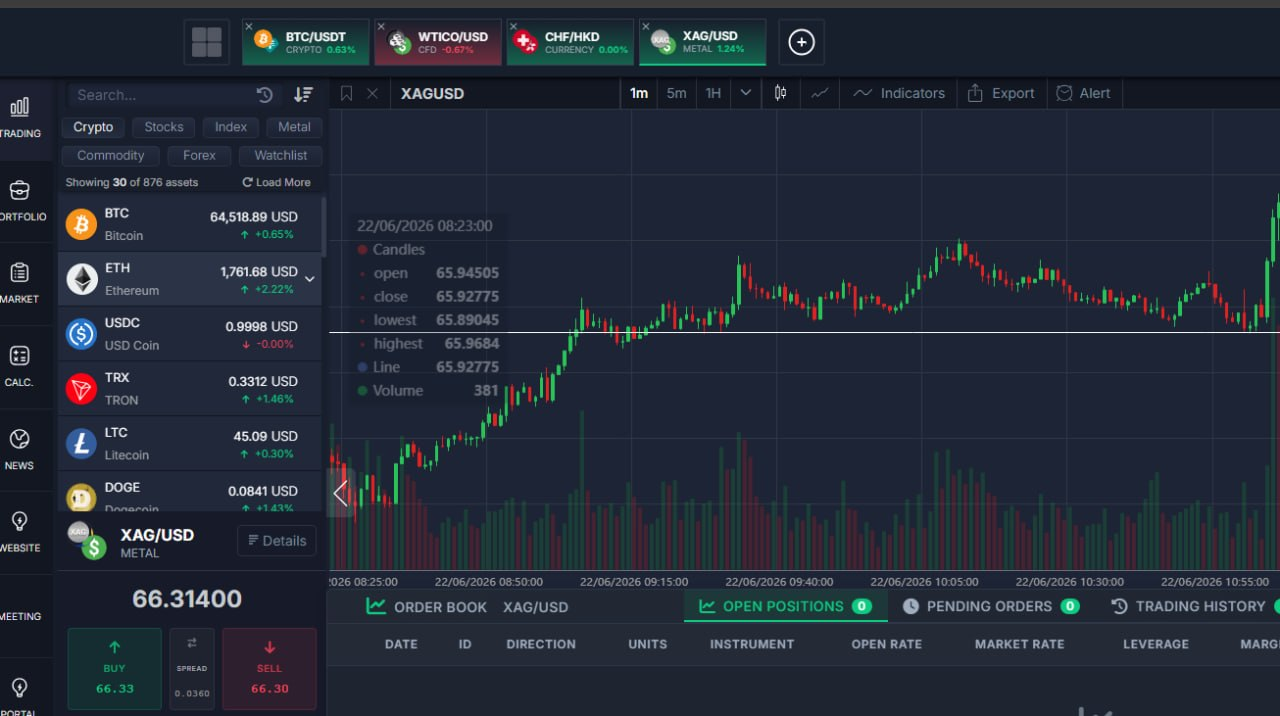
What was added:
- More accurate balance conversions
Fiat balances now use our primary exchange-rate feed first, so amounts shown in another currency are more reliable.
- Faster same-currency handling
When a balance is already in the requested currency, the system skips unnecessary conversion and keeps the amount unchanged.
Position Confirmation PopUp
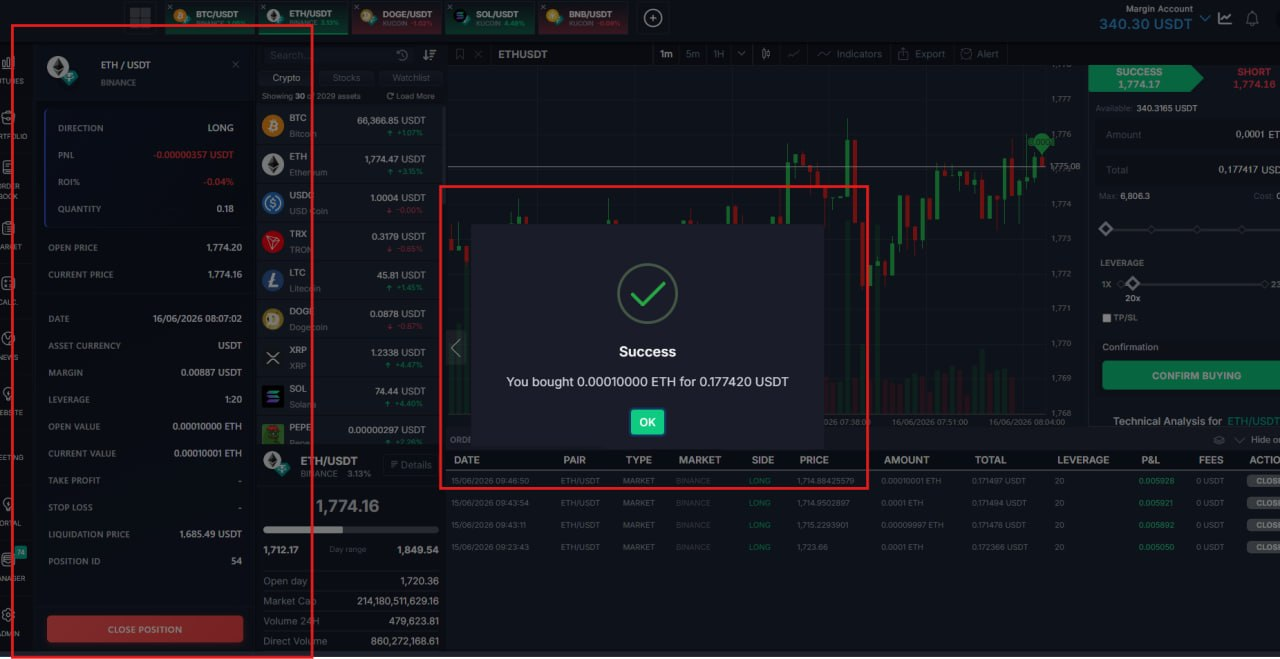
What was added:
- Clear confirmation after every trade
When a user buys or sells from the chart, they now get a success message showing exactly what was executed — how much was bought or sold and for what total.
- Separate messages for buy and sell
Buy and sell (including short) orders each show the right wording, so users immediately know which side of the trade went through.
- Available in all platform languages
The new success messages are translated across every supported language, so international users see confirmation in their own language.
Balances Enhancements
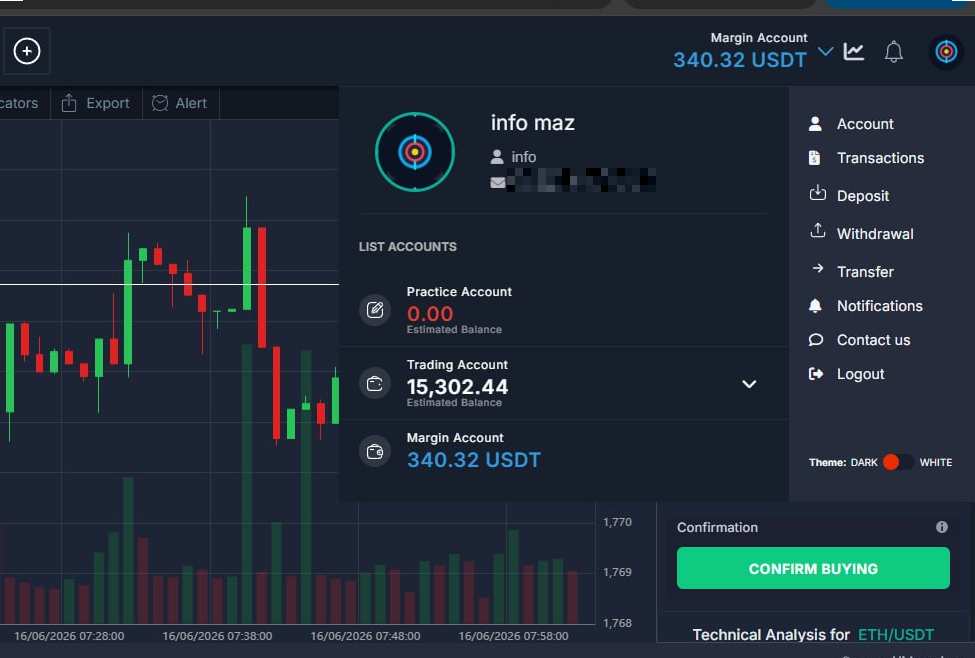
What was added:
- Withdrawal amounts now match real balance
Users no longer see a max withdraw figure that is slightly higher than what they actually have, which was causing failed withdrawals when trying to take out the full amount.
- Clearer max amount on the withdraw screen
The highest amount a user can withdraw is shown with the correct number of decimal places for fiat and crypto, so the form and the balance stay in sync.
- More reliable balance checks behind the scenes
Withdrawal validation now uses one consistent balance calculation, reducing rounding mismatches and confusing error messages.
Clearer SignUp
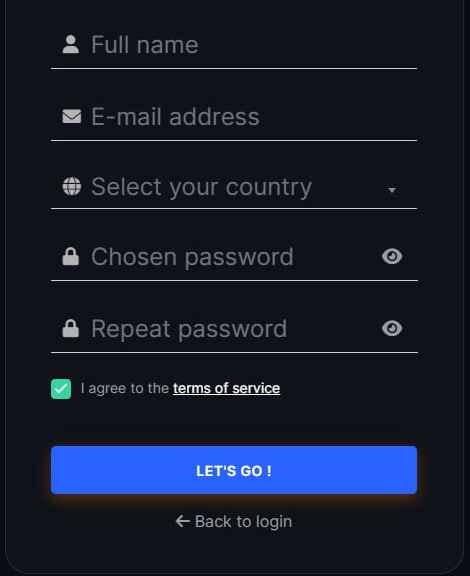
What was added:
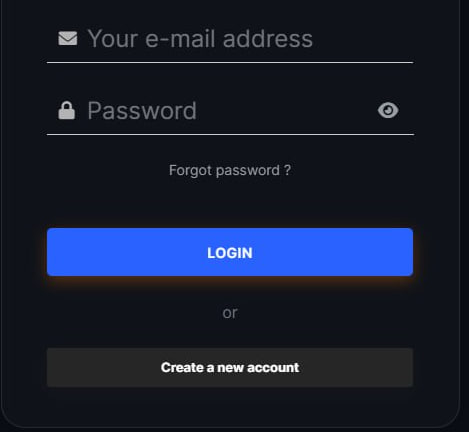
- Clearer signup and terms text on login
The signup screen now uses easier-to-read text and link styling so users can see terms and policy links more clearly.
- Better reset-password screen styling
Reset password links are easier to spot and respond when hovered, making account recovery smoother.
Welcome Popup Enhancement
What was added:
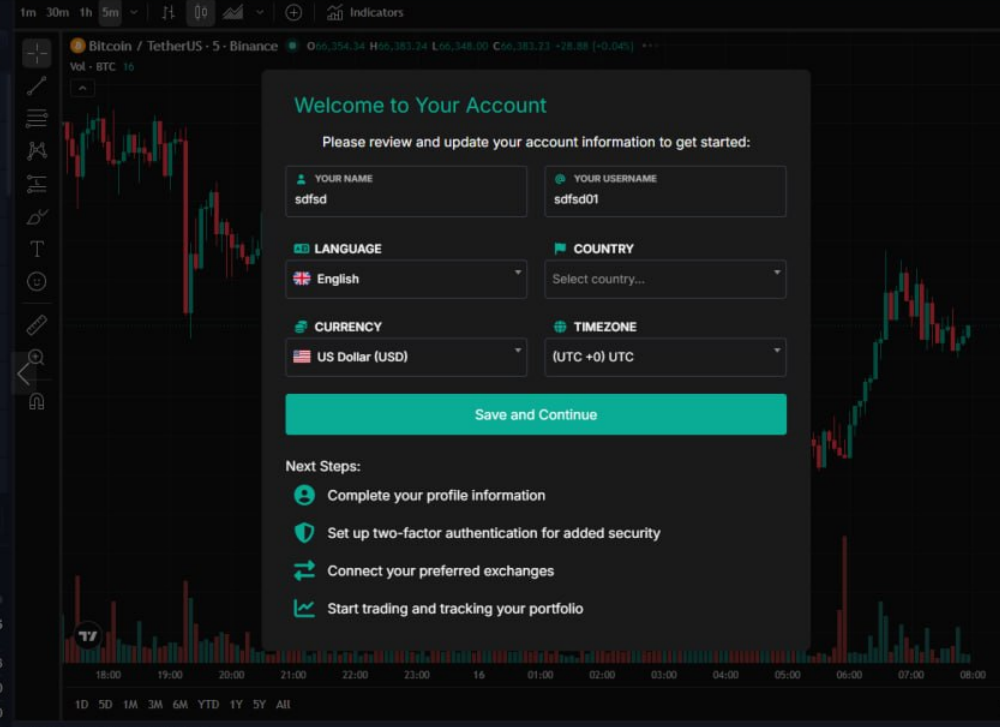
- Smoother redirect after registration
New users are now sent to the correct home screen right after signing up, instead of a fixed page that may not match their account setup.
- Fewer broken post-signup links
The signup flow now uses the same smart redirect logic as normal login, so users are less likely to land on the wrong or outdated page.
Deposit Steps Enhancement
What was added:
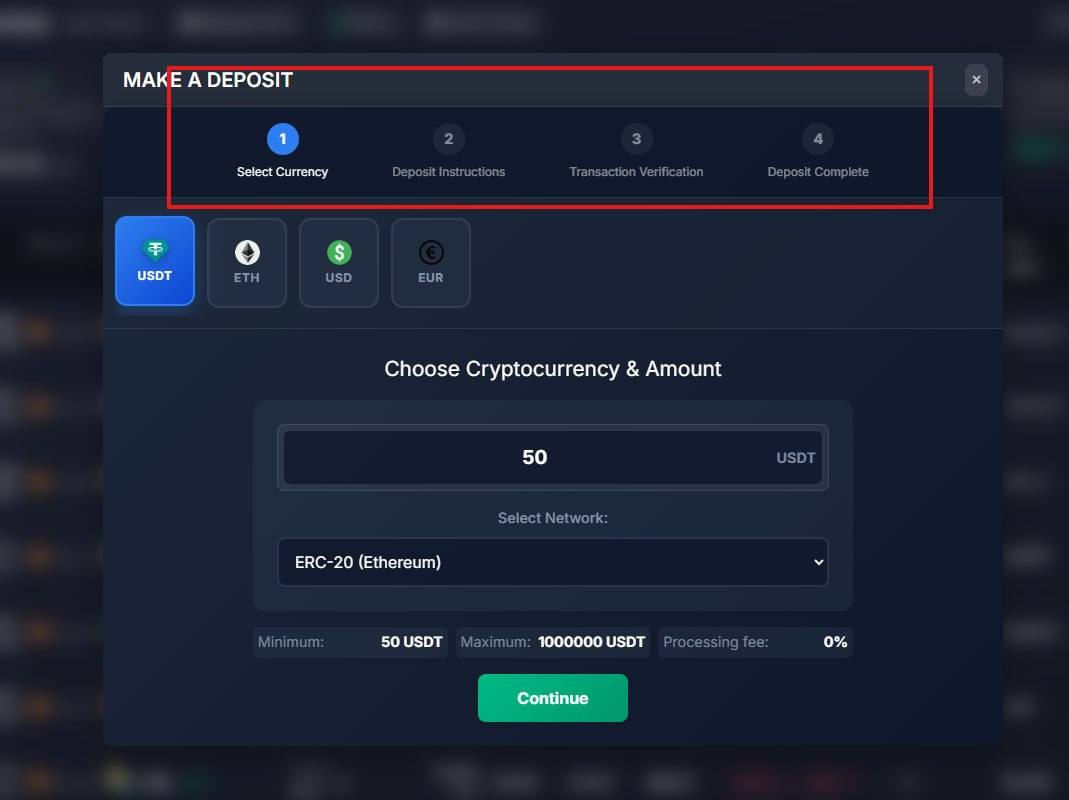
- Deposit steps can no longer be skipped ahead
Users can no longer jump to a later deposit step by clicking the step numbers at the top of the form. This keeps the deposit flow in the correct order and reduces confusion or incomplete submissions.
- Back navigation on completed steps still works
If a user needs to review an earlier step, they can still click on steps they have already completed. Moving forward continues through the normal Continue button and form actions.
Portfolio Fixes
What was added:
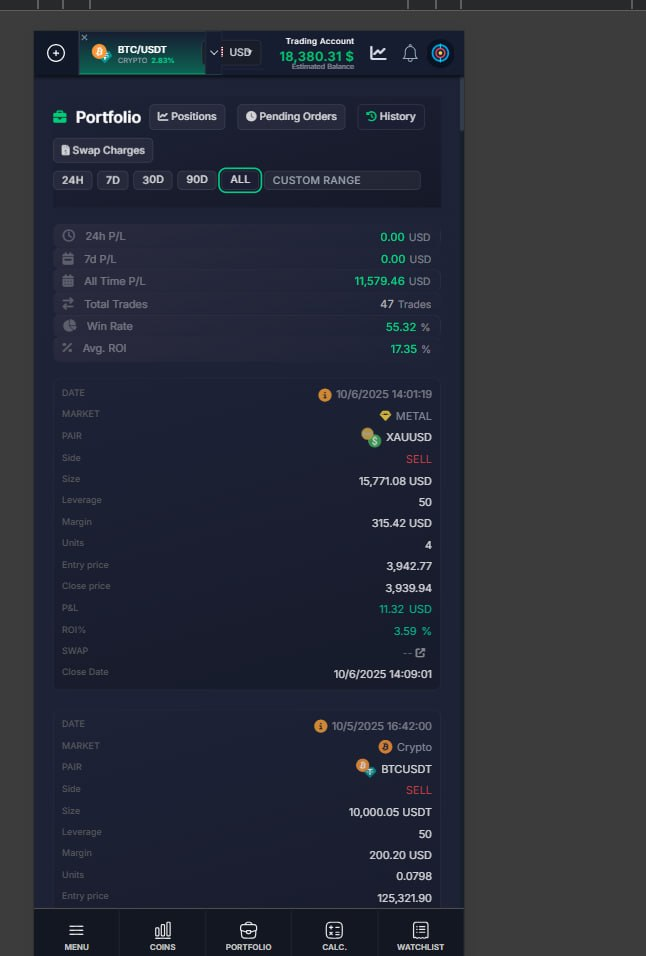
- CFD History filters are now in the right place
Date filters on the CFD Portfolio History tab are now placed next to the tabs — after Swap Charges — instead of floating on the far right.
- Smoother mobile scrolling on CFD Portfolio
On mobile, the Portfolio title and tabs stay fixed at the top while users scroll through positions and history. The confusing double scroll is gone.
- Better mobile bottom navigation
Margin users now have a direct Portfolio shortcut in the bottom menu. Spot users with Blockfolio are redirected to Blockfolio instead of the wrong portfolio screen.
Portfolio Pages
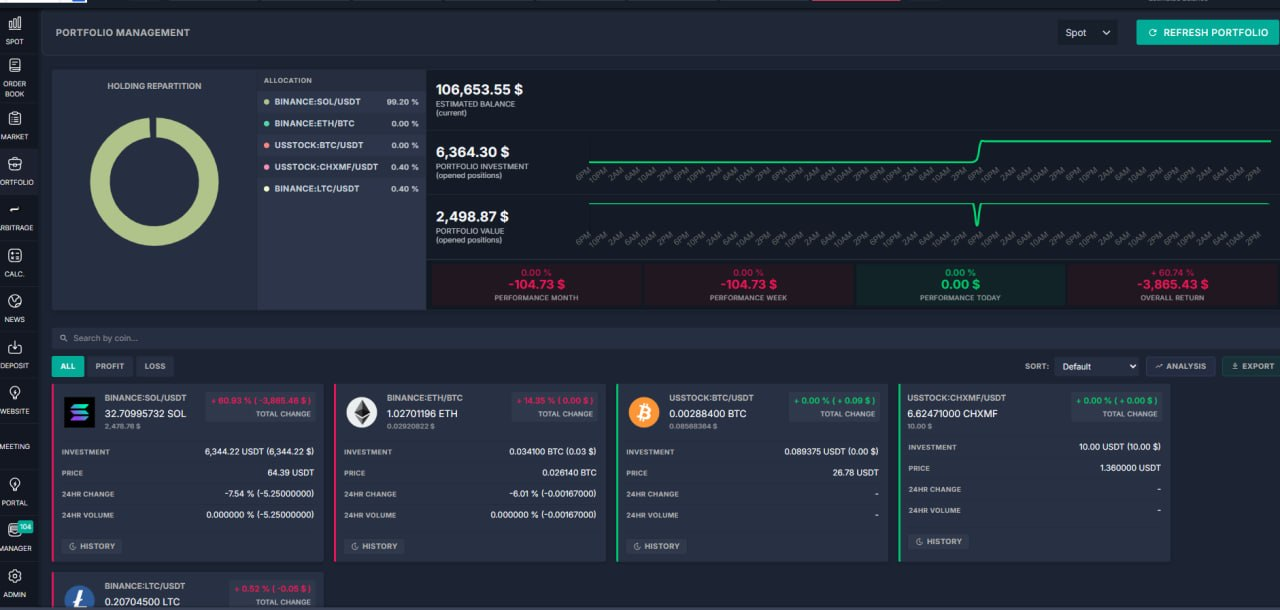
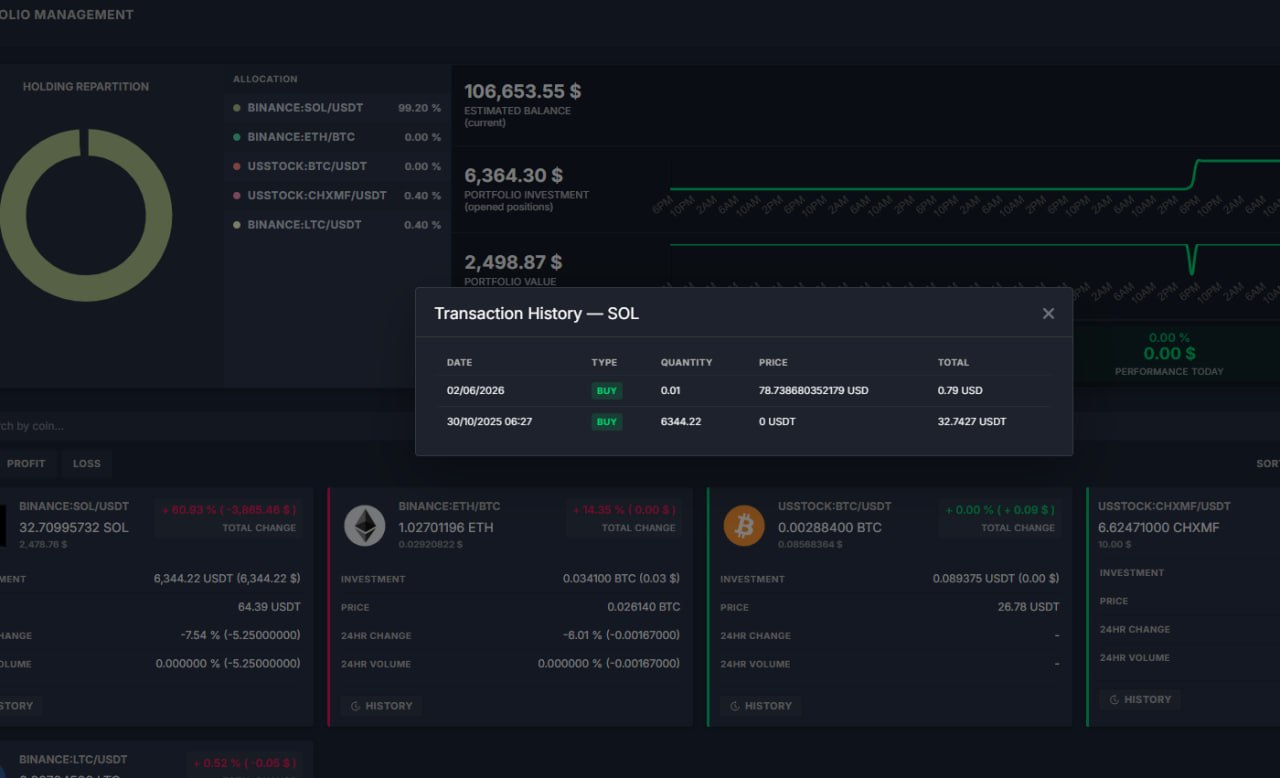
What was added:
- Portfolio page is easier to scan and filter
Traders can now search holdings by coin, switch between All / Profit / Loss views, and sort cards by performance or value. The toolbar also works better on mobile.
- New analysis and export tools on Portfolio
A one-click Analysis view shows total value, invested amount, and per-coin profit/loss. Export downloads the current portfolio as a CSV file for reporting or offline review.
- Transaction history per holding
Each portfolio card can open a transaction history list that combines manual entries and platform trades, so users can trace how a position was built without leaving the page.
- Cleaner look and more reliable numbers
Portfolio layout and light-theme styling were refreshed, return percentages display with correct plus/minus signs, and underlying page styles were reorganised for easier future maintenance.
Bank Transfer Fixes
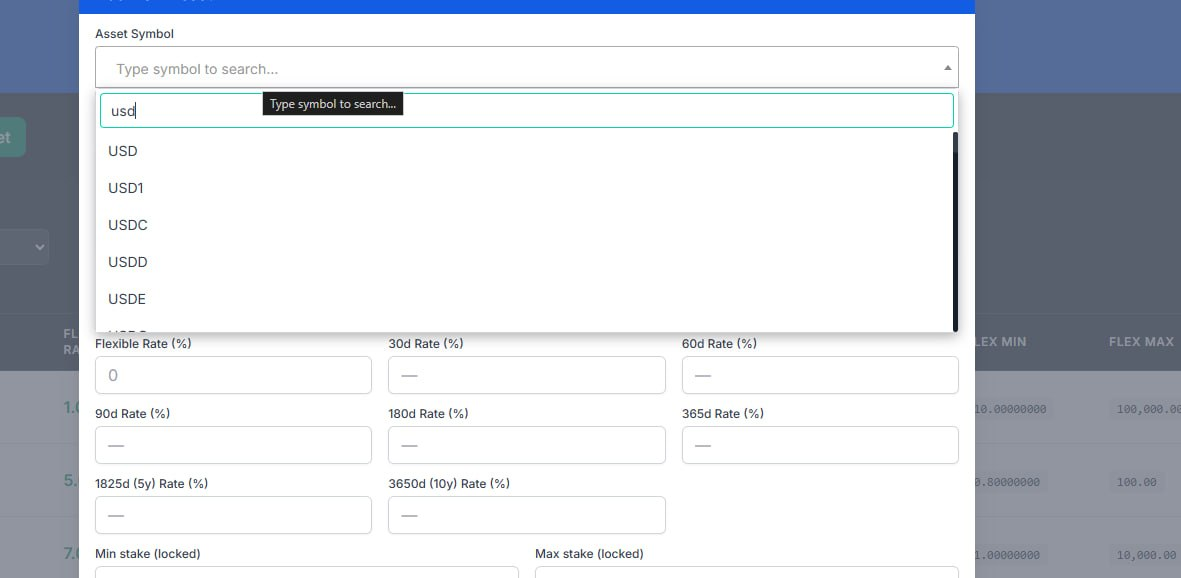
What was added:
- Faster asset symbol search in staking admin
The asset picker now starts searching by symbol after one character, so admins can find the needed coin or FIAT code much quicker with less scrolling.
- Cleaner and more reliable symbol selection
The symbol list is now deduplicated and better prioritized for exact matches, which reduces confusion and helps prevent selecting the wrong asset.
- Better modal behavior and clearer guidance text The staking asset modal and dropdown interaction were improved for smoother editing, and helper text was updated to clearly explain what can be searched and why.
Release Date: July, 2026
Thank you for being valued partners. We're committed to continuously improving the platform to help you grow your business.
The Development Team