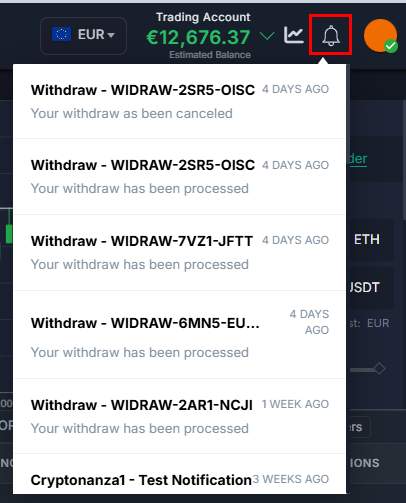
How Agent and Client Notifications Work?
IN THE CRM
1. Go to "Setup" in the settings panel on the left side of the CRM.

2. Go to "Staff" and choose the staff member by pressing on "Edit".
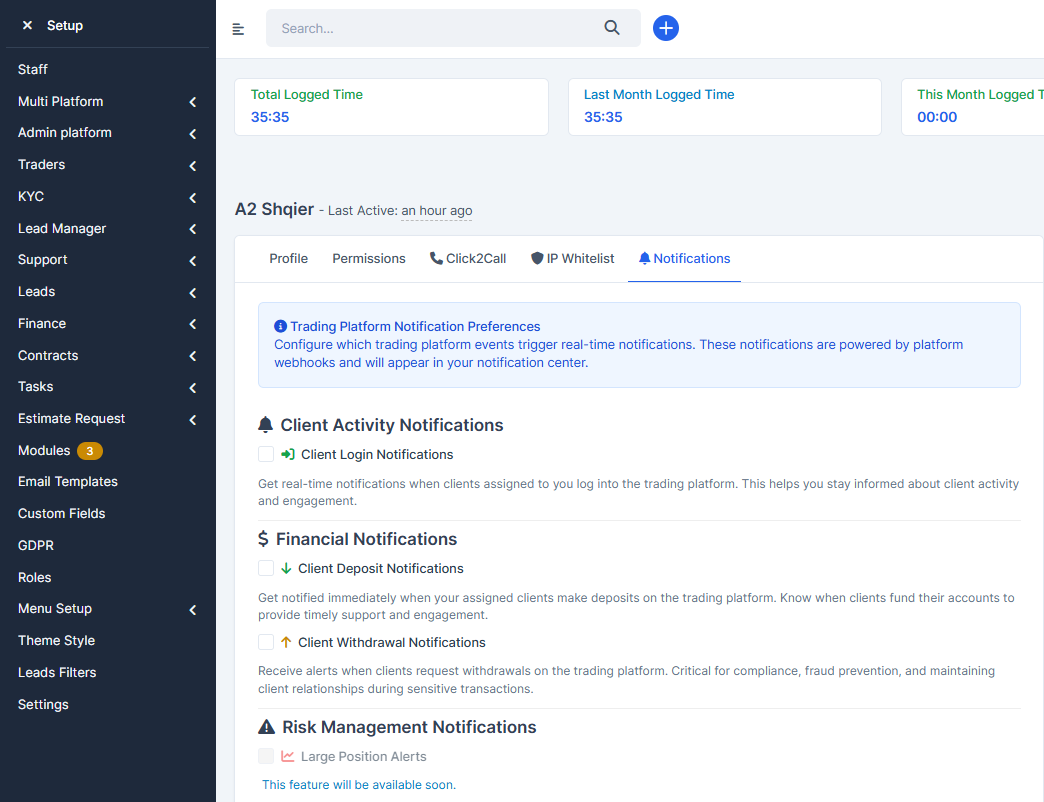
Client Activity Notifications - Get real-time notifications when clients assigned to you log into the trading platform. This helps you stay informed about client activity and engagement.
•Client Login Notifications
This function will work if the client logins to the platfrom. If the agent does this, it will not work.
Financial Notifications
Will work in this cases:
•Client Deposit Notifications - Get notified immediately when your assigned clients make deposits on the trading platform. Know when clients fund their accounts to provide timely support and engagement
1) If the client: logs in from the platform-> presses on the Deposit-> chooses Bank Transfer-> presses on Agree
2) If the client: logs in from the platform-> presses on the Deposit-> chooses Bank Transfer-> presses on Agree-> uploads the Bank Transfer Proof
3) In Traders or from Manager Pltform, by accessing the cleint's trading page-> going to Balances-> adding the Balance
•Client Withdrawal Notifications - Receive alerts when clients request withdrawals on the trading platform. Critical for compliance, fraud prevention, and maintaining client relationships during sensitive transactions.
4) If the client: logs in from the platform-> goes to the Withdrawal tab-> presses on the Withdrawal
Risk Management Notifications - in development
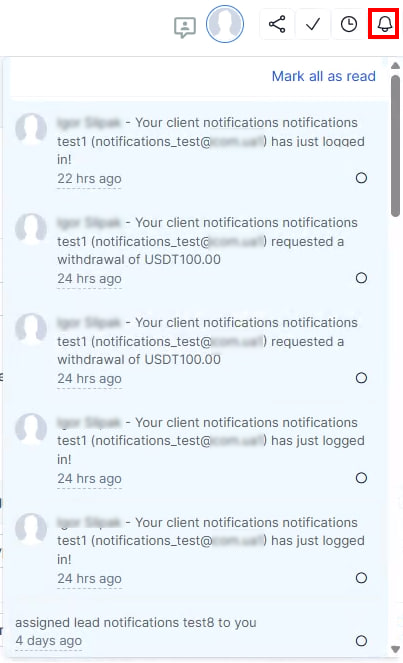
Eventually, the notifications can be found here.
ON THE Platform
1. Go to the profile and choose "Notifications" and choose "Settings".
Master switch to enable or disable all notifications. When disabled, no notifications will be saved to your notification center.
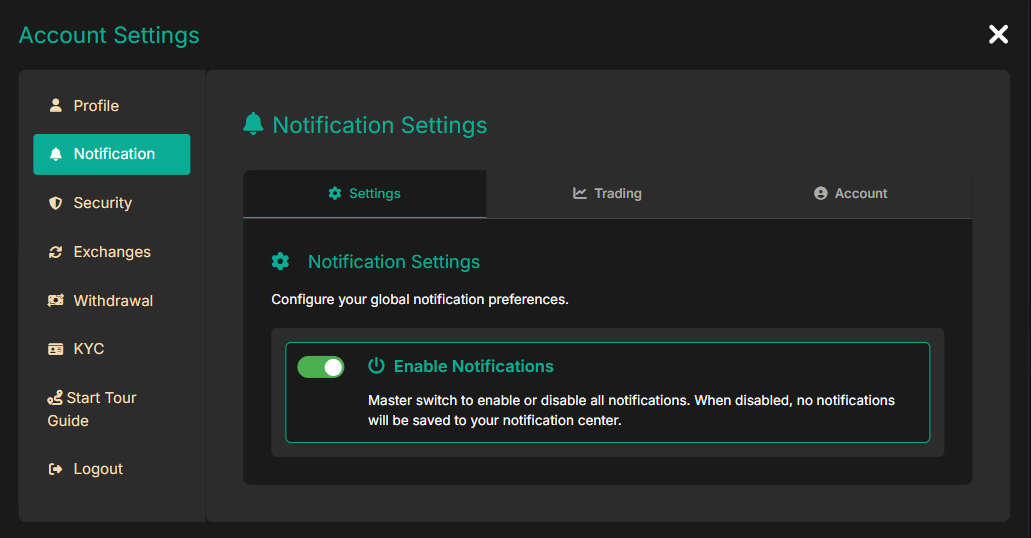
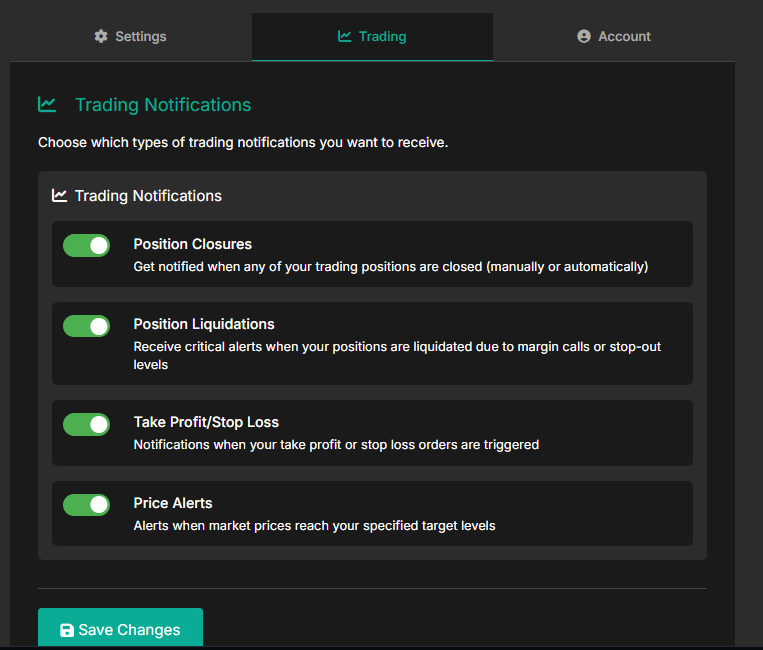
2. Choose "Trading" and enable the notifications you require for your client.
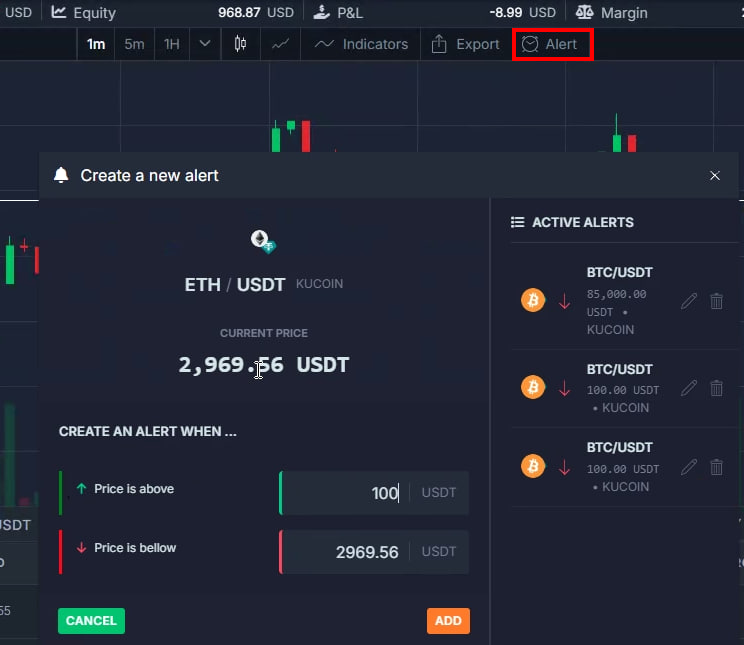
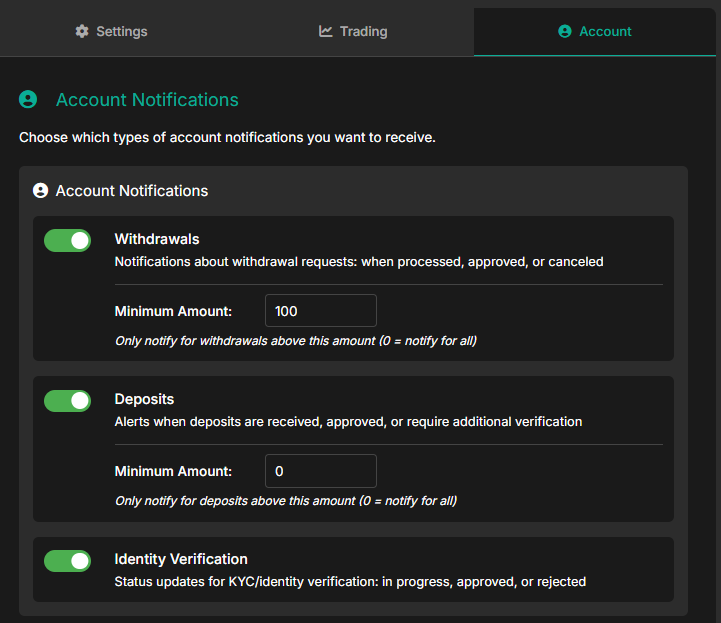
3. Choose "Account" and enable the notifications you require for your client.
Eventually, the notifications can be found here.