How to Check if the Position was Closed?
ON THE CRM
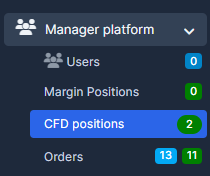
1. Go to the "Manager Platform" and choose for example "CFD Positions".
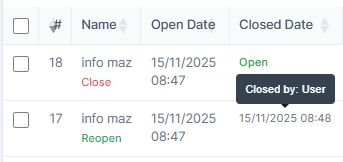
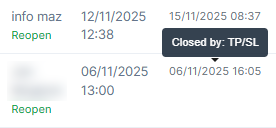
2. Choose the position and find "Closed Date". Put the cursor on it, you will be able to see the reason.
Find answers to your questions quickly
How to Check if the Position was Closed?
ON THE CRM
1. Go to the "Manager Platform" and choose for example "CFD Positions".
2. Choose the position and find "Closed Date". Put the cursor on it, you will be able to see the reason.