How to Compose an Email?
IN THE CRM
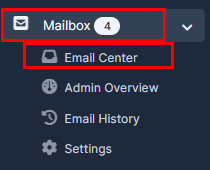
1. Go to "Mailbox", press on the "Email Center".
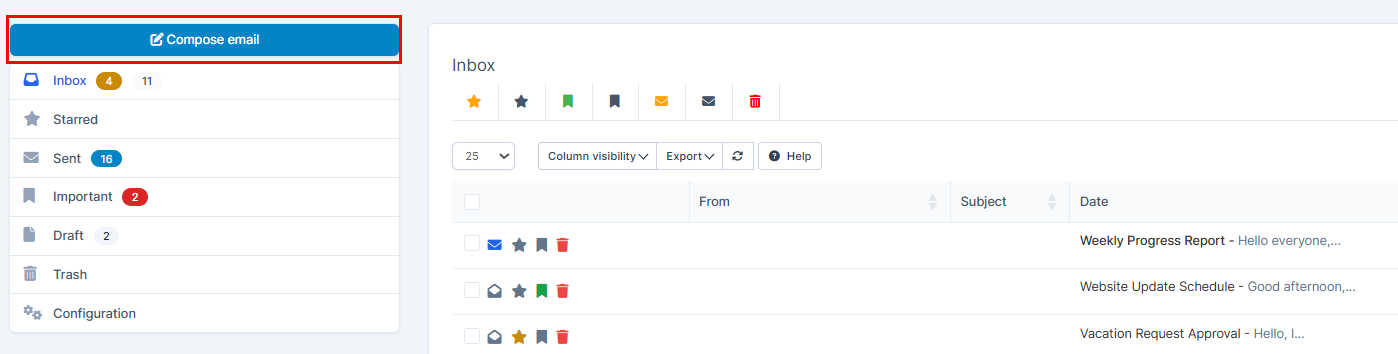
2. Press on the "Compose email" button.
3. Fill in the required fields and press on "Send".
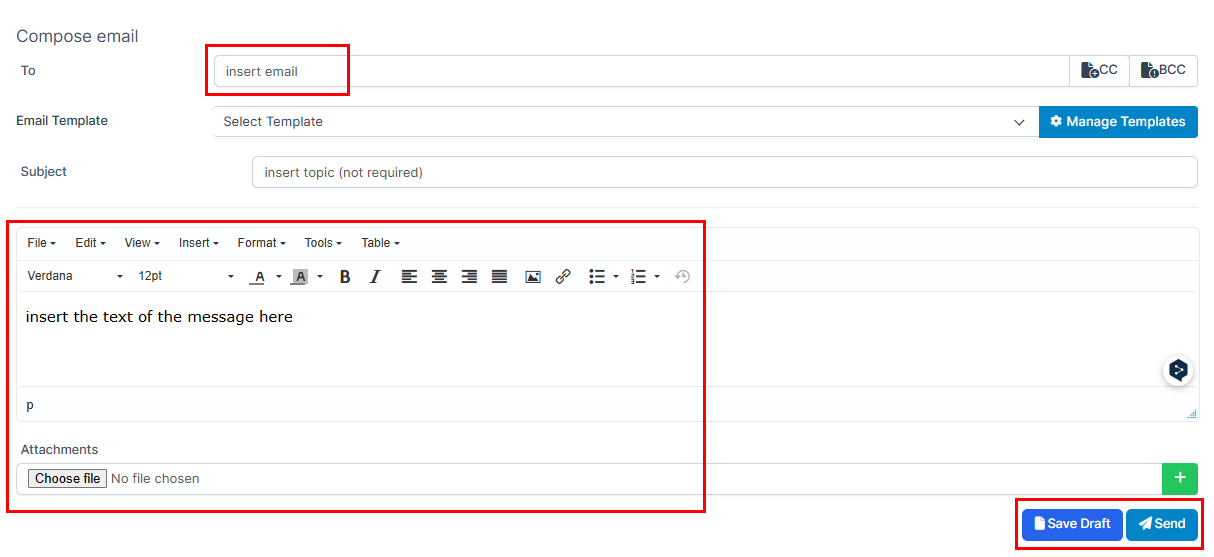
Additionally
Managing email templates
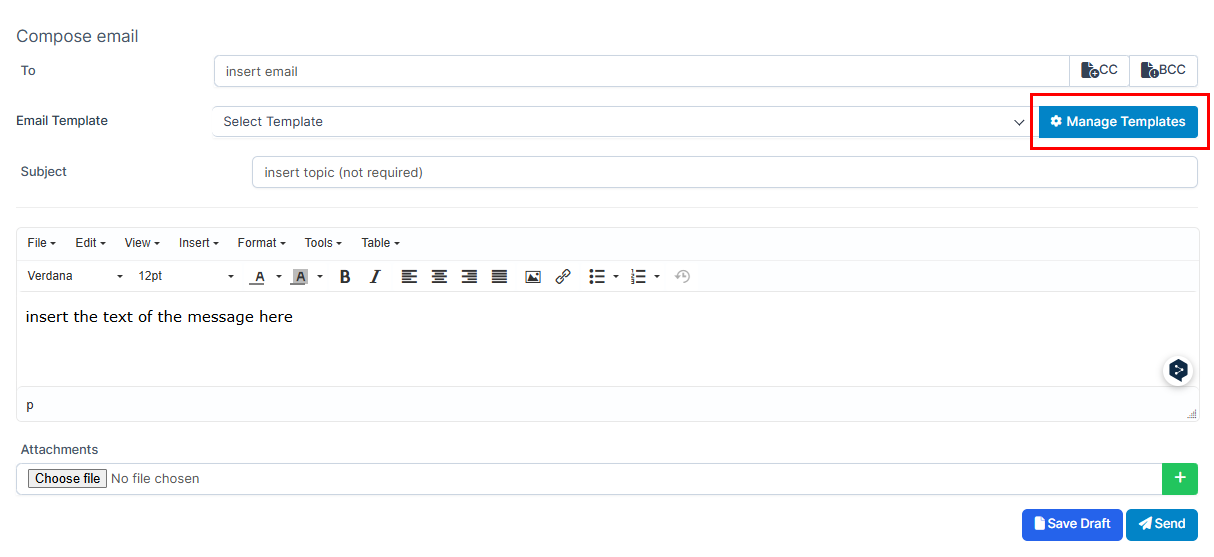
1. Press on "Manage Templates".
2. Press on "Add Template".

3. Fill in the required fields and press on "Submit".
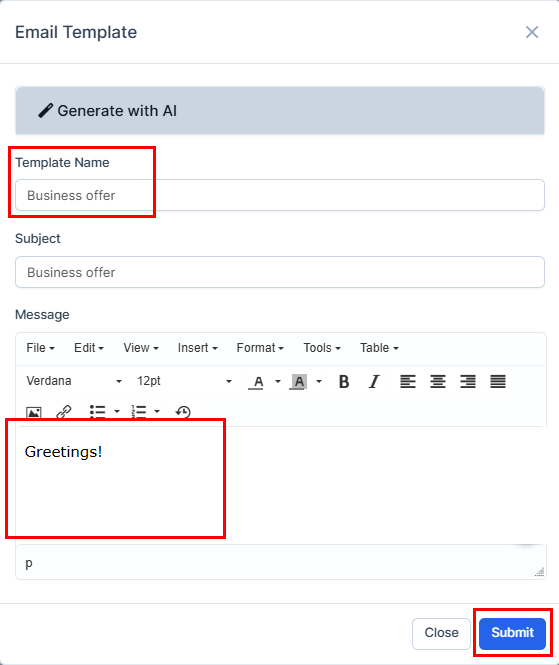
Additionally
You can make a template using AI
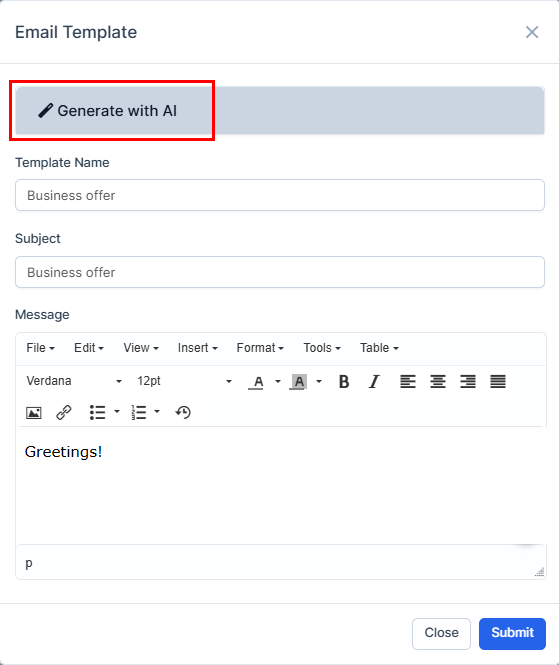
1. Press on "Generate with AI".
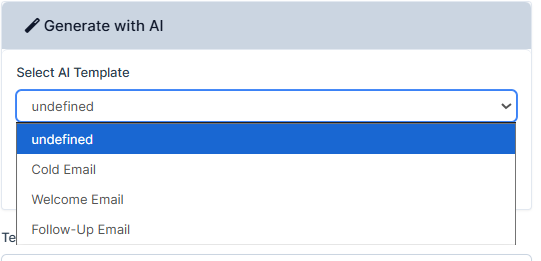
2. Press on "Select AI template" and choose the category.
3. Set the settings according to your request and press "Generate with AI".
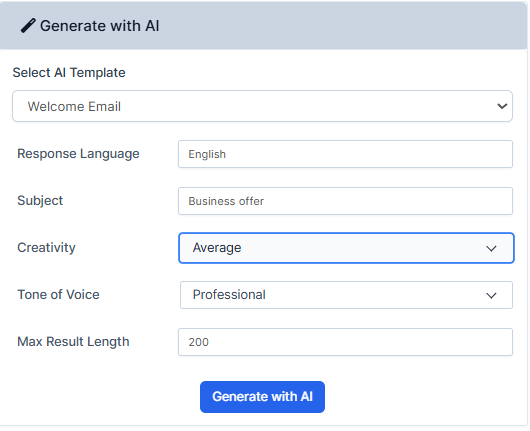
4. Your reply will be ready within seconds. Scroll down to view it.
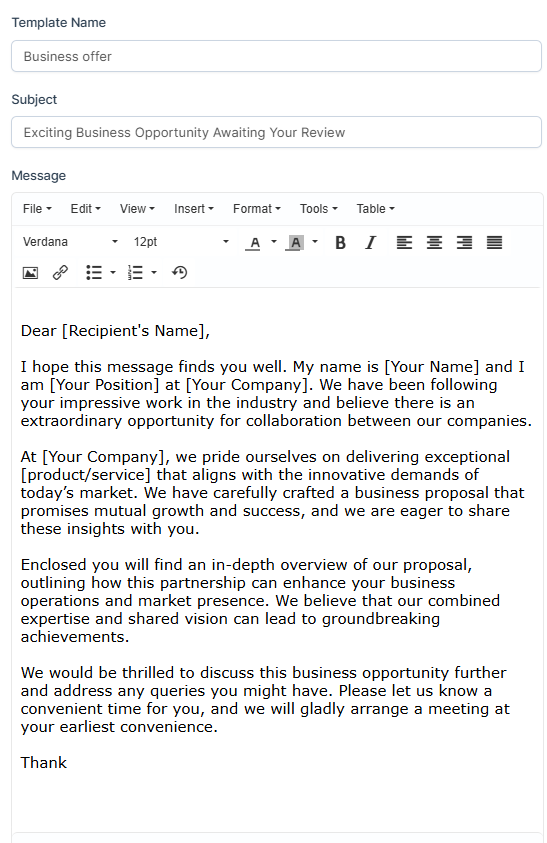
5. Press on "Submit" to remember your choice.

6. You will be able to view, edit or delete or in the list of templates.
