How to Configure General GDPR Settings (Terms & Conditions)?
GDPR in CRM means using your Customer Relationship Management system to follow the EU's strict data privacy rules, ensuring you lawfully collect, store, and process EU residents' personal data with transparency, security, and respect for user rights like access, correction, and deletion, turning your CRM into a tool for trust, not just sales. It requires clear consent, data minimization, robust security, and the ability to handle data subject requests, transforming CRM from just data storage to a compliant data management hub.
This guide explains how to configure general GDPR settings in your CRM.
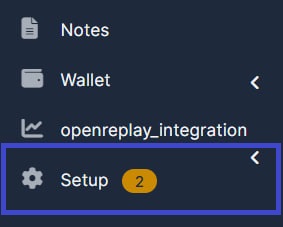
1. Go to "Setup".
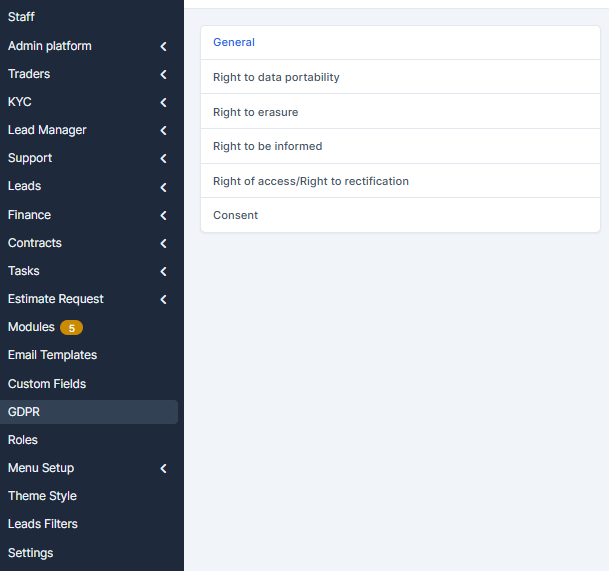
2. Navigate to "GDPR" Settings
1. Log in to admin panel
2. Click on GDPR in the compliance section
3. Select the "General" tab
3. Enable GDPR Compliance
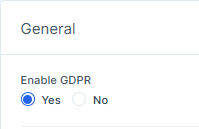
1. Locate the Enable GDPR toggle
2. Select Yes to activate GDPR features
3. This enables all GDPR functionalities
4. Show GDPR in Navigation
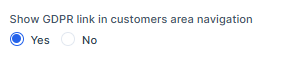
1. Find "Show GDPR link in customers area navigation"
2. Select Yes to display the GDPR link
3. Customers can access GDPR pages from the menu
5. Show GDPR in Footer
1. Locate "Show GDPR link in customers area footer"
2. Select Yes to include the GDPR link
3. Provides easy footer access to GDPR information
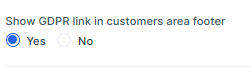
6. Add Custom Information
1. Find "GDPR page top information block"
2. Use the editor to add privacy policy details
3. This content appears on your GDPR page

7. Save Settings
1. Review your configuration choices
2. Click "Save" button
3. Confirmation message appears when saved

Key Settings Summary
- Enable GDPR: Activates functionality
- Navigation Link: Makes GDPR accessible from menu
- Footer Link: Provides footer access
- Custom Information: Add your privacy terms
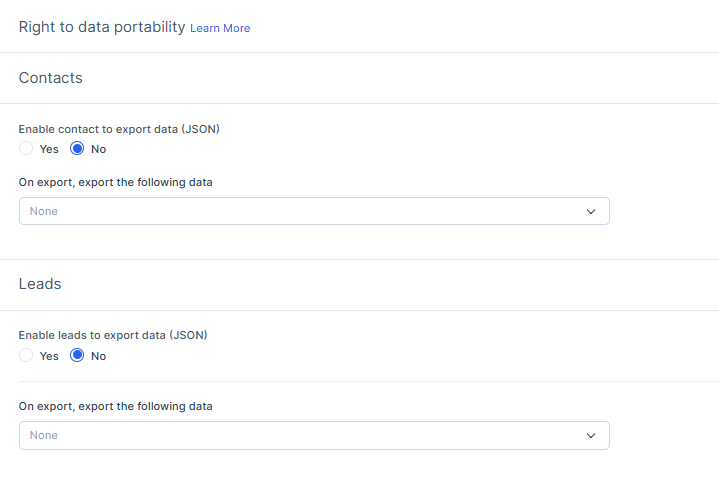
8. Configure Right to Data Portability
1. Access the Right to Data Portability
2. Enable options for customer to export data (JSON)
3. Enable Right to erasure (right to be forgotten)
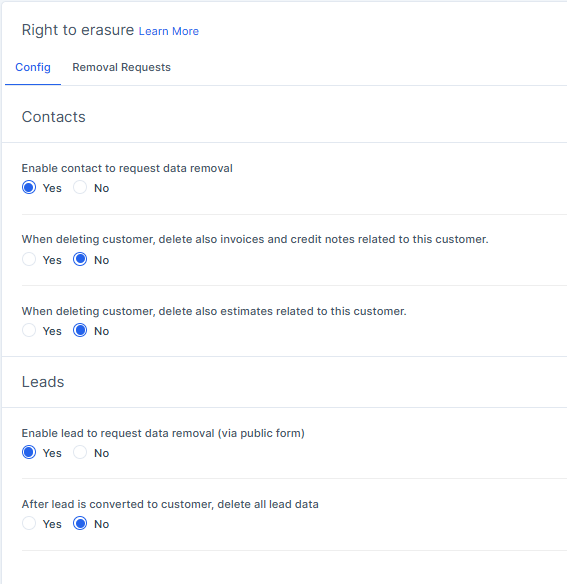
4. Set request processing timeframes to comply with GDPR requirements
5. Configure automated response emails to data subjects, Right to be informed and Right of access/Right to rectification (Terms & Conditions).
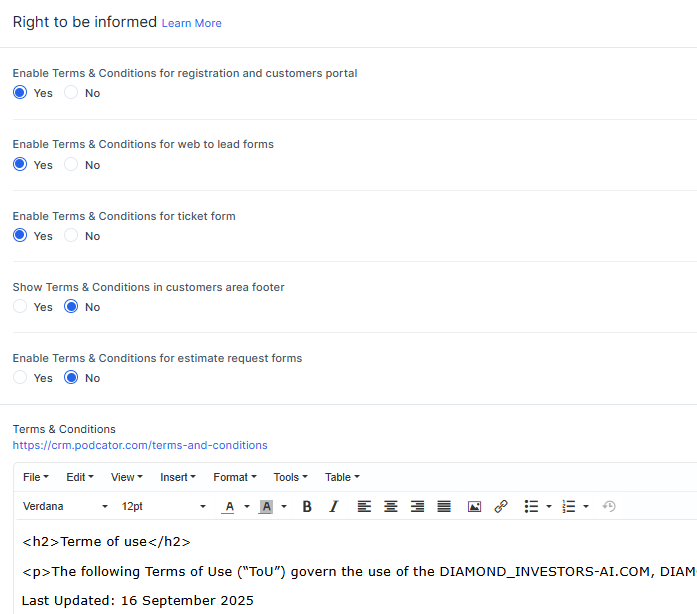
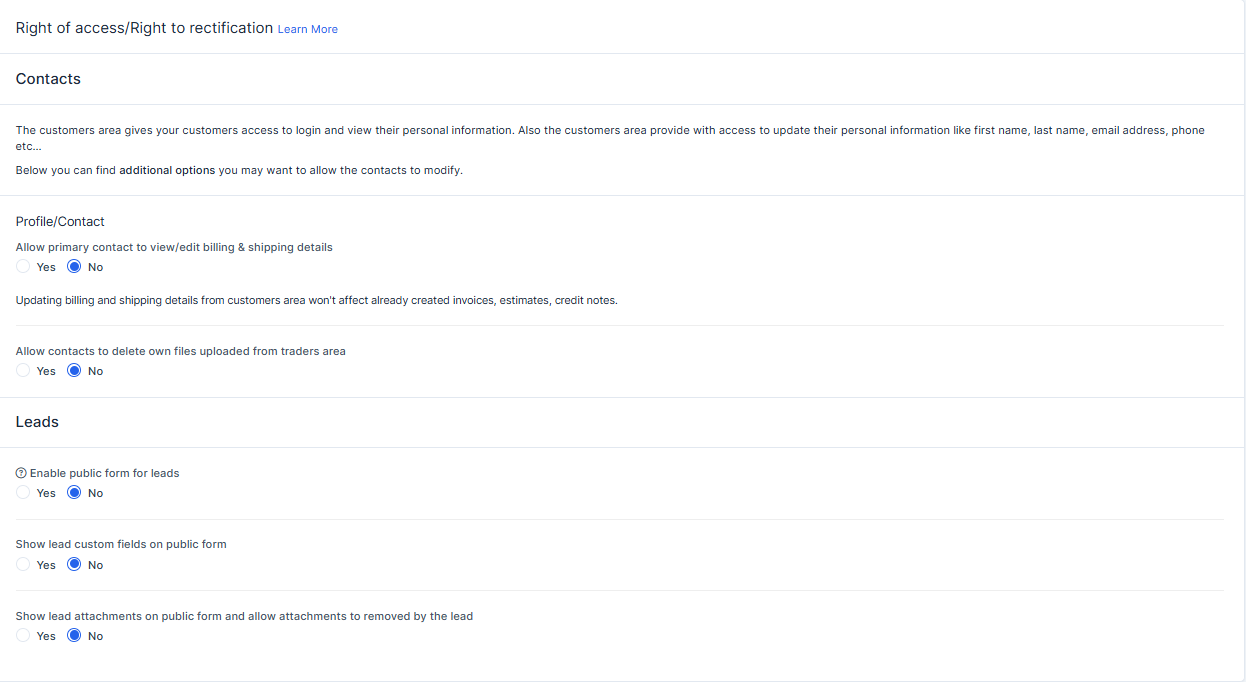
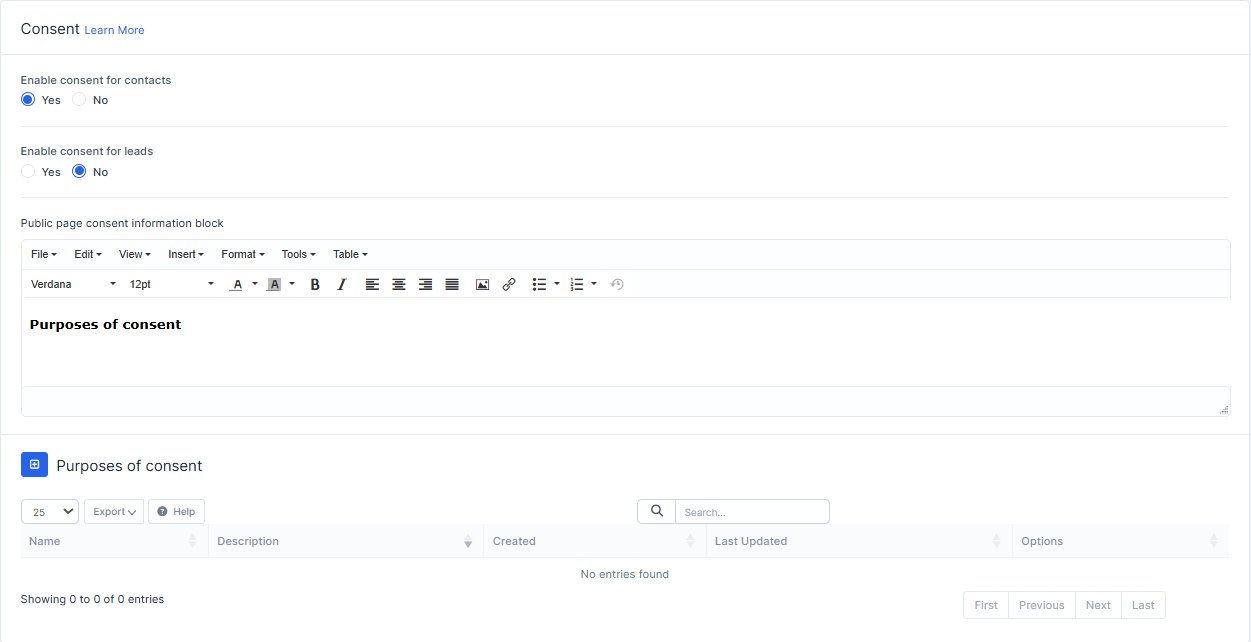
9. Manage Consent Records
1. Navigate to Consent Management in GDPR settings
2. Configure cookie consent banner display
3. Set consent types (marketing, analytics, preferences)
4. Enable consent tracking for audit purposes
5. Configure re-consent intervals as needed
6. Review and archive consent records
10. Data Processing Agreements
1. Locate Data Processing Agreement section
2. Upload or create your DPA template
3. Specify processing activities and categories
4. Document data retention periods
5. Include information on data transfers outside EU
6. Enable DPA acknowledgment from users
11. Access and Portability Requests
1. Find Access Request section in GDPR settings
2. Enable customer portal for self-service requests
3. Configure request verification methods
4. Set export formats (CSV, PDF, JSON)
5. Establish response timeline for data exports
6. Log all access requests for compliance
12. Configure Automated Compliance Reports
1. Enable compliance reporting dashboard
2. Set up automated audit logs
3. Configure data processing inventory
4. Generate GDPR impact assessments
5. Schedule regular compliance reports
6. Export reports for regulatory submission
Additional GDPR Functions
Data Retention Policies:
- Set automatic data deletion schedules
- Define retention periods by data type
- Configure anonymization procedures
- Enable data minimization rules
- Schedule periodic data audits
Third-Party Integration Management:
- Review and document all third-party processors
- Manage processor agreements
- Track data processing activities
- Monitor subprocessor disclosures
- Document legitimate interests assessment
Privacy Policy Generation:
- Auto-generate privacy policies from GDPR settings
- Customize privacy notices for different customer types
- Track policy version history
- Display privacy policies in multiple languages
- Update privacy notices automatically
Breaches and Notifications:
- Report data breaches within required timeframes
- Notify data subjects and authorities
- Document breach investigation details
- Maintain breach register and logs
- Generate breach notification templates
User Access Controls:
- Define user roles for GDPR compliance
- Limit GDPR setting access to authorized personnel
- Audit staff access to personal data
- Configure data export restrictions
- Monitor compliance officer activities
Compliance Checklist:
- Verify GDPR functionality activation
- Confirm all required settings are configured
- Test data subject request procedures
- Review consent tracking implementation
- Validate data export functionality
- Confirm automated audit logging
- Test breach notification workflows
- Document all compliance measures
Troubleshooting Common Issues:
- GDPR settings not appearing: Clear browser cache and refresh
- Consent not tracking properly: Verify JavaScript is enabled
- Data export failures: Check file size limits and server permissions
- Email notifications not sending: Confirm SMTP settings
- Reports not generating: Verify sufficient data in system
- Access requests pending: Check queue and processing settings
Best Practices for GDPR Compliance:
- Conduct regular Data Protection Impact Assessments (DPIA)
- Train staff on GDPR requirements and procedures
- Maintain detailed documentation of all processing
- Test data breach response procedures regularly
- Review and update consent preferences quarterly
- Monitor changes in GDPR regulations
- Maintain updated data processor agreements
- Conduct annual compliance audits
- Keep audit logs for minimum 3 years
- Ensure all customer data requests are responded to within 30 days
Support and Resources:
- Contact support team for GDPR configuration assistance
- Review system documentation for additional features
- Consult with legal team regarding GDPR compliance
- Access knowledge base for GDPR guidelines
- Join webinars for GDPR updates and best practices