How To Set Up An Email Queue

Published: 2024-08-28 09:08:23
109 views
Training and Educational Resources


IN THE CRM


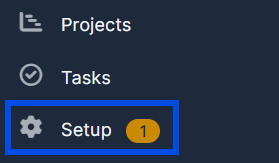
1. Go to "Setup" in the left menu.


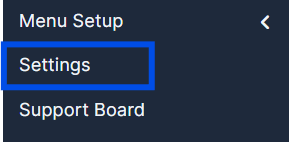
2. Navigate to "Settings".


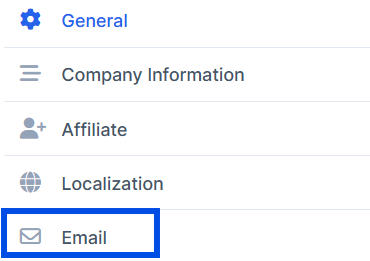
3. Choose the "Email" tab in the left column.


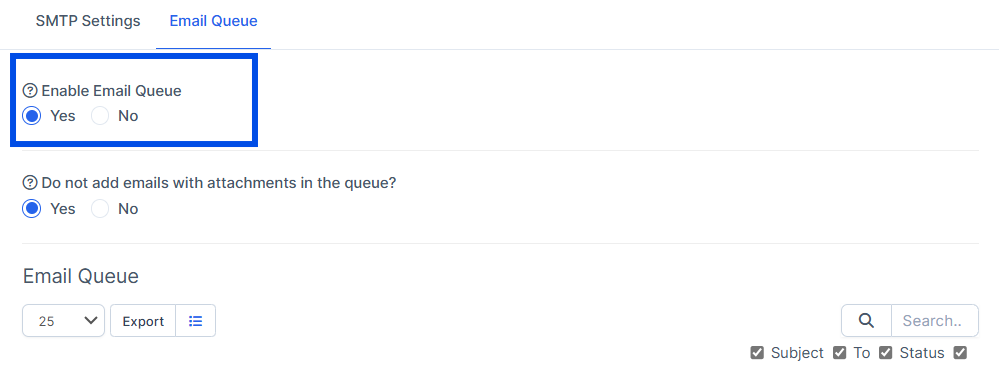
4. Locate the "Email Queue" tab at the top.
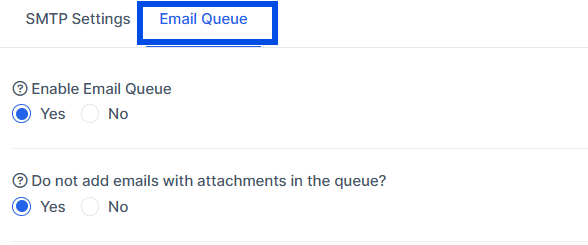


5. Turn the "Enable Email Queue" on or off to your liking.


6. Press "Save Settings" to save your changes.


Did you find this article useful?

 
0 Console 0.0588 s Load Time 2.31 MB Memory Used 25 Queries Database 0 Eloquent Illuminate\Database vars & Config 366 Files