How To Find a Report of The Affiliate Which Sent the Most of the Leads?
IN THE CRM
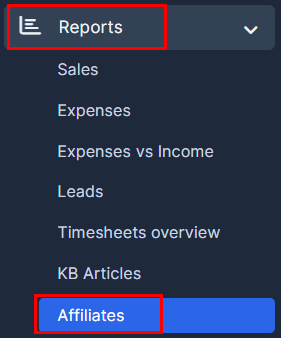
1. Go to "Reports" on the crm in the menu on the left side of the page and click on the "Affiliates".
2. Use the "Filter" to filter for the required Source, Name, Country, Department or/and even Period.

3. Scroll down to see how many leads were filtered.