How To Set Swap Settings?
In crypto, swap settings refer to the parameters or options that control how a token swap (an instant exchange between two cryptocurrencies) is executed on a decentralized exchange (DEX) like Uniswap, PancakeSwap, or SushiSwap.
Professional short explanation:
Swap settings determine the trade behavior and execution tolerance for a token exchange. They typically include:
-
Slippage tolerance: The maximum price difference (in %) you’re willing to accept due to market volatility.
-
Transaction deadline: How long the trade remains valid before it’s canceled if not executed.
-
Routing options / liquidity sources: Whether the swap can use multiple pools or specific routes for better prices.
In summary, crypto swap settings define how flexible, fast, and safe a token exchange should be during decentralized trading.
IN THE CRM
1. Go to "Setup".
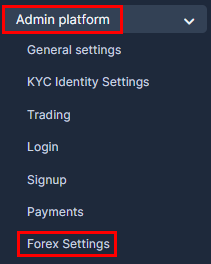
2. Go to "Admin Platform" and choose "Forex Settings" tab.
3. Choose "Swap Settings" tab.

4. You will be able to see all the swap options.

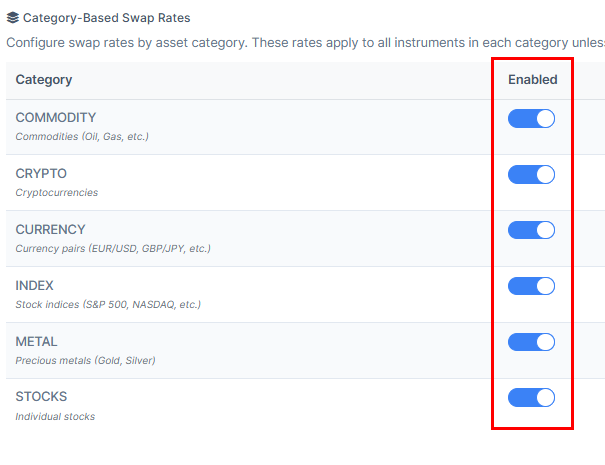
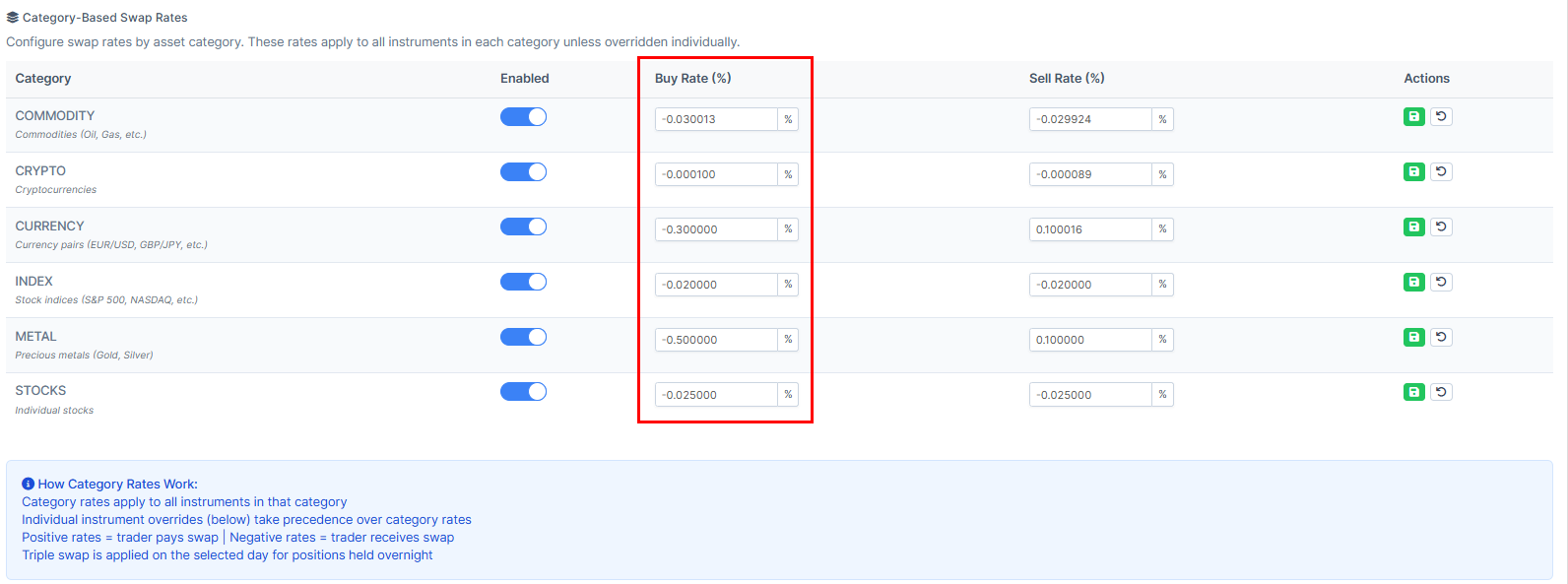
5. Scroll down to choose whether to "Enable/Disable" the swap category.
6. By pressing on the numbers you will be able to set the "Buy Rate".
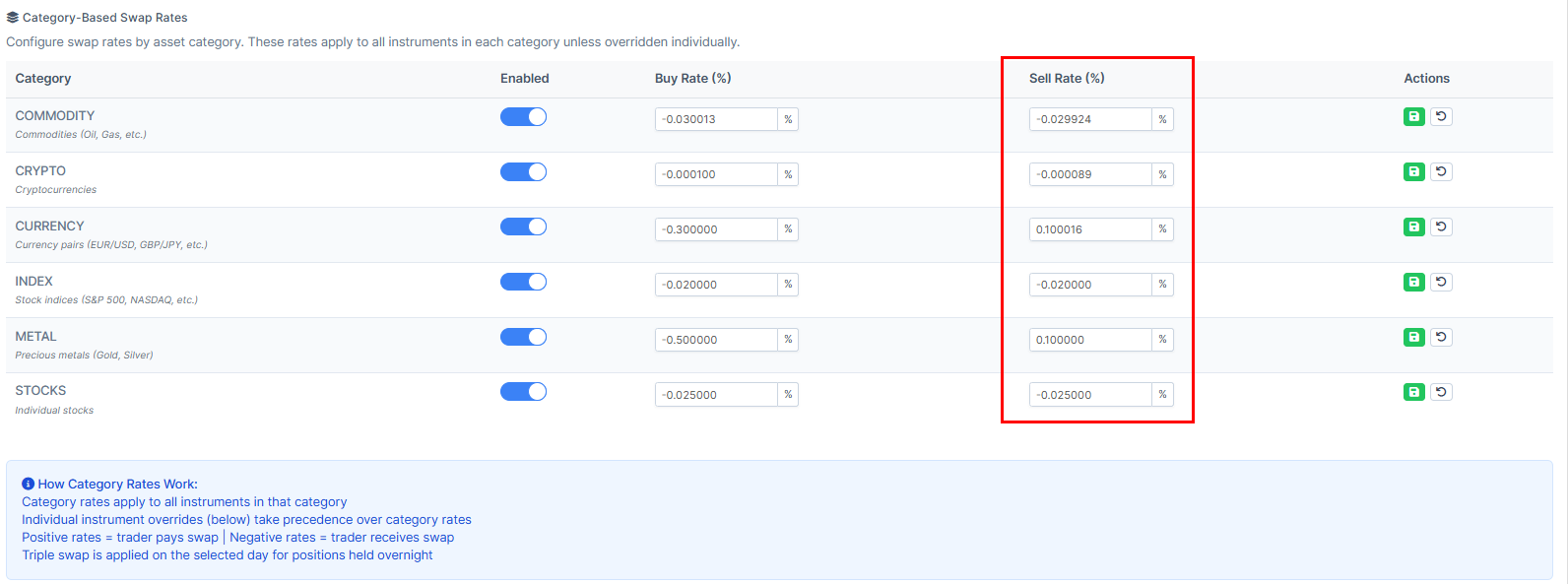
7. By pressing on the numbers you will be able to set the "Sell Rate".
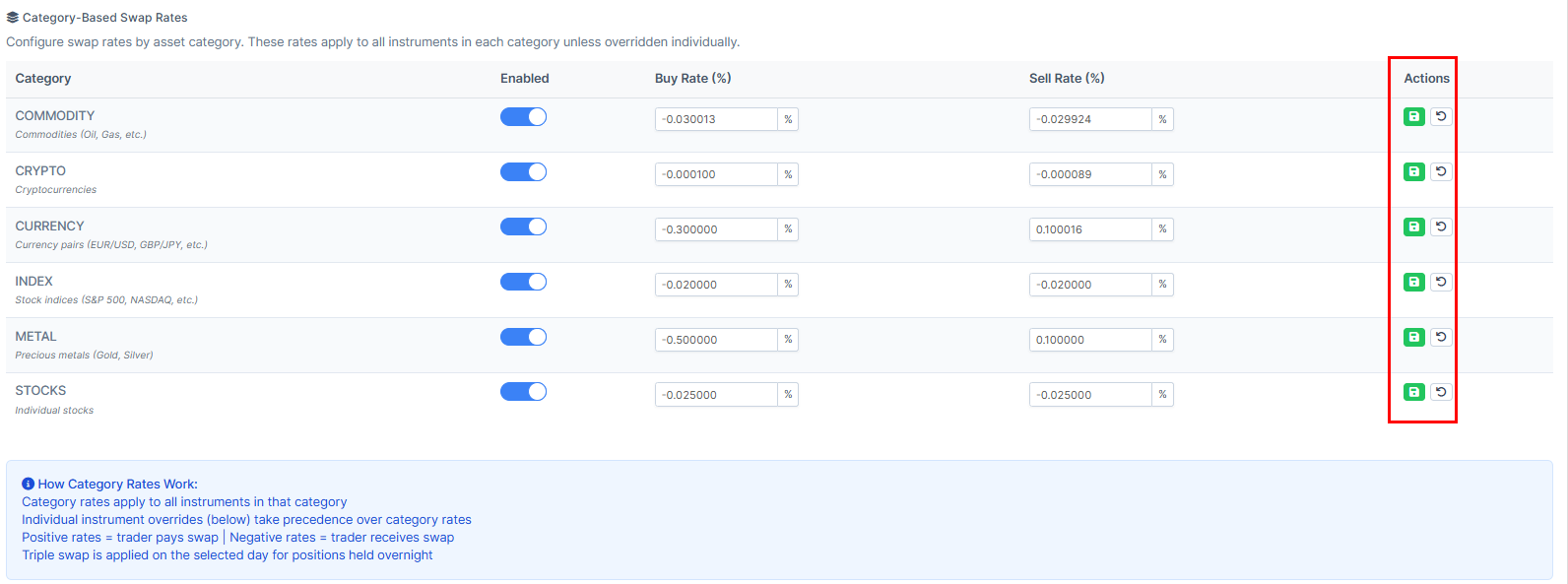
8. To remember the choice go to "Actions" and press on the green button. To renew the rates, press on the arrow.
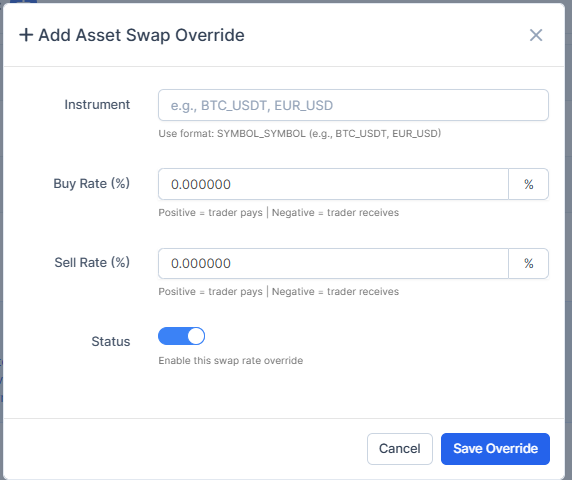
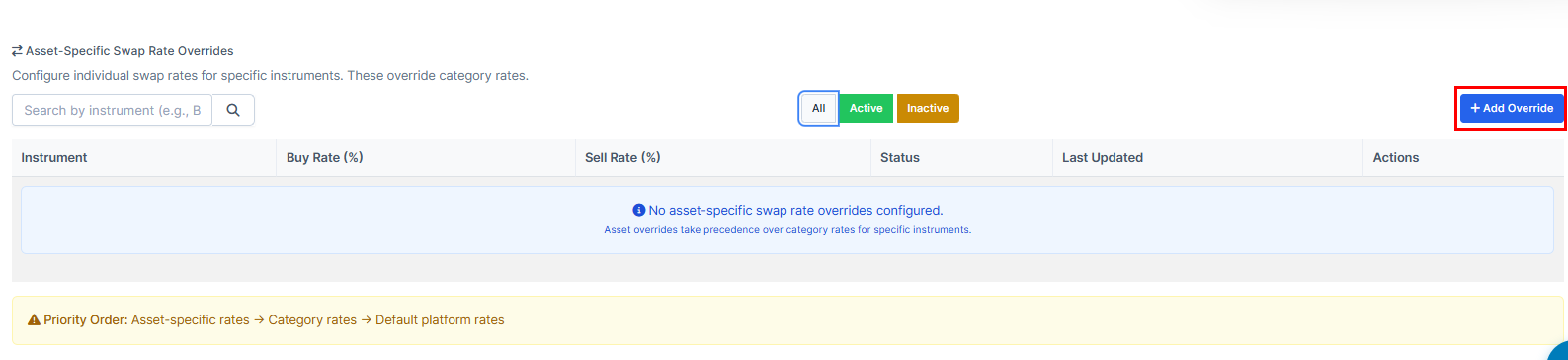
9. You can as well use the "Add Override" option.
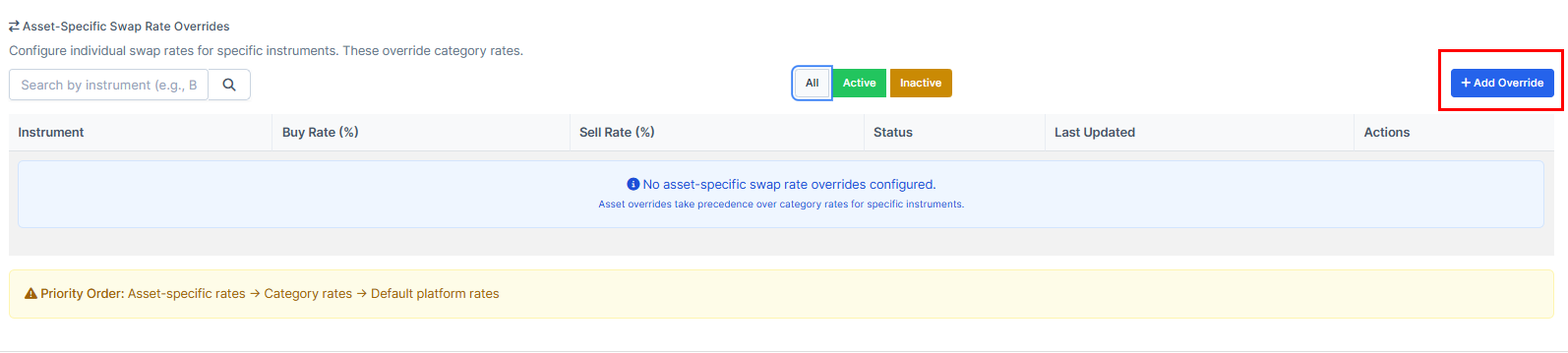
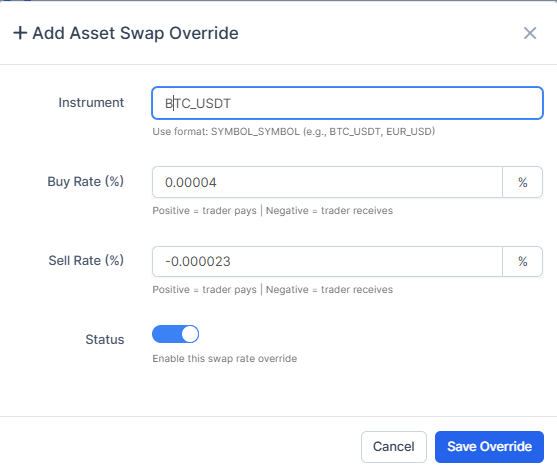
10. Set the "Instrument", "Buy Rate", "Sell Rate", make sure the "Status" is enabled and press on the "Save Override" option.
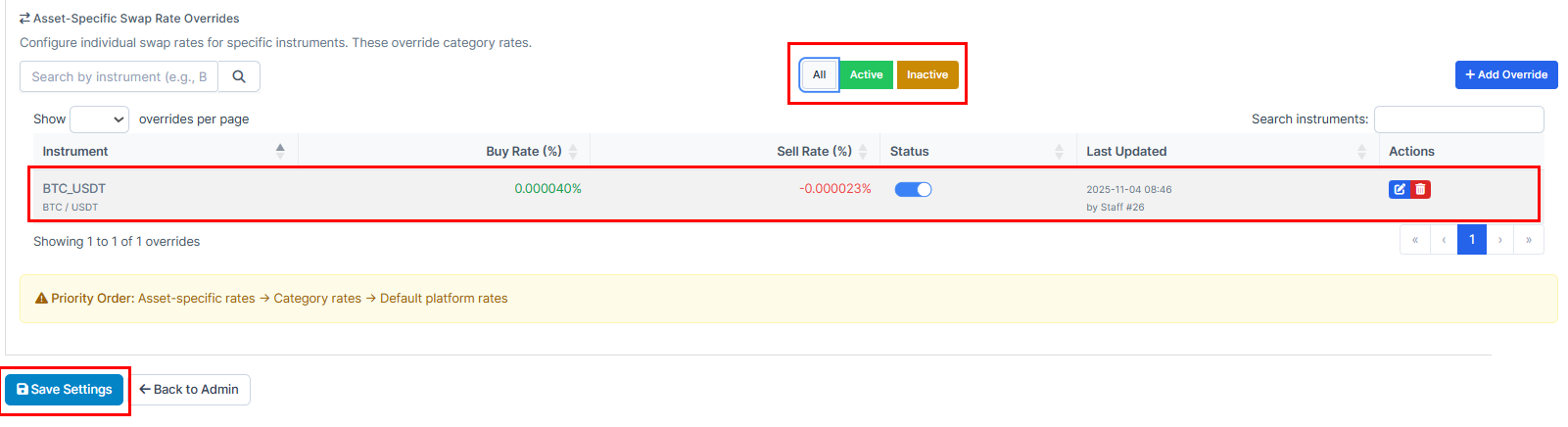
11. You will be able to view and edit the newly created override in the list. To remember the choice, press on "Save Settings". To delete it from the list, press on the red garbage bin button.
12. Choose "Add Override". Override on a crypto trading platform is when you manually change or bypass a default setting, like adjusting stop-loss, leverage, or other automated limits, instead of using the platform’s suggested values.
13. Set up the required settings and press on "Save Override" once it's done.