Due to the reoccuring request of this issue, we decided to help you to find how to manage it quicker!
How to find the user
IN THE CRM
1. Use "Search" button on the top of the page. Search by the user's name, ID or email.

The system will be looking for the name and the email to find the Lead, Trader, Contacts and Platform account with the same email or name.
In the case if you are sure that the user has a trading account, lead or trader but you cannot find it, make sure to check these pages:
1. "Leads":
Leads-> Find the user in the list or use the search on the right side of the page
2. "Traders":
Traders-> Find the user in the list or use the search on the right side of the page
3. "Contacts":
Traders-> Find the user in the list or use the search on the right side of the page-> Contacts
4. "Platform user page":
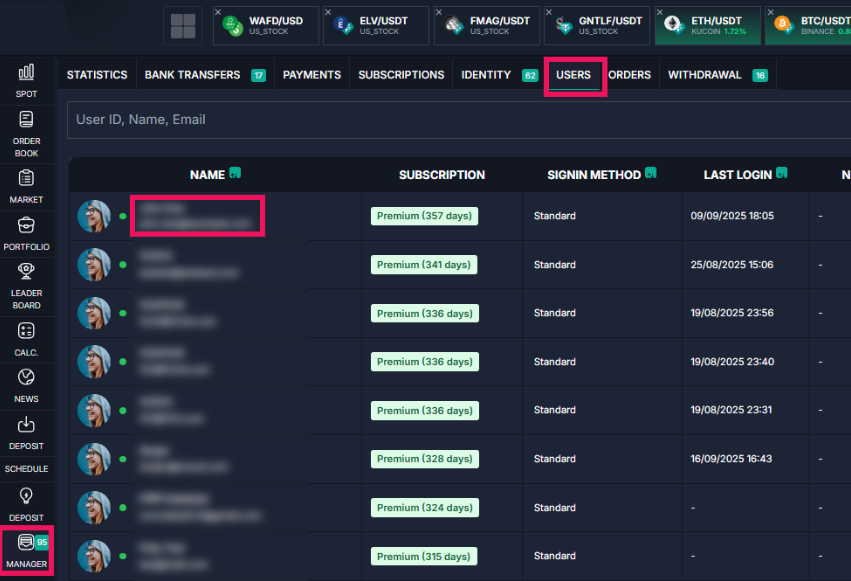
Manager platform-> Users-> Find the user in the list or use the search on the right side of the page
2. Make sure all the pages of one and the same user have the same email address.
IMPORTANT!
If the user has another email address in any of the pages, the pages will not be linked properly. As an example, by going to Traders or Leads you won't be able to find the Platform page of the user even if you're sure it exists.
A tiny mistake in the email address will make the system ignore the synchronisation of the pages and will not demonstarate you the proper information.
ON THE Platform
You won't be able to find anything but the user's trading account on the "Platfrom". To find the trading account, see the next step.
1. To find the user, follow to "Manager", "Users" and find the user in the search.