How To Set Extra Login Protection?
IN THE CRM
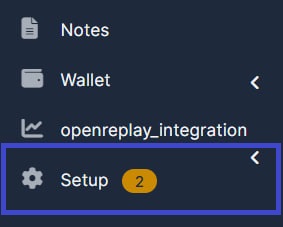
1. Go to "Setup".
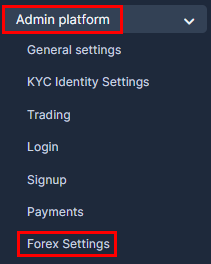
2. Go to "Admin Platform" and choose "Forex Settings" tab.
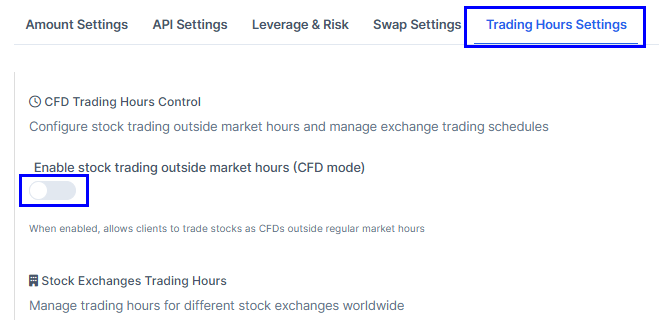
3. Go to "Trading Hours Settings" and enable the "Enable stock trading outside market hours (CFD mode)".
4. Find the "Exchange", set the "Open Time" and the "Close Time" and press on "Update Trading Hours".

4. Scroll down and press on "Save Settings".