How to Import Clients
IN THE CRM
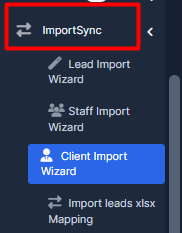
1. Open Clients Import Wizard in ImportSync-> Client Import Wizard
2. Select the way you wanna upload info (.csv/.xlsx file or copy-paste from your table)
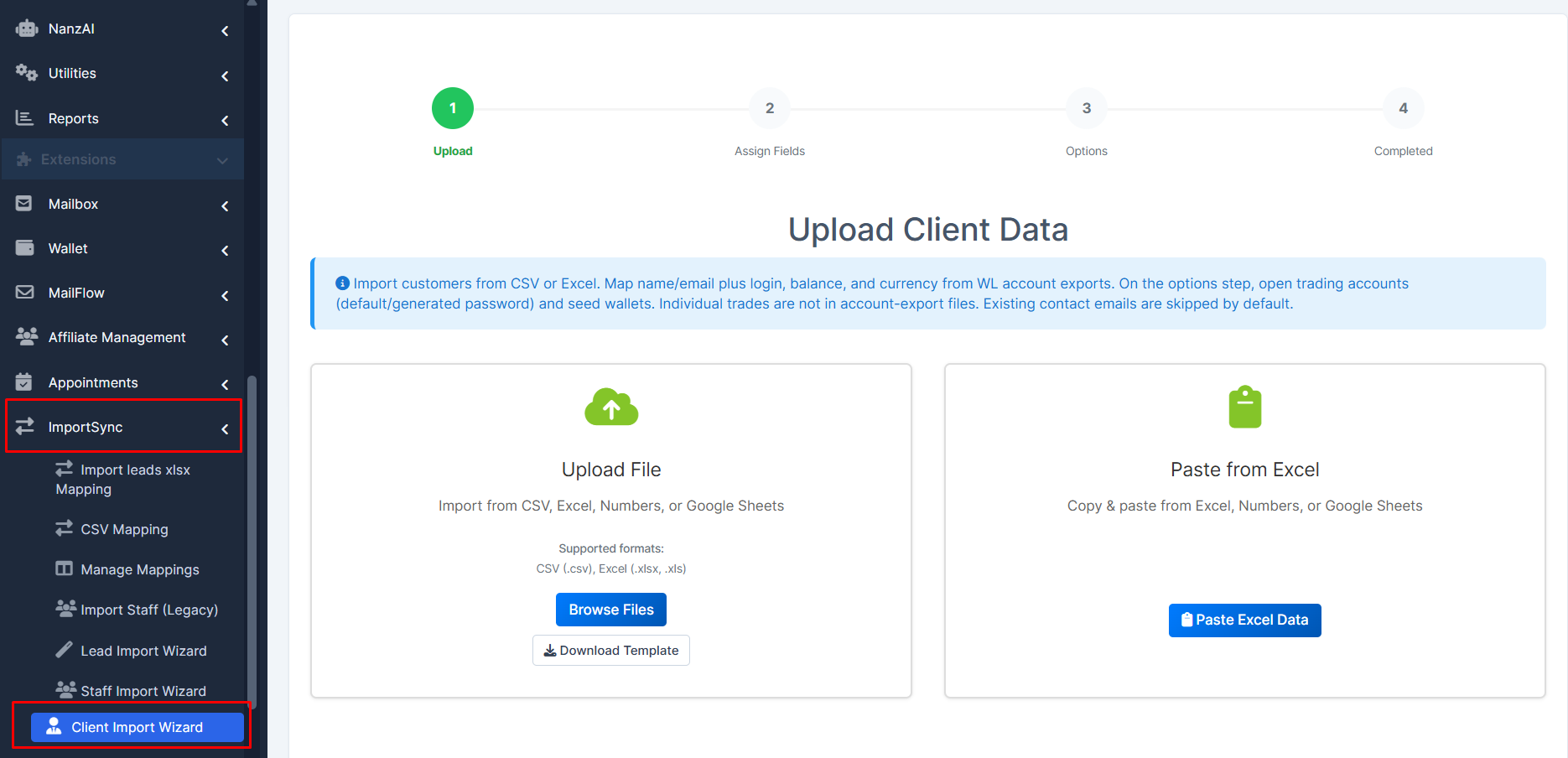
3. Select the way you wanna upload info (.csv/.xlsx file or copy-paste from your table)
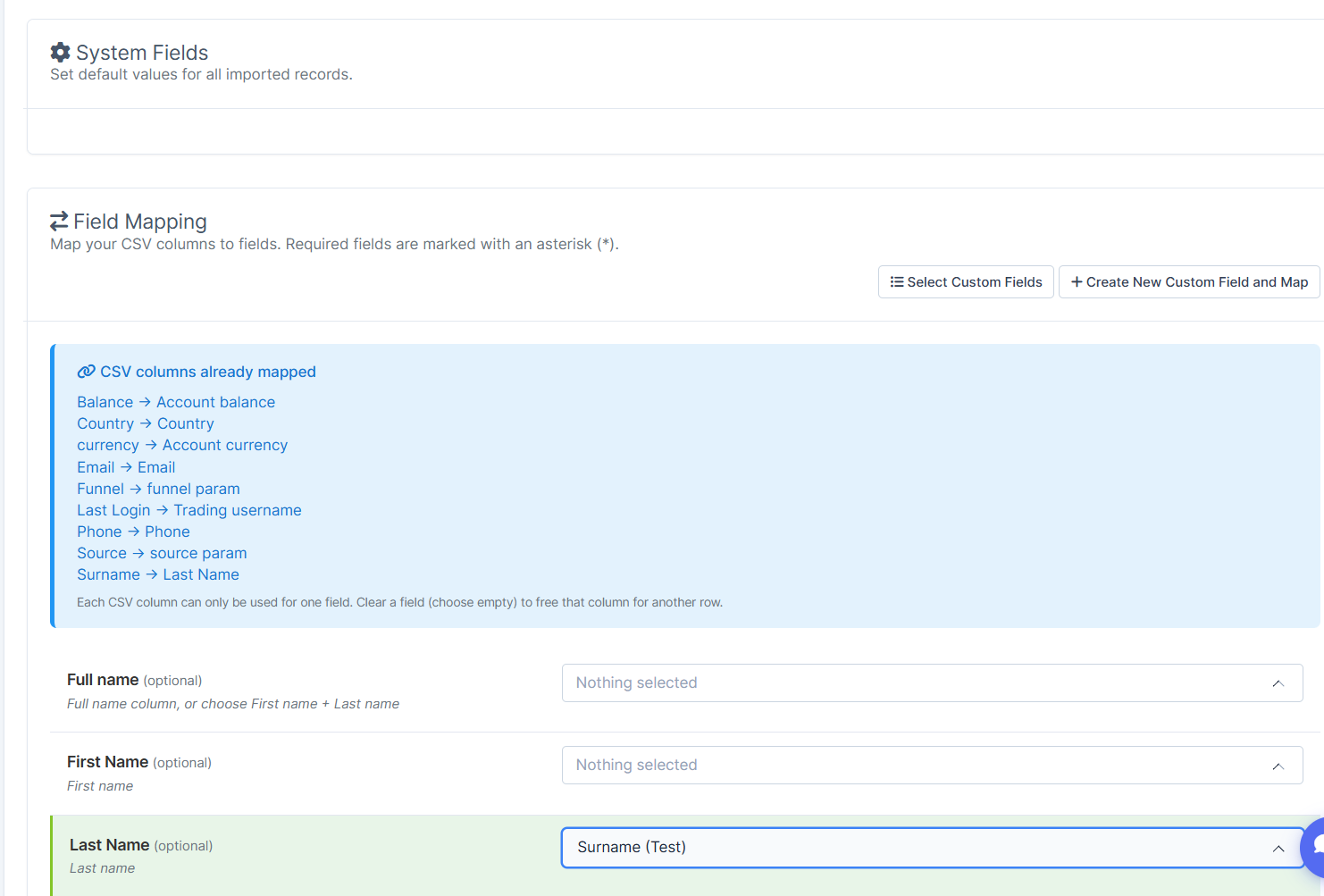
Map your columns based on your needs. Basically you'll need:
- First Name
- Last Name
- Email
- Phone
Others are optional. For balance import use Account balance and Account currency
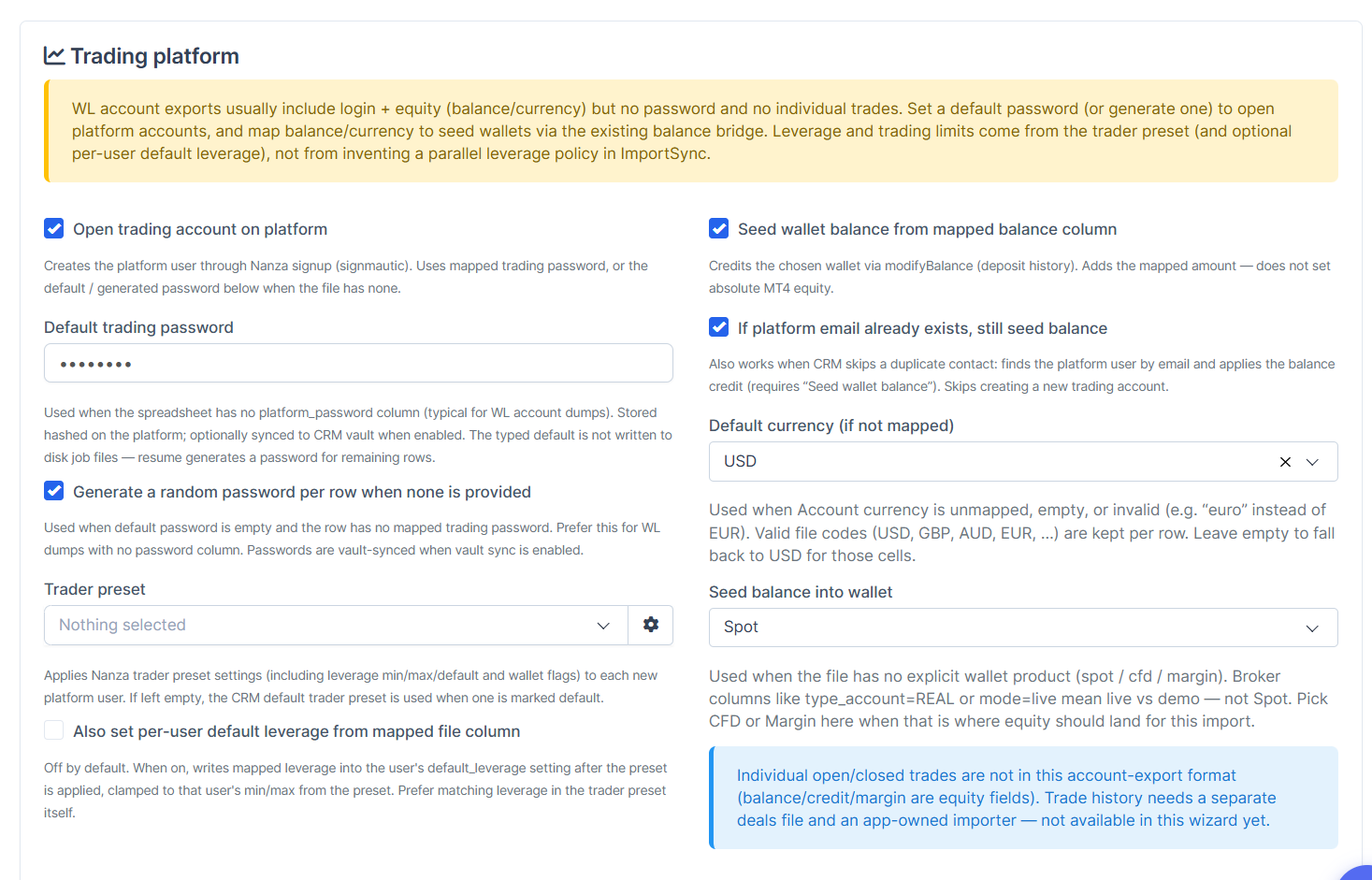
4. On next step you need to configure the process of importing.
Important options:
- Open trading account on platform - creates users in platform, so they can trade there
- Default trading password - write any standard password for new users (after login to platform users may change it)
- Trader Preset - select preset with trading settings for new users
- Seed wallet balance from mapped balance column - import balances if they were mappaed on previous step. Without it balances won't be imported
- If platform email already exists, still seed balance - use this if already have clients with these emails in your system and wanna just update their balances.
Note: this will add balance, without rewriting existing if user already has anything (if user already has 100 USD and you'll update his balance with 100 USD - user will have 200 USD)
- Seed balance into wallet - select, to which wallet wanna import balances (Spot, CFD or Margin).
5. Start the Import