How to Prevent Staff from Being Logged in more than Once?
IN THE CRM
1. Choose "Nanza Shield" on the left in the menue and press on "Settings".
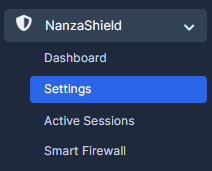
2. Follow to "Single Session Settings" and chose "Yes" or "No" depending on which settings fit you the most.
