IN THE CRM
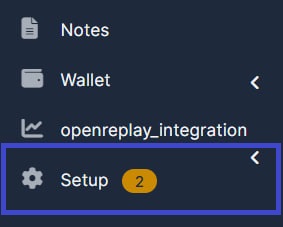
1. Go to "Setup".
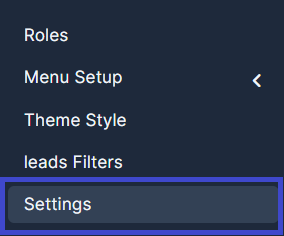
2. Click on "Settings".
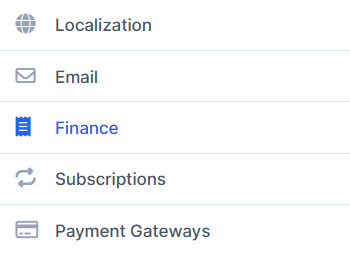
3. Select "Finance".
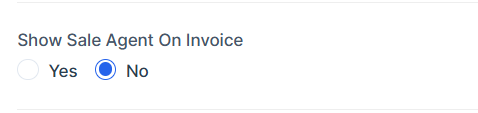
4. Find "Show Sale Agent On Invoice" in "Invoices". Set it to "No".

5.Click "Save Settings" to apply the changes.

Find answers to your questions quickly
IN THE CRM
1. Go to "Setup".
2. Click on "Settings".
3. Select "Finance".
4. Find "Show Sale Agent On Invoice" in "Invoices". Set it to "No".
5.Click "Save Settings" to apply the changes.