How to Save the Last Filter?
When enabled, each staff member’s last filters on the Customers/Traders and Leads lists are saved and restored after opening a profile and going back. Named Customers/Traders filter templates are also available. Changing this option clears last-filter meta and named Customers/Traders templates for every staff member.
IN THE CRM
1. Go to "Setups" tab in the menu.
2. Follow up to "Settings".

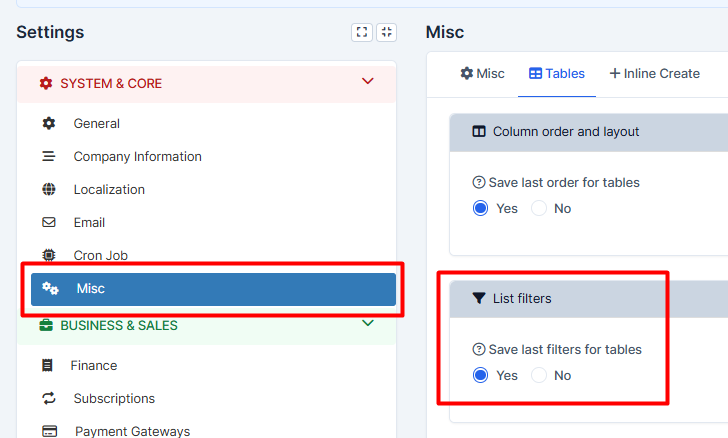
3. Press on "Misc" and make your choice in "List Filters".
3. Press on "Save Settings" to remember your choice