How to Allow an Agent to Close the Positions?
IN THE CRM
Step 1. Go to "Setup" in the crm in the menu on the left side of the page.

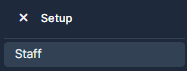
Step 2. Choose "Staff".
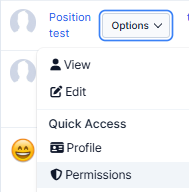
Step 3. Choose the staff member, select "Options" tab and choose "Permissions".
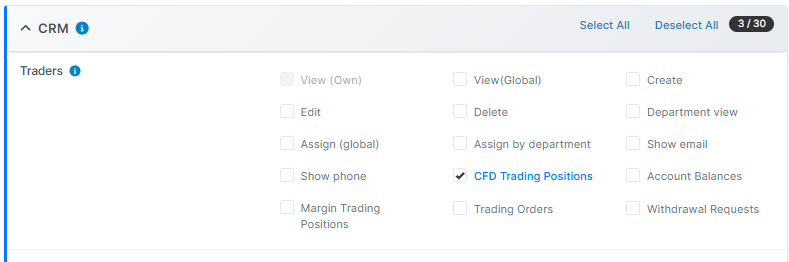
Step 4. Once in the Permissions, make sure that in the "Traders" section there are chosen "View Own" and "CFD Trading Positions". "View Own" is greyed out and chosen by default if "View Global" is disabled.
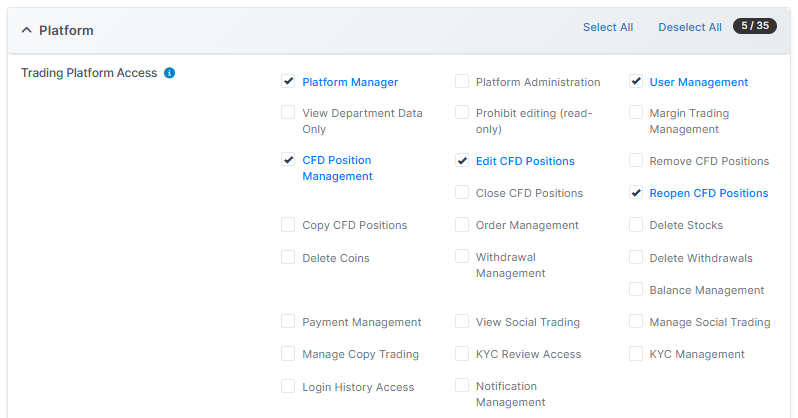
Step 5. Scroll down and select "Trading Platform Access". Make sure the next permissions are on: "Platform Manager", "User Management", "CFD Position Management", "Edit CFD Positions" and "Reopen CFD Positions".
The permission "Edit CFD Positions" has to be enabled, otherwise the position is going to work as the view only. When position is closed, you are able to just edit the closed position data.
Step 6. Once done, press on "Submit" to remember the choice.