How to Set the Trading View Chart by Default?
IN THE CRM
Step 1. Go to "Setup" in the crm in the menu on the left side of the page.

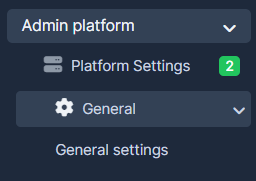
Step 2. Choose "Admin Platform" tab, select "General Settings".
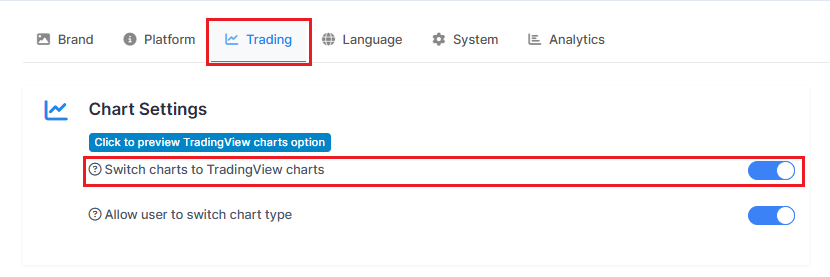
Step 3. Press on the "Trading" and make sure "Switch charts to TradingView charts" is enabled.
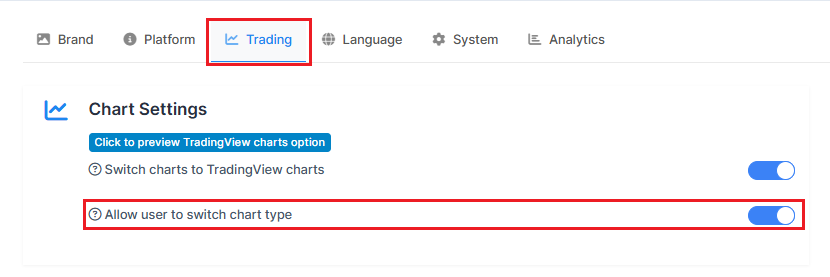
Step 4. You can as well allow or disallow the users from switching chart type in their profile.
5. Press on "Save Settings" to remember the choice.