IN THE CRM
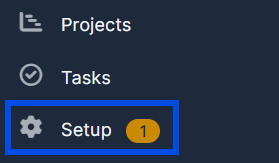
1. Go to "Setup" in the left menu.
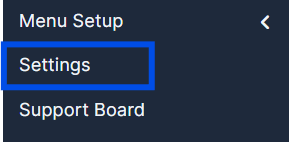
2. Navigate to "Settings".
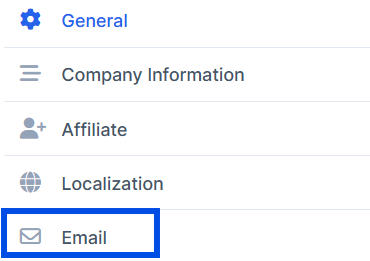
3. Choose "Email" in the left column.
4. Scroll down and in the "Email Signature" box enter your email signature.

5. Press "Save Settings" to save your changes.

Find answers to your questions quickly
IN THE CRM
1. Go to "Setup" in the left menu.
2. Navigate to "Settings".
3. Choose "Email" in the left column.
4. Scroll down and in the "Email Signature" box enter your email signature.
5. Press "Save Settings" to save your changes.