Staking is a way to earn rewards by locking up your crypto to help support a blockchain network — usually one that uses Proof of Stake (PoS) or a variation of it.
General Staking Configuration
IN THE CRM
1. Go the the "Setup" on the menu from the left side of the page.
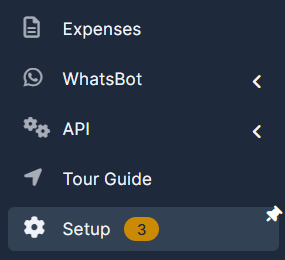
2. Go the the "Admin Platform" and choose "Staking Settings".
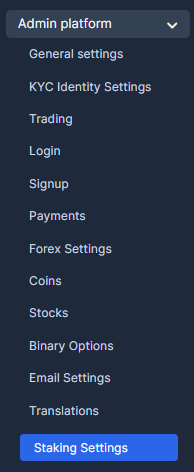
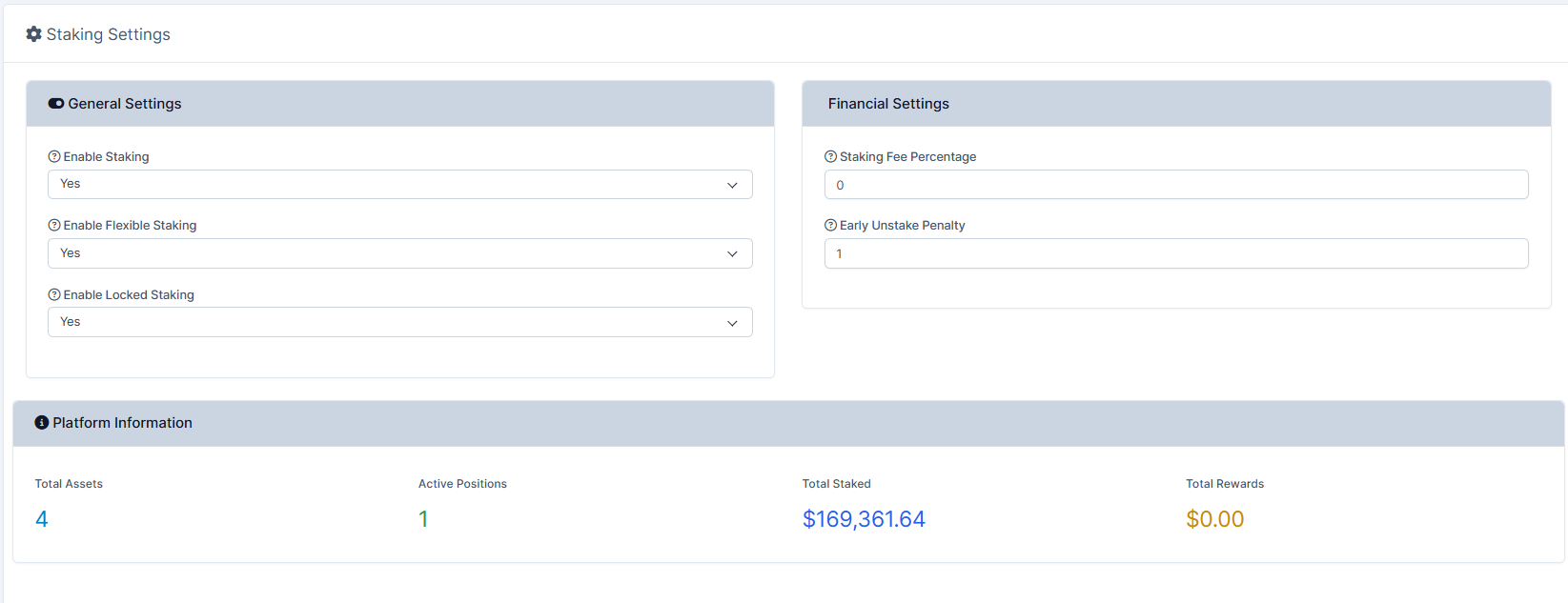
3. You will be able to view and manage this page. Particularly, here you will be able to "Enable Staking", "Enable Flexible Staking" and "Enable Locked Staking".
Managing Staking Assets
1. Go the the "Setup" on the menu from the left side of the page.
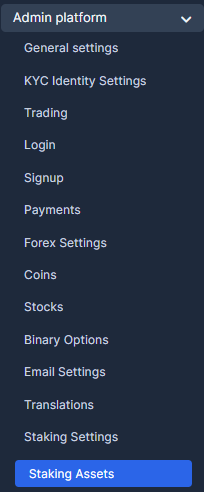
2. Go the the "Admin Platform" and choose "Staking Assets".
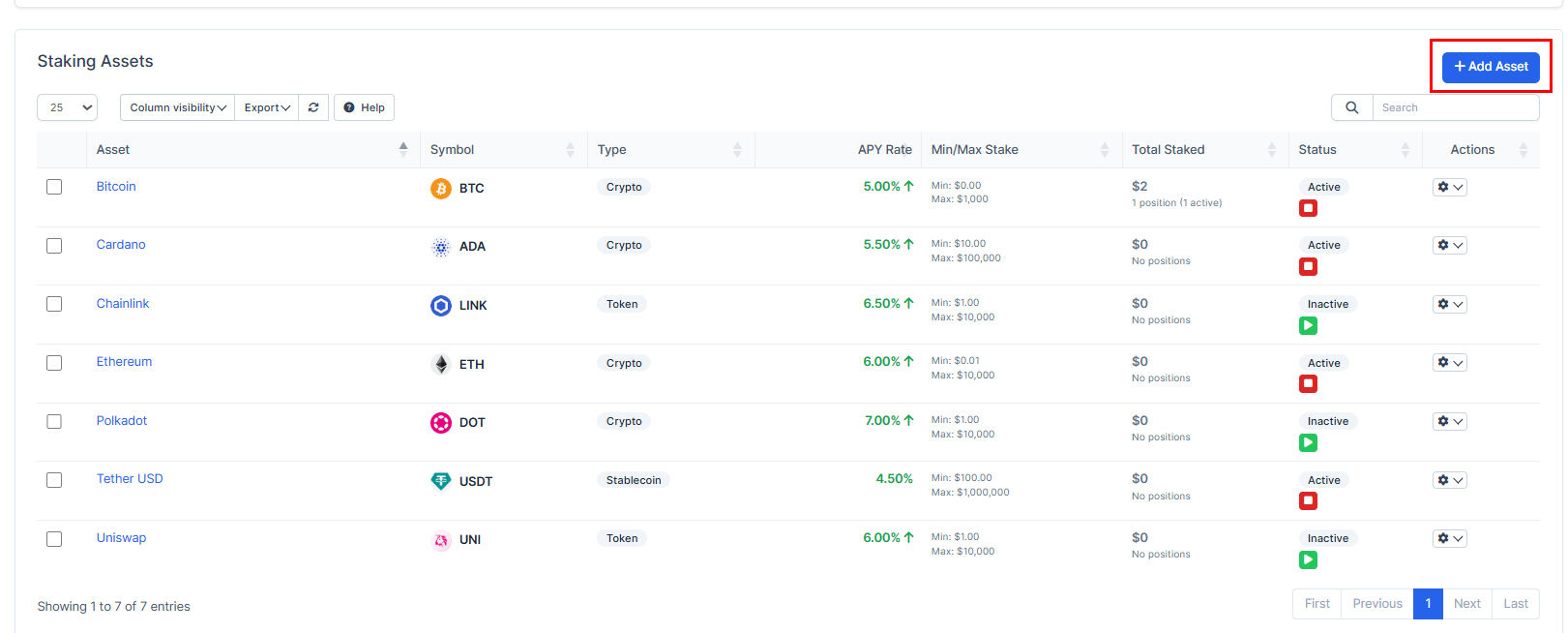
3. Press on the "Add Asset".
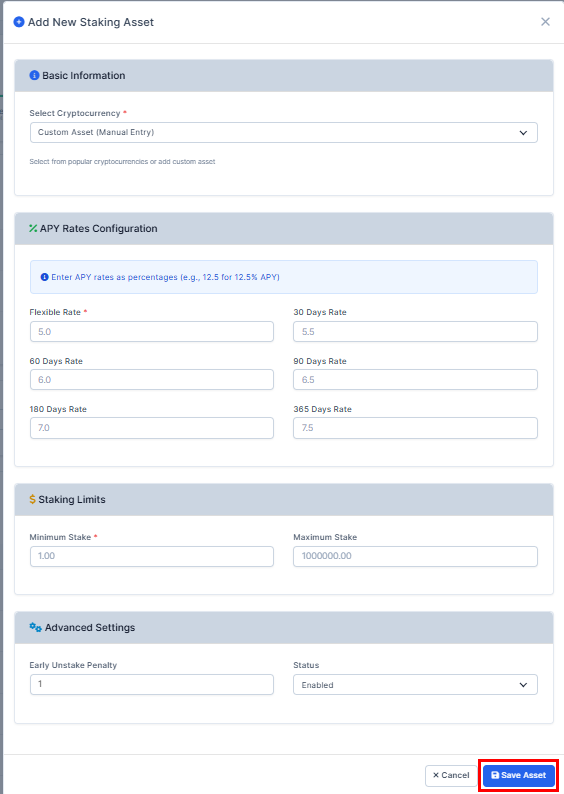
4. Fill in the required fields and press on the "Save Asset" to remember the choice. You will be able to check the asset in the list.
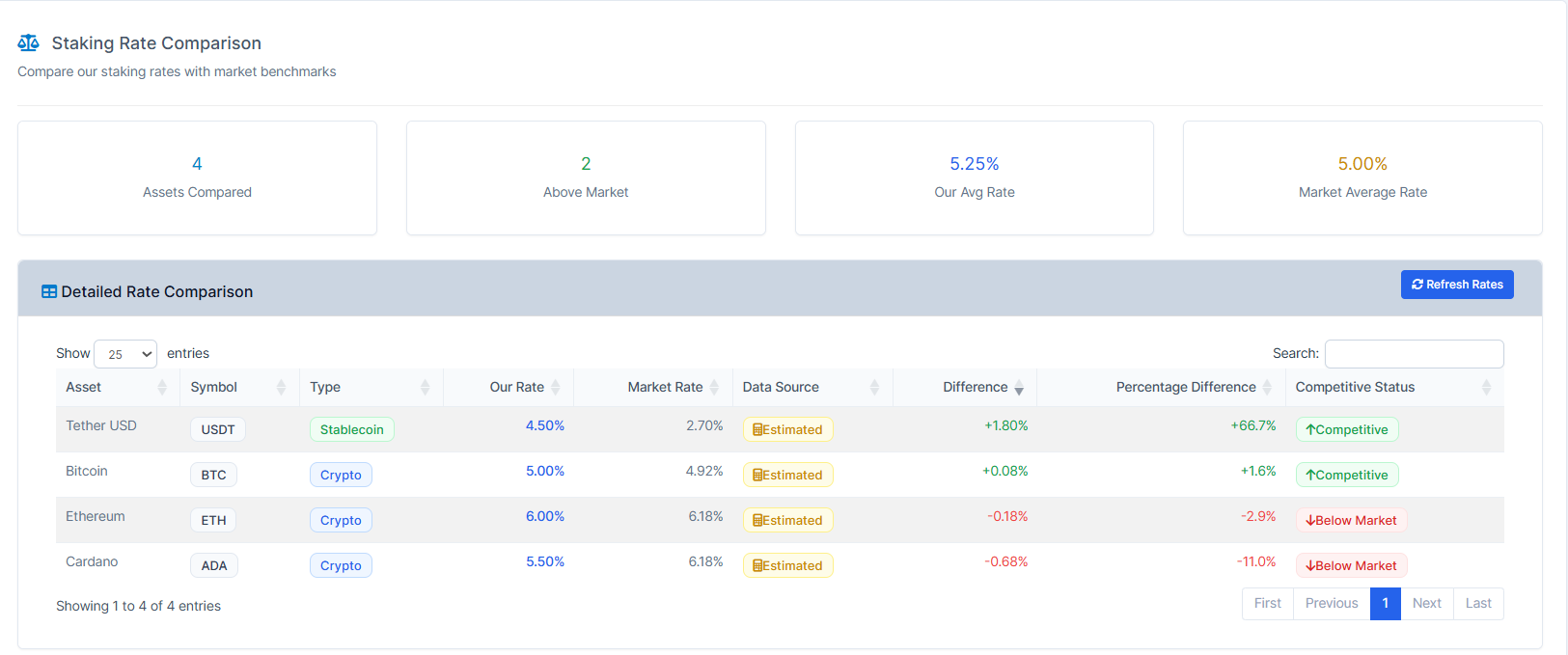
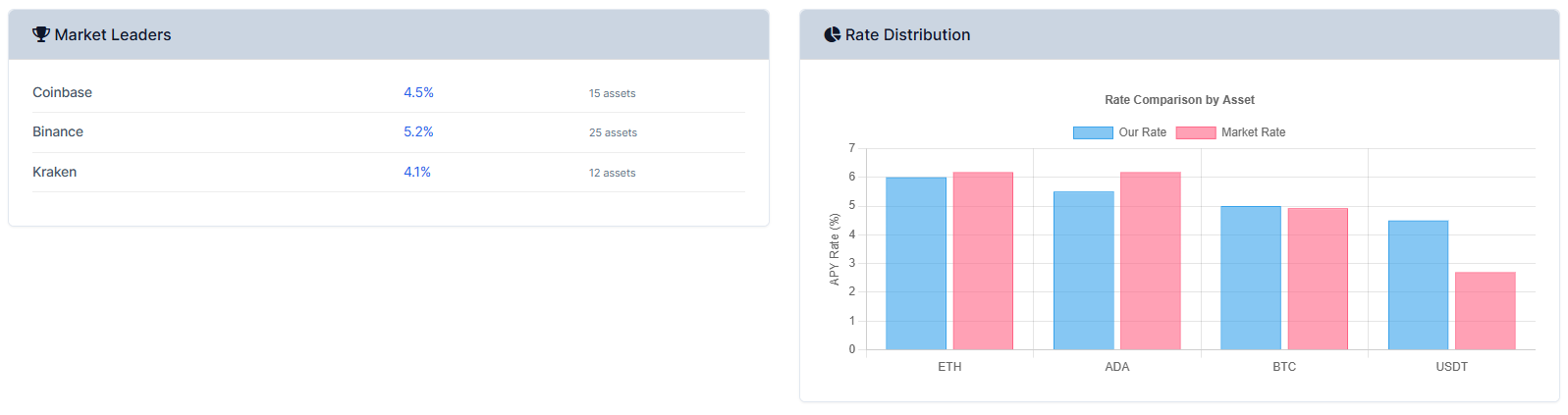
5. You will be able to do that from the "Actions". Also, you can check out the "Rate Comparison" which will take you to the Staking Rate Comparison page.
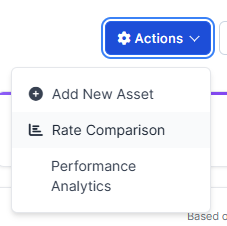
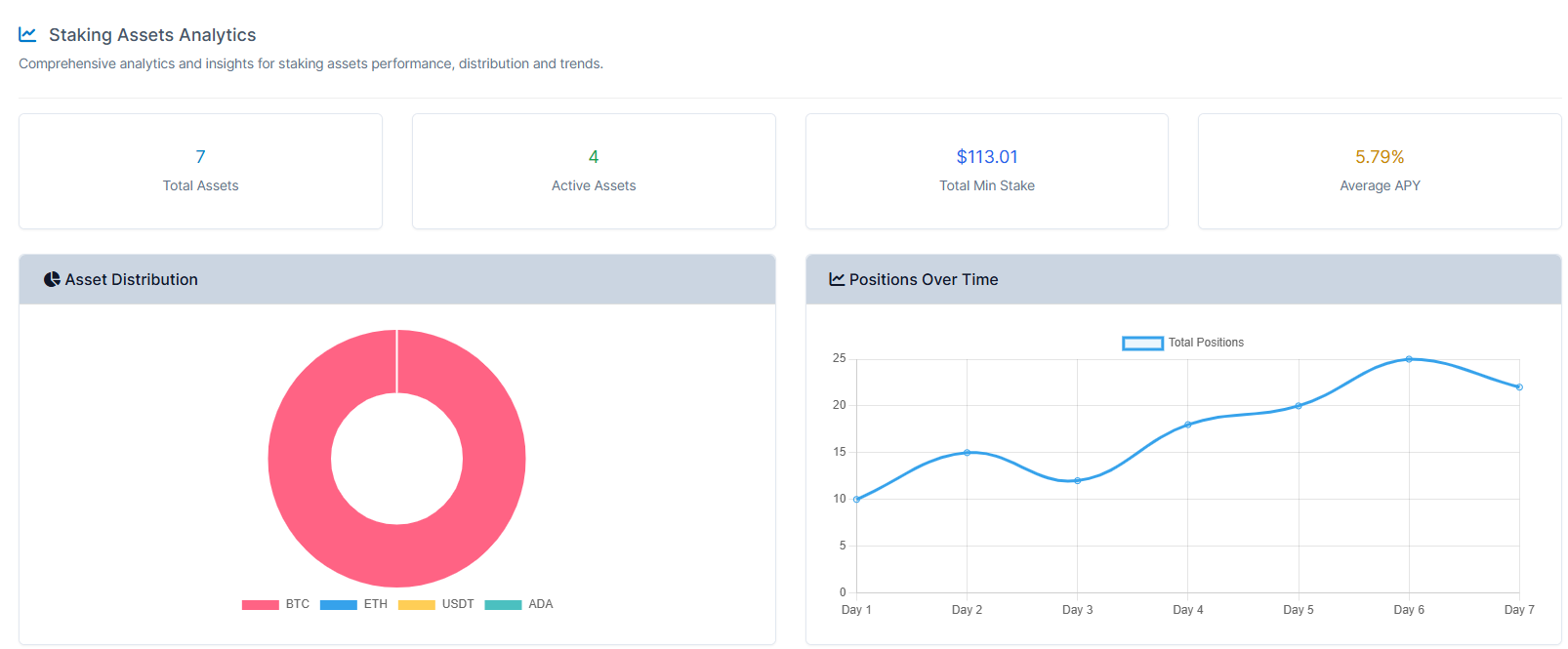
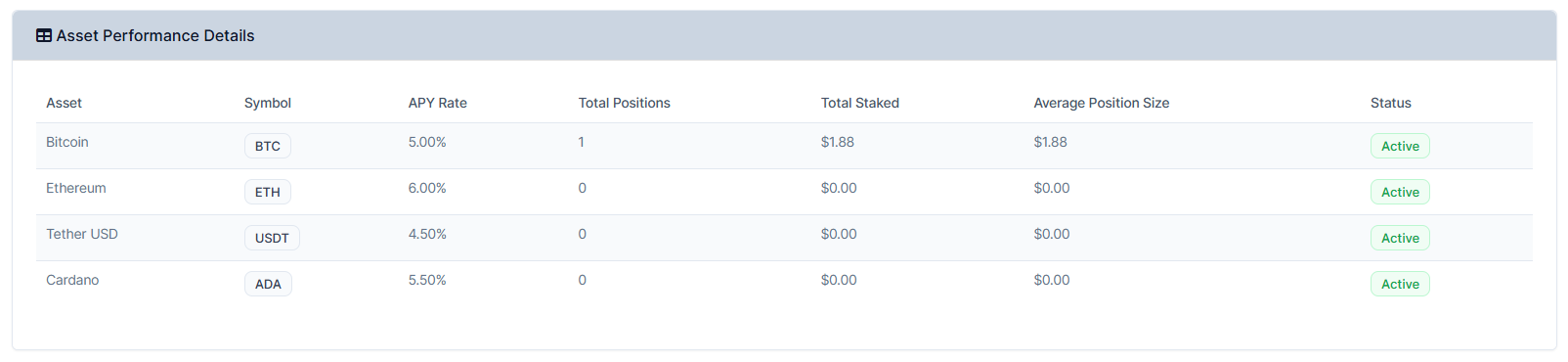
6. Also, you can check out the "Performance Analytics" which will take you to the Staking Assets Analytics page.
Managing User's Staking
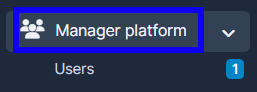
1. Go to "Manager Platform" on the crm in the menu on the left side of the page to log in to the user's platorm.
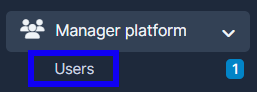
2. Choose the "Users" tab.
3. Press on "View" in the user's name.

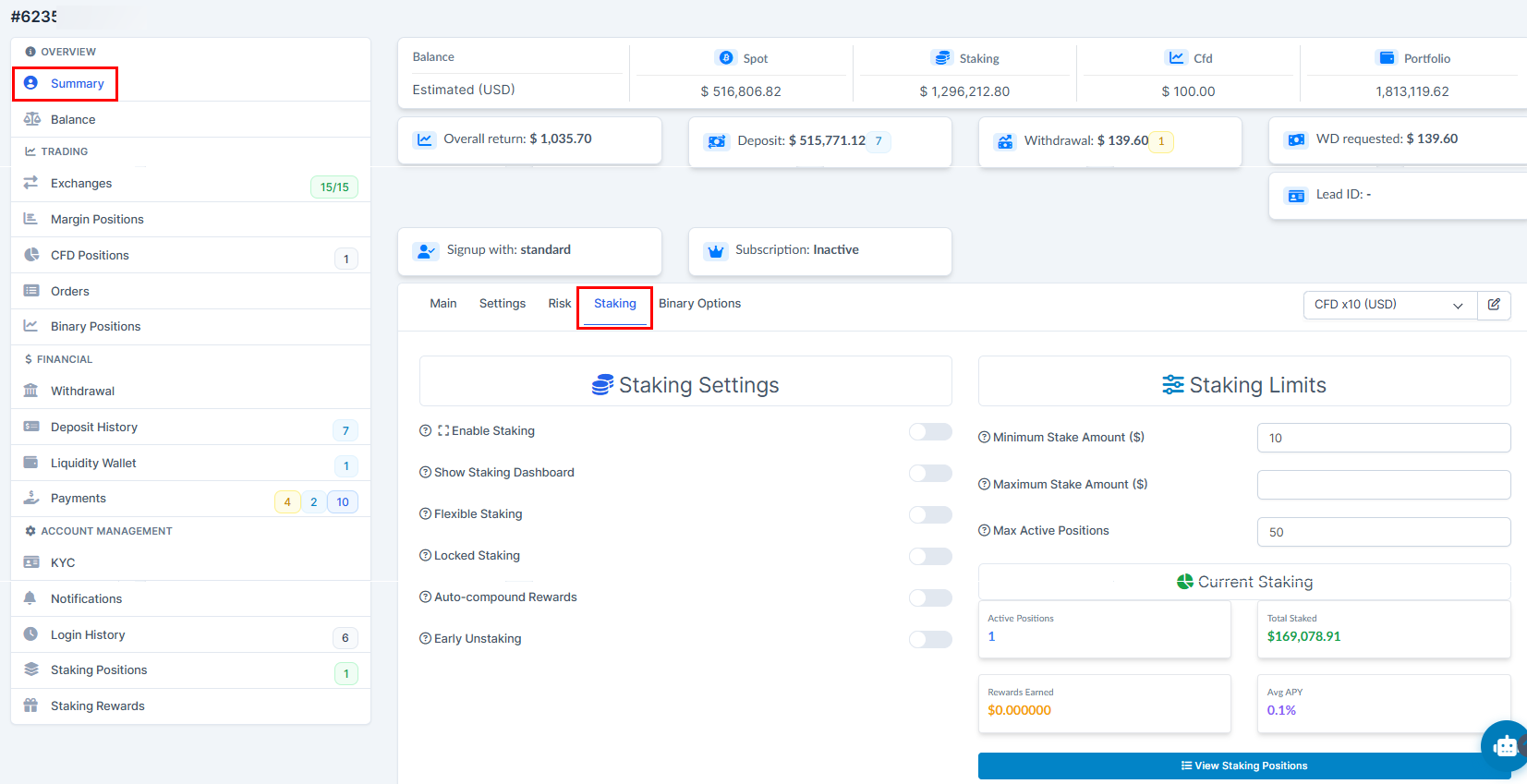
4. Press on "Summary" and choose "Staking". Enable required for the user Staking types in the Staking Settings. Set Staking Limits if needed
4. Press on "Submit" to remember the choice.

5. You will be able to see the Staking Account in the list of the accounts as you press on the account type.
Calculator
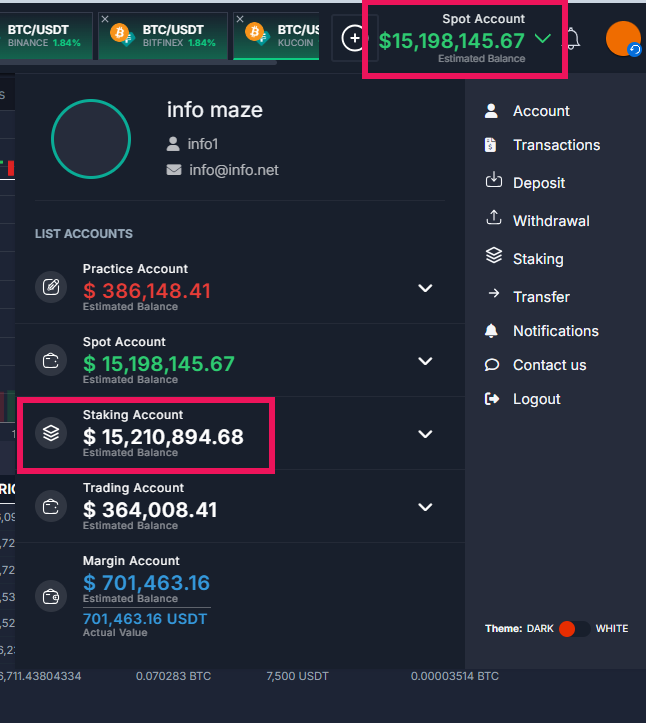
1. Log in to the platfrom. Press on the account type, choose "Staking Account".
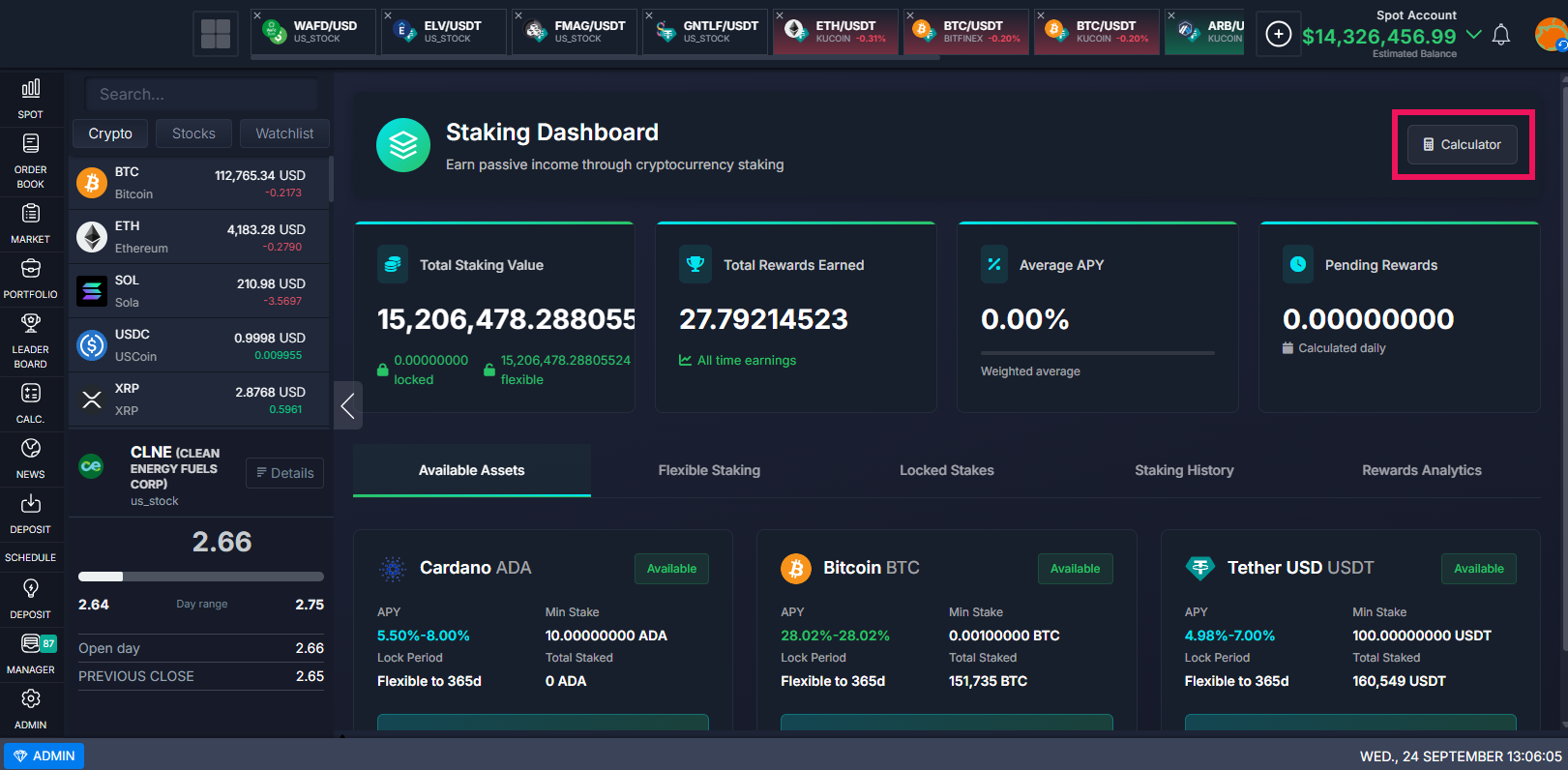
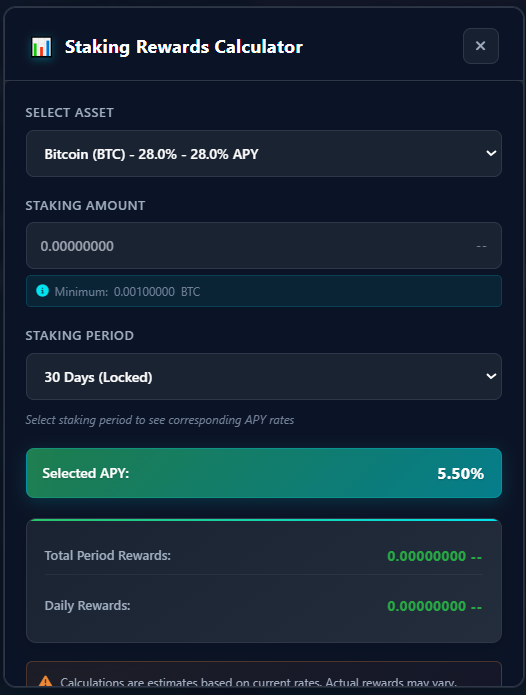
2. You can use "Calulator" feature which estimates your crypto earnings from staking based on amount, duration, and APY.
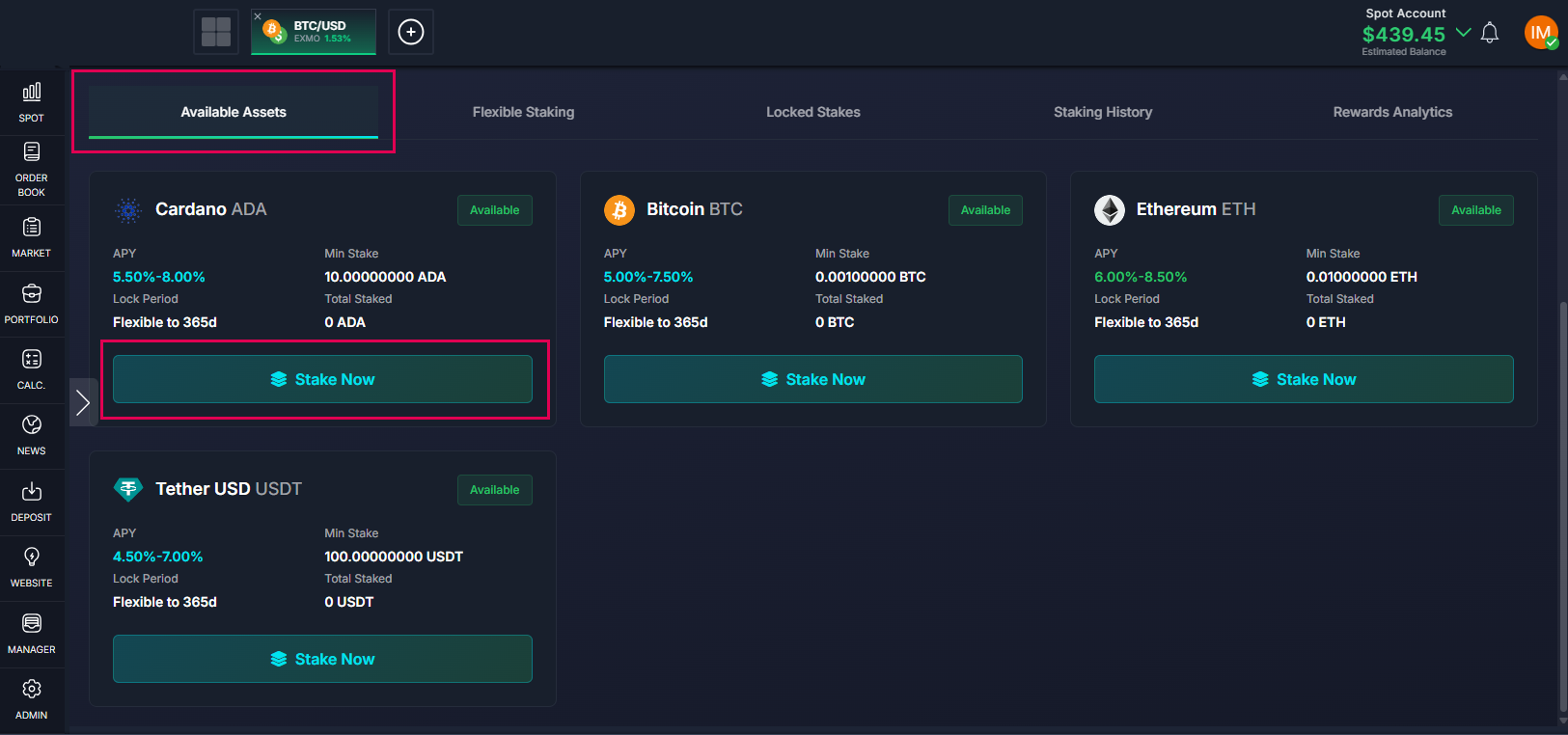
Available Assets. Stake Now
1. Go to your platform account. Press on the account type and choose "Staking Account".
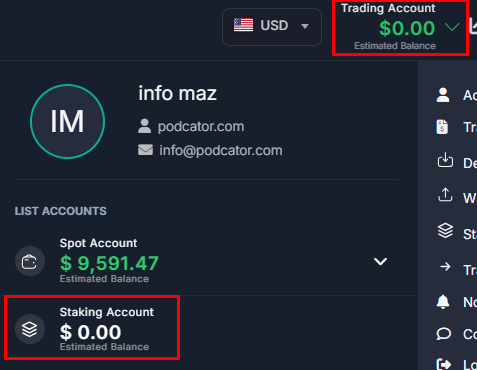
2. To set up the staking for the "Available Assets" and press "Stake Now" to access. You will be able to choose here all the assets available.
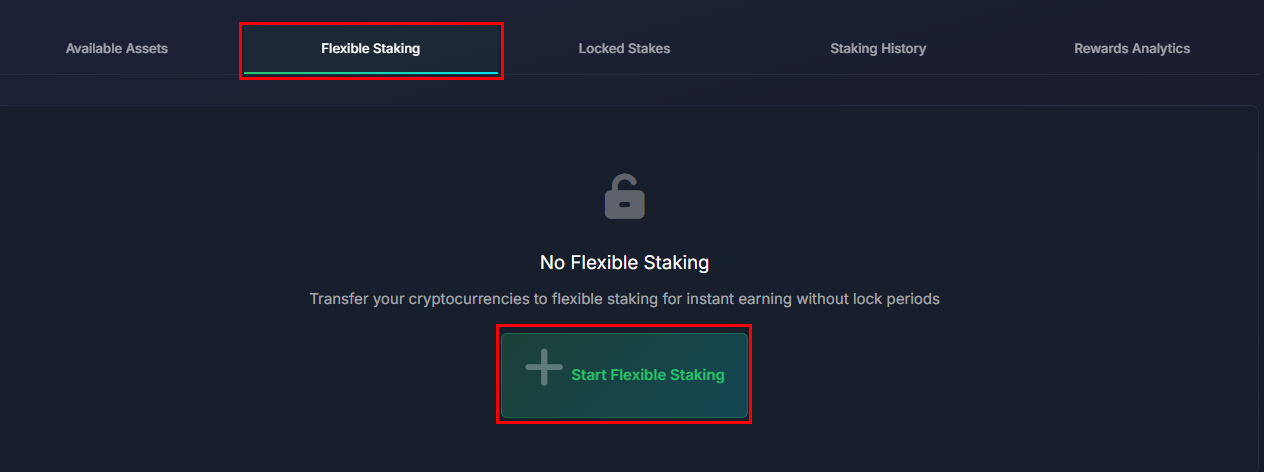
Flexible Staking
1. Go to your platform account. Press on the acciunt type and choose "Staking Account".
2. Choose "Flexible Staking" and press on the "Start Flexible Staking".
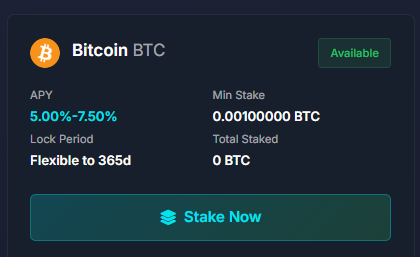
3. Choose the available staking type and press on the "Stake Now". Make sure your SPOT account has enough of funding you're going to be staking in. The Staking account takes funds from the SPOT to stake in.
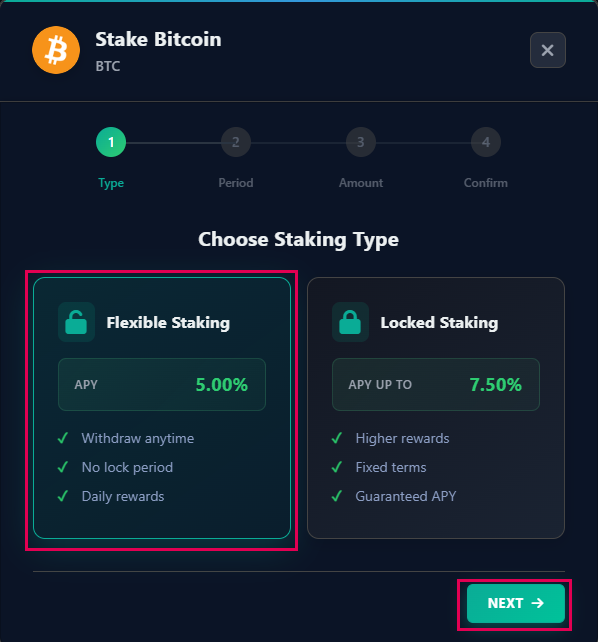
4. Press on the "Flexible Staking". It will define the percent of the stake. To follow to the next step press on "Next".
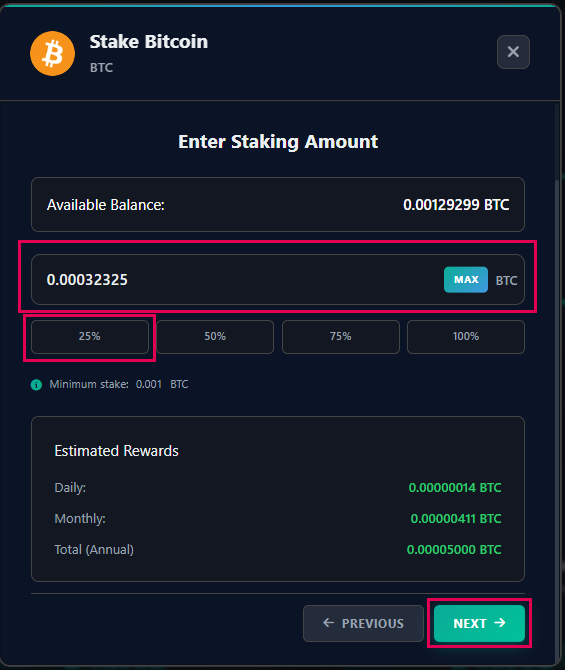
5. Choose the Amount and the Staking Percent. Press on the "Next".
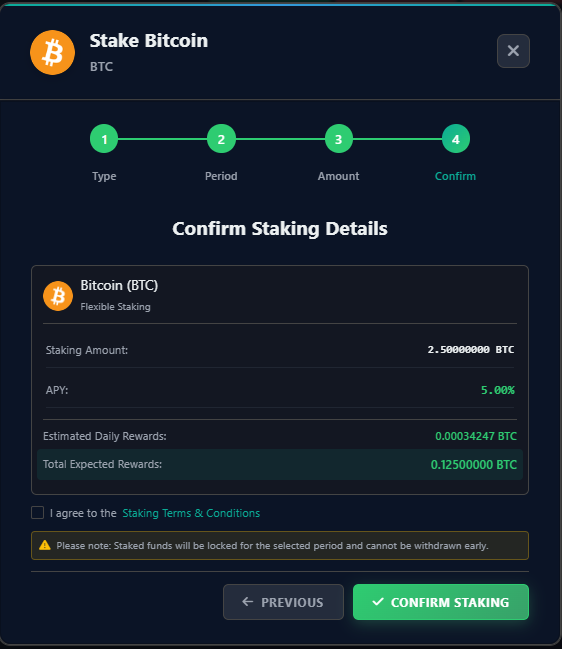
6. Verify the information. Check "I agree to theStaking Terms & Conditions" and enable it. Press on the "Confirm Staking"
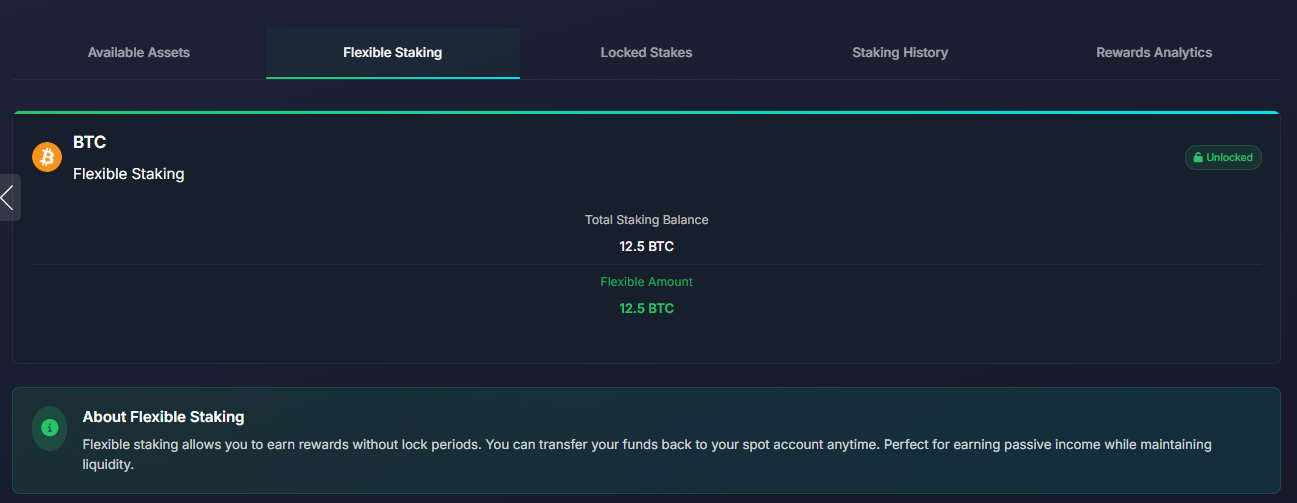
7. You will be able to check the stats here.
Locked Staking
1. Go to your platform account. Press on the acciunt type and choose "Staking Account".
2. Choose "Flexible Staking" and press on the "Locked Stakes".
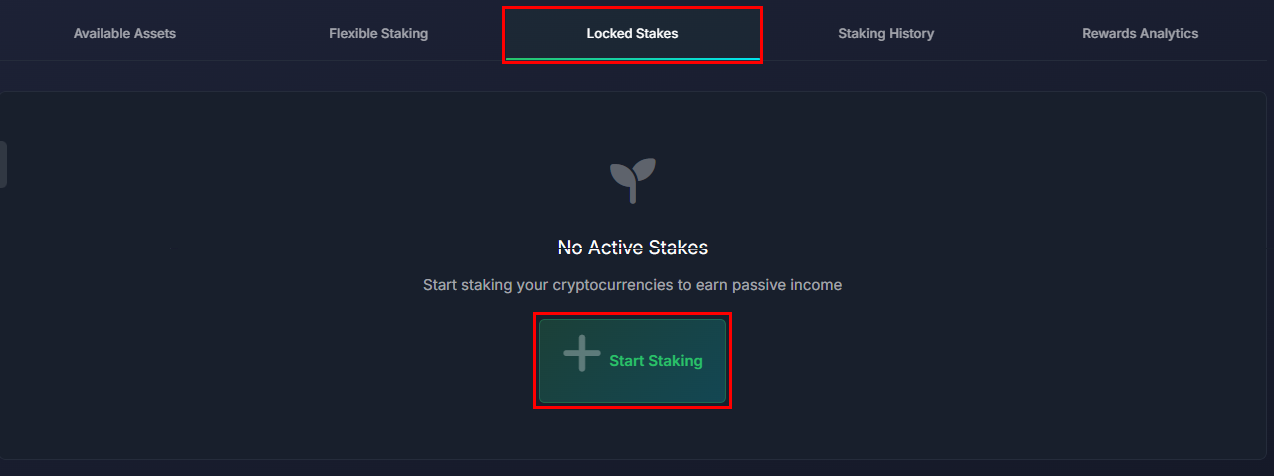
3. Choose the available syaking type and press on the "Stake Now". Make sure your SPOT account has enough of funding you're going to be staking in.
4. Press on the "Locked Staking". It will define the percent of the stake. To follow to the next step press on "Next".
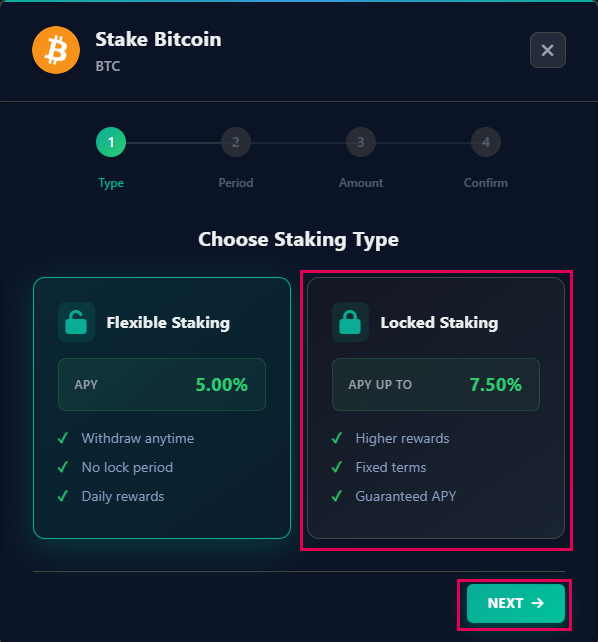
5. Choose the Lock Period and press on "Next".
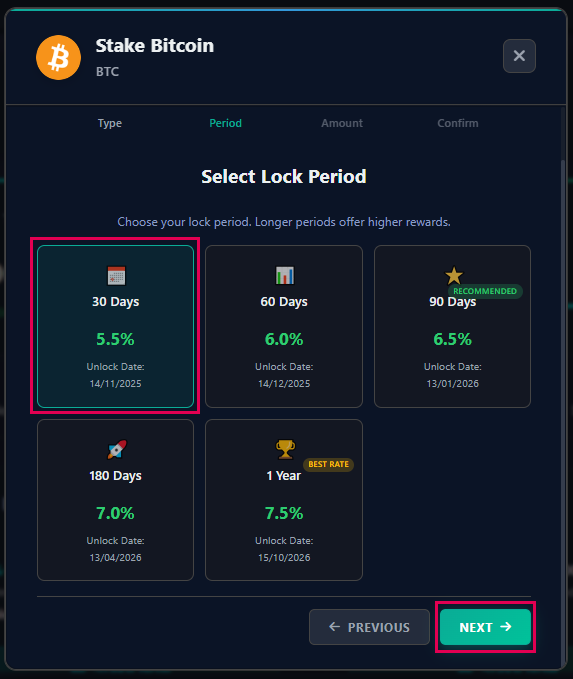
6. Enter the Amount and press on "Next".
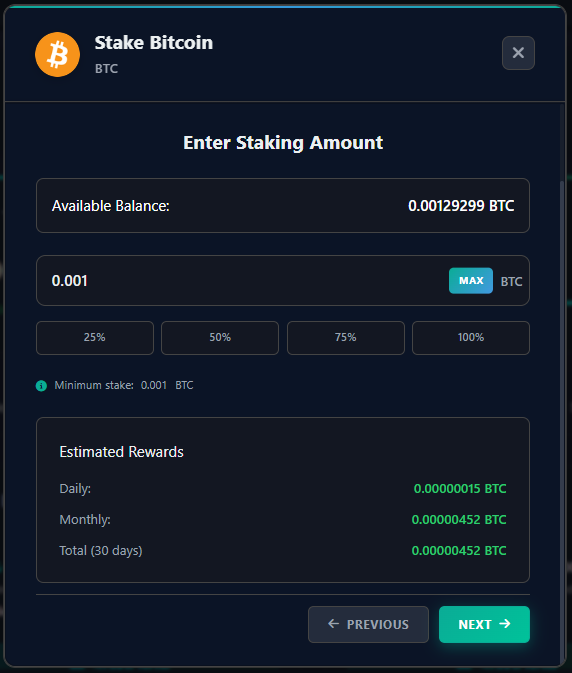
7. Confirm Staking Details, confirm the agreement on the Tearms & Conditions and press on "Confirm Stacking".
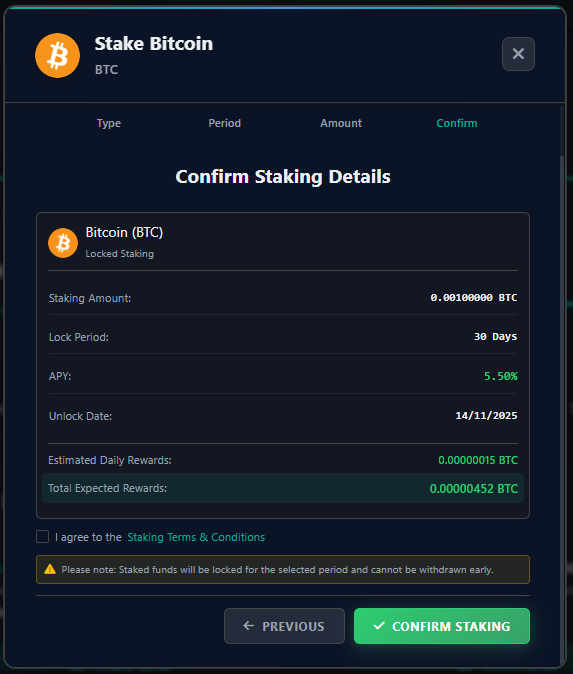
8. You will be able to check the stats here.
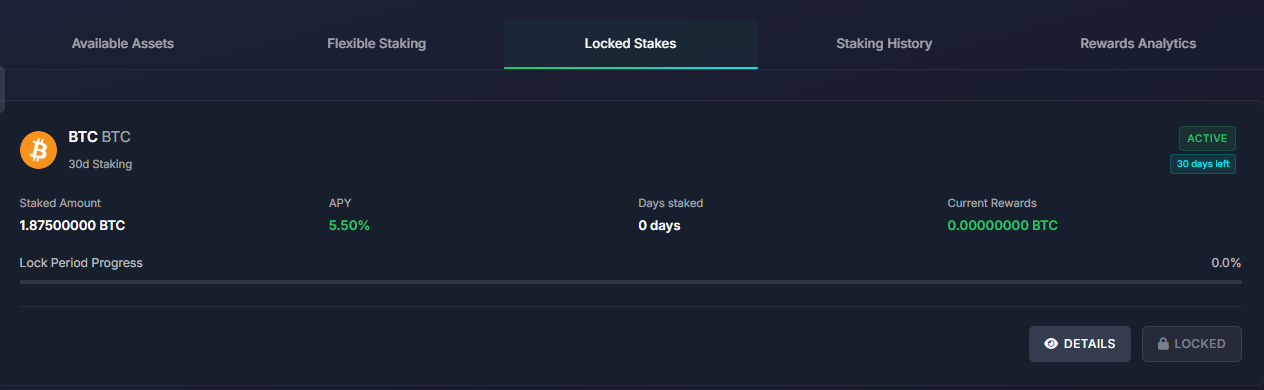
Staking History
1. Go to your platform account. Press on the acciunt type and choose "Staking Account".
2. Choose "Staking History". When the staking time is over, it will show you the results of it.
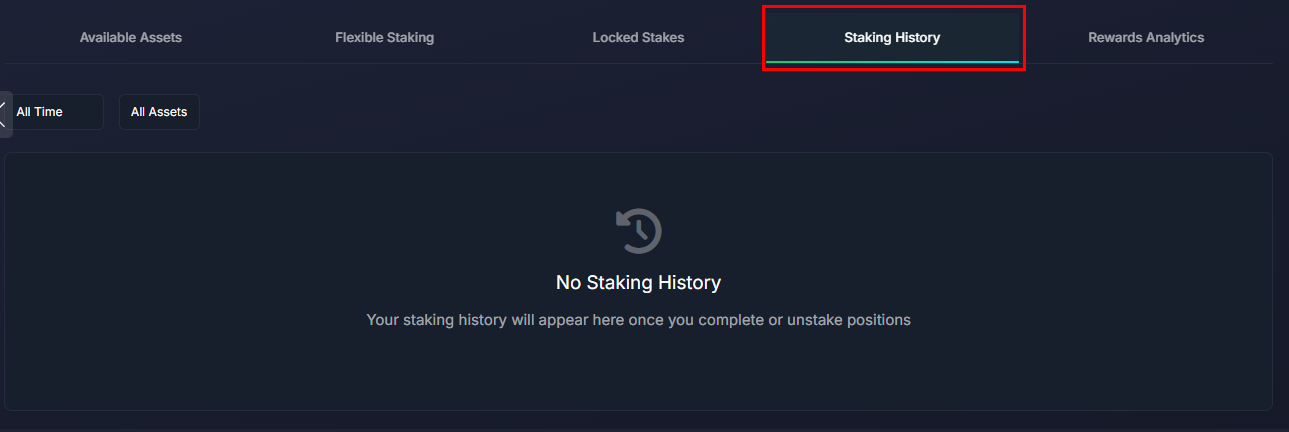
Rewards Analytics
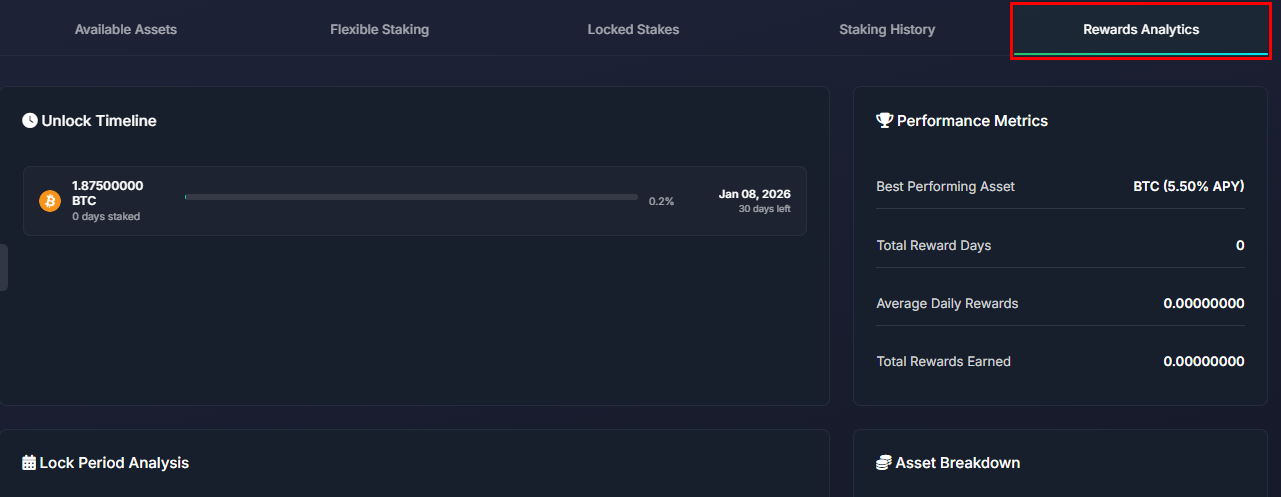
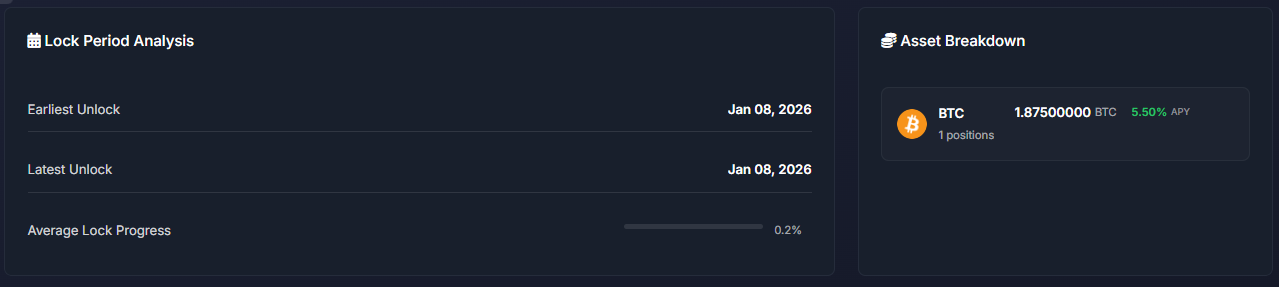
1. Go to your platform account. Press on the acciunt type and choose "Staking Account".
2. Choose "Rewards Analytics". You will be able to monitor there the progress of the rewards.