How to Manage Binary Options?
Binary options on a trading platform in crypto are a type of financial contract where you predict whether the price of an asset (like Bitcoin or Ethereum) will be above or below a certain level at a specific time.
-
If your prediction is correct, you earn a fixed payout.
-
If your prediction is wrong, you lose your investment.
It’s called “binary” because there are only two possible outcomes — win or lose.
Note! The binary trading is USTD only!
IN THE CRM
General Settings. Enabling and Setting % of Payout
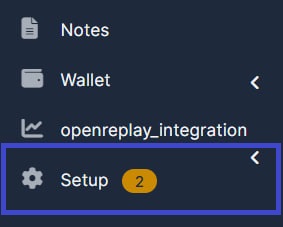
1. Go to "Setup".
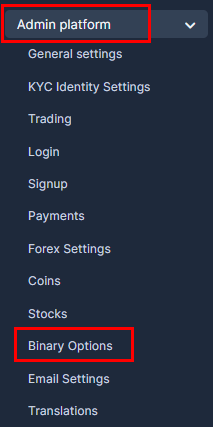
2. Go to "Admin Platform" and choose "Binary Options" tab.
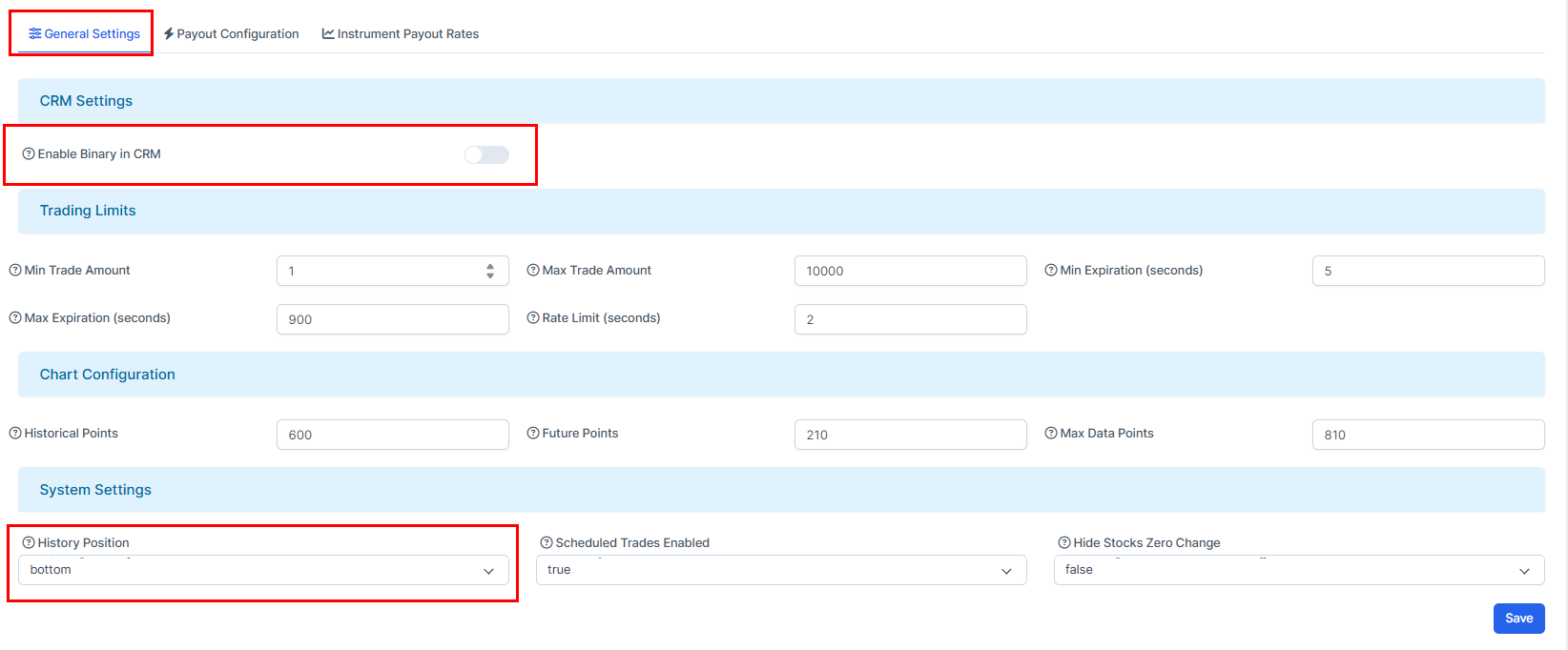
3. Go to "General Settings" and choose "Enable Binary in CRM". Other settings available are also perferctly moderatable.
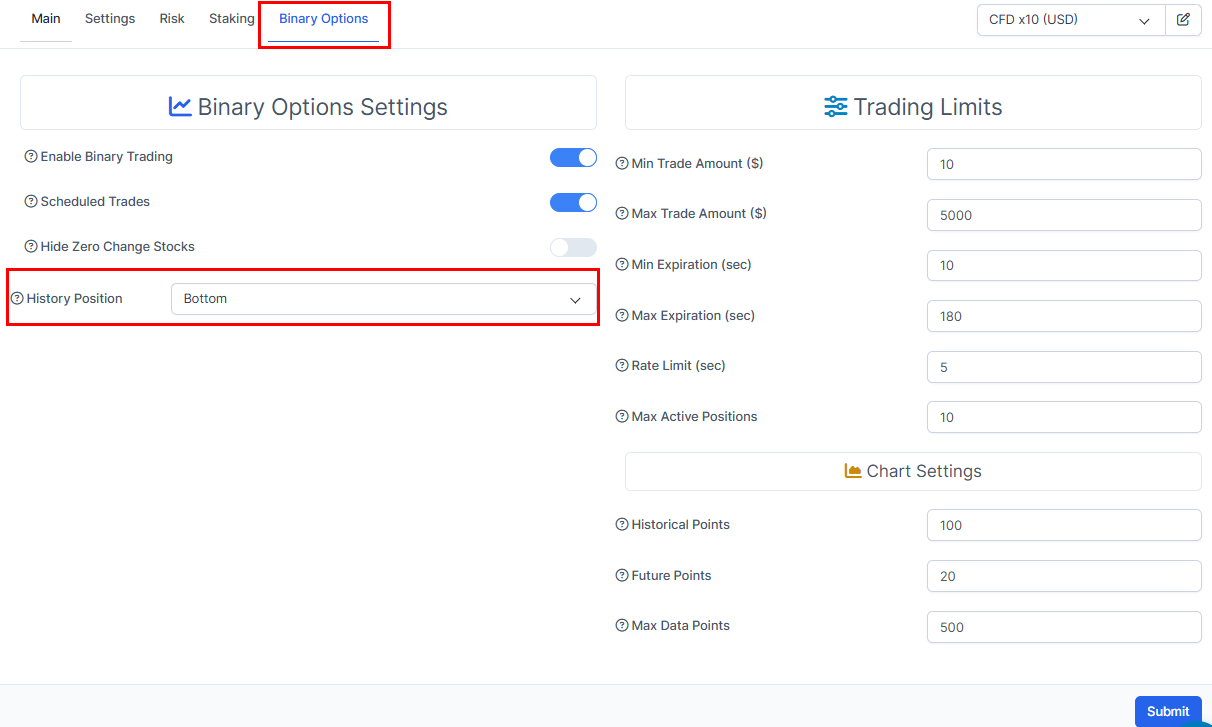
You can set up "Trading Limits" and "Chart Configuration" up to your request.
"History Positions" setting will allow you to set where the History Positions are going to be located in the platfrom view. Those are default general options for all the users.
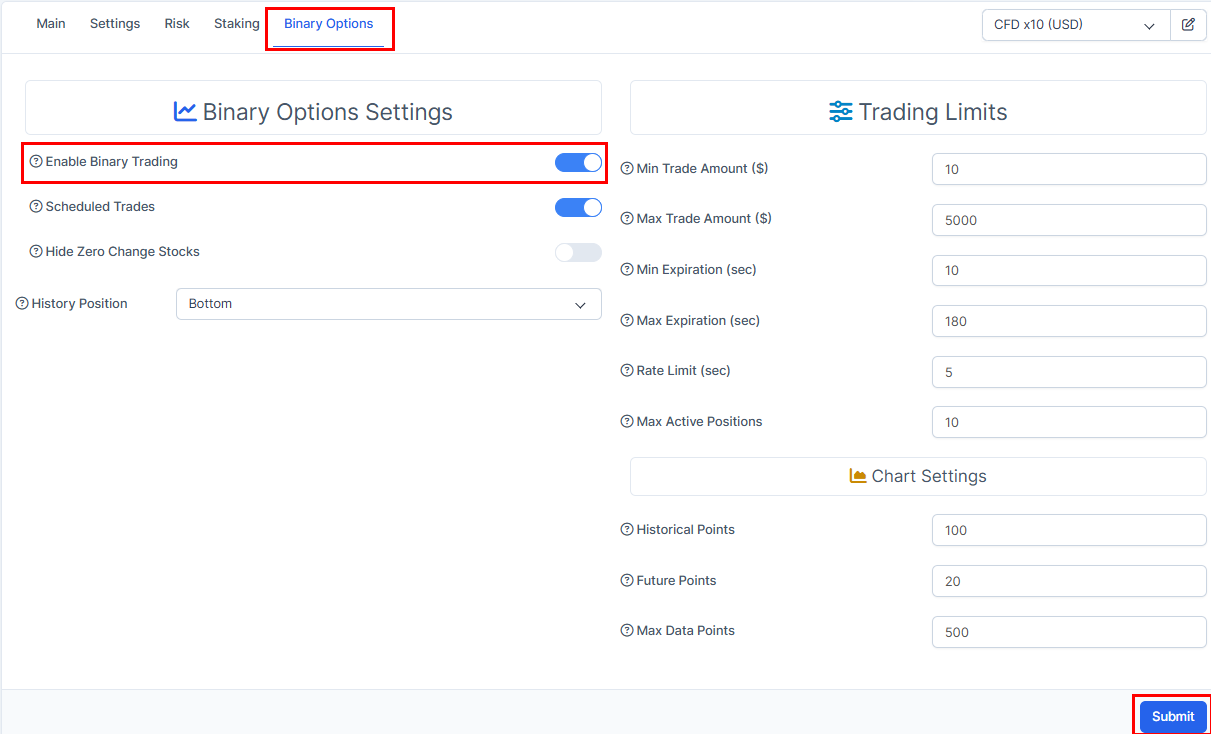
Once the option is enabled, you will get the access to "Binary Options" on the trader's page. Make sure "Enable Binary Trading" is on for the client on the trader's profile.
"History Positions" setting on the Trader's Profile is a prioritised setting. It will not be referencing general History Settings when enabled.
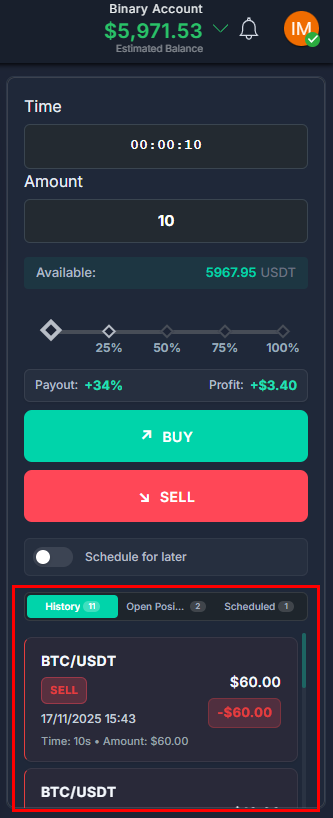
That's how History Positions are going to look on the platfrom once set to "Bottom".
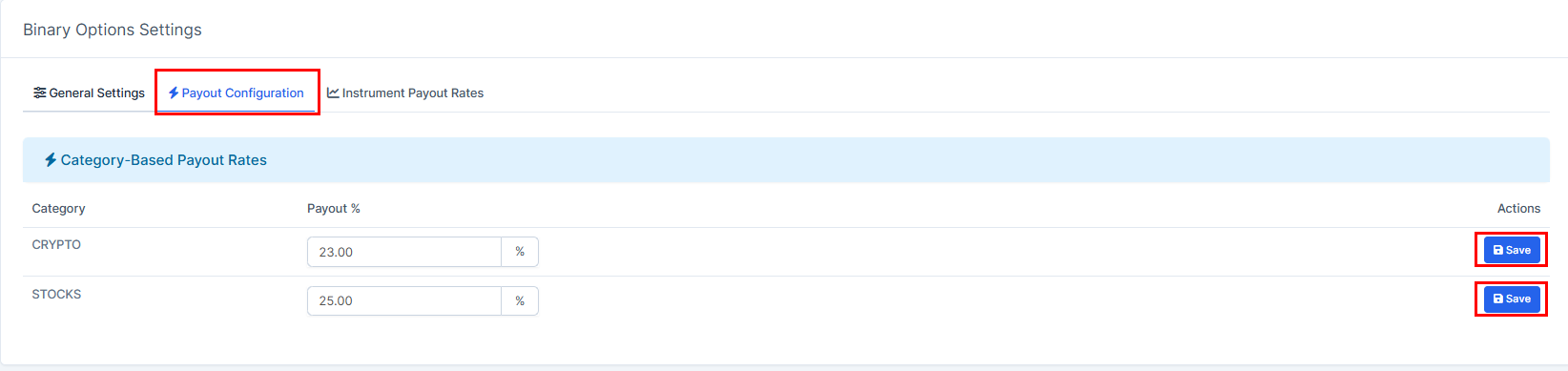
4. Go to "Payout Configuration". Here you will be able to fit categories under your request. To ensure your choice, press on "Save".
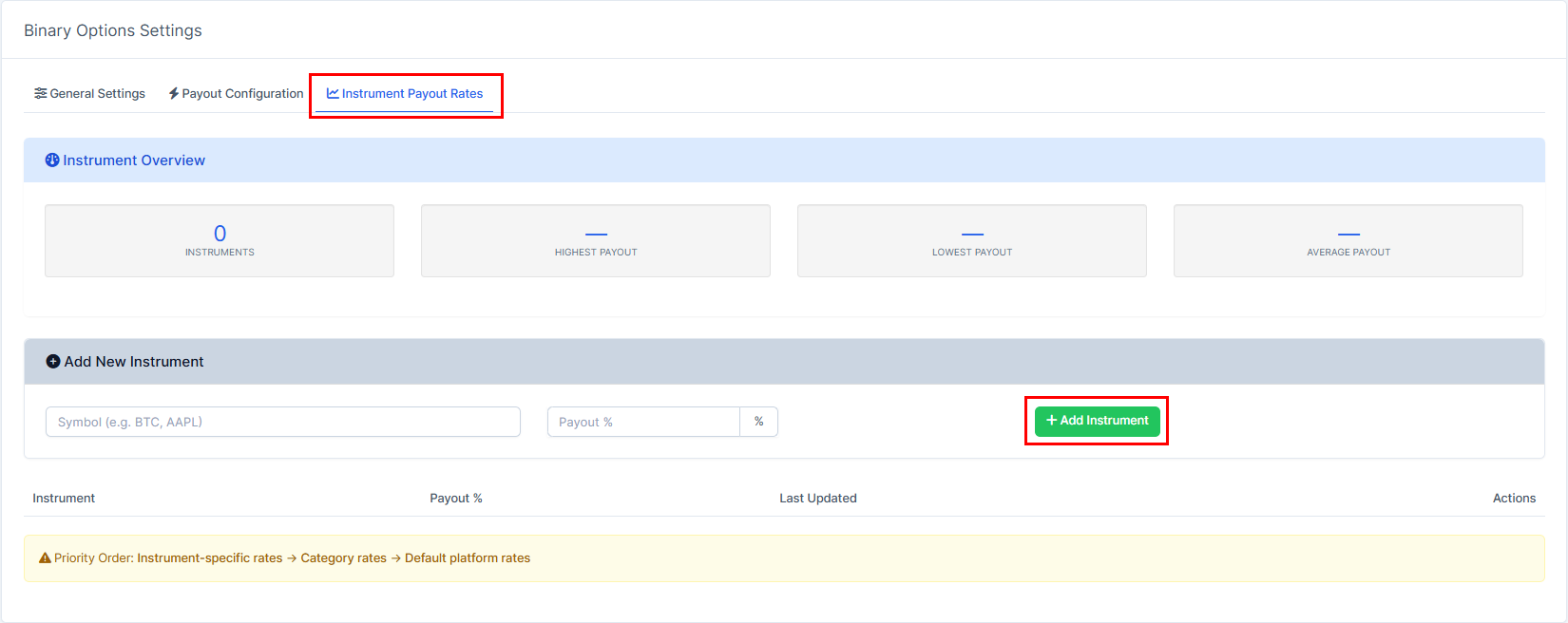
5. Go to "Instrument Payout Rates".
Will help you to choose prioritised currency. If this setting is not chosen, "Payout configuration" settings will be chosen.
Once done, it will be featured on the platfrom screen of the user.
Finding Binary Positions
General
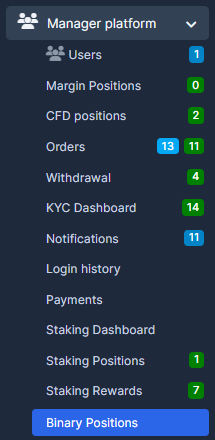
1. Go to "Manager Platfrom" and choose "Binary Positions".
You will be able to view all the history of the positions of your clients.

Personal
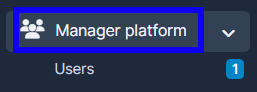
1. Go to "Manager Platform".
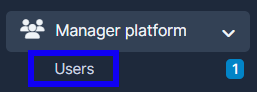
2. Choose the "Users" tab.
3. Press on "View" in the user's name.

4. Press on "Binary Positions" too view the user's history.
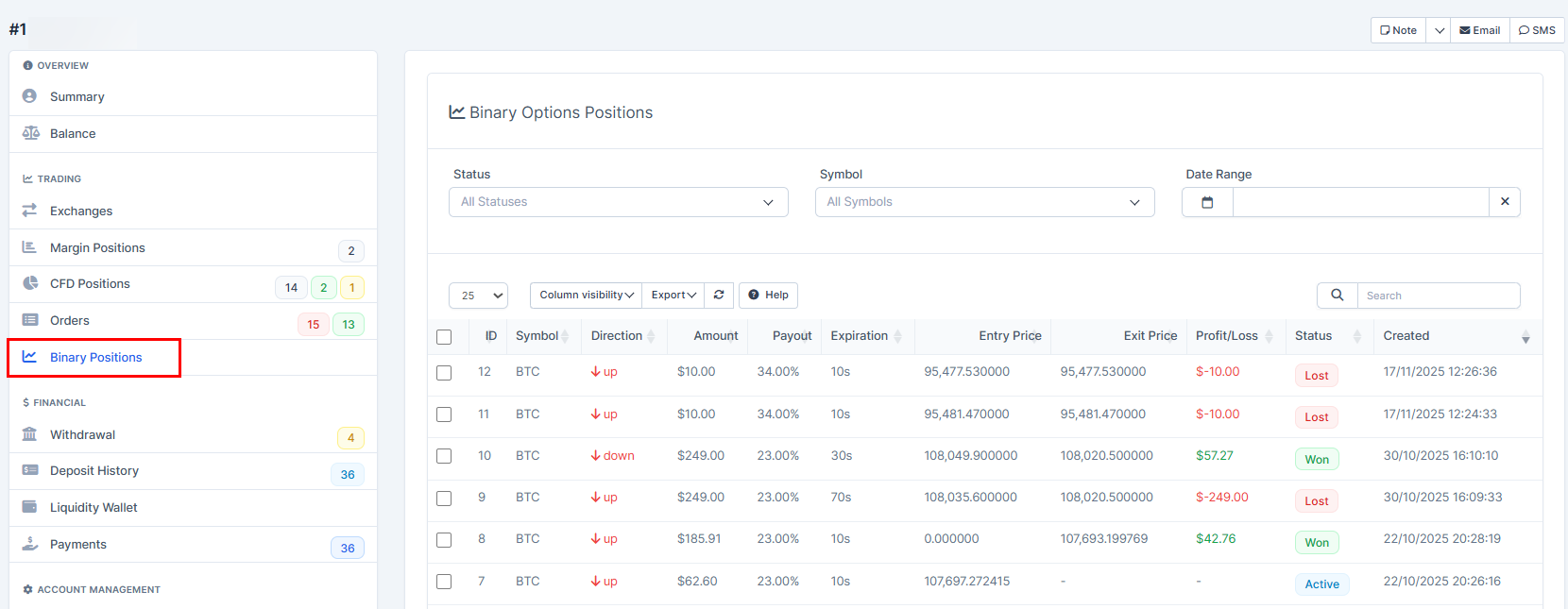
Finding Personal Binary Options
1. Go to "Manager Platform".
2. Choose the "Users" tab.
3. Press on "View" in the user's name.
4. Go to "Summary".

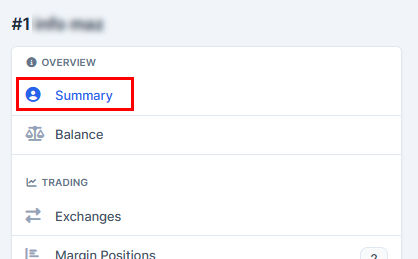
5. Press on "Binary Options". You will be able to set the options there. Once done, make sure to press on the "Submit" once you set the required options.
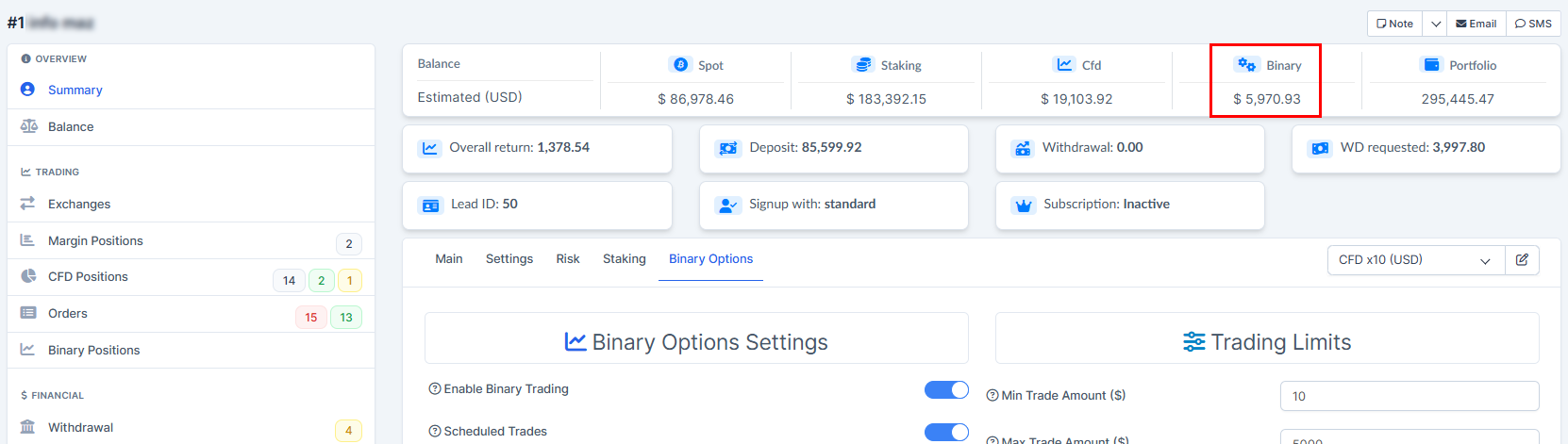
6. As well, you can view the balances dashboard above. Your "Binary" account funds can be found here.
ON THE Platform
General Platfrom Settings. Binary Dashboard
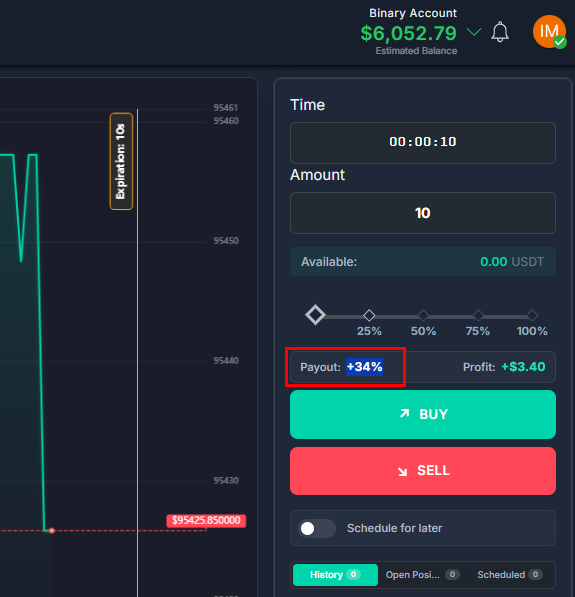
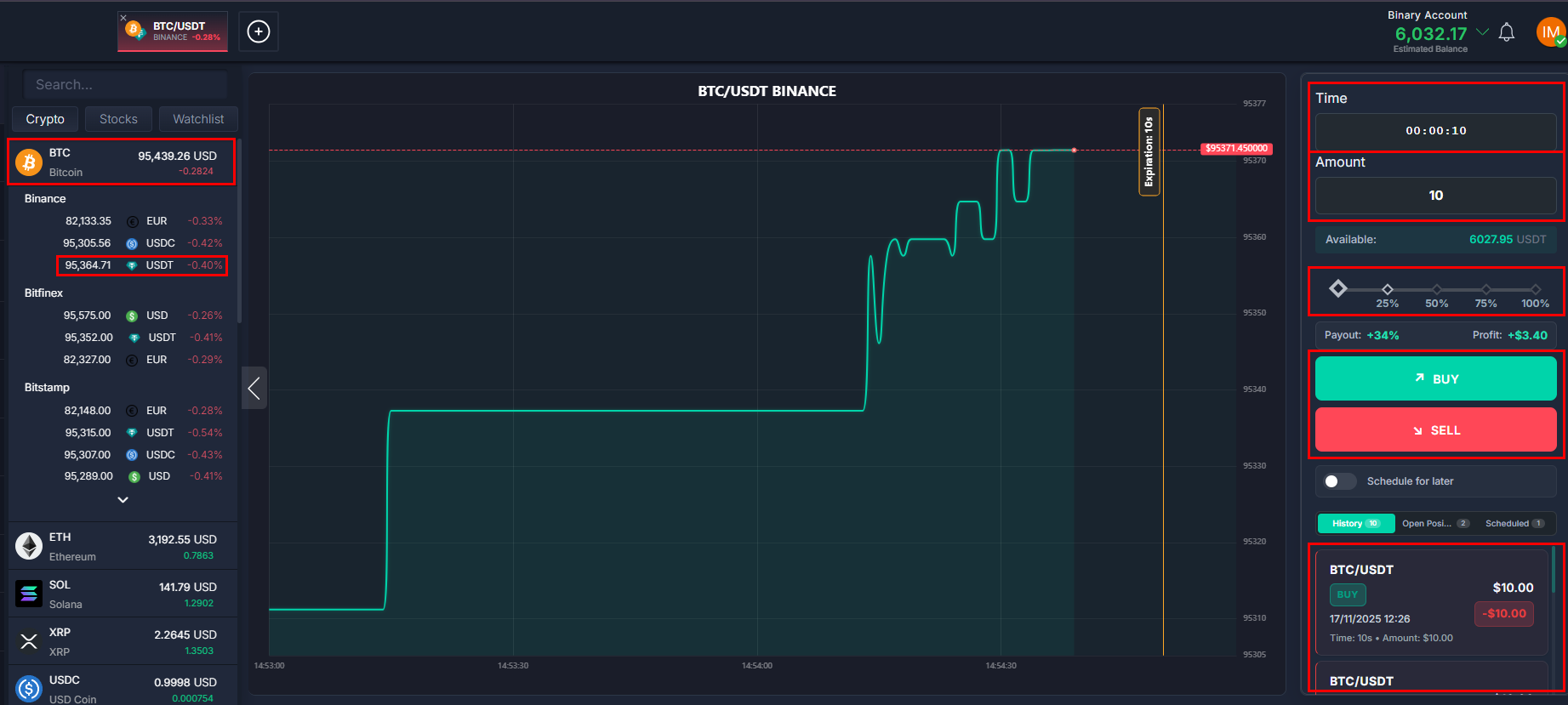
1. Choose the cryptocurrency asset you want to trade in (e.g BTC USDT). Make sure the asset is USDT as Binary Options work only with USDT.
2. Set the Time - this function will open the position in this time within the set time frame (e.g. 10 seconds). You can enter it manually or use + -.
3. Enter the Amount - for the amount you bid with.
4. You can Select Quick Amount/Amount Shortcuts - that will help you to chose quick amount
5. Press on Buy if you expect growth. Sell if you expect fall.
As a result in the History you will see the previous bidding history and current result. Completed deals with results, entry/exit prices, expiry and P&L. Open Positions – active trades with status (Active/Won/Lost) and current P&L. Scheduled – queue of pending orders (visible only with permission).
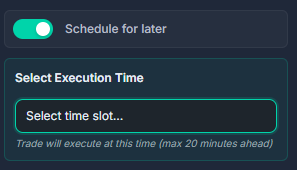
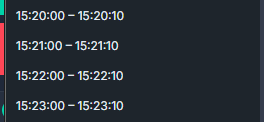
Schedule for later - will help you to choose a timeframe in future. Up to 20 mins ahead within the set time frame above (e.g. 10 seconds).
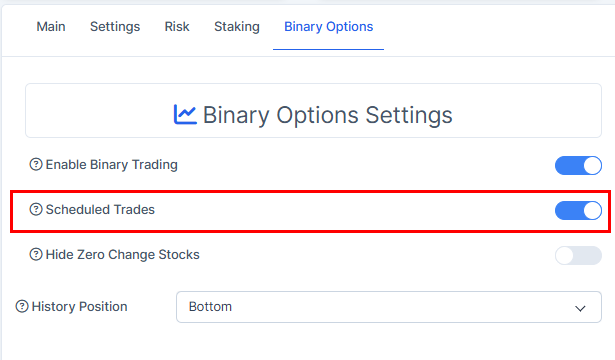
Note! The function is available only with these settings enabled! You can find them in the trader's profile settings.
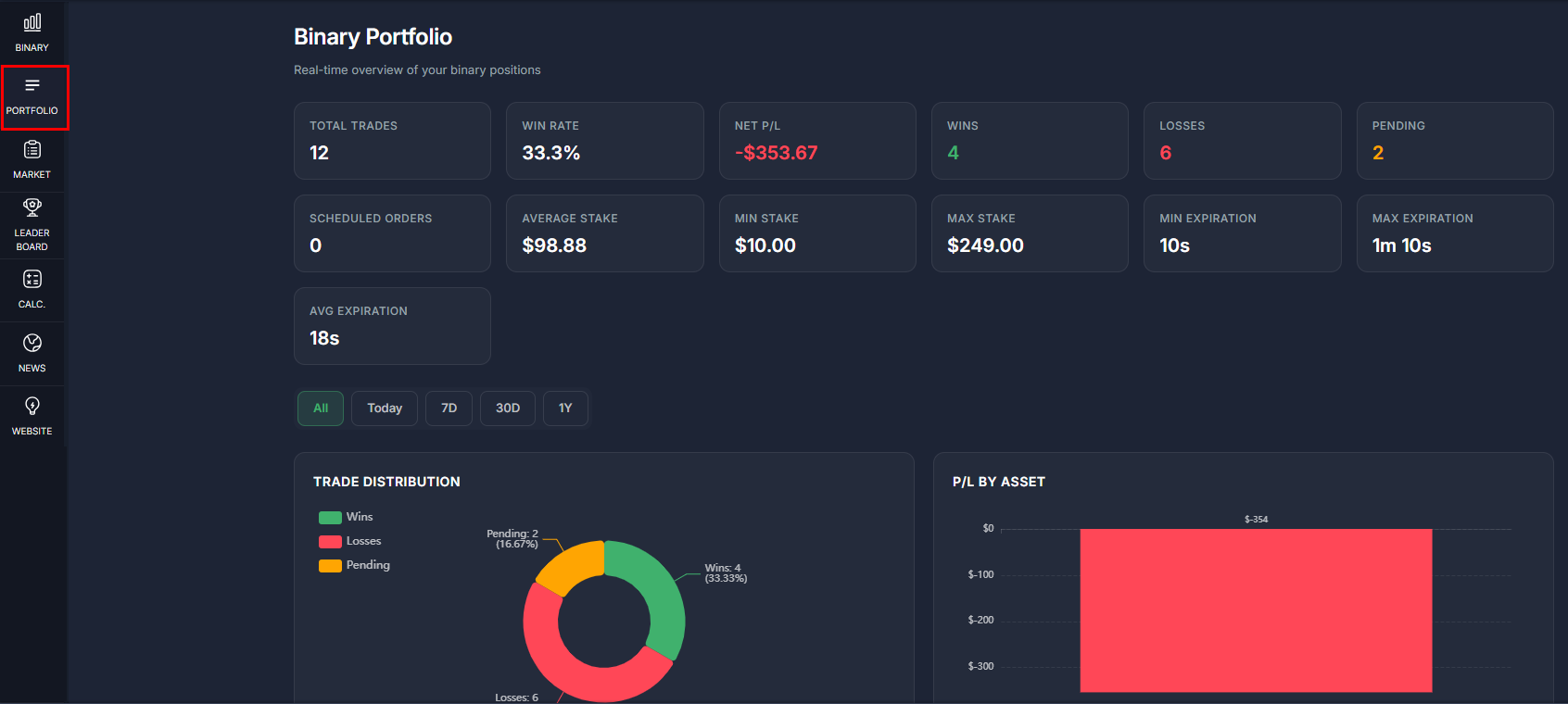
You can as well check the stats in the "Portfolio".
The counters are updated every 30 seconds, and each tab has loaded and empty list stats.
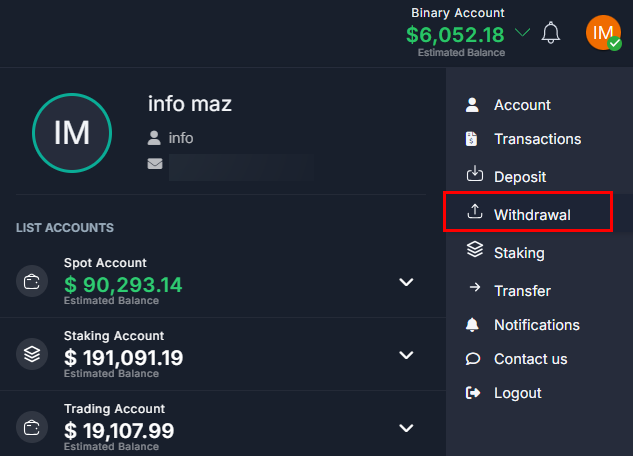
Withdrawal
Choose "Withdrawal".
1. To withdraw funds from Binary Account press on your account type.
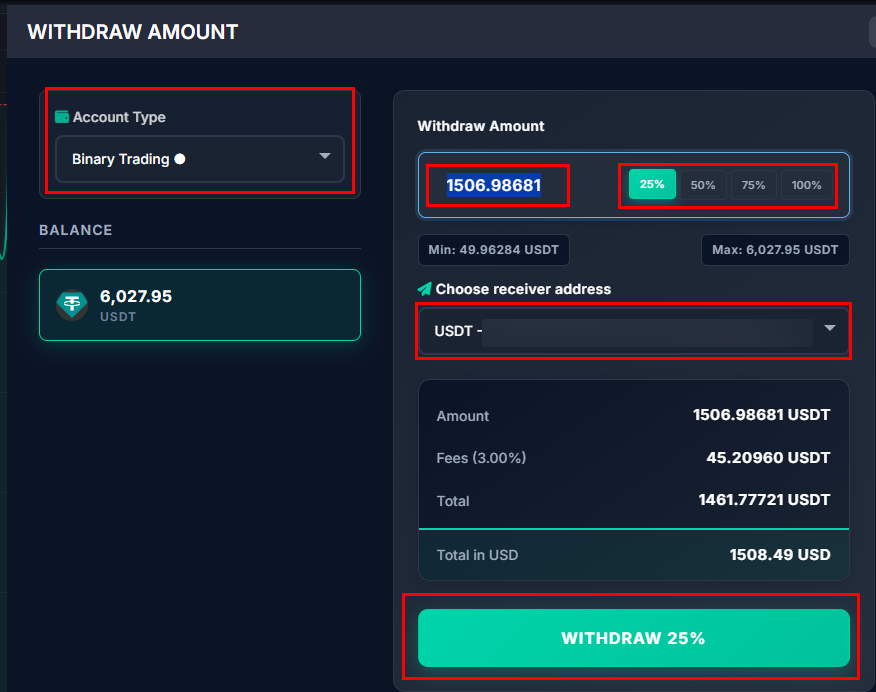
2. Choose "Binary Trading", Amount, Receiver Address, as well you can choose the quick amount percent. Press on "Withdraw" to complete the action.
3. Note that Withdrawal needs approval! You may find this article useful: How to Approve a Withdrawal
Transfer
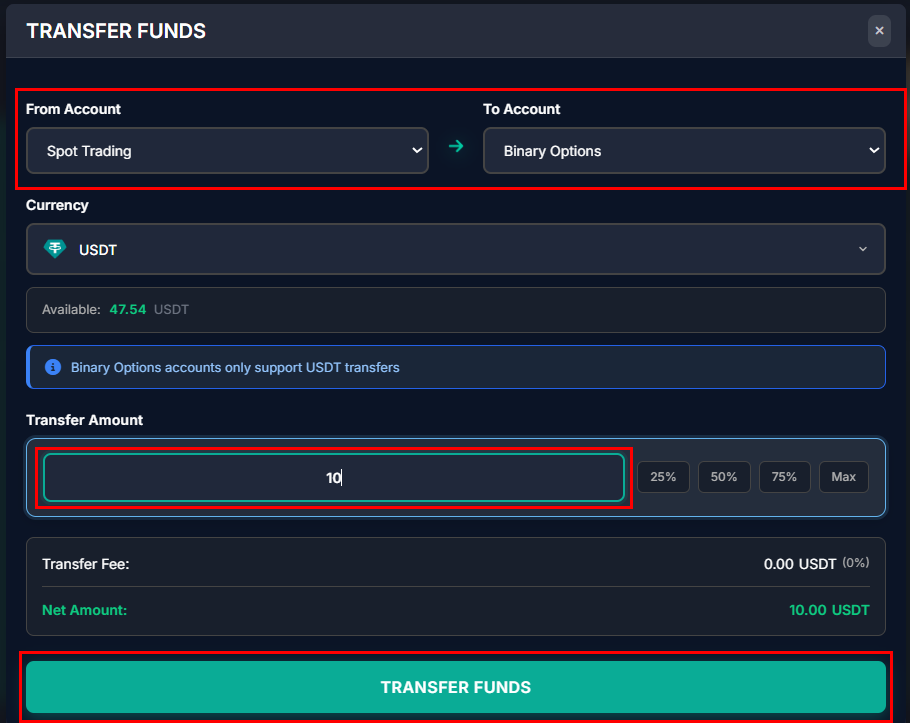
1. To transfer funds between your accounts from Binary Account press on your account type. Choose "Transfer".
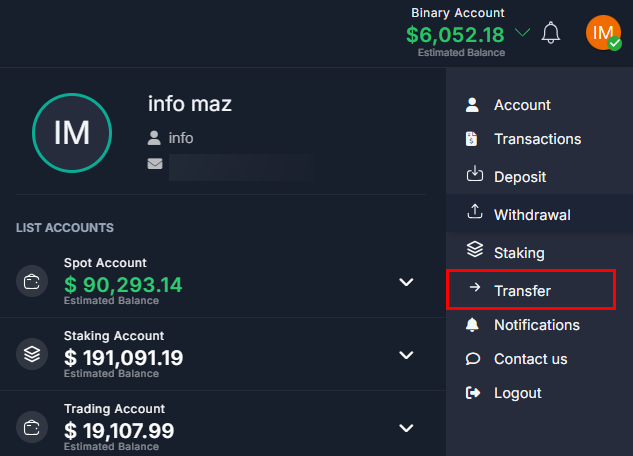
2. Choose from/to which to what account to send the funds to/from Binary. Choose the amount and as well you can choose the quick amount percent. Press on "Transfer Funds" to complete the action.